1. ບົດແນະນຳ
This manual provides essential information for the safe and efficient use of your OUPES Mega 2 Portable Power Station. Please read this manual thoroughly before operating the device and retain it for future reference. The OUPES Mega 2 is designed to provide reliable power for various applications, including home backup, outdoor camping, RV/van use, and emergency situations.

Image: The OUPES Mega 2 Portable Power Station shown with its accompanying 240W foldable solar panel, illustrating the complete solar generator system.
2. ຜະລິດຕະພັນເກີນview ແລະຄຸນນະສົມບັດທີ່ສໍາຄັນ
The OUPES Mega 2 is a high-capacity portable power station featuring a durable LiFePO4 battery and versatile output options. It is engineered for longevity and performance in diverse environments.
- ຄວາມຈຸ ແລະ ຜົນຜະລິດສູງ: 2048Wh battery capacity with 2500W continuous AC output and 5400W surge capability.
- Long-lasting LiFePO4 Battery: Offers over 3500 charge cycles to 80% capacity, providing a lifespan of 10+ years.
- ພະລັງງານທີ່ສາມາດຂະຫຍາຍໄດ້: Capacity can be expanded up to 10.24kWh by connecting up to four B2 Smart Extra Batteries (sold separately).
- Rapid Recharging: Supports up to 2100W solar input and 1600W AC input, allowing for a full charge in as little as 36 minutes (AC+Solar).
- ຜົນຜະລິດທີ່ຫຼາກຫຼາຍ: Equipped with 15 output ports, including 5 AC outlets, 2 USB-C PD100W, 4 USB-A QC 3.0, 12V/30A Anderson, 12V/10A car outlet, and DC5521 ports.
- ການສະຫນອງພະລັງງານທີ່ບໍ່ລົບກວນ (UPS): Features a fast <20ms switchover time for seamless power during outages.
- ການຄວບຄຸມອັດສະລິຍະ: Monitor and control the power station remotely via a dedicated mobile application.
Image: A detailed diagram highlighting the 15-in-1 power hub of the OUPES Mega 2, showcasing all available output ports including AC, USB, Anderson, and DC connections.
3. ສິ່ງທີ່ຢູ່ໃນກ່ອງ
Upon unpacking your OUPES Mega 2, please ensure all the following components are present:
- 1x OUPES Mega 2 Portable Power Station
- 1x OUPES 240W Portable Solar Panel
- 1x ສາຍສາກ AC
- 1x Anderson Extension Cable
- 1x Car Lighter to Anderson Adapter Cable
- 1x DC7909 to Anderson Adapter Cable
- 1x MC.4 to Anderson Adapter Cable
- 1x ຄູ່ມືຜູ້ໃຊ້ (ເອກະສານນີ້)
4. ຕັ້ງຄ່າ
4.1 ຄ່າບໍລິການເບື້ອງຕົ້ນ
Before first use, it is recommended to fully charge your OUPES Mega 2. Connect the AC charging cable to a standard wall outlet and to the AC input port on the power station. The display will indicate charging status. For faster charging, combine AC and solar input.
4.2 ການເຊື່ອມຕໍ່ແຜງໂຊລາເຊວ
To charge using the 240W portable solar panel:
- Unfold the solar panel and position it in direct sunlight for optimal efficiency.
- Connect the MC.4 to Anderson adapter cable to the solar panel's output.
- Connect the Anderson end of the adapter cable to the solar input port on the OUPES Mega 2.

Image: The OUPES Mega 2 power station positioned outdoors with multiple solar panels, demonstrating its rapid recharge capabilities from solar and combined AC+Solar sources.
4.3 Expanding Capacity (Optional)
The OUPES Mega 2 can be expanded by connecting B2 Smart Extra Batteries. Up to four extra batteries can be daisy-chained to increase the total capacity to 10.24kWh. Refer to the B2 Smart Extra Battery manual for specific connection instructions.
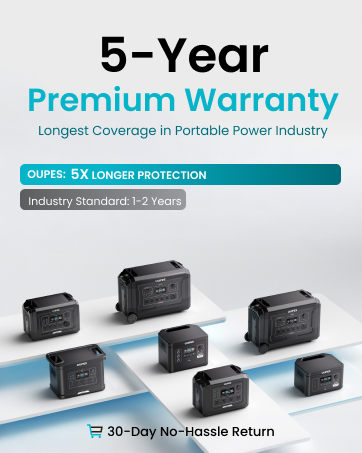
Image: An OUPES Mega 2 power station connected to several B2 Smart Extra Batteries, illustrating the system's expandable capacity up to 10.24kWh for extended power needs.
5. ຄໍາແນະນໍາການດໍາເນີນງານ
5.1 ການເປີດ/ປິດ
Press and hold the main "POWER" button located on the front panel to turn the unit on or off. The LCD display will illuminate, showing battery status and output information.
5.2 ການໃຊ້ຜົນຜະລິດ AC
The OUPES Mega 2 features 5 AC outlets providing 2500W continuous pure sine wave power (100-120V). Press the "AC" button on the front panel to activate the AC outputs. Plug your devices into the desired outlets. Ensure the total wattage of connected devices does not exceed 2500W to prevent overload.
5.3 ການໃຊ້ຜົນຜະລິດ DC
The unit includes various DC output options:
- 12V/30A Anderson Port: Ideal for connecting RV batteries or other high-power 12V DC devices. Activate by pressing the "DC" button in the 12V/30A section.
- 12V/10A Car Outlet: For standard car accessories. Activate by pressing the "DC" button in the 12V/10A section.
- DC5521 ພອດ: Two 12V/10A ports for smaller DC devices. Activate by pressing the "DC" button in the 12V/10A section.
5.4 ການໃຊ້ຜົນຜະລິດ USB
The OUPES Mega 2 offers multiple USB ports for charging mobile devices:
- USB-C PD100W Ports (x2): For fast charging compatible laptops, tablets, and smartphones.
- USB-A QC 3.0 Ports (x4): For quick charging a wide range of USB-compatible devices.
Activate all USB outputs by pressing the "DC" button in the USB section.
5.5 ການຄວບຄຸມແອັບອັດສະລິຍະ
Download the OUPES mobile application to monitor and control your power station remotely. The app allows you to view real-time charging data, set recharging speeds, manage AC timeout settings, and more. Ensure Bluetooth is enabled on your device and the power station for connection.
Image: A smartphone screen showing the OUPES application, demonstrating remote control and real-time monitoring features for the power station.
5.6 ໜ້າທີ່ຂອງແຫຼ່ງຈ່າຍໄຟສຳຮອງ (UPS)
When the OUPES Mega 2 is connected to an AC wall outlet and has devices plugged into its AC outputs, it can function as a UPS. In the event of a power outage, the unit will automatically switch to battery power within <20ms, providing continuous power to connected devices without interruption.
6. ການສາກໄຟ
The OUPES Mega 2 offers multiple charging methods to suit your needs:
- ການສາກໄຟ AC: Connect the AC charging cable to a standard wall outlet. The unit supports up to 1600W AC charging, reaching a full charge in approximately 1.3 hours.
- ສາກໄຟແສງຕາເວັນ: Utilize the included 240W solar panel or other compatible solar panels (up to 2100W MPPT input). Charging time varies based on sunlight intensity and panel wattage.
- AC + ການສາກໄຟດ້ວຍແສງອາທິດ: Combine both AC and solar inputs for the fastest recharging. With up to 3700W combined input, the unit can achieve a full charge in approximately 0.6 hours.
7. ບໍາລຸງຮັກສາ
- ການດູແລຫມໍ້ໄຟ: The LiFePO4 battery is designed for long life. For optimal performance, avoid completely draining the battery frequently. Store the unit with at least 50% charge if not used for extended periods.
- ອຸນຫະພູມປະຕິບັດການ: The unit operates best within a temperature range of 30°F to 104°F (approximately -1°C to 40°C). Avoid charging the LiFePO4 battery below 32°F (0°C) to prevent damage and ensure longevity.
- ທໍາຄວາມສະອາດ: Use a dry, soft cloth to clean the exterior of the power station. Do not use liquid cleaners or immerse the unit in water.
- ການເກັບຮັກສາ: ເກັບຮັກສາສະຖານີໄຟຟ້າໄວ້ໃນບ່ອນທີ່ເຢັນ, ແຫ້ງ ແລະ ຫ່າງຈາກແສງແດດໂດຍກົງ ແລະ ອຸນຫະພູມສູງສຸດ.
8. ການແກ້ໄຂບັນຫາ
- ໜ່ວຍງານບໍ່ເປີດ: ໃຫ້ແນ່ໃຈວ່າແບັດເຕີຣີຖືກສາກແລ້ວ. ຖ້າເຄື່ອງຖືກເກັບໄວ້ເປັນເວລາດົນນານ, ມັນອາດຈະຕ້ອງການການສາກໄຟໃນເບື້ອງຕົ້ນ.
- ບໍ່ມີຜົນຜະລິດຈາກພອດ: Verify that the specific output section (AC, DC, USB) is activated by pressing its respective button. Check if the device being powered is within the wattage limits of the port and the overall unit.
- ການປ້ອງກັນການໂຫຼດເກີນ: If an overload occurs, the unit's circuit breaker may trip. Disconnect some devices and reset the circuit breaker located on the back panel.
- ການສາກໄຟຊ້າ: Ensure solar panels are in direct sunlight and free from obstructions. For AC charging, verify the cable is securely connected. Check the app for charging speed settings.
- ບັນຫາການເຊື່ອມຕໍ່ແອັບ: Ensure Bluetooth is enabled on both your mobile device and the power station. Restart the app and the power station if connection problems persist.
9. ຂໍ້ມູນຈໍາເພາະ
| ຄຸນສົມບັດ | ຂໍ້ມູນຈໍາເພາະ |
|---|---|
| ຍີ່ຫໍ້ | OUPES |
| ຊື່ຕົວແບບ | ເມກາ 2 |
| ປະເພດຫມໍ້ໄຟ | LiFePO4 (Lithium Iron Phosphate) |
| ຄວາມອາດສາມາດ | 2048Wh |
| ຜົນຜະລິດ AC (ຕໍ່ເນື່ອງ) | 2500W (Pure Sine Wave 100-120V) |
| AC Output (Surge) | 5400W |
| ຄວາມອາດສາມາດຂະຫຍາຍໄດ້ | Up to 10.24kWh with B2 Smart Extra Batteries |
| AC Input | 1600W ສູງສຸດ |
| ວັດສະດຸປ້ອນແສງອາທິດ | 2100W MPPT Max (12-150VDC, 15A Max) |
| AC+Solar Max Charging | 3700W |
| ເວລາປ່ຽນ UPS | <20ms |
| USB-C Output | 2x PD100W |
| ຜົນຜະລິດ USB-A | 4x QC 3.0 (18W Max) |
| DC Output (Anderson) | 1x 12V/30A |
| DC Output (Car/DC5521) | 1x 12V/10A Car, 2x 12V/10A DC5521 |
| ຂະໜາດ (L x W x H) | 18.1" x 10.6" x 12" |
| ນ້ຳໜັກ | 48.5 lbs |
| ວັດສະດຸ | Plastic, Rubber, Aluminum |
10. ການຮັບປະກັນແລະການສະຫນັບສະຫນູນ
The OUPES Mega 2 Portable Power Station comes with a ຮັບປະກັນ 5 ປີ, ensuring long-term reliability and peace of mind. For technical support, warranty claims, or any inquiries, please refer to the contact information provided on the official OUPES webເວັບໄຊ ຫຼືເອກະສານການຊື້ຂອງທ່ານ.


