1. ບົດແນະນຳ
The Nonstop NSO2-BK is a versatile hotel alarm clock designed for convenience and functionality. It features a clear digital display, multiple charging options including USB-C, and an intuitive interface for setting time and alarms. This manual provides detailed instructions for setting up and operating your alarm clock.
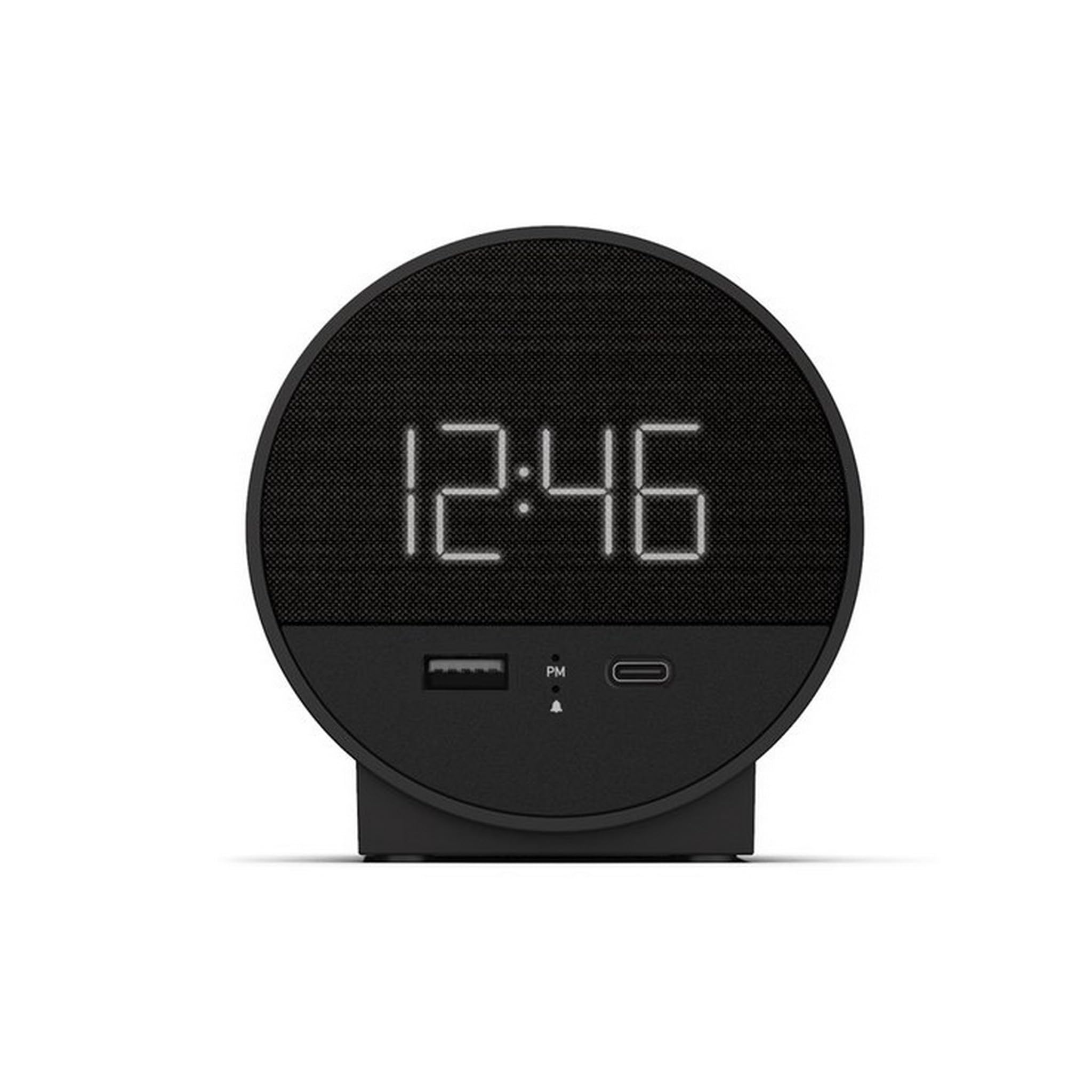
ຮູບ 1: ດ້ານຫນ້າ view of the Nonstop NSO2-BK USB-C Hotel Alarm Clock.
2. ຄຸນລັກສະນະຂອງຜະລິດຕະພັນ
- Digital Time Display: Clear and easy-to-read time.
- Dual Alarm Function: Set two independent alarms.
- Snooze Function: Temporarily silence the alarm.
- Display Dimmer: Adjust screen brightness for comfort.
- USB-C Charging Port: Modern charging for compatible devices.
- USB-A Charging Port: Standard USB charging for various devices.
- Bluetooth Speaker: Connect your smartphone or other devices to play audio.
- Relaxation Sounds: Built-in sound machine for sleep or relaxation.

Figure 2: Close-up of the USB-A and USB-C charging ports on the alarm clock.
3. ຕັ້ງຄ່າ
3.1 ການເຊື່ອມຕໍ່ພະລັງງານ
- ຖອດຖົງໂມງປຸກ ແລະອຸປະກອນເສີມທັງໝົດ.
- ເຊື່ອມຕໍ່ອະແດບເຕີໄຟກັບຜອດປ້ອນຂໍ້ມູນ DC ຢູ່ດ້ານຫຼັງຂອງໂມງປຸກ.
- ສຽບອະແດບເຕີໄຟເຂົ້າກັບປລັກໄຟຟ້າມາດຕະຖານ. ໜ້າຈໍຈະສະຫວ່າງຂຶ້ນ.
3.2 Backup Battery (Not included)
ສໍາລັບການຮັກສາເວລາຢ່າງຕໍ່ເນື່ອງໃນລະຫວ່າງການພະລັງງານ outages, insert 2 AAA batteries (not included) into the battery compartment on the bottom of the unit. The backup battery maintains time settings but does not power the display or alarm functions.
4. ຄໍາແນະນໍາການດໍາເນີນງານ
4.1 ການ ກຳ ນົດເວລາ
- ກົດຄ້າງໄວ້ ເວລາ ກຳ ນົດ button (often labeled 'M' or a clock icon) for 3 seconds until the hour digits flash.
- ໃຊ້ HR (ຊົ່ວໂມງ) ແລະ ນາທີ ປຸ່ມ (ນາທີ) ເພື່ອປັບເວລາ.
- ກົດ ເວລາ ກຳ ນົດ ອີກເທື່ອໜຶ່ງເພື່ອຢືນຢັນ ແລະອອກຈາກໂໝດການຕັ້ງຄ່າເວລາ.
4.2 ການຕັ້ງໂມງປຸກ
The NSO2-BK supports two independent alarms (Alarm 1 and Alarm 2).
- ກົດຄ້າງໄວ້ ໂມງປຸກ 1 or ໂມງປຸກ 2 button (bell icon) for 3 seconds until the hour digits flash.
- ໃຊ້ HR ແລະ ນາທີ ປຸ່ມເພື່ອຕັ້ງເວລາປຸກທີ່ຕ້ອງການ.
- ກົດຕາມລໍາດັບ ປຸກ ກົດປຸ່ມອີກຄັ້ງເພື່ອຢືນຢັນເວລາປຸກ.
- To activate/deactivate an alarm, short press the corresponding ປຸກ button. An indicator light will appear/disappear on the display.
4.3 Snooze ຟັງຊັນ
ເມື່ອສຽງປຸກດັງຂຶ້ນ, ກົດປຸ່ມໃຫຍ່ ງອກ button on top of the unit to temporarily silence the alarm for 9 minutes. The alarm will sound again after the snooze period.
4.4 ການຄວບຄຸມຄວາມສະຫວ່າງຂອງໜ້າຈໍ
ກົດ SNOOZE / DIMMER button (or a dedicated dimmer button if available) repeatedly to cycle through different brightness levels for the display. Select the level that is most comfortable for you.
4.5 ອຸປະກອນສາກໄຟ
The NSO2-BK provides convenient charging for your electronic devices:
- ຜອດ USB-C: Located on the front, plug in your USB-C compatible device for fast charging.
- ພອດ USB-A: Located on the front, plug in your standard USB-A compatible device for charging.
ລຳໂພງ Bluetooth 4.6
To use the alarm clock as a Bluetooth speaker:
- ກົດ ໂໝດ button (labeled 'M') until 'BT' appears on the display.
- ໃນອຸປະກອນມືຖືຂອງທ່ານ, ເປີດໃຊ້ Bluetooth ແລະຊອກຫາອຸປະກອນທີ່ມີຢູ່.
- Select 'A21-B' (or similar model name) from the list to pair.
- Once paired, you can play audio from your device through the alarm clock's speaker.
Video 1: Demonstrates various functions including time setting, alarm setting, snooze, brightness, and charging on a similar multifunctional alarm clock. Note: Specific button labels may vary slightly from your model.
5. ບໍາລຸງຮັກສາ
- Clean the unit with a soft, dry cloth. Do not use liquid cleaners or abrasive materials.
- ເກັບຮັກສາອຸປະກອນໃຫ້ຫ່າງຈາກແສງແດດໂດຍກົງ, ແຫຼ່ງຄວາມຮ້ອນ ແລະ ຄວາມຊຸ່ມ.
- ຢ່າພະຍາຍາມຖອດປະກອບ ຫຼືສ້ອມແປງເຄື່ອງດ້ວຍຕົນເອງ. ຕິດຕໍ່ຝ່າຍຊ່ວຍເຫຼືອລູກຄ້າເພື່ອຂໍຄວາມຊ່ວຍເຫຼືອ.
6. ການແກ້ໄຂບັນຫາ
- ບໍ່ມີພະລັງງານ / ຈໍສະແດງຜົນປິດ: Ensure the power adapter is securely plugged into both the alarm clock and a working electrical outlet. Check if the power outlet is functional.
- ໂມງປຸກບໍ່ມີສຽງ: Verify that the alarm is activated (indicator light on) and the alarm time is correctly set. Check the alarm volume settings.
- ການສາກໄຟບໍ່ເຮັດວຽກ: Ensure your device is compatible with USB-C or USB-A charging. Check the charging cable for damage.
- ບັນຫາການຈັບຄູ່ Bluetooth: Ensure the alarm clock is in Bluetooth pairing mode ('BT' displayed). Turn off and on Bluetooth on your mobile device and try pairing again.
7. ຂໍ້ມູນຈໍາເພາະ
| ຂໍ້ມູນຈໍາເພາະ | ລາຍລະອຽດ |
|---|---|
| ຕົວແບບ | NSO2-BK |
| ນ້ໍາຫນັກລາຍການ | 2 ປອນ |
| ASIN | B0CKCNX688 |
| ວັນທີທໍາອິດທີ່ມີ | ວັນທີ 29 ກໍລະກົດ 2024 |
8. ການຮັບປະກັນແລະການສະຫນັບສະຫນູນ
This Nonstop NSO2-BK USB-C Hotel Alarm Clock comes with a 365-Day Warranty from the date of purchase. For any product-related inquiries, technical support, or warranty claims, please contact our customer service team.
- ນະໂຍບາຍການສົ່ງຄືນ: 30-day refund/replacement period.
- ໄລຍະເວລາຮັບປະກັນ: 365 ມື້ນັບຈາກການຊື້.
- ອີເມວສະຫນັບສະຫນູນ: Andoservice@outlook.com


