ແນະນຳ
This instruction manual provides essential information for the safe and efficient use of your Goobay USB-C to Lightning Charging and Sync Cable. Please read this manual thoroughly before using the product and retain it for future reference. This cable is designed for charging and data synchronization between devices equipped with a USB-C port and Apple devices featuring a Lightning port.
ສິນຄ້າເກີນview
The Goobay USB-C to Lightning Cable (Model 49270) is a durable and versatile cable designed for connecting Apple Lightning-enabled devices to USB-C power adapters or computers. It supports both fast charging up to 60 watts and high-speed data transfer up to 0.48 Gigabits per second. The cable features a braided design for enhanced durability and flexibility, with a length of 0.5 meters.
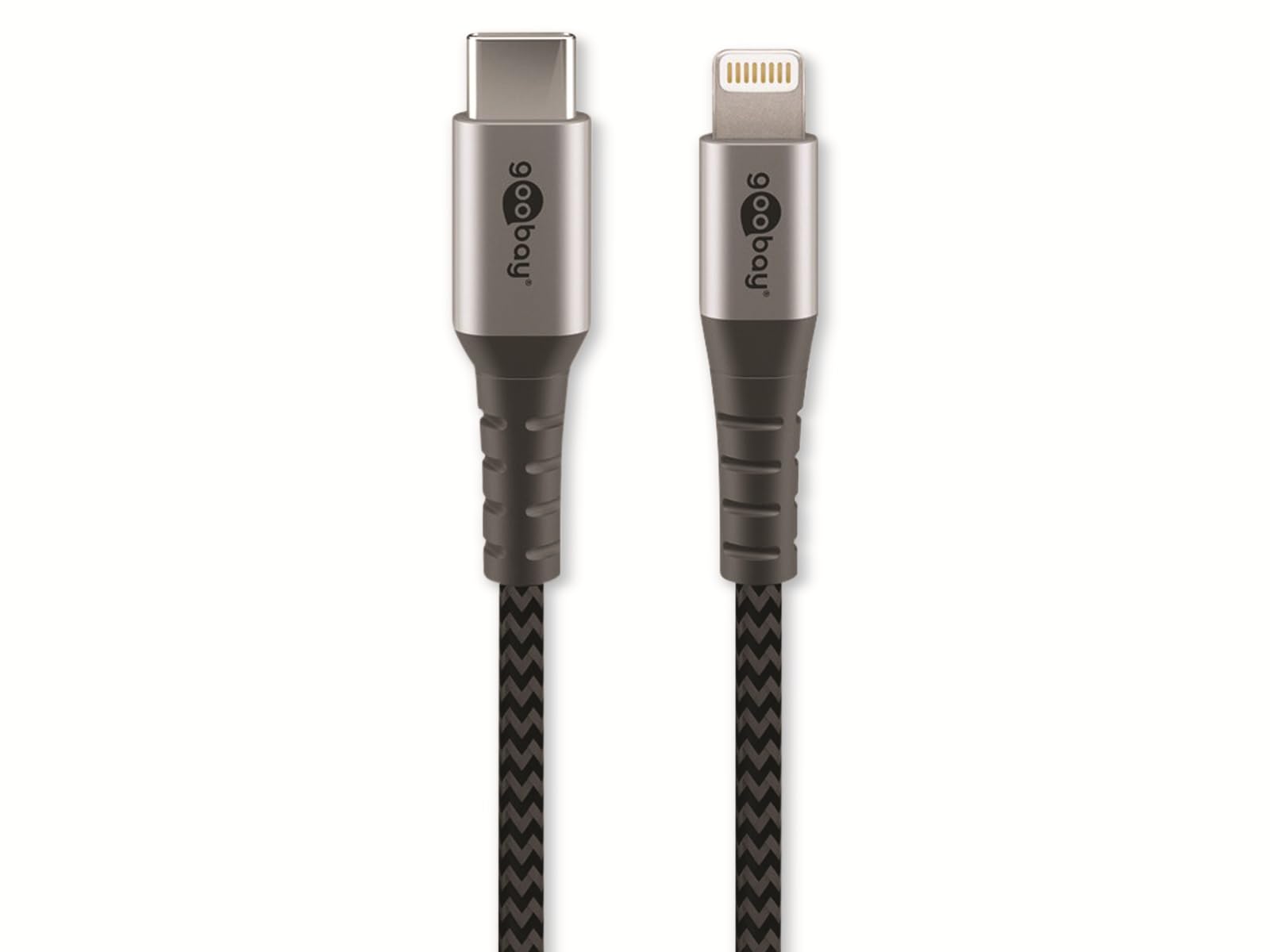
Image: Goobay USB-C to Lightning Cable. This image shows the cable with a USB-C connector on one end and a Lightning connector on the other, highlighting its braided exterior and space grey color.
ເນື້ອໃນຊຸດ:
- 1x Goobay USB-C to Lightning Cable (0.5m)
ຕັ້ງຄ່າ
Using the Goobay USB-C to Lightning cable is straightforward. Follow these steps to connect your devices:
- ລະບຸຕົວເຊື່ອມຕໍ່: Locate the USB-C connector (smaller, oval-shaped) and the Lightning connector (larger, rectangular with rounded corners).
- ເຊື່ອມຕໍ່ກັບແຫຼ່ງພະລັງງານ ຫຼື ຄອມພິວເຕີ: Insert the USB-C connector into a compatible USB-C port on a power adapter, laptop, or desktop computer. Ensure the connection is firm.
- ເຊື່ອມຕໍ່ກັບອຸປະກອນ Apple: Insert the Lightning connector into the Lightning port of your Apple iPhone, iPad, or iPod. Ensure the connection is firm.
- ຢືນຢັນການເຊື່ອມຕໍ່: Your Apple device should indicate that it is charging or connected for data transfer.
ຄໍາແນະນໍາການດໍາເນີນງານ
ສາກໄຟອຸປະກອນຂອງທ່ານ:
To charge your Apple device, connect the USB-C end of the cable to a compatible USB-C power adapter (e.g., a wall charger or power bank) and the Lightning end to your Apple device. The cable supports fast charging up to 60W, provided your power adapter and device also support this wattage.
ການຊິ້ງຂໍ້ມູນ:
To synchronize data between your Apple device and a computer, connect the USB-C end of the cable to a USB-C port on your computer and the Lightning end to your Apple device. Your computer should recognize the device, allowing you to transfer files, photos, and other data using iTunes or Finder (macOS Catalina and later).
ບໍາລຸງຮັກສາ
Proper care and maintenance will extend the life of your Goobay cable:
- ການເກັບຮັກສາ: Store the cable in a clean, dry place when not in use. Avoid extreme temperatures.
- ການຈັດການ: Do not bend the cable sharply or pull it forcefully from connectors. Always grip the connector housing when plugging or unplugging.
- ທໍາຄວາມສະອາດ: ຖ້າຈຳເປັນ, ຄ່ອຍໆເຊັດສາຍໄຟ ແລະ ຕົວເຊື່ອມຕໍ່ດ້ວຍຜ້າອ່ອນໆ ແລະ ແຫ້ງ. ຢ່າໃຊ້ນໍ້າຢາທຳຄວາມສະອາດ ຫຼື ວັດສະດຸຂັດ.
- ການກວດກາ: Periodically inspect the cable for any signs of damage, such as fraying, cuts, or bent pins on the connectors. Discontinue use if damage is observed.
ການແກ້ໄຂບັນຫາ
If you encounter issues with your Goobay USB-C to Lightning cable, refer to the following common solutions:
- ອຸປະກອນບໍ່ໄດ້ສາກໄຟ:
- ໃຫ້ແນ່ໃຈວ່າທັງສອງສົ້ນຂອງສາຍເຄເບີ້ນຖືກເຊື່ອມຕໍ່ຢ່າງປອດໄພ.
- ລອງໃຊ້ອະແດບເຕີໄຟ ຫຼື ພອດ USB-C ອື່ນ.
- Test the cable with a different Apple device, if available, to rule out a device issue.
- ກວດເບິ່ງວ່າອະແດັບເຕີໄຟເຮັດວຽກຢ່າງຖືກຕ້ອງຫຼືບໍ່.
- Data Synchronization Failure:
- Verify that the USB-C end is connected to a data-enabled USB-C port on your computer.
- ໃຫ້ແນ່ໃຈວ່າລະບົບປະຕິບັດການຂອງຄອມພິວເຕີຂອງທ່ານ ແລະ iTunes/Finder ໄດ້ຮັບການອັບເດດແລ້ວ.
- ເລີ່ມຕົ້ນລະບົບໃໝ່ທັງອຸປະກອນ Apple ແລະຄອມພິວເຕີຂອງທ່ານ.
- Check for any prompts on your Apple device asking to "Trust This Computer."
- ການສາກໄຟຊ້າ:
- ໃຫ້ແນ່ໃຈວ່າອະແດບເຕີໄຟຟ້າຂອງທ່ານໃຫ້ພະລັງງານພຽງພໍtage (e.g., 20W or higher for fast charging).
- ຫຼີກລ່ຽງການໃຊ້ອຸປະກອນໜັກໜ່ວງໃນຂະນະທີ່ສາກໄຟ.
ຂໍ້ມູນຈໍາເພາະ
| ຍີ່ຫໍ້: | ກູບາ |
| ໝາຍເລກຕົວແບບ: | 49270 |
| ປະເພດຕົວເຊື່ອມຕໍ່: | USB Type C (Male) to Lightning (Male) |
| ປະເພດສາຍ: | Charging and Data Sync Cable |
| ຄວາມຍາວສາຍ: | 0.5 ແມັດ |
| ຄຸນນະສົມບັດພິເສດ: | Braided design for durability |
| ອັດຕາການໂອນຂໍ້ມູນ: | Up to 0.48 Gigabits Per Second (USB 2.0 speed) |
| Max Power Delivery: | ເຖິງ 60 ວັດ |
| ສີ: | Space Grey |
| ອຸປະກອນທີ່ເຂົ້າກັນໄດ້: | Apple iPhone (e.g., iPhone 8, X, XR, XS, 11, 12, 13 series), iPad, iPod with Lightning port, and USB-C enabled laptops, power adapters, and headphones. |
| ການຢັ້ງຢືນ: | MFI (Made For iPhone/iPad/iPod) |
ການຮັບປະກັນແລະການສະຫນັບສະຫນູນ
Goobay products are manufactured with quality and reliability in mind. For information regarding warranty terms, technical support, or customer service, please refer to the official Goobay website or contact your retailer. Please have your product model number (49270) available when seeking support.
ຜູ້ຜະລິດ: ກູບາ
Webເວັບໄຊ: www.goobay.de (Please note: This is a general placeholder for the manufacturer's website. Actual support links may vary.)


