1. ບົດແນະນຳ
Thank you for choosing the Xtorm Fuel Series 5 Powerbank. This manual provides essential information for the safe and efficient use of your new portable charger. Please read this manual thoroughly before using the device and keep it for future reference.
2. ຜະລິດຕະພັນເກີນview
The Xtorm Fuel Series 5 Powerbank is a high-capacity portable charger designed to keep your devices powered on the go. It features a robust 10,000 mAh battery, multiple fast-charging ports, and a durable design made from GRS certified recycled plastic.

This image displays the Xtorm Fuel Series 5 Powerbank in its elegant dusk white color, highlighting its compact design, the integrated digital percentage display, and the various charging ports located at the bottom.
ຄຸນນະສົມບັດທີ່ສໍາຄັນ:
- ຄວາມຈຸ 10,000 mAh: Provides multiple charges for smartphones and other small devices.
- ການສາກໄວ: Equipped with a 20W USB-C Power Delivery (PD) port for rapid charging.
- ຫຼາຍພອດ: Includes two USB-C ports (20W PD, 18W) and one USB-A port (18W) for simultaneous charging of up to three devices.
- ຈໍດິຈິຕອນ: ເປີເຊັນໃນເວລາຈິງtage display for remaining battery life and fast charge indication.
- Sustainable Material: Constructed using GRS certified recycled plastic.

ລາຍລະອຽດ view of the power bank's charging interface, featuring two USB-C ports and one USB-A port, indicating their respective power outputs.
3. ຕັ້ງຄ່າ
ມີຫຍັງຢູ່ໃນກ່ອງ:
- Xtorm Fuel Series 5 Powerbank
- ສາຍສາກ USB-C
- ຄູ່ມືຜູ້ໃຊ້ (ເອກະສານນີ້)
ຄ່າ ທຳ ນຽມ:
Before first use, it is recommended to fully charge your Xtorm Fuel Series 5 Powerbank. Connect the included USB-C cable to the power bank's input USB-C port and plug the other end into a compatible USB wall charger (not included). The digital display will show the charging progress. A full charge takes approximately 2.5 hours.
4. ຄໍາແນະນໍາການດໍາເນີນງານ
ການສາກໄຟ Power Bank:
- Locate the USB-C input port on the power bank.
- Connect one end of the USB-C cable to this port.
- Connect the other end of the USB-C cable to a USB wall adapter or a computer's USB port.
- The digital display will illuminate, showing the current charge percentage and indicating that the power bank is charging.
ກຳລັງສາກອຸປະກອນຂອງທ່ານ:
The power bank can charge smartphones, tablets, and other USB-powered devices. It features two USB-C ports and one USB-A port.
- Connect your device's charging cable to the appropriate port on the power bank (USB-C or USB-A).
- ເຊື່ອມຕໍ່ສົ້ນສາຍໄຟອື່ນໆໃນອຸປະກອນຂອງທ່ານ.
- ແບັດເຕີຣີ້ຈະເລີ່ມສາກໄຟອຸປະກອນຂອງທ່ານໂດຍອັດຕະໂນມັດ. ໜ້າຈໍສະແດງຜົນດິຈິຕອນຈະສະແດງປະລິມານແບັດເຕີຣີທີ່ຍັງເຫຼືອຂອງແບັດເຕີຣີ້.
- You can charge multiple devices simultaneously using the available ports.
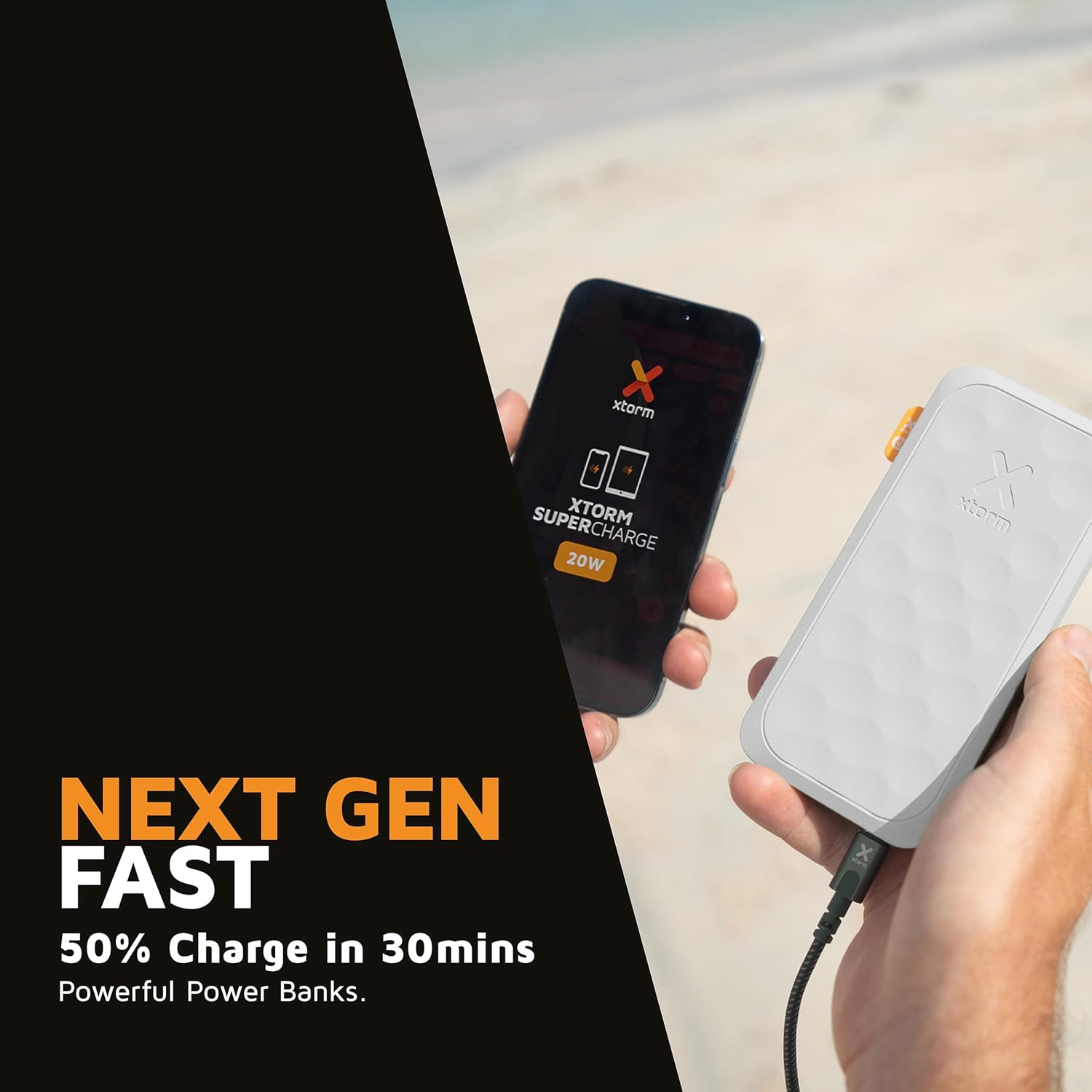
This image shows the Xtorm Fuel Series 5 Powerbank actively charging a smartphone, demonstrating its portable use case for on-the-go power.

This diagram provides a clear breakdown of the power bank's ports, showing the 20W USB-C PD output, an 18W USB-C output, and an 18W USB-A output, along with the 20W USB-C PD input.
5. ການບໍາລຸງຮັກສາແລະການດູແລ
- ທໍາຄວາມສະອາດ: ໃຊ້ຜ້າປຽກອ່ອນໆເພື່ອເຮັດຄວາມສະອາດ power bank. ຢ່າໃຊ້ສານເຄມີທີ່ຮຸນແຮງຫຼືວັດສະດຸຂັດ.
- ການເກັບຮັກສາ: ເກັບຮັກສາ Power bank ໃນບ່ອນທີ່ເຢັນ, ແຫ້ງ, ຫ່າງຈາກແສງແດດໂດຍກົງ ແລະອຸນຫະພູມທີ່ຮຸນແຮງ.
- ຊີວິດຫມໍ້ໄຟ: To prolong battery life, fully charge and discharge the power bank at least once every three months if not in regular use.
- ຫຼີກລ້ຽງການຫຼຸດລົງ: While designed to be robust, avoid dropping the power bank or subjecting it to strong impacts.
6. ການແກ້ໄຂບັນຫາ
ບັນຫາທົ່ວໄປ ແລະການແກ້ໄຂ:
- Power Bank ບໍ່ສາກໄຟ:
- ໃຫ້ແນ່ໃຈວ່າສາຍສາກໄຟໄດ້ເຊື່ອມຕໍ່ກັບທັງແບັດເຕີຣີ ແລະ ແຫຼ່ງພະລັງງານຢ່າງແໜ້ນໜາແລ້ວ.
- Try a different USB wall adapter or USB port.
- ກວດສອບວ່າສາຍສາກໄຟບໍ່ເສຍຫາຍ.
- ອຸປະກອນບໍ່ໄດ້ສາກຈາກ Power Bank:
- ໃຫ້ແນ່ໃຈວ່າແບັດເຕີຣີຂອງ Power Bank ມີແບັດເຕີຣີພຽງພໍ (ກວດສອບໜ້າຈໍດິຈິຕອນ).
- ລອງໃຊ້ສາຍສາກໄຟແບບອື່ນສຳລັບອຸປະກອນຂອງທ່ານ.
- Try connecting your device to a different port on the power bank. Note that one of the USB-C ports is specifically for fast charging (20W PD); if your device is older or not compatible with PD, try the other USB-C port or the USB-A port.
- ປິດເປີດອຸປະກອນຂອງທ່ານຄືນໃໝ່.
- ການສາກໄຟຊ້າ:
- ໃຫ້ແນ່ໃຈວ່າທ່ານກຳລັງໃຊ້ສາຍທີ່ເຂົ້າກັນໄດ້ກັບການສາກໄວ ແລະ ອຸປະກອນຂອງທ່ານຮອງຮັບການສາກໄວ.
- When charging multiple devices simultaneously, the output power per port may be reduced.
7. ຂໍ້ມູນຈໍາເພາະ
| ຊື່ຕົວແບບ | FS5100 |
| ຄວາມອາດສາມາດຫມໍ້ໄຟ | 10,000 mAh (ມີລີampຊົ່ວໂມງ) |
| ອົງປະກອບຫມໍ້ໄຟ | lithium-polymer |
| ການປ້ອນຂໍ້ມູນ (USB-C) | 20W USB-C Power Delivery (PD) |
| ຂາອອກ 1 (USB-C) | 20W USB-C Power Delivery (PD) |
| ຂາອອກ 2 (USB-C) | 18W USB-C |
| ຂາອອກ 3 (USB-A) | 18W USB-A |
| ສະບັບທັງໝົດtage | 20 ໂວນ |
| ປະເພດຕົວເຊື່ອມຕໍ່ | USB ປະເພດ A, USB ປະເພດ C |
| ຄຸນນະສົມບັດພິເສດ | Digital Display, Fast Charge, Portable |
| ການນໍາໃຊ້ທີ່ແນະນໍາ | ໂທລະສັບສະຫຼາດ, ແທັບເລັດ |
8. ຂໍ້ມູນຄວາມປອດໄພ
Your Xtorm Fuel Series 5 Powerbank is designed with multiple safety features to ensure reliable operation. Please adhere to the following safety guidelines:
- ຫ້າມນຳພາເວີແບນໄປໃສ່ອຸນຫະພູມທີ່ສູງສຸດ (ສູງກວ່າ 45°C ຫຼືຕ່ຳກວ່າ 0°C).
- ຢ່າຖອດປະກອບ, ແກ້ໄຂ, ຫຼືພະຍາຍາມສ້ອມແປງອຸປະກອນ.
- ຮັກສາໃຫ້ຫ່າງຈາກນ້ໍາ, ຄວາມຊຸ່ມຊື່ນ, ແລະວັດຖຸທີ່ຕິດໄຟ.
- Do not use if the power bank is visibly damaged or swollen.
- ຖິ້ມທະນາຄານພະລັງງານຢ່າງມີຄວາມຮັບຜິດຊອບຕາມລະບຽບທ້ອງຖິ່ນ.
- The power bank features a 6-layered safety check including temperature control, short circuit protection, overload protection, and high-efficiency components. It is also designed to be airport-proof.

An infographic detailing the comprehensive safety mechanisms built into the power bank, including temperature control, short circuit protection, overload protection, A-Class components, secured power management, and high efficiency, ensuring safe and reliable operation.
9. ການຮັບປະກັນແລະການສະຫນັບສະຫນູນ
For warranty information and customer support, please refer to the Xtorm official webເວັບໄຊ ຫຼືຕິດຕໍ່ຮ້ານຂາຍຍ່ອຍໃນທ້ອງຖິ່ນຂອງທ່ານ. ຮັກສາຫຼັກຖານການຊື້ຂອງທ່ານສໍາລັບການຮຽກຮ້ອງການຮັບປະກັນໃດໆ.
For further assistance or technical inquiries, please visit www.xtorm.eu.


