1. ບົດແນະນຳ
The Generac GB2000 Portable Power Station provides clean, emission-free power for various applications. This manual outlines the proper setup, operation, and maintenance procedures to ensure safe and efficient use of your device. Whether for home backup, camping, or outdoor activities, the GB2000 offers reliable energy.
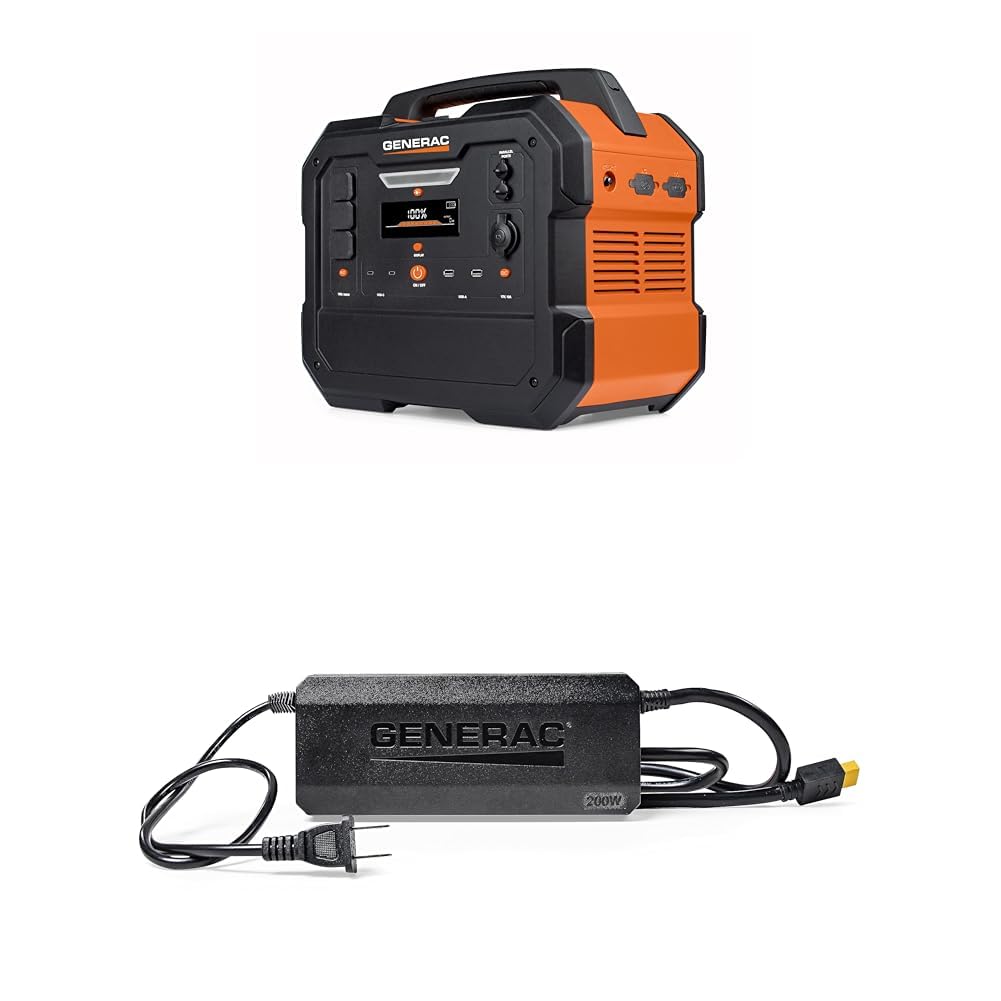
Image 1: Generac GB2000 Portable Power Station, a compact and durable unit with a handle for easy transport.
2. ຂໍ້ມູນຄວາມປອດໄພ
ຄໍາເຕືອນ: ອ່ານຄໍາເຕືອນຄວາມປອດໄພທັງຫມົດແລະຄໍາແນະນໍາກ່ອນທີ່ຈະດໍາເນີນການຜະລິດຕະພັນນີ້. ການບໍ່ປະຕິບັດຕາມຄຳເຕືອນ ແລະຄຳແນະນຳອາດສົ່ງຜົນໃຫ້ເກີດໄຟຟ້າຊັອດ, ໄຟໄໝ້, ແລະ/ຫຼື ບາດເຈັບສາຫັດ.
- ການນໍາໃຊ້ພາຍໃນ/ນອກ: This power station is designed for both indoor and outdoor use. Ensure adequate ventilation when operating indoors.
- ຫຼີກເວັ້ນຄວາມຊຸ່ມ: Do not expose the power station to rain or wet conditions.
- ການເຊື່ອມຕໍ່ທີ່ຖືກຕ້ອງ: Ensure all connections are secure and correctly inserted to prevent electrical hazards.
- ການປ້ອງກັນການໂຫຼດເກີນ: Do not exceed the rated output of the power station. Overloading can cause damage to the unit and connected devices.
- ເດັກນ້ອຍແລະສັດລ້ຽງ: Keep the power station out of reach of children and pets.
- ການເກັບຮັກສາ: Store the unit in a cool, dry place away from direct sunlight and flammable materials.
3. ເນື້ອໃນຊຸດ
ກວດສອບວ່າລາຍການທັງຫມົດແມ່ນລວມຢູ່ໃນຊຸດຂອງທ່ານ:
- Generac GB2000 Portable Power Station
- Generac 8031 Charge Enhancer 200W Charger
- ສາຍສາກ
- ຄູ່ມືຜູ້ໃຊ້ (ເອກະສານນີ້)
4. ຄຸນສົມບັດ ແລະ ອົງປະກອບຂອງຜະລິດຕະພັນ
The Generac GB2000 is equipped with a variety of ports and features for versatile power delivery:
- Multi-Color Display: Provides real-time information on battery status, input/output wattage, ແລະເວລາທີ່ຍັງເຫຼືອ.
- AC Receptacles (NEMA 1-15R): Standard household outlets for powering various appliances.
- USB-C Output Receptacles: ສໍາລັບການສາກໄວອຸປະກອນ USB-C ທີ່ເຂົ້າກັນໄດ້.
- USB-A Output Receptacles: Standard USB ports for charging smaller electronic devices.
- 12V Car Port: For powering 12V DC devices or charging the power station from a vehicle.
- ຜອດຂະໜານ: Allows connection of two GB2000 units for increased power output (Parallel Kit sold separately).
- ແຜ່ນສາກໄຮ້ສາຍ: Built-in 15W wireless charging for compatible devices.
- LED ON/OFF Button & Diffused LED Light: ສະຫນອງ illumination ສໍາລັບສະຖານະການຕ່າງໆ.
- AC Output ON/OFF Button: Controls the AC power output.
- ປຸ່ມເປີດ/ປິດ DC Output: Controls the DC power output.
- Display On/Off Button: Toggles the display screen.
- Main ON/OFF Button: Powers the entire unit on or off.

ຮູບພາບ 2: ລາຍລະອຽດ view of the Generac GB2000 control panel, highlighting various input/output ports and control buttons.
5. ຕັ້ງຄ່າ
- ແກະກ່ອງ: Carefully remove the Generac GB2000 and all accessories from the packaging.
- ຄ່າ ທຳ ນຽມ: Before first use, fully charge the power station using the provided charging cable and a standard wall outlet. The display will indicate charging progress.
- ຄຸ້ນເຄີຍກັບຕົວເອງ: Review the control panel and port locations as detailed in Section 4.
6. ຄໍາແນະນໍາການດໍາເນີນງານ
- ເປີດ/ປິດ: ກົດຄ້າງໄວ້ Main ON/OFF Button to power the unit on or off. The multi-color display will activate.
- Activate AC Output: ກົດ ປຸ່ມເປີດ/ປິດ AC Output to enable the AC receptacles. The indicator light will illuminate.
- Activate DC Output: ກົດ ປຸ່ມເປີດ/ປິດ DC Output to enable the DC ports (USB, 12V Car Port). The indicator light will illuminate.
- ເຊື່ອມຕໍ່ອຸປະກອນ: Plug your devices into the appropriate AC or DC ports. Monitor the display for real-time output wattage.
- ການສາກໄຟໄຮ້ສາຍ: Place your compatible device on the built-in 15W wireless charging pad located on top of the unit.
- ໄຟ LED: ກົດ ປຸ່ມເປີດ/ປິດ LED to activate the diffused LED light. Press again to cycle through brightness settings or activate SOS mode.
- ການດໍາເນີນງານຂະຫນານ: For increased power, connect two Generac GB2000 units using a Parallel Kit (sold separately) via the Parallel Ports. Refer to the Parallel Kit manual for detailed instructions.
7. ທາງເລືອກໃນການສາກໄຟຄືນໃໝ່
The Generac GB2000 offers flexible recharging methods:
- ເຕົ້າສຽບຝາ: Use the provided charging cable to connect to a standard AC wall outlet.
- ແຜງແສງຕາເວັນ: Connect compatible solar panels (sold separately) to the designated input ports for eco-friendly recharging.
- ເຄື່ອງສາກລົດ: Use a car charger (sold separately) to recharge the power station from your vehicle's 12V outlet.
- Charge Enhancer: Utilize the Generac 8031 Charge Enhancer 200W Charger to recharge your GB Power Station up to 25% faster.
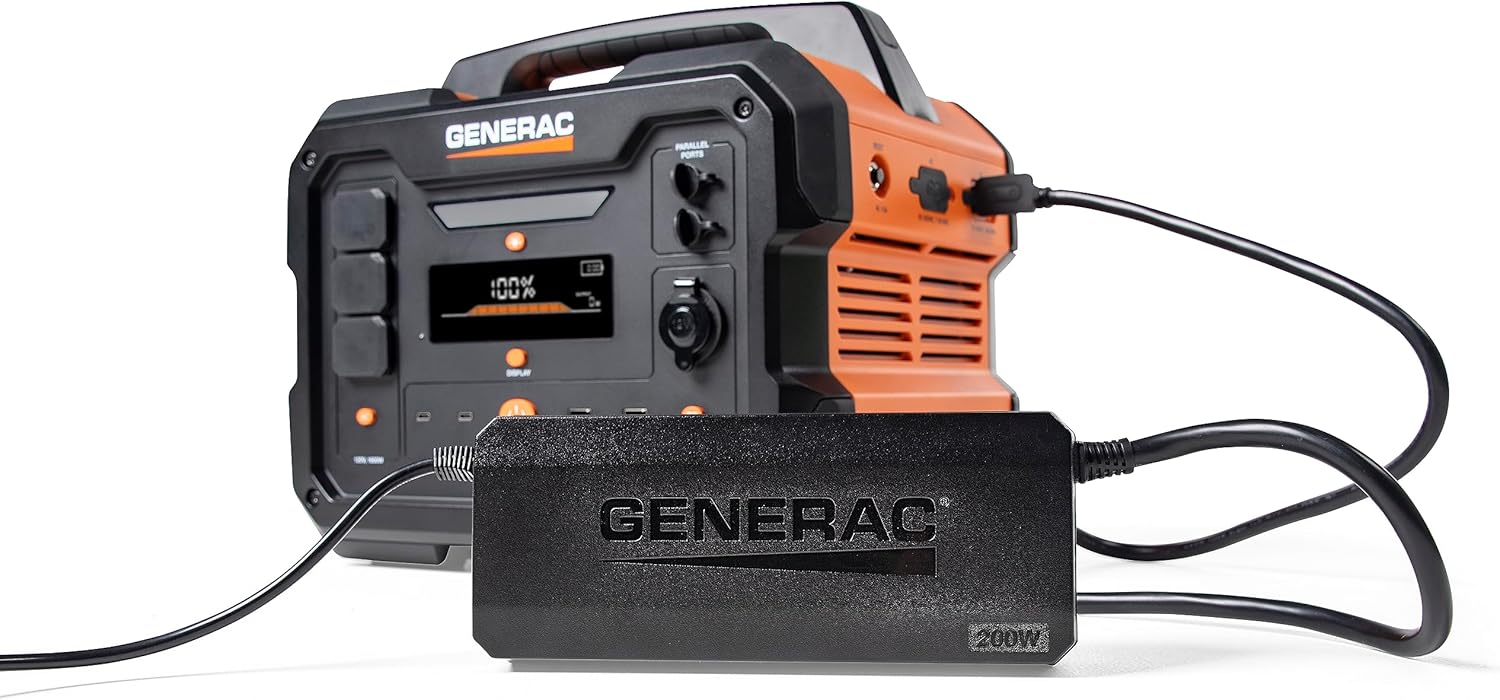
Image 3: Generac GB2000 connected to the Generac 8031 Charge Enhancer for optimized charging speed.

Image 4: Optional accessories for the Generac GB2000, including a Parallel Kit, Charge Enhancer, and Solar Panel.
8. ບໍາລຸງຮັກສາ
- ທໍາຄວາມສະອາດ: Wipe the exterior of the power station with a soft, dry cloth. Do not use abrasive cleaners or solvents.
- ການເກັບຮັກສາ: If storing for extended periods, ensure the battery is charged to at least 50% and recharge every 3-6 months to maintain battery health. Store in a cool, dry environment.
- ການກວດກາ: Periodically inspect the unit and cables for any signs of damage. Do not operate if damaged.
9. ການແກ້ໄຂບັນຫາ
- ໜ່ວຍບໍ່ເປີດ: ໃຫ້ແນ່ໃຈວ່າແບັດເຕີຣີໄດ້ສາກແລ້ວ. ຖ້າບໍ່, ໃຫ້ເຊື່ອມຕໍ່ກັບແຫຼ່ງພະລັງງານ.
- ບໍ່ມີຜົນຜະລິດຈາກພອດ: Verify that the AC/DC output buttons are pressed and their indicator lights are on. Check device connections.
- ຕົວຊີ້ວັດການໂຫຼດເກີນ: If the overload alarm activates, disconnect some devices to reduce the load. The unit may automatically reset or require a manual restart.
- ບັນຫາການສາກໄຟ: Ensure the charging cable is securely connected and the power source is active. Check the display for charging status.
10. ຂໍ້ມູນຈໍາເພາະ
| ຄຸນສົມບັດ | ຂໍ້ມູນຈໍາເພາະ |
|---|---|
| ຍີ່ຫໍ້ | ທົ່ວໄປ |
| ຊື່ຕົວແບບ | GB2000 |
| ວັດtage | 2106 watts (Starting), 2000 watts (Output) |
| ແຫຼ່ງພະລັງງານ | Solar Powered (compatible) |
| ຄຸນນະສົມບັດພິເສດ | Lightweight, Portable, Wireless Charging |
| ອົງປະກອບລວມ | Charging Cable, Generac 8031 Charge Enhancer 200W Charger |
| ປລັກສຽບໄຟທັງໝົດ | 6 (AC, USB-A, USB-C, 12V DC) |

Image 5: Estimated runtimes for common devices with the Generac GB2000 Portable Power Station.
11. ການຮັບປະກັນແລະການສະຫນັບສະຫນູນ
For warranty information, technical support, or service inquiries, please refer to the warranty card included in your product packaging or visit the official Generac webເວັບໄຊ. ຮັກສາໃບຮັບເງິນການຊື້ຂອງທ່ານໄວ້ເປັນຫຼັກຖານການຊື້.