1. ຜະລິດຕະພັນເກີນview
The VTech CS1500 DECT cordless phone is designed for home use, offering essential communication features with enhanced convenience. This manual provides instructions for setting up, operating, and maintaining your phone.
ຄຸນນະສົມບັດທີ່ສໍາຄັນ:
- Dual-Charging Design: Innovative design allows the handset to be charged face up for easy screen viewing or face down for a compact profile.
- ການຂັດຂວາງການໂທ: Block up to 60 unwanted numbers to prevent nuisance calls.
- ECO DECT Mode: ປັບພະລັງງານຄວາມຖີ່ວິທະຍຸໂດຍອັດຕະໂນມັດໂດຍອີງໃສ່ໄລຍະຫ່າງຈາກສະຖານີຖານ, ຮັບປະກັນການຫຼຸດຜ່ອນການໃຊ້ພະລັງງານ.
- ຊີວິດຫມໍ້ໄຟຍາວ: Provides up to 13 hours of talk time and 200 hours of standby time.
- ຈໍສະແດງຜົນ Backlit: Clear, easy-to-read display for optimal visibility.
- ປຶ້ມໂທລະສັບ: ເກັບຮັກສາເຖິງ 60 ຊື່ແລະຕົວເລກສໍາລັບການໂທຫາດ່ວນ.
- ID ຜູ້ໂທ/ສາຍລໍຖ້າ: Stores up to 20 incoming call entries with name, number, time, and date.
- ຕົວເລກສຸດທ້າຍ Redial: Easily redial the last 10 numbers called.
- ລຳໂພງແບບແຮນຟຣີ: For convenient conversations.
- ຟັງຊັນເພີ່ມເຕີມ: Adjustable ringtone volume and melodies, alarm function, mute function, 3-way conference, call transfer, and intercom.

Figure 1: VTech CS1500 DECT Cordless Phone Handset in Charging Base.
2. ເນື້ອໃນຊຸດ
ໃຫ້ແນ່ໃຈວ່າຊຸດຂອງທ່ານມີລາຍການຕໍ່ໄປນີ້:
- ມືຖື VTech CS1500
- Base Station with Power Adapter
- ສາຍໂທລະສັບ
- Rechargeable Batteries (1 product specific - included)
- ຄູ່ມືຜູ້ໃຊ້ (ເອກະສານນີ້)
3. ຄູ່ມືການຕິດຕັ້ງ
3.1 ການຕິດຕັ້ງຫມໍ້ໄຟ
- ເປີດຝາປິດຊ່ອງໃສ່ຫມໍ້ໄຟຢູ່ດ້ານຫຼັງຂອງມືຖື.
- ໃສ່ແບັດເຕີລີທີ່ສາມາດສາກໄດ້, ສັງເກດການຂົ້ວທີ່ຖືກຕ້ອງ (+ ແລະ -).
- ປິດຝາປິດຊ່ອງໃສ່ຫມໍ້ໄຟຢ່າງປອດໄພ.
3.2 Base Station Placement and Connection
- Place the base station on a flat, stable surface, away from heat sources and direct sunlight.
- Connect the small end of the power adapter to the power jack on the base station.
- ສຽບປາຍໃຫຍ່ຂອງອະແດບເຕີໄຟໃສ່ກັບປລັກສຽບໃສ່ຝາ.
- Connect one end of the telephone line cord to the telephone line jack on the base station.
- ສຽບປາຍສາຍໂທລະສັບໃສ່ກັບສຽບຝາໂທລະສັບ.
3.3 Initial Charging and Handset Registration
- Place the handset in the base station to charge. The handset can be placed face up or face down.
- ປ່ອຍໃຫ້ໂທລະສັບມືຖືສາກໄຟຢ່າງໜ້ອຍ 16 ຊົ່ວໂມງກ່ອນການນຳໃຊ້ຄັ້ງທຳອິດເພື່ອຮັບປະກັນຄວາມຈຸຂອງແບັດເຕີຣີເຕັມ.
- The handset is typically pre-registered to the base station. If not, follow the on-screen prompts or refer to the full manual for manual registration steps.

Figure 2: Handset dual-charging design, allowing face-up or face-down placement in the base.

Figure 3: Illustration of the phone's reliable long-range signal within a home environment.
4. ຄໍາແນະນໍາການດໍາເນີນງານ
4.1 ໂທອອກ ແລະ ຮັບສາຍ
- ໂທອອກ: ກົດ ສົນທະນາ button (green phone icon), then dial the number. Alternatively, dial the number first and then press ສົນທະນາ.
- ເພື່ອຮັບສາຍ: ເມື່ອໂທລະສັບດັງຂຶ້ນ, ກົດປຸ່ມ ສົນທະນາ ປຸ່ມ.
- ເພື່ອວາງສາຍ: ກົດ ຈົບ button (red phone icon) or place the handset back in the base station.
4.2 ການນໍາໃຊ້ລໍາໂພງ
ໃນລະຫວ່າງການໂທ, ກົດປຸ່ມ ລຳໂພງ button (speaker icon) to activate hands-free mode. Press it again to return to handset mode.
4.3 ປື້ມໂທລະສັບ
The phonebook stores up to 60 names and numbers.
- ເພື່ອເພີ່ມການເຂົ້າ: Navigate to the Phonebook menu, select 'Add New', enter the name and number, then save.
- ໂທອອກຈາກປຶ້ມໂທລະສັບ: ກົດ ປຶ້ມໂທລະສັບ ປຸ່ມ, ເລື່ອນໄປຫາລາຍການທີ່ຕ້ອງການ, ແລະກົດ ສົນທະນາ.
4.4 ການບລັອກການໂທ
Block unwanted calls by adding numbers to the call block list (up to 60 entries).
- ເພື່ອບລັອກຕົວເລກ: During an incoming call or from the Caller ID log, press the ໂທຕັນ button (shield icon) and confirm.

Figure 4: Close-up of the handset highlighting the call block button, used to prevent unwanted calls.
4.5 Caller ID and Call Log
The phone displays the caller's information (if available) and stores the last 20 incoming calls.
- ເຖິງ View ບັນທຶກການໂທ: ກົດ CID button or navigate to the Call Log menu. Use the navigation keys to scroll through entries.
- To Dial from Call Log: Select an entry from the Call Log and press ສົນທະນາ.

Figure 5: Handset display showing caller ID information and a list of stored incoming calls.
4.6 ໂທຊ້ຳໝາຍເລກສຸດທ້າຍ
The phone stores the last 10 numbers dialed.
- ເພື່ອໂທຄືນ: ກົດ ແດງຄືນ button, scroll to the desired number, and press ສົນທະນາ.

Figure 6: Handset display showing a number being redialed, illustrating the last 10 number redial function.
4.7 ໜ້າທີ່ອື່ນໆ
- ປິດສຽງ: ໃນລະຫວ່າງການໂທ, ກົດປຸ່ມ ປິດສຽງ button to temporarily disable your microphone.
- ໂມງປຸກ: ຕັ້ງໂມງປຸກຜ່ານເມນູໂທລະສັບ.
- ອິນເຕີຄອມ: If you have multiple handsets, you can make internal calls between them.
- ກອງປະຊຸມ 3 ວິທີການ: Allows three parties to participate in a single call.

Figure 7: A user on a call, with an indicator showing the phone's 13-hour talk time capability.
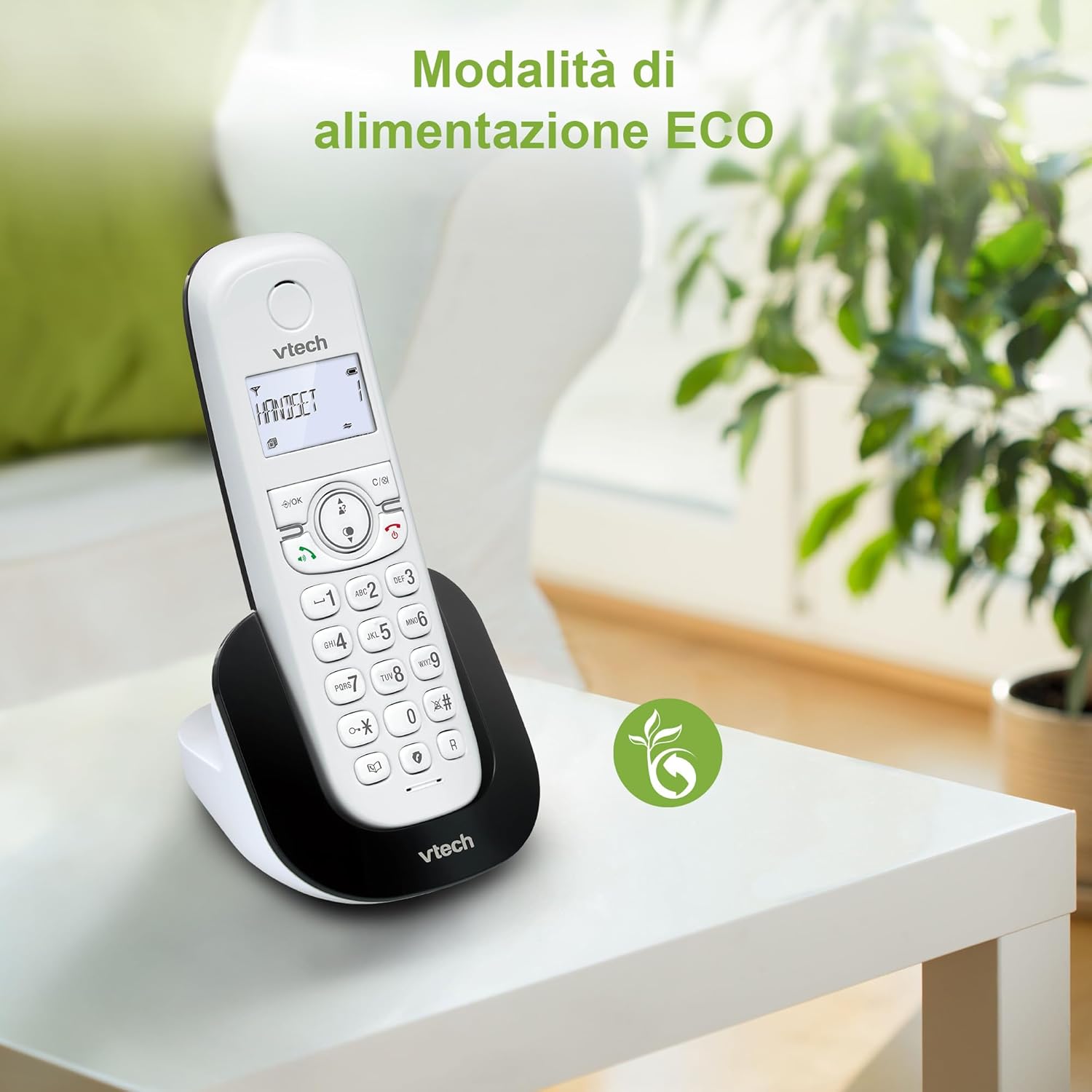
Figure 8: The phone in a home setting, indicating the energy-saving ECO power mode.
5. ບໍາລຸງຮັກສາ
5.1 ການທໍາຄວາມສະອາດ
- ເຊັດໂທລະສັບ ແລະ ສະຖານີຖານດ້ວຍເຄື່ອງອ່ອນ, ງamp ຜ້າ.
- Do not use cleaning sprays or harsh chemicals, as these can damage the surface or internal components.
5.2 ການດູແລຫມໍ້ໄຟ
- To maintain optimal battery performance, always return the handset to the base station when not in use.
- ຖ້າໂທລະສັບຈະບໍ່ຖືກໃຊ້ເປັນເວລາດົນ, ໃຫ້ຖອດແບັດເຕີຣີອອກເພື່ອປ້ອງກັນການຮົ່ວໄຫຼ.
- Replace batteries when their performance significantly degrades. Use only VTech-approved replacement batteries.
6. ການແກ້ໄຂບັນຫາ
If you experience issues with your VTech CS1500, try the following solutions:
| ບັນຫາ | ການແກ້ໄຂ |
|---|---|
| ບໍ່ມີສຽງໂທອອກ | Ensure the base station power adapter and telephone line cord are securely connected. Check if other phones on the same line are working. |
| ບໍ່ສາມາດໂທ/ຮັບສາຍໄດ້ | Check the telephone line connection. Ensure the handset batteries are charged. If multiple handsets, ensure they are registered. |
| ຄຸນນະພາບສຽງບໍ່ດີ | Move closer to the base station. Ensure there are no large metal objects or other electronic devices interfering with the signal. |
| ຈໍສະແດງຜົນມືຖືຫວ່າງເປົ່າ | Place the handset in the base station to charge. The battery may be depleted. |
| ມືຖືບໍ່ໄດ້ສາກ | Ensure the power adapter is connected to the base station and a working wall outlet. Clean the charging contacts on both the handset and base station. |
7. ຂໍ້ມູນຈໍາເພາະ
| ຄຸນສົມບັດ | ລາຍລະອຽດ |
|---|---|
| ຍີ່ຫໍ້ | VTech |
| ໝາຍເລກຕົວແບບ | CS1500 |
| ສີ | ສີຂາວ |
| ປະເພດໂທລະສັບ | ບໍ່ມີສາຍ |
| ຄຸນນະສົມບັດພິເສດ | ບໍ່ມີສາຍ |
| ອຸປະກອນທີ່ເຂົ້າກັນໄດ້ | PSTN |
| ຈໍານວນຫມໍ້ໄຟ | 1 (ສະເພາະຜະລິດຕະພັນ - ລວມຢູ່) |
| ວັດສະດຸ | ພາດສະຕິກ |
| ແຫຼ່ງພະລັງງານ | ພະລັງງານຫມໍ້ໄຟ |
| ປະເພດ Dialer | ປຸ່ມກົດດຽວ |
| ປະເພດລະບົບການຕອບ | Digital (Note: Product description does not explicitly mention an answering machine feature.) |
| ນ້ໍາຫນັກລາຍການ | 350 ກຣາມ |
| ຜູ້ຜະລິດ | VTECH TELECOMMUNICATIONS LTD |
| ປະເທດຕົ້ນກໍາເນີດ | ຈີນ |
8. ການຮັບປະກັນແລະການສະຫນັບສະຫນູນ
ສໍາລັບຂໍ້ມູນການຮັບປະກັນ ແລະການຊ່ວຍເຫຼືອດ້ານວິຊາການ, ກະລຸນາເບິ່ງບັດຮັບປະກັນທີ່ມາພ້ອມກັບຜະລິດຕະພັນຂອງທ່ານ ຫຼືເຂົ້າໄປທີ່ VTech ຢ່າງເປັນທາງການ webເວັບໄຊທ໌. ໂດຍປົກກະຕິແລ້ວທ່ານສາມາດຊອກຫາລາຍລະອຽດການຕິດຕໍ່ຝ່າຍສະໜັບສະໜູນ, ຄຳຖາມທີ່ຖືກຖາມເລື້ອຍໆ ແລະ ຊັບພະຍາກອນເພີ່ມເຕີມໄດ້ຢູ່ທີ່ນັ້ນ.
VTech ຢ່າງເປັນທາງການ Webເວັບໄຊ: www.vtechphones.com


