1. ບົດແນະນຳ
This manual provides essential information for the safe and effective use of your ELEGRP 15 Amp Auto Reset Inline GFCI Extension Cord. This heavy-duty, 3-foot, 12/3 SJTW cable features a grounded plug with a single electrical power outlet and an LED indicator. It is designed for both indoor and outdoor applications, offering enhanced electrical safety through its Ground Fault Circuit Interrupter (GFCI) functionality.
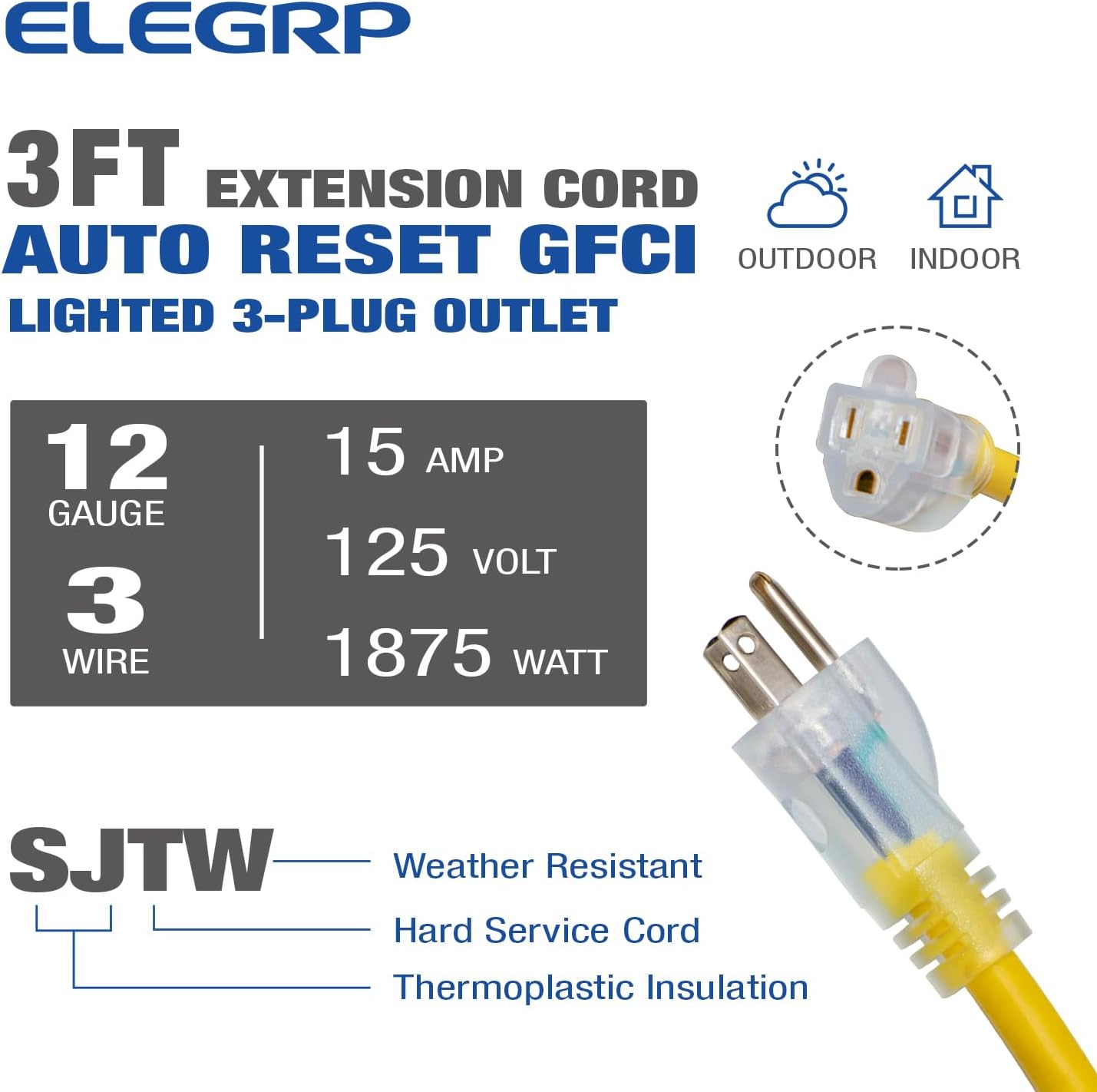
This image displays the ELEGRP 15 Amp Auto Reset Inline GFCI Extension Cord, highlighting its 3-foot length, 12-gauge 3-wire SJTW construction, 15 Amp, 125 Volt, 1875 Watt rating, and suitability for both indoor and outdoor use. It also shows the transparent plug with LED light.
2. ຂໍ້ມູນຄວາມປອດໄພທີ່ສໍາຄັນ
Always read and follow all safety instructions before using this product. Failure to do so may result in electric shock, fire, or serious injury.
- UL ລາຍຊື່: This product is UL Listed, indicating it meets stringent safety standards.
- ການປົກປ້ອງ GFCI: The integrated Ground Fault Circuit Interrupter (GFCI) provides protection against electrical shock by detecting ground faults and quickly shutting off power.
- Surge and Lightning Protection: The in-line GFCI features surge and lightning protection, capable of withstanding 6 kilovolts.
- ກັນນ້ຳ: The automatic reset GFCI has a UL50E 3R water-resistant rating, suitable for outdoor use.
- ທົດສອບກ່ອນການໃຊ້ແຕ່ລະຄັ້ງ: Always test the GFCI before each use to ensure it is functioning correctly. Refer to the 'Operating Instructions' section for testing procedures.
- ການຕັ້ງພື້ນທີ່ເຫມາະສົມ: Ensure the power source receptacle is properly grounded. Do not use if the receptacle is ungrounded.
- ຫຼີກເວັ້ນການໂຫຼດເກີນ: Do not exceed the electrical rating of 15 Amps, 125 Volts, or 1875 Watts.
- ກວດສອບເປັນປົກກະຕິ: Periodically inspect the cord for any damage, cuts, or frayed insulation. Discontinue use if damaged.
This image details the GFCI protection module, showing the test and reset buttons, an LED indicator, and key safety features including UL50E 3R water resistance, over 6000 factory tests, and 6 kilovolt surge and lightning protection.
3. ຄຸນລັກສະນະຂອງຜະລິດຕະພັນ
- Auto Reset GFCI: Automatically resets when power is restored after a trip.
- ຕົວຊີ້ວັດ LED: Provides visual confirmation of power status and GFCI functionality.
- ການກໍ່ສ້າງຫນ້າທີ່ຫນັກ: Features 12-gauge (12/3) SJTW soft drawn copper cabling for durability and strength. SJTW signifies Service Junior Thermoplastic Weather-resistant.
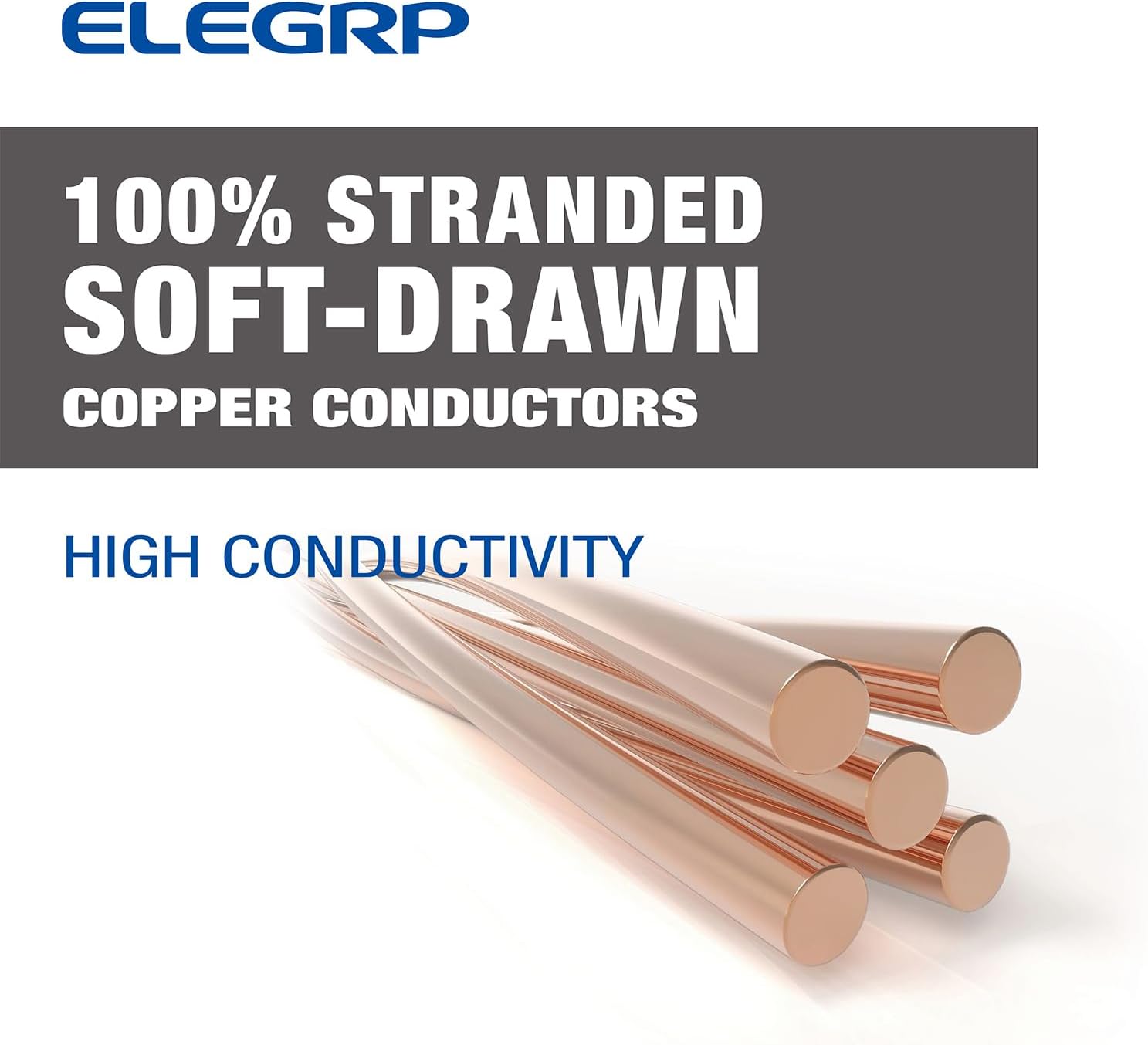
- High Conductivity: Constructed with 100% stranded soft-drawn copper conductors for efficient power transmission.
- ຄໍາຮ້ອງສະຫມັກອະເນກປະສົງ: Suitable for a wide range of indoor and outdoor uses, including power tools, outdoor lighting, and appliances.

ໃກ້ຊິດ view of the 100% stranded soft-drawn copper conductors, emphasizing the high conductivity of the cable.

This image shows the NEMA 5-15R single outlet of the extension cord, rated for 15 Amps.
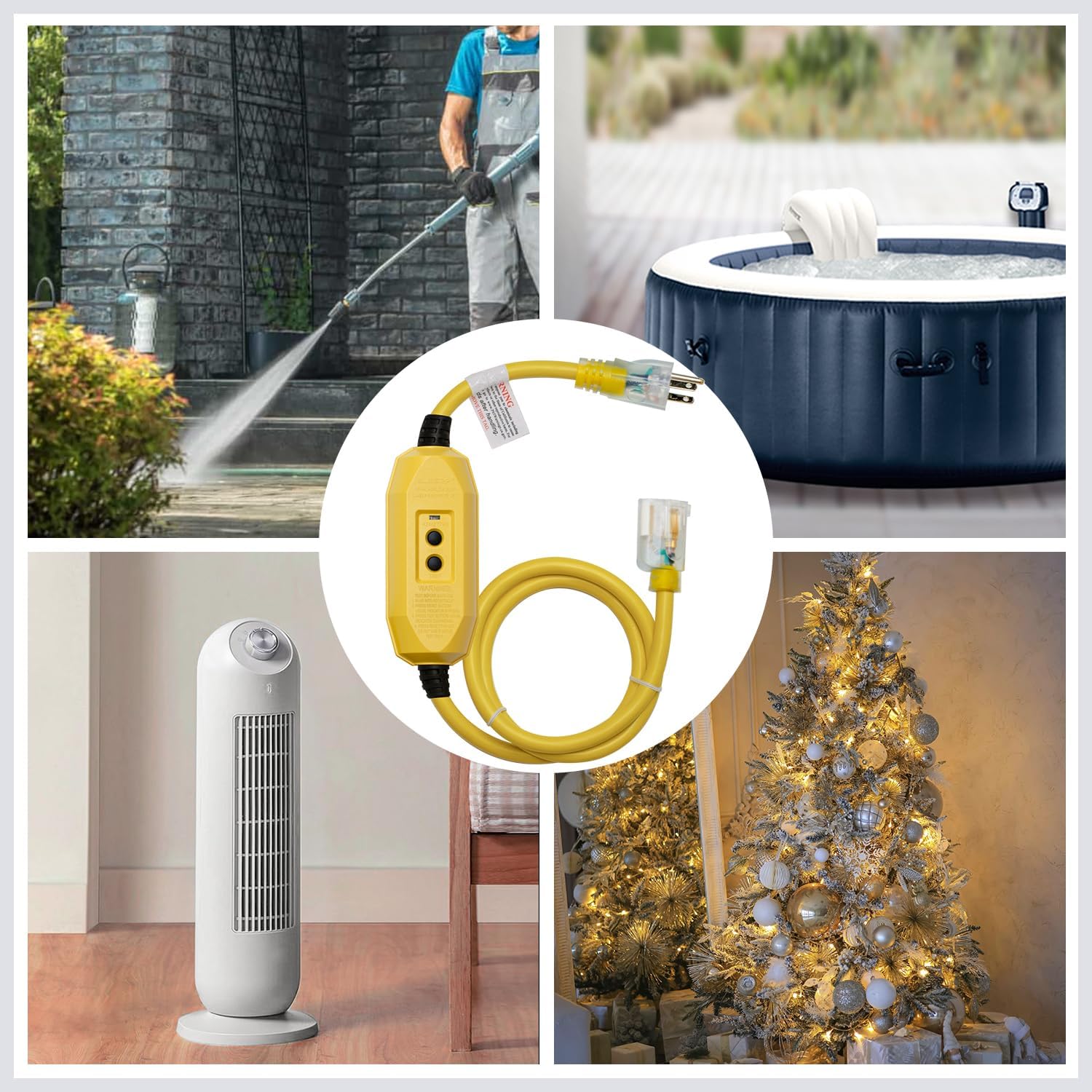
This image illustrates various applications for the GFCI extension cord, such as powering a pressure washer, a hot tub, an indoor fan, and outdoor Christmas lights, demonstrating its versatility for both indoor and outdoor use.
4. ຕັ້ງຄ່າ
- ກວດສອບສາຍໄດ້: Before plugging in, visually inspect the entire extension cord, including the plug, GFCI module, and outlet, for any signs of damage. Do not use if any damage is observed.
- Plug into Receptacle: Insert the male plug of the GFCI extension cord into a standard 120V AC, 3-prong grounded electrical outlet.
- ຢືນຢັນພະລັງງານ: The LED indicator on the GFCI module should illuminate, indicating that power is present and the GFCI is ready for use.
- Perform GFCI Test: Before connecting any device, press the 'TEST' button on the GFCI module. The LED indicator should turn off, and the 'RESET' button should pop out, indicating the GFCI has tripped.
- Reset GFCI: Press the 'RESET' button to restore power. The LED indicator should turn back on. If the GFCI does not trip or reset as described, do not use the cord and contact customer support.
- ເຊື່ອມຕໍ່ອຸປະກອນ: Once the GFCI is confirmed to be working, plug your device into the GFCI outlet.
5. ຄໍາແນະນໍາການດໍາເນີນງານ
The ELEGRP GFCI extension cord is designed for simple operation with its automatic reset feature. However, regular testing is crucial for safety.
- ການດໍາເນີນງານປົກກະຕິ: When plugged in and reset, the LED indicator will be lit, signifying that power is flowing through the GFCI and it is providing ground fault protection.
- ການເດີນທາງ GFCI: If a ground fault is detected, the GFCI will automatically trip, cutting off power to the connected device. The LED indicator will turn off, and the 'RESET' button will pop out.
- ປັບອັດຕະໂນມັດ: This GFCI features an auto-reset function. When power is restored after an interruption (e.g., power outage), the GFCI will automatically reset itself to the 'ON' position, and the LED indicator will light up.
- Manual Reset (after a trip): If the GFCI trips due to a ground fault, disconnect the device, press the 'RESET' button to restore power, and then reconnect the device. If it trips again, there may be an issue with the device or the circuit.
- ການທົດສອບ GFCI:
- Plug the GFCI extension cord into a live receptacle. The LED indicator should be ON.
- Press the 'TEST' button. The LED indicator should turn OFF, and the 'RESET' button should pop out.
- Press the 'RESET' button. The LED indicator should turn ON.
- If the GFCI fails any part of this test, do not use it.
6. ບໍາລຸງຮັກສາ
Proper maintenance ensures the longevity and safe operation of your GFCI extension cord.
- ການກວດກາປົກກະຕິ: Routinely check the cord for any signs of wear, cuts, abrasions, or damage to the insulation, plug, or GFCI module.
- ທໍາຄວາມສະອາດ: Disconnect the cord from power before cleaning. Wipe the cord and GFCI module with a damp ຜ້າ. ຢ່າແຊ່ນ້ໍາຫຼືໃຊ້ສານເຄມີທີ່ຮຸນແຮງ.
- ການເກັບຮັກສາ: When not in use, store the extension cord in a dry, cool place, away from direct sunlight and extreme temperatures. Coil the cord loosely to prevent kinks and damage.
- ຫຼີກເວັ້ນວັດຖຸແຫຼມ: Keep the cord away from sharp edges, hot surfaces, and moving machinery.
7. ການແກ້ໄຂບັນຫາ
If you encounter issues with your GFCI extension cord, refer to the following common problems and solutions:
| ບັນຫາ | ສາເຫດທີ່ເປັນໄປໄດ້ | ການແກ້ໄຂ |
|---|---|---|
| GFCI trips immediately after pressing RESET or plugging in. | Ground fault in the connected device or the circuit. | Disconnect the device. Press RESET. If it holds, the device is faulty. If it still trips, the circuit may have a fault. Consult a qualified electrician. |
| No power, LED indicator is off, and RESET button is not popped out. | No power from the wall receptacle or internal damage to the cord. | Check the wall receptacle with another device. If the receptacle has power, the extension cord may be damaged. Discontinue use. |
| GFCI does not trip when TEST button is pressed. | GFCI ເຮັດວຽກຜິດປົກກະຕິ. | Do not use the cord. Contact customer support for assistance. |
| LED indicator is off, but power is present (e.g., device works). | LED indicator malfunction. | While the GFCI may still be functional, a non-working indicator can be misleading. Contact customer support. |
8. ຂໍ້ມູນຈໍາເພາະ
| ຄຸນສົມບັດ | ຂໍ້ມູນຈໍາເພາະ |
|---|---|
| ການປະເມີນຄ່າໄຟຟ້າ | 15A, 125V |
| Maximum Total Output Power | 1875W |
| ຄວາມຍາວສາຍ | 3 ຟຸດ |
| ອຸນຫະພູມປະຕິບັດການ | -31°F ຫາ 150°F (-35°C ຫາ 66°C) |
| ຣີເຊັດປະເພດ | ປັບອັດຕະໂນມັດ |
| ການຢັ້ງຢືນ | UL & CUL ລາຍຊື່ |
| Gauge ລວດ | 12/3 SJTW |
| ກັນນ້ຳເກຣດ | UL50E 3R |
| ໝາຍເລກຕົວແບບ | G20CA |

A technical diagram providing detailed product specifications, including dimensions, electrical rating (15A, 125V, 1875W), cord length (3 feet), operating temperature, reset type (Auto Reset), certification (UL & CUL Listed), wire gauge (12/3 SJTW), and waterproof grade (UL50E 3R).
9. ການຮັບປະກັນແລະການສະຫນັບສະຫນູນ
ELEGRP is committed to providing high-quality products and customer satisfaction. This product comes with 3 Years Full Tech Support.
For technical assistance, troubleshooting, or warranty inquiries, please contact ELEGRP Customer Support:
- ໂທລະສັບ: 833-267-3272
- ຊົ່ວໂມງ: 9:00 AM - 7:00 PM EST, 10 Hours a Day / 365 Days a Year


