1. ບົດແນະນຳ
This manual provides detailed instructions for the setup, operation, maintenance, and troubleshooting of your Machenike K500-B94 Mechanical Keyboard. Please read this manual thoroughly before using the product to ensure proper functionality and longevity.
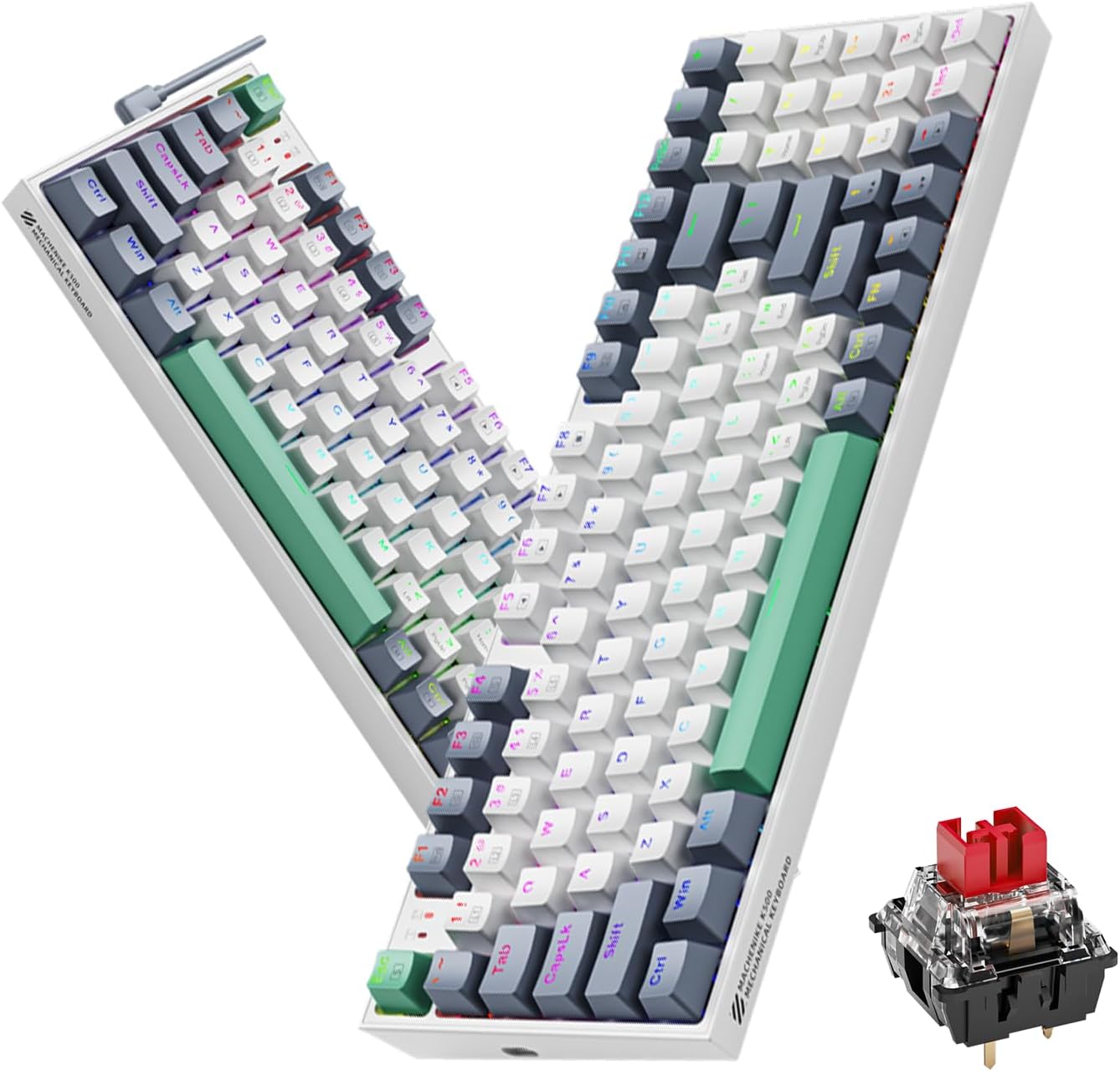
Image 1.1: The Machenike K500-B94 Mechanical Keyboard, showcasing its compact layout and a detailed view of a hot-swappable mechanical switch.
2. ເນື້ອໃນຊຸດ
ກວດສອບວ່າລາຍການທັງຫມົດແມ່ນມີຢູ່ໃນຊຸດ:
- Machenike K500-B94 Mechanical Keyboard
- ສາຍ USB Type-C ທີ່ສາມາດຖອດອອກໄດ້
- Keycap Puller (for hot-swappable switches)
- Switch Puller (ສໍາລັບສະວິດທີ່ຮ້ອນ-swappable)
- ຄູ່ມືຜູ້ໃຊ້ (ເອກະສານນີ້)
3. ຄໍາແນະນໍາການຕິດຕັ້ງ
- ຖອດແປ້ນພິມ: ເອົາແປ້ນພິມ ແລະອຸປະກອນເສີມທັງໝົດອອກຈາກເຄື່ອງຫຸ້ມຫໍ່ຢ່າງລະມັດລະວັງ.
- ເຊື່ອມຕໍ່ສາຍ USB: Insert the Type-C end of the provided USB cable into the port on the keyboard. Connect the standard USB-A end to an available USB port on your computer (PC, Desktop, All-in-one, or Notebook).
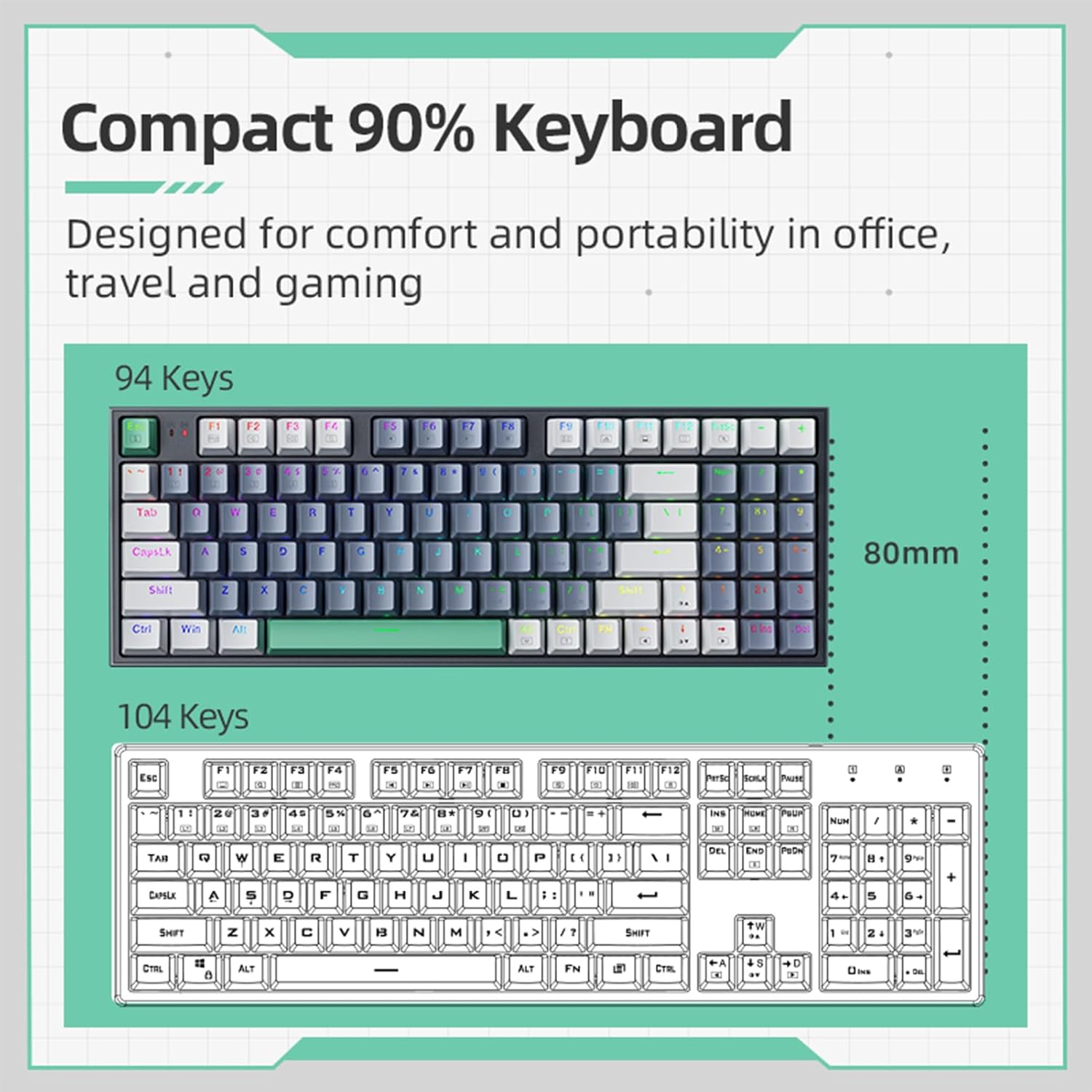
Image 3.1: Illustration of the detachable Type-C USB cable connection to the keyboard, highlighting its compatibility with various devices.
- ການຕິດຕັ້ງໄດເວີ: The keyboard is plug-and-play. Your operating system will automatically detect and install the necessary drivers. No additional software installation is required for basic functionality.
- ການຕິດຕັ້ງຊອບແວທາງເລືອກ: For advanced customization of RGB lighting and macros, download the official Machenike K500-B94 software from the official Machenike webເວັບໄຊ.
4. ຄໍາແນະນໍາການດໍາເນີນງານ
4.1. ຟັງຊັນແປ້ນພິມພື້ນຖານ
The Machenike K500-B94 features a 94-key layout, providing a compact yet functional experience. All standard keyboard functions operate as expected.

Image 4.1: A visual representation of the Machenike K500-B94's 94-key compact layout, designed for comfort and portability.
4.2. ການຄວບຄຸມໄຟ RGB
The keyboard features customizable RGB backlighting. Use the dedicated function keys or the optional software to adjust lighting effects, brightness, and color.
- ການປັບຄວາມສະຫວ່າງ: ໂດຍປົກກະຕິ, ໃຊ້ Fn + ລູກສອນຂຶ້ນ/ລົງ ກະແຈ.
- Effect Cycling: ໃຊ້ Fn + Right/Left Arrow keys to cycle through various lighting modes.
- ການເລືອກສີ: Some modes allow color changes via Fn + specific keys or through the software.

Image 4.2: Screenshot of the customizable software interface, demonstrating options for RGB lighting effects, brightness, speed, and color selection.
4.3. ສະວິດທີ່ສາມາດແລກປ່ຽນໄດ້ດ້ວຍຄວາມຮ້ອນ
The Machenike K500-B94 features hot-swappable switches, allowing users to change mechanical switches without soldering. This enables customization of typing feel and sound.

ຮູບພາບ 4.3: A ລາຍລະອຽດ view of the keyboard with several keycaps and switches removed, illustrating the hot-swappable switch sockets for easy replacement.
ເພື່ອປ່ຽນສະວິດ:
- ໃຊ້ຕົວດຶງປຸ່ມກົດທີ່ໃຫ້ມາເພື່ອຖອດປຸ່ມກົດທີ່ຕ້ອງການອອກຢ່າງຄ່ອຍໆ.
- ໃຊ້ຕົວດຶງສະວິດທີ່ສະໜອງໃຫ້ເພື່ອຈັບສະວິດຢ່າງລະມັດລະວັງ ແລະ ດຶງມັນຂຶ້ນຊື່ໆ.
- Align the pins of the new switch with the holes on the PCB and press it firmly into place until it clicks.
- ຕິດຝາປິດກະແຈຄືນ.
5. ບໍາລຸງຮັກສາ
5.1. ການເຮັດຄວາມສະອາດແປ້ນພິມ
- ຕັດການເຊື່ອມຕໍ່ແປ້ນພິມຈາກຄອມພິວເຕີຂອງທ່ານກ່ອນທີ່ຈະທໍາຄວາມສະອາດ.
- ໃຊ້ຕົວດຶງປຸ່ມກົດເພື່ອເອົາປຸ່ມກົດອອກເພື່ອທໍາຄວາມສະອາດຢ່າງລະອຽດ.
- ໃຊ້ອາກາດບີບອັດເພື່ອເອົາຂີ້ຝຸ່ນ ແລະສິ່ງເສດເຫຼືອອອກຈາກລະຫວ່າງກະແຈ.
- ເຊັດຄີບອດ ແລະ ພື້ນຜິວແປ້ນພິມດ້ວຍຜ້າອ່ອນ, ງamp ຜ້າ. ຫຼີກເວັ້ນການສານເຄມີທີ່ຮຸນແຮງ.
- Ensure all parts are completely dry before reattaching keycaps and reconnecting the keyboard.
5.2. ການຄຸ້ມຄອງສາຍໄຟ
The detachable Type-C cable allows for easy replacement and storage. Ensure the cable is not kinked or excessively bent to prevent damage.
6. ການແກ້ໄຂບັນຫາ
- ແປ້ນພິມບໍ່ຕອບສະໜອງ:
- ໃຫ້ແນ່ໃຈວ່າສາຍ USB ໄດ້ເຊື່ອມຕໍ່ຢ່າງປອດໄພກັບທັງແປ້ນພິມ ແລະຄອມພິວເຕີ.
- ລອງເຊື່ອມຕໍ່ແປ້ນພິມກັບພອດ USB ອື່ນໃນຄອມພິວເຕີຂອງທ່ານ.
- ທົດສອບແປ້ນພິມໃນຄອມພິວເຕີເຄື່ອງອື່ນເພື່ອແກ້ໄຂບັນຫາສະເພາະຄອມພິວເຕີ.
- ປິດເປີດຄອມພິວເຕີຂອງທ່ານຄືນໃໝ່.
- ໄຟ RGB ບໍ່ເຮັດວຽກ ຫຼື ບໍ່ຖືກຕ້ອງ:
- Check if the lighting is turned off via keyboard shortcuts (e.g., Fn + specific key).
- If using the software, ensure it is running and configured correctly.
- Reinstall the optional software if issues persist.
- ກະແຈສະເພາະບໍ່ເຮັດວຽກ:
- Due to the hot-swappable design, a switch might be improperly seated. Gently remove the keycap and switch, then reinsert the switch firmly.
- If a switch is faulty, replace it with a new one using the provided tools.
7. ຂໍ້ມູນຈໍາເພາະ
| ຄຸນສົມບັດ | ລາຍລະອຽດ |
|---|---|
| ຍີ່ຫໍ້ | Machenike |
| ໝາຍເລກຕົວແບບ | K500-B94 |
| ສີ | ສີຂາວ |
| ເຕັກໂນໂລຊີການເຊື່ອມຕໍ່ | USB (ປະເພດ C ທີ່ສາມາດຖອດອອກໄດ້) |
| ຈໍານວນກະແຈ | 94 |
| ຄຳອະທິບາຍແປ້ນພິມ | ກົນຈັກ, ຮ້ອນ-ແລກປ່ຽນ |
| ນ້ຳໜັກສິນຄ້າ | 830 g |
| ອຸປະກອນທີ່ເຂົ້າກັນໄດ້ | PC |
8. ການຮັບປະກັນແລະການສະຫນັບສະຫນູນ
Machenike products are designed for reliability and performance. For warranty information and technical support, please refer to the official Machenike webເວັບໄຊ ຫຼືຕິດຕໍ່ບໍລິການລູກຄ້າຂອງເຂົາເຈົ້າໂດຍກົງ.
ຮັກສາໃບຮັບເງິນການຊື້ຂອງທ່ານໄວ້ເປັນຫຼັກຖານການຊື້ສໍາລັບການຮ້ອງຂໍການຮັບປະກັນ.
ສຳ ລັບການສະ ໜັບ ສະ ໜູນ ເພີ່ມເຕີມ, ເຂົ້າເບິ່ງ: www.machenike.com


