ແນະນຳ
This manual provides comprehensive instructions for the setup, operation, maintenance, and troubleshooting of your Chainway C72 Wireless Android RFID Scanner. Please read this manual thoroughly before using the device to ensure proper functionality and to prevent damage.

Figure 1: Chainway C72 RFID Scanner with pistol grip, held in hand, displaying the Android 11 interface.
ສິນຄ້າເກີນview
The Chainway C72 is a robust and versatile handheld device designed for efficient inventory management and data capture. It integrates an Impinj E710 RFID Tag Reader and a Zebra SE4710 2D/1D/QR Barcode Reader, operating on Android 11. Its features include:
- Impinj E710 RFID Tag ຜູ້ອ່ານ: Supports UHF GS1 EPC GEN2 standard, 865MHz to 928MHz, for rapid and accurate RFID tag ການອ່ານ.
- Zebra SE4710 Barcode Reader: Capable of scanning 1D, 2D, and QR codes, including small, poorly printed, or plastic-covered barcodes.
- ລະບົບປະຕິບັດການ Android 11: Provides a user-friendly interface and access to productivity applications via Google Play Store.
- ການເຊື່ອມຕໍ່: Built-in Wi-Fi, Bluetooth 5.0, and GPS for seamless data synchronization and location tracking.
- ຄວາມທົນທານ: IP65 rated, designed to withstand temperatures from -20°C to +50°C, features Corning Gorilla Glass, and can endure 4.9 ft drops.
- ແບັດເຕີຣີ: 8000 mAh battery providing up to 12 hours of use with fast charge capability.
- ໜ່ວຍປະມວນຜົນ: Cortex A53 Octa Core 2.3GHz for optimized performance.

Figure 2: Key features of the Chainway C72, highlighting broad connectivity (Bluetooth 5.0, GPS, Wi-Fi 2.4G/5G), Zebra SE4710 scanner, 13 MP camera, 1200+ tags/sec RFID read rate, 4dBi support, and 25-meter RFID range.
ຕັ້ງຄ່າ
1. Unboxing ແລະການກວດກາເບື້ອງຕົ້ນ
Carefully remove all components from the packaging. Verify that all items listed in the packing slip are present and inspect the device for any visible damage. If any items are missing or damaged, contact customer support immediately.
2. ການຕິດຕັ້ງ ແລະສາກແບັດເຕີຣີ
- ຊອກຫາຊ່ອງໃສ່ຫມໍ້ໄຟໃນອຸປະກອນ.
- Insert the 8000 mAh battery, ensuring proper alignment of the contacts.
- ປິດຊ່ອງໃສ່ຫມໍ້ໄຟຢ່າງປອດໄພ.
- Connect the provided charging cable to the device's charging port and plug the adapter into a power outlet.
- Allow the device to fully charge before first use. The charging indicator will show the battery status.

Figure 3: The Chainway C72 features an 8000 mAh battery, providing up to 12 hours of use and supporting fast charging.
3. Initial Power On and Android Setup
- Press and hold the power button until the device vibrates and the screen turns on.
- Follow the on-screen prompts to complete the initial Android 11 setup, including language selection, Wi-Fi connection, and Google account login (optional).
- Ensure the device is connected to a stable Wi-Fi network for updates and application downloads.
ຄໍາແນະນໍາການດໍາເນີນງານ
1. ການນໍາທາງພື້ນຖານ
The Chainway C72 operates like a standard Android smartphone. Use touch gestures (tap, swipe, pinch) to navigate the interface. The physical buttons include:
- ປຸ່ມເປີດປິດ: Turns the device on/off, locks/unlocks the screen.
- ປຸ່ມລະດັບສຽງ: ປັບລະດັບສຽງ.
- Scan Button (Orange): Activates the barcode or RFID scanner.

ຮູບ 4: ຂ້າງ view of the Chainway C72, highlighting the orange scan button and other physical controls.
2. RFID Scanning (Impinj E710)
- Open the RFID scanning application on the device.
- Point the RFID antenna (located at the top of the pistol grip attachment) towards the RFID tags.
- Press and hold the orange Scan button to initiate RFID tag reading. The device will emit a sound or vibration upon successful tag ການກວດຫາ.
- Release the Scan button to stop reading.
- The scanned tag data will be displayed in the application.
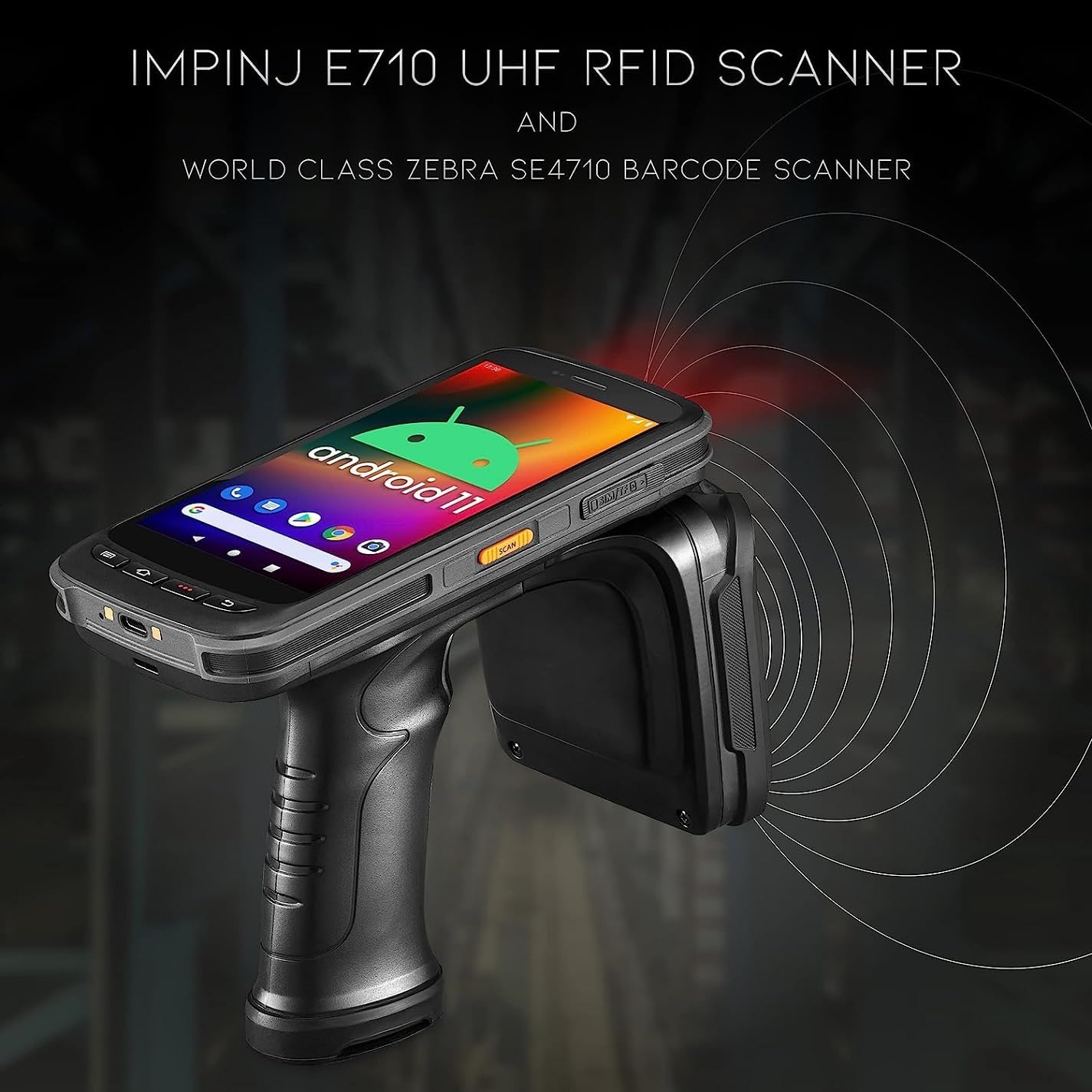
Figure 5: The Chainway C72 actively scanning RFID tags using its Impinj E710 UHF RFID scanner, depicted with radiating waves.
3. Barcode Scanning (Zebra SE4710)
- Open the barcode scanning application or position the cursor in a text field where barcode data should be entered.
- Aim the barcode scanner window (located near the top of the device) at the barcode.
- Press the orange Scan button. A red aiming laser will appear.
- Ensure the entire barcode is within the aiming pattern. The device will beep or vibrate upon successful scan.
- The scanned barcode data will be automatically entered or displayed.
ບໍາລຸງຮັກສາ
1. ທຳ ຄວາມສະອາດອຸປະກອນ
- ປິດອຸປະກອນກ່ອນທີ່ຈະທໍາຄວາມສະອາດ.
- ໃຊ້ຜ້າແພທີ່ອ່ອນໆ ທີ່ບໍ່ມີເສັ້ນດ່າງ dampຖອກໃສ່ດ້ວຍນ້ໍາຫຼືການແກ້ໄຂການເຮັດຄວາມສະອາດອ່ອນໆເພື່ອເຊັດພາຍນອກ.
- For the screen and scanner window, use a screen-specific cleaner and a microfiber cloth.
- Do not use abrasive cleaners, solvents, or immerse the device in liquid.
2. ການດູແລຫມໍ້ໄຟ
- Charge the battery regularly, avoiding complete discharge.
- ເກັບຮັກສາອຸປະກອນໄວ້ໃນບ່ອນທີ່ເຢັນ, ແຫ້ງ, ເມື່ອບໍ່ໄດ້ໃຊ້ເປັນເວລາດົນນານ.
- If the battery performance significantly degrades, consider replacing it with an official Chainway battery.
3. ການປັບປຸງຊອບແວ
Regularly check for and install software updates to ensure optimal performance, security, and access to new features. Updates can typically be found in the device's Settings menu under "System" or "About phone".
ການແກ້ໄຂບັນຫາ
| ບັນຫາ | ສາເຫດທີ່ເປັນໄປໄດ້ | ການແກ້ໄຂ |
|---|---|---|
| ອຸປະກອນບໍ່ເປີດ. | ແບັດເຕີຣີເຫຼືອໜ້ອຍ ຫຼືໝົດແລ້ວ. | Charge the device for at least 30 minutes. Ensure the charger is properly connected. |
| RFID/Barcode scanner not working. | Application error; Scanner module disabled; Damaged module. | Restart the scanning application. Restart the device. Check device settings to ensure scanner is enabled. If problem persists, contact support. |
| Poor RFID read performance. | Interference; Tag orientation; Distance. | Ensure no metallic objects are obstructing the antenna. Adjust the angle and distance to the tags. Reduce environmental interference. |
| ອຸປະກອນຊ້າ ຫຼື ບໍ່ຕອບສະໜອງ. | Too many applications running; Low memory. | Close unnecessary applications. Clear cache. Restart the device. |
| ບັນຫາການເຊື່ອມຕໍ່ Wi-Fi. | Incorrect password; Out of range; Router issue. | Verify Wi-Fi password. Move closer to the access point. Restart the Wi-Fi router. |
ຂໍ້ມູນຈໍາເພາະ
- ຕົວແບບ: C72
- ລະບົບປະຕິບັດການ: Android 11
- ເຄື່ອງອ່ານ RFID: Impinj E710 (UHF GS1 EPC GEN2, 865MHz-928MHz)
- ເຄື່ອງສະແກນບາໂຄດ: Zebra SE4710 (2D/1D/QR)
- ໜ່ວຍປະມວນຜົນ: Cortex A53 Octa Core 2.3GHz
- ແບັດເຕີຣີ: 8000 mAh (up to 12 hours use, fast charge)
- ການເຊື່ອມຕໍ່: Wi-Fi (2.4G/5G), Bluetooth 5.0, GPS
- ຄວາມທົນທານ: IP65 rated, Corning Gorilla Glass, 4.9 ft drop resistance, operating temperature -20°C to +50°C
- ອຸປະກອນທີ່ເຂົ້າກັນໄດ້: ແທັບເລັດ, ໂທລະສັບສະຫຼາດ
- ຜູ້ຜະລິດ: ເຊນເວ
- UPC: 611393757138
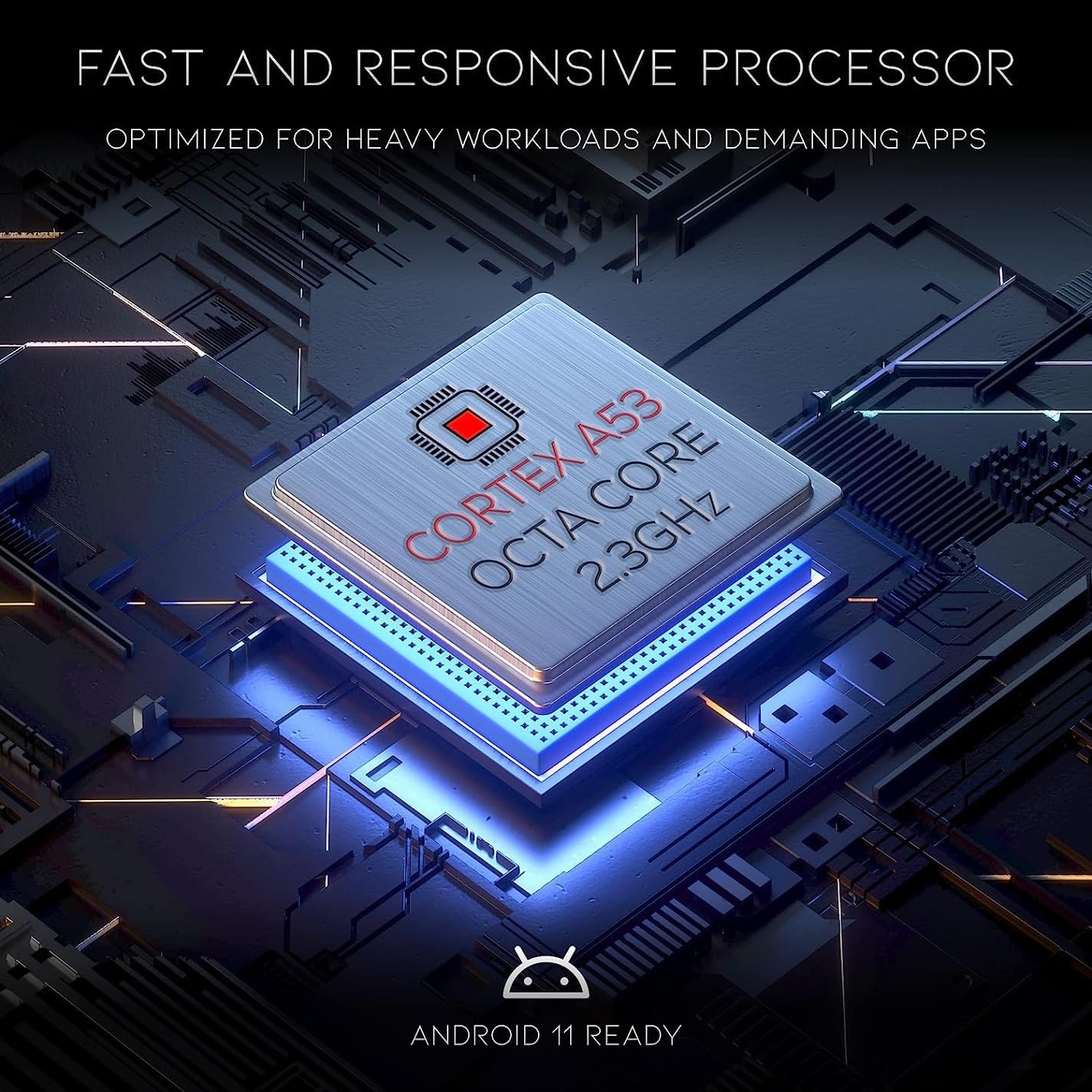
Figure 6: The Chainway C72 is powered by a Cortex A53 Octa Core 2.3GHz processor, optimized for heavy workloads and demanding applications, and is Android 11 ready.

Figure 7: The Chainway C72 boasts ultra-rugged durability with IP65 rating, operational range from -20°C to +50°C, Corning Gorilla Glass, and 4.9 ft drop resistance.
ການຮັບປະກັນແລະການສະຫນັບສະຫນູນ
For warranty information, please refer to the warranty card included with your product or visit the official Chainway website. For technical support, software updates, or service inquiries, please contact your vendor or Chainway customer service directly.
ຜູ້ຜະລິດ: ເຊນເວ
ຕົວແບບ: C72
ASIN: B0CCPR58B3
UPC: 611393757138


