1. ບົດແນະນຳ
This manual provides detailed instructions for the safe and effective use of your Berrcom ET005 Forehead and Ear Thermometer and Berrcom JXB182 Digital Forehead Thermometer. Please read this manual thoroughly before using the devices and retain it for future reference.

Image 1.1: The Berrcom ET005 Forehead and Ear Thermometer (left) and the Berrcom JXB182 Digital Forehead Thermometer (right).
2. ຂໍ້ມູນຄວາມປອດໄພ
Always follow basic safety precautions when using medical devices. This includes:
- Do not use the thermometer for purposes other than measuring human body temperature.
- ຮັກສາອຸປະກອນໃຫ້ໄກຈາກເດັກນ້ອຍ ແລະສັດລ້ຽງ.
- Do not drop the thermometer or expose it to strong impacts.
- Avoid direct sunlight, high temperatures, or corrosive environments.
- Consult a physician if you have concerns about temperature readings.
- ຢ່າພະຍາຍາມຖອດປະກອບ ຫຼືສ້ອມແປງອຸປະກອນດ້ວຍຕົນເອງ.
3. ຜະລິດຕະພັນເກີນview
3.1 Berrcom ET005 Forehead and Ear Thermometer
The ET005 is a versatile thermometer designed for both forehead and ear temperature measurements. It features a quick measurement time and an automatic shut-off function to conserve battery life.

ຮູບພາບ 3.1: ດ້ານຫນ້າ view of the Berrcom ET005 Forehead and Ear Thermometer.
3.2 Berrcom JXB182 Digital Forehead Thermometer
The JXB182 is a non-contact infrared thermometer providing rapid temperature readings. It includes a quiet vibration alert and memory storage for tracking temperature changes.
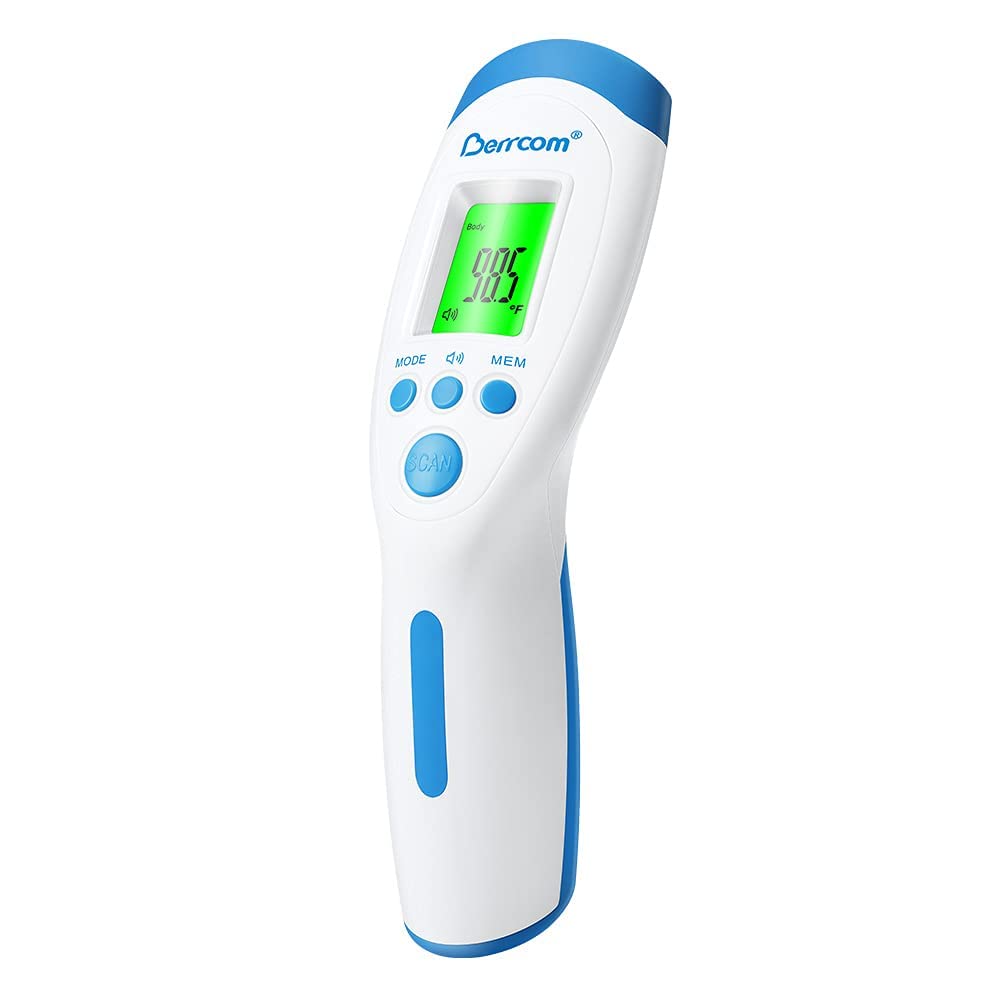
ຮູບພາບ 3.2: ດ້ານຫນ້າ view of the Berrcom JXB182 Digital Forehead Thermometer.
4. ຕັ້ງຄ່າ
4.1 ການຕິດຕັ້ງຫມໍ້ໄຟ
Both thermometers require batteries for operation. Locate the battery compartment, typically on the handle or back of the device. Insert the specified battery type (e.g., AAA batteries) according to the polarity indicators (+/-). Close the battery compartment securely.
4.2 ການຕັ້ງຄ່າເບື້ອງຕົ້ນ
Upon first use or after battery replacement, you may need to set the temperature unit (Celsius ℃ or Fahrenheit ℉). Refer to the operating instructions for each model on how to switch between units.
5. ຄໍາແນະນໍາການດໍາເນີນງານ
5.1 Berrcom ET005 Forehead and Ear Thermometer
The ET005 offers two measurement modes:
- ໂໝດໜ້າຜາກ: Ensure the protective cap is on. Position the thermometer 3-5 cm from the center of the forehead. Press the measurement button to take a reading.

Image 5.1: Using the Berrcom ET005 for forehead temperature measurement on a baby.
- ໂໝດຫູ: Remove the protective cap to expose the ear probe. Gently insert the probe into the ear canal. Press the measurement button.

Image 5.2: Using the Berrcom ET005 for ear temperature measurement on a baby.
The ET005 features a 1-second measurement and an automatic shut-off after 30 seconds of inactivity to save energy. Temperature units (℃/℉) are easily switchable.
5.2 Berrcom JXB182 Digital Forehead Thermometer
The JXB182 is a non-contact thermometer:
- ການວັດແທກ: Hold the thermometer 2-5 cm from the center of the forehead. Press the 'SCAN' button. The reading will appear in approximately 1 second.
- ແຈ້ງເຕືອນການສັ່ນສະເທືອນ: The device provides a quiet vibration alert upon completion of measurement.
- ຟັງຊັນຫນ່ວຍຄວາມຈໍາ: The thermometer can store up to 32 sets of temperature readings, allowing you to track historical changes. Use the 'MEM' button to access stored readings.
- ການປ່ຽນຫົວໜ່ວຍອຸນຫະພູມ: ℃ and ℉ are easily switchable via the 'MODE' button.
- ຕົວຊີ້ວັດ Backlight: The display backlight changes color based on the temperature reading:
- ສີຂຽວ: Normal temperature (e.g., < 37.4 ℃)
- ສີເຫຼືອງ: Slightly elevated temperature (e.g., 37.5 ℃ - 38.5 ℃)
- ສີແດງ: High temperature/fever (e.g., > 38.6 ℃), often accompanied by an alarm.

Image 5.3: The JXB182 display showing different backlight colors for temperature ranges.
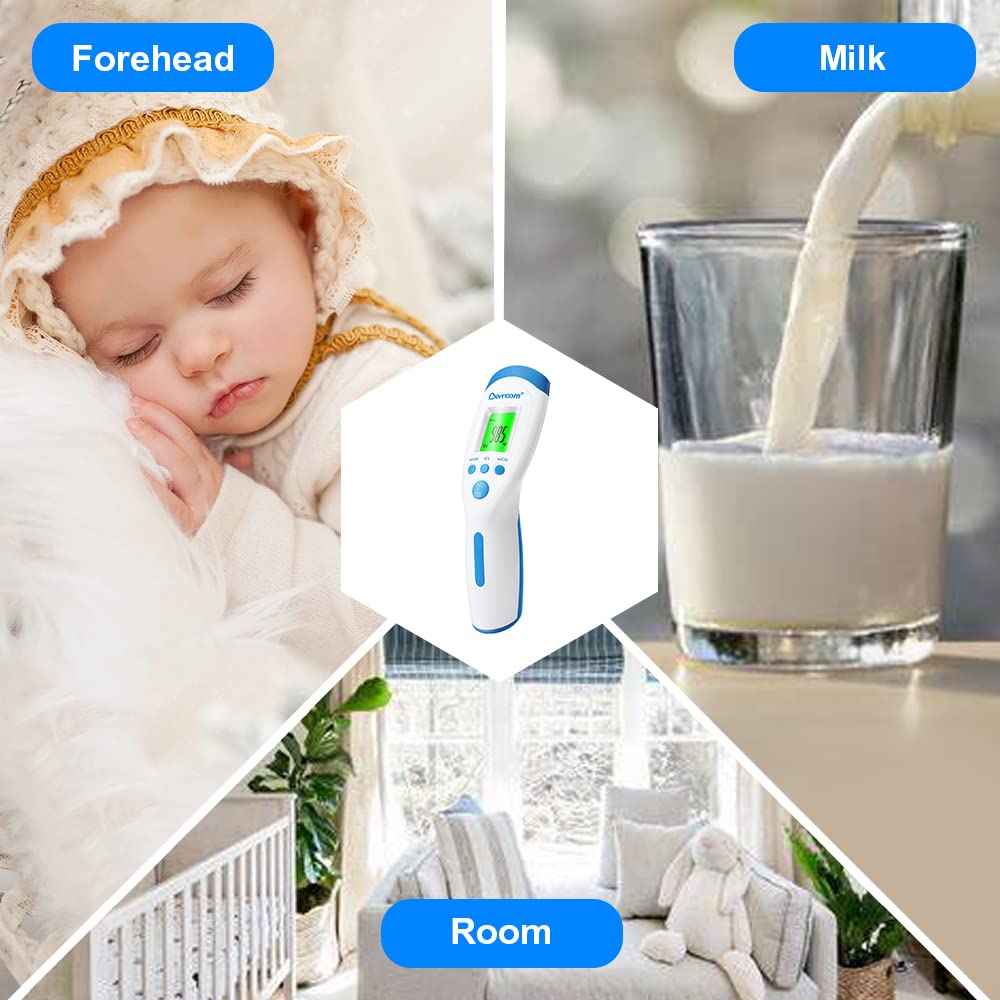
Image 5.4: Using the Berrcom JXB182 for non-contact forehead temperature measurement on a sleeping child.
The JXB182 can also be used to measure the temperature of objects (like milk) or rooms. Switch to the appropriate mode using the 'MODE' button.

Image 5.5: The Berrcom JXB182 can measure forehead, milk, and room temperatures.
6. ບໍາລຸງຮັກສາ
6.1 ການທໍາຄວາມສະອາດ
To clean your thermometer, wipe the device with a soft cloth slightly dampened with alcohol or a mild disinfectant. Do not immerse the thermometer in water or any other liquid. Ensure the probe is clean before each use, especially for the ear thermometer.
6.2 ການເກັບຮັກສາ
Store the thermometer in a cool, dry place, away from direct sunlight and extreme temperatures. Keep it in its original packaging or a protective case when not in use to prevent damage.
7. ການແກ້ໄຂບັນຫາ
If your thermometer is not functioning correctly, consider the following:
- ບໍ່ມີພະລັງງານ: ກວດສອບວ່າແບັດເຕີຣີຖືກຕິດຕັ້ງຢ່າງຖືກຕ້ອງ ແລະ ມີປະຈຸພຽງພໍຫຼືບໍ່. ປ່ຽນແບັດເຕີຣີຖ້າຈຳເປັນ.
- ການອ່ານທີ່ບໍ່ຖືກຕ້ອງ: Ensure the thermometer is used according to the instructions (correct distance for non-contact, proper ear insertion). Environmental factors can affect readings; ensure the room temperature is stable.
- ການສະແດງຂໍ້ຜິດພາດ: If an error code appears, refer to the specific model's detailed manual (if provided separately) or contact customer support.
- ການຕອບສະໜອງຊ້າ: Ensure the sensor is clean and free from debris.
If problems persist, contact Berrcom customer support for assistance.
8. ຂໍ້ມູນຈໍາເພາະ
8.1 Berrcom ET005 Forehead and Ear Thermometer
- ໂໝດການວັດແທກ: Forehead, Ear
- ເວລາວັດແທກ: 1 ວິນາທີ
- ຄວາມຖືກຕ້ອງ: ±0.2℃ (35℃~42℃)
- ຫົວໜ່ວຍອຸນຫະພູມ: ℃ / ℉ Switchable
- ປິດອັດຕະໂນມັດ: 30 ວິນາທີ
- ແຫຼ່ງພະລັງງານ: Battery Powered (e.g., 2x AAA, not specified in input but common)
- ວັດສະດຸນອກ: ພາດສະຕິກ
- ປະເພດການສະແດງ: ດິຈິຕອລ
- ການດູແລຜະລິດຕະພັນ: ເຊັດສະອາດ
- ການນຳໃຊ້ຄືນໃໝ່: ໃຊ້ຄືນໄດ້
8.2 Berrcom JXB182 Digital Forehead Thermometer
- ຮູບແບບການວັດແທກ: Non-Contact Forehead, Object, Room
- ເວລາວັດແທກ: 1 ວິນາທີ
- ຄວາມຖືກຕ້ອງ: ±0.2℃ (35℃~42℃)
- ຫົວໜ່ວຍອຸນຫະພູມ: ℃ / ℉ Switchable
- ໜ່ວຍຄວາມຈຳ: 32 sets of readings
- ຄຸນນະສົມບັດພິເສດ: Non-Contact, Vibration Alert, Color Backlight
- ແຫຼ່ງພະລັງງານ: Battery Powered (e.g., 2x AAA, not specified in input but common)
- ວັດສະດຸນອກ: ພາດສະຕິກ
- ປະເພດການສະແດງ: ດິຈິຕອລ
- ການດູແລຜະລິດຕະພັນ: ເຊັດສະອາດ
- ການນຳໃຊ້ຄືນໃໝ່: ໃຊ້ຄືນໄດ້
9. ການຮັບປະກັນແລະການສະຫນັບສະຫນູນ
Berrcom products are designed for reliability and performance. For warranty information or technical support, please refer to the documentation included with your purchase or visit the official Berrcom webເວັບໄຊ. ຮັກສາໃບຮັບເງິນການຊື້ຂອງທ່ານໄວ້ເປັນຫຼັກຖານການຊື້.


