ແນະນຳ
Thank you for choosing the Coby Mini True Wireless Bluetooth Earbuds. These lightweight, in-ear headphones are designed for convenience and high-quality audio, perfect for work, travel, or daily use. This manual provides detailed instructions to help you get the most out of your new earbuds, ensuring optimal performance and longevity.

Image: Coby Mini True Wireless Bluetooth Earbuds in their charging case, with a US dime and quarter placed nearby to illustrate their compact size.
ແມ່ນຫຍັງຢູ່ໃນກ່ອງ
ກະລຸນາກວດສອບເນື້ອໃນຂອງຊຸດເພື່ອໃຫ້ແນ່ໃຈວ່າລາຍການທັງຫມົດມີຢູ່:
- Coby Mini True Wireless Earbuds (Left and Right)
- ກ່ອງສາກ
- ສາຍສາກ USB
- S/M/L Ear Gels (pre-installed or in separate bag)
- ສາຍສາກ
- ຄູ່ມືຜູ້ໃຊ້ (ເອກະສານນີ້)
ຕັ້ງຄ່າ
1. ການສາກຫູຟັງ ແລະ ເຄສ
Before first use, fully charge both the earbuds and the charging case. The case provides additional charges for the earbuds on the go.
- Place the earbuds into the charging case, ensuring they are correctly seated in their respective L (Left) and R (Right) slots. The earbuds will begin charging automatically.
- Connect the provided USB charging cable to the charging port on the case and the other end to a USB power source (e.g., computer USB port, wall adapter).
- The indicator lights on the case and/or earbuds will show charging status. Refer to the specific light patterns in the troubleshooting section if issues arise.
- ໂດຍປົກກະຕິແລ້ວການສາກໄຟຫູຟັງໃຫ້ເຕັມຈະໃຊ້ເວລາປະມານ 1-2 ຊົ່ວໂມງ ແລະ 2-3 ຊົ່ວໂມງສຳລັບເຄສ.

Image: The Coby Mini Earbuds are shown inside their charging case, illustrating the charging process with glowing indicators.
2. ການຈັບຄູ່ກັບອຸປະກອນ Bluetooth
Follow these steps to pair your earbuds with your smartphone, tablet, or other Bluetooth-enabled device:
- ກວດໃຫ້ແນ່ໃຈວ່າໄດ້ສາກຫູຟັງເອຍບັດແລ້ວ ແລະວາງໃສ່ກ່ອງສາກ.
- ເປີດກ່ອງສາກໄຟ. ຫູຟັງຈະເຂົ້າສູ່ໂໝດຈັບຄູ່ໂດຍອັດຕະໂນມັດ, ໂດຍຊີ້ບອກດ້ວຍໄຟ LED ກະພິບທີ່ຫູຟັງຂ້າງໜຶ່ງ ຫຼື ທັງສອງຂ້າງ.
- On your device, go to the Bluetooth settings and turn Bluetooth on.
- ຊອກຫາ available devices. You should see "Coby Mini Earbuds" or a similar name appear in the list.
- Select the earbuds from the list to connect. Once connected, the LED indicator on the earbuds will stop flashing or change to a solid light, and you may hear an audible confirmation.
- If pairing fails, turn off Bluetooth on your device, place the earbuds back in the case, close the lid, wait a few seconds, then reopen and try again.
3. ການບັນລຸຄວາມພໍດີທີ່ປອດໄພ ແລະ ສະດວກສະບາຍ
The Coby Mini Earbuds are designed to be miniature and discreet, providing a comfortable fit for extended wear. Experiment with the included S/M/L ear gels to find the size that best seals your ear canal for optimal sound quality and secure placement.

Image: A Coby Mini Earbud is shown inserted into an ear, demonstrating its compact and discreet design with a measurement of 0.59 inches.
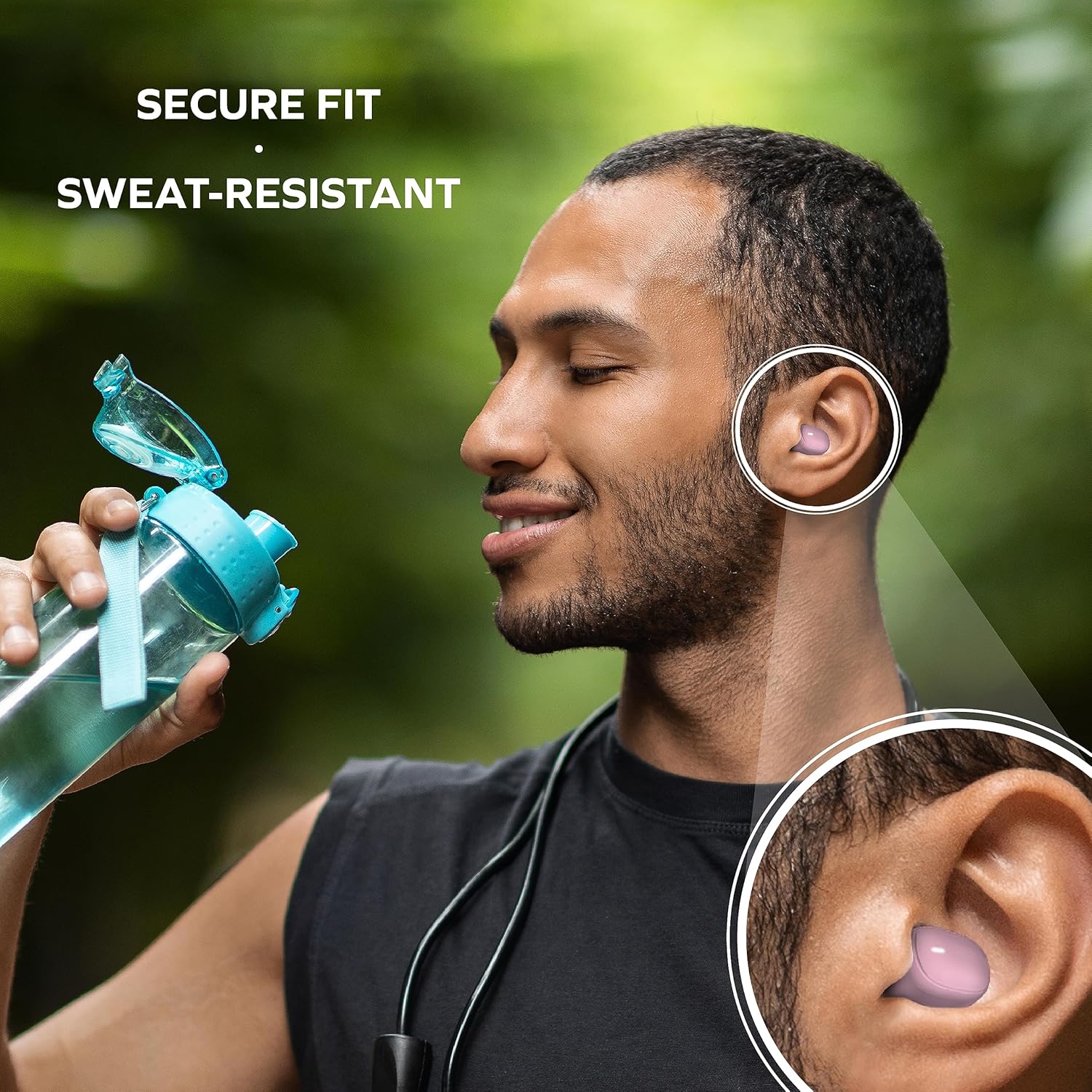
Image: A man is shown wearing the earbuds while exercising, emphasizing their secure fit and sweat-resistant design, suitable for active use.
ປະຕິບັດການຫູຟັງ
ແຕະການຄວບຄຸມ
The Coby Mini Earbuds feature intuitive touch controls on each earbud for easy management of your audio and calls without needing to interact with your smartphone.
| ການປະຕິບັດ | ການຄວບຄຸມ |
|---|---|
| ຫຼິ້ນ/ຢຸດດົນຕີ | ແຕະເທື່ອດຽວໃສ່ຫູຟັງຫູຟັງ |
| ຕິດຕາມຕໍ່ໄປ | ແຕະສອງເທື່ອໃສ່ຫູຟັງເບື້ອງຂວາ |
| ເພງກ່ອນໜ້າ | ແຕະສອງເທື່ອໃສ່ຫູຟັງທາງຊ້າຍ |
| ຕອບ/ວາງສາຍ | ແຕະເທື່ອດຽວໃສ່ຫູຟັງຫູຟັງ |
| ປະຕິເສດການໂທ | ກົດຫູຟັງອັນໃດອັນໜຶ່ງຄ້າງໄວ້ 2 ວິນາທີ |
| ເປີດໃຊ້ຜູ້ຊ່ວຍສຽງ | ແຕະສາມເທື່ອໃສ່ຫູຟັງຫູຟັງ |
ໂທຟຣີ
With the built-in microphone, you can make and receive calls directly through your earbuds. Use the touch controls as described above to manage your calls.
ຄວາມເຂົ້າກັນໄດ້ຂອງຜູ້ຊ່ວຍສຽງ
The earbuds are compatible with popular voice assistants like Siri and Google Assistant. Simply triple tap an earbud to activate your device's voice assistant and issue commands.

Image: A user is shown with the earbuds while using a laptop, highlighting their compatibility with voice assistants like Siri and Google Assistant for hands-free control.
ບໍາລຸງຮັກສາ
ການເຮັດຄວາມສະອາດຫູຟັງຂອງທ່ານ
ການທໍາຄວາມສະອາດເປັນປົກກະຕິຊ່ວຍຮັກສາຄຸນນະພາບສຽງແລະສຸຂະອະນາໄມ:
- ເຊັດຫູຟັງຫູຟັງ ແລະ ກະເປົ໋າສາກໄຟດ້ວຍຜ້າແພອ່ອນໆ, ແຫ້ງ, ບໍ່ມີເຈັ້ຍ.
- For earwax or debris, use a dry cotton swab or a small, soft brush to carefully clean the ear tips and speaker mesh.
- Do not use abrasive cleaners, alcohol, or harsh chemicals. Avoid getting moisture into any openings.
ການເກັບຮັກສາ
When not in use, always store the earbuds in their charging case to protect them from dust, damage, and to keep them charged for your next use. Store in a cool, dry place away from extreme temperatures.
ການແກ້ໄຂບັນຫາ
If you encounter issues with your Coby Mini Earbuds, please refer to the following common solutions:
- ຫູຟັງບໍ່ສາມາດຈັບຄູ່/ເຊື່ອມຕໍ່ໄດ້:
- ກວດໃຫ້ແນ່ໃຈວ່າໄດ້ສາກຫູຟັງທັງສອງອັນແລ້ວ.
- ປິດ Bluetooth ໃນອຸປະກອນຂອງທ່ານ, ຈາກນັ້ນເປີດມັນຄືນ.
- Forget/delete the earbuds from your device's Bluetooth list and attempt to re-pair.
- Place earbuds back in the case, close the lid for 5 seconds, then reopen to reset pairing mode.
- ບໍ່ມີສຽງ ຫຼືສຽງຕໍ່າ:
- ກວດເບິ່ງລະດັບສຽງໃນທັງອຸປະກອນຂອງທ່ານ ແລະຫູຟັງ.
- Ensure earbuds are properly seated in your ears and the correct ear gel size is used.
- Confirm the earbuds are connected to your device and not another nearby device.
- ບັນຫາການສາກໄຟ:
- ໃຫ້ແນ່ໃຈວ່າສາຍສາກໄດ້ເຊື່ອມຕໍ່ຢ່າງປອດໄພກັບທັງກໍລະນີ ແລະແຫຼ່ງພະລັງງານ.
- ລອງໃຊ້ພອດ USB ຫຼືຕົວແປງໄຟອື່ນ.
- ເຮັດຄວາມສະອາດບ່ອນຕິດຕໍ່ການສາກໄຟຢູ່ຫູຟັງຫູຟັງ ແລະພາຍໃນກໍລະນີດ້ວຍຜ້າຝ້າຍແຫ້ງ.
- Earbuds Disconnecting Frequently:
- ໃຫ້ແນ່ໃຈວ່າອຸປະກອນຂອງທ່ານຢູ່ພາຍໃນຂອບເຂດ Bluetooth 10 ແມັດ.
- ຫຼີກເວັ້ນການຂັດຂວາງທາງຮ່າງກາຍລະຫວ່າງຫູຟັງເອຍບັດແລະອຸປະກອນຂອງທ່ານ.
- ຫຼຸດຜ່ອນການລົບກວນຈາກອຸປະກອນໄຮ້ສາຍອື່ນໆ.
ຂໍ້ມູນຈໍາເພາະ
Detailed technical specifications for the Coby Mini True Wireless Bluetooth Earbuds:
| ຄຸນສົມບັດ | ລາຍລະອຽດ |
|---|---|
| ຊື່ຕົວແບບ | ຕຸ້ມຫູ Mini |
| ໝາຍເລກຕົວແບບ | CETW536BK |
| ເຕັກໂນໂລຊີການເຊື່ອມຕໍ່ | ໄຮ້ສາຍ |
| ເຕັກໂນໂລຊີການສື່ສານໄຮ້ສາຍ | Bluetooth |
| ລຸ້ນ Bluetooth | 5.3 |
| ຊ່ວງ Bluetooth | 10 ແມັດ |
| ອາຍຸແບັດເຕີຣີ (ຫູຟັງ) | Up to 12 Hours of Total Playtime |
| ຄວາມອາດສາມາດຫມໍ້ໄຟຂອງກໍລະນີ | 300 ລ້ານamp ຊົ່ວໂມງ |
| ປະເພດການຄວບຄຸມ | ແຕະການຄວບຄຸມ |
| ລະດັບຄວາມຕ້ານທານນ້ໍາ | Water Resistant (Sweat-Resistant) |
| ການຄວບຄຸມສິ່ງລົບກວນ | Active Noise Cancellation |
| ນ້ໍາຫນັກລາຍການ | 5.3 ອອນ |
| ຂະໜາດຜະລິດຕະພັນ (ກ່ອງ) | 0.99 x 1.85 x 2.44 ນິ້ວ |
ຂໍ້ມູນຄວາມປອດໄພ
Please read and follow these safety guidelines to prevent damage to your earbuds and ensure your personal safety:
- Do not expose earbuds or case to extreme temperatures, direct sunlight, or high humidity.
- Avoid dropping, impacting, or disassembling the device. This can void the warranty and cause damage.
- ຮັກສາໃຫ້ໄກຈາກເດັກນ້ອຍ ແລະສັດລ້ຽງ. ຊິ້ນສ່ວນນ້ອຍໆອາດເຮັດໃຫ້ເກີດອັນຕະລາຍຕໍ່ການຫາຍໃຈ.
- Do not use the earbuds at excessively high volumes for prolonged periods, as this can cause hearing damage.
- ຈົ່ງລະວັງສິ່ງອ້ອມຂ້າງຂອງທ່ານເມື່ອໃຊ້ຫູຟັງ, ໂດຍສະເພາະໃນເວລາການຈະລາຈອນ ຫຼື ສະຖານະການທີ່ອາດເປັນອັນຕະລາຍອື່ນໆ.
ການຮັບປະກັນແລະການສະຫນັບສະຫນູນ
For warranty information and customer support, please refer to the documentation included with your purchase or visit the official Coby webເວັບໄຊ. ຮັກສາຫຼັກຖານການຊື້ຂອງທ່ານສໍາລັບການຮຽກຮ້ອງການຮັບປະກັນໃດໆ.
For further assistance, you may contact Coby customer service through their official channels. Details are typically available on the product packaging or the brand's webເວັບໄຊ.


