1. ບົດແນະນຳ
This manual provides comprehensive instructions for the Olvy Wireless Android Auto Dongle W-28. This device enables wireless Android Auto connectivity in compatible vehicles, allowing you to access your smartphone's features on your car's display without a physical cable connection.
ໝາຍເຫດສຳຄັນ: To use this dongle, your vehicle must have a factory-integrated Android Auto system that also supports wired CarPlay. This is typically found in 98% of cars manufactured after 2017. The dongle supports Android phones running Android 10 or higher.

Image 1.1: The Olvy dongle facilitating wireless Android Auto, eliminating cable clutter.
2. ຂໍ້ມູນຄວາມປອດໄພ
- ຢ່າພະຍາຍາມຖອດປະກອບ ຫຼືດັດແປງອຸປະກອນ.
- ຮັກສາອຸປະກອນໃຫ້ຫ່າງຈາກນ້ໍາ, ຄວາມຊຸ່ມຊື່ນ, ແລະອຸນຫະພູມທີ່ສຸດ.
- Ensure the device is securely connected to prevent accidental disconnection during driving.
- Operate your vehicle responsibly. Do not interact with the device or your smartphone in a way that distracts you from driving.
3. ເນື້ອໃນຊຸດ
ກະລຸນາກວດເບິ່ງຊຸດສຳລັບລາຍການຕໍ່ໄປນີ້:
- Olvy Wireless Android Auto Dongle W-28
- ສາຍ USB-C ຫາ USB-A
- ສາຍ USB-C ຫາ USB-C
4. ຜະລິດຕະພັນເກີນview
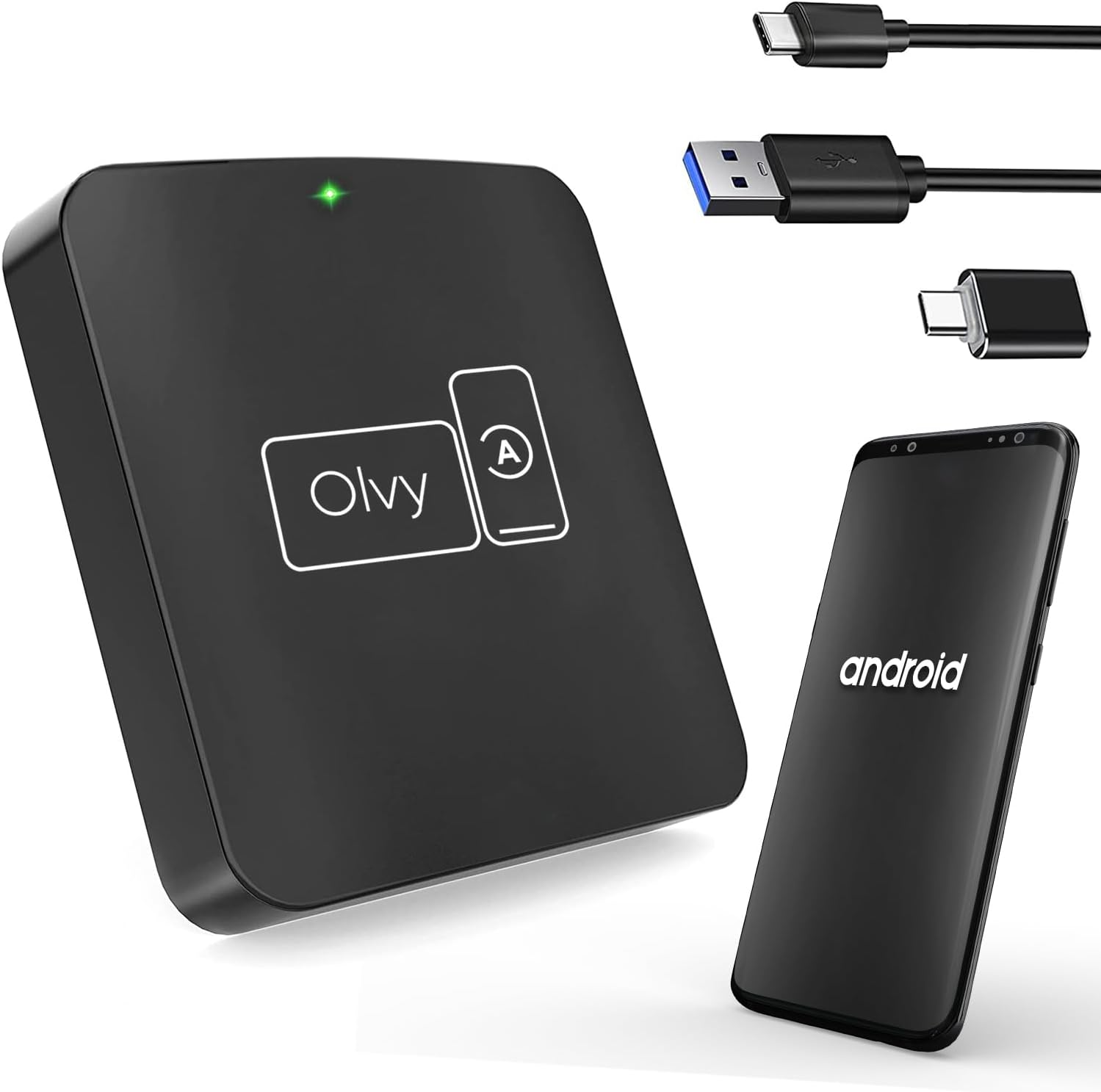
Image 4.1: Olvy Wireless Android Auto Dongle and connectivity options.
The Olvy Wireless Android Auto Dongle is a compact device designed to provide a seamless wireless connection between your Android smartphone and your car's infotainment system. It features a 5.8GHz chip for faster and more stable connections.

Image 4.2: Compact design and dimensions of the Olvy dongle (55mm x 55mm x 12mm).

Image 4.3: Key features of the Olvy dongle, including Plug & Play functionality and a 5.8GHz chip.
5. ຄໍາແນະນໍາການຕິດຕັ້ງ
ປະຕິບັດຕາມຂັ້ນຕອນເຫຼົ່ານີ້ເພື່ອການຕັ້ງຄ່າທີ່ໄວ ແລະ ງ່າຍ:
- Step 1: Connect the Dongle to your Car. Use the provided USB-C to USB-A or USB-C to USB-C cable to connect the Olvy dongle to your car's USB port. Ensure the port supports data transfer for Android Auto.
- Step 2: Pair your Smartphone via Bluetooth. On your smartphone, enable Bluetooth and search for available devices. Select the device named "Smart-box..." (or similar) and pair with it.
- Step 3: Establish Wireless Connection. Once paired, the dongle will automatically connect your phone to the car's Android Auto system wirelessly. The initial setup typically takes about 15 seconds. Subsequent connections should occur within 5 seconds automatically.
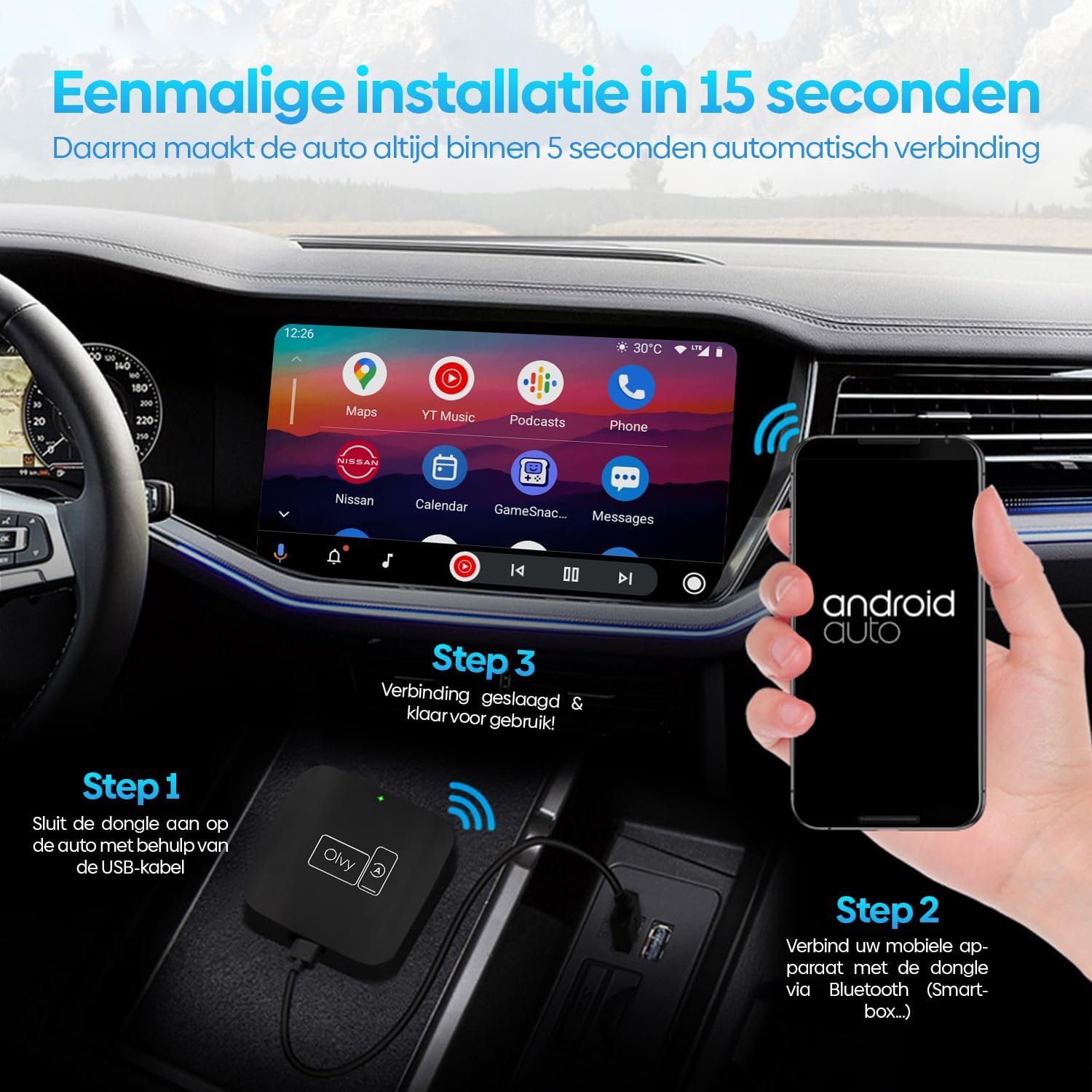
Image 5.1: Visual guide for the 3-step installation process.
6. ຄໍາແນະນໍາການດໍາເນີນງານ
6.1. ການນໍາໃຊ້ Android Auto
Once connected, your car's display will show the Android Auto interface. You can navigate through apps, maps, music, and calls directly from your car's screen.
6.2. ວິທີການຄວບຄຸມ
The Olvy dongle supports various control methods available in your vehicle:
- ການຄວບຄຸມພວງມາໄລ: Use your car's built-in steering wheel buttons for audio, calls, and navigation.
- OEM Knob Controls: Utilize the original equipment manufacturer (OEM) control knobs for menu navigation.
- ການຄວບຄຸມດ້ວຍສຽງ: Activate voice commands through your car's system or by saying "Hey Google" to control Android Auto hands-free.
- ການປະຕິບັດຫນ້າຈໍສໍາພັດ: ໂຕ້ຕອບໂດຍກົງກັບໜ້າຈໍສຳຜັດຂອງລົດ.

Image 6.1: Supported control methods for Android Auto.
6.3. ໂໝດກາງເວັນ ແລະກາງຄືນ
The dongle supports automatic switching between day and night modes to optimize screen visibility and protect driver's vision. It detects ambient light conditions or car headlight status to adjust the display accordingly.

Image 6.2: Android Auto display in day and night modes.
7. ບໍາລຸງຮັກສາ
- Keep the dongle clean and free from dust. Use a soft, dry cloth for cleaning.
- ຫຼີກເວັ້ນການເປີດອຸປະກອນໃຫ້ຖືກແສງແດດໂດຍກົງເປັນເວລາດົນ.
- ເກັບຮັກສາອຸປະກອນໄວ້ໃນບ່ອນທີ່ເຢັນ, ແຫ້ງເມື່ອບໍ່ໄດ້ໃຊ້.
8. ການແກ້ໄຂບັນຫາ
| ບັນຫາ | ສາເຫດທີ່ເປັນໄປໄດ້ | ການແກ້ໄຂ |
|---|---|---|
| Device does not connect automatically. | Bluetooth not paired or connection interrupted. | Ensure Bluetooth is enabled on your phone and paired with "Smart-box...". Reconnect manually if necessary. |
| Android Auto does not launch. | Car's USB port not providing data, or car does not support wired Android Auto/CarPlay. | Try a different USB port in your car. Verify your car supports factory-wired Android Auto and CarPlay. Ensure your phone runs Android 10 or higher. |
| ການເຊື່ອມຕໍ່ແບບບໍ່ຢຸດຢັ້ງ. | ສັນຍານລົບກວນ ຫຼື ສັນຍານອ່ອນ. | Ensure no other Bluetooth devices are causing interference. Try restarting both the dongle (by unplugging and replugging) and your phone. |
9. ຂໍ້ມູນຈໍາເພາະ
- ຕົວແບບ: W-28
- ຍີ່ຫໍ້: Olvy
- ເຕັກໂນໂລຍີການເຊື່ອມຕໍ່: Bluetooth, USB, Wi-Fi
- ປະເພດຕົວເຊື່ອມຕໍ່: USB-C, USB-A
- ຄຸນນະສົມບັດພິເສດ: Android Auto ແບບໄຮ້ສາຍ
- ອຸປະກອນທີ່ເຂົ້າກັນໄດ້: ໂທລະສັບສະຫຼາດ Android (Android 10+)
- ຄວາມລະອຽດ: 1080p (supported by Android Auto)
- ຂະໜາດ: ປະມານ 55mm x 55mm x 12mm
10. ການຮັບປະກັນແລະການສະຫນັບສະຫນູນ
For warranty information and technical support, please refer to the official Olvy webເວັບໄຊ ຫຼືຕິດຕໍ່ຮ້ານຂາຍຍ່ອຍຂອງທ່ານ. ຮັກສາໃບຮັບເງິນການຊື້ຂອງທ່ານໄວ້ເປັນຫຼັກຖານການຊື້.
ຜູ້ຜະລິດ: Olvy
ວັນທີອອກ: ວັນທີ 27 ມິຖຸນາ 2023


