ແນະນຳ
Welcome to the user manual for your boAt Airdopes Bliss ANC True Wireless Stereo (TWS) Earbuds. This guide provides detailed instructions on how to set up, operate, maintain, and troubleshoot your earbuds to ensure optimal performance.
ແມ່ນຫຍັງຢູ່ໃນກ່ອງ
- 1 X TWS Earbuds
- 1 X ກ່ອງສາກໄຟ
- 2 X Additional Earbuds (pairs of ear tips)
- ສາຍໄຟສາກ USB 1 X
- 1 X ຄູ່ມືຜູ້ໃຊ້
ສິນຄ້າເກີນview
The boAt Airdopes Bliss ANC earbuds are designed for an immersive audio experience with Active Noise Cancellation (ANC) up to 32dB. They feature a long playback time, quick charging, and a low-latency BEAST Mode for gaming.

Image: boAt Airdopes Bliss ANC earbuds in their charging case.
ຕັ້ງຄ່າ
1. ການສາກຫູຟັງ ແລະ ເຄສ
ກ່ອນທີ່ຈະໃຊ້ຄັ້ງທຳອິດ, ໃຫ້ສາກຫູຟັງຫູຟັງ ແລະ ຊ່ອງສາກໃຫ້ເຕັມ.
- Connect the USB charging cable to the Type-C port on the charging case and to a power source.
- ໄຟສະແດງຢູ່ໃນກໍລະນີຈະສະແດງສະຖານະການສາກໄຟ.
- ເມື່ອສາກເຕັມແລ້ວ, ໃຫ້ຖອດສາຍອອກ.

Image: ASAP Charge feature, indicating 10 minutes of charge provides 180 minutes of playback.
The earbuds support ASAP Charging, providing 180 minutes of playback with just 10 minutes of charge. A full charge offers up to 42 hours of total playback time (earbuds + case).

Image: Visual representation of up to 42 hours of total playback time.
2. Initial Pairing (IWP™ Technology)
- ເປີດຝາຂອງກໍລະນີສາກໄຟ. ຫູຟັງເອຍບັດຈະເປີດເຄື່ອງອັດຕະໂນມັດ ແລະເຂົ້າສູ່ໂໝດຈັບຄູ່.
- On your device (phone, tablet, etc.), enable Bluetooth.
- ຊອກຫາ "Airdopes Bliss ANC" in the list of available Bluetooth devices.
- Select "Airdopes Bliss ANC" to connect. Once connected, you will hear an audio prompt.

Image: IWP Technology showing the earbuds connecting to a smartphone upon opening the case.
IWP™ (Insta Wake N' Pair) Technology allows the earbuds to connect to your previously paired device as soon as you open the case lid.
3. ໃສ່ຫູຟັງ
- Choose the ear tips that provide the most comfortable and secure fit.
- Insert the earbuds into your ears and gently twist them to ensure a snug seal for optimal sound and ANC performance.
ຄໍາແນະນໍາການດໍາເນີນງານ
ເປີດ/ປິດ
- ເປີດ: Open the charging case lid, or long-press the touch control on both earbuds for 3 seconds.
- ປິດພະລັງງານ: Place the earbuds back into the charging case and close the lid, or long-press the touch control on both earbuds for 5 seconds.
ແຕະການຄວບຄຸມ
The Airdopes Bliss ANC features intuitive touch controls on each earbud.
| ຟັງຊັນ | ການປະຕິບັດ |
|---|---|
| ຫຼິ້ນ/ຢຸດດົນຕີ | ແຕະເທື່ອດຽວໃສ່ຫູຟັງຫູຟັງ |
| ຕິດຕາມຕໍ່ໄປ | ແຕະສອງເທື່ອໃສ່ຫູຟັງເບື້ອງຂວາ |
| ເພງກ່ອນໜ້າ | ແຕະສອງເທື່ອໃສ່ຫູຟັງທາງຊ້າຍ |
| ຕອບ/ວາງສາຍ | ແຕະເທື່ອດຽວໃສ່ຫູຟັງຫູຟັງ |
| ປະຕິເສດການໂທ | ກົດຄ້າງໄວ້ທີ່ຫູຟັງຂ້າງໃດຂ້າງໜຶ່ງເປັນເວລາ 2 ວິນາທີ |
| ເປີດໃຊ້ຜູ້ຊ່ວຍສຽງ | ແຕະສາມເທື່ອໃສ່ຫູຟັງຫູຟັງ |
| ສະຫຼັບໂໝດ ANC/ຄວາມໂປ່ງໃສ | Long press on the left earbud for 2 seconds |
| Toggle BEAST Mode | ກົດໃສ່ຫູຟັງເບື້ອງຂວາຄ້າງໄວ້ 2 ວິນາທີ |
ການຍົກເລີກສິ່ງລົບກວນທີ່ໃຊ້ວຽກ (ANC)
The earbuds feature Active Noise Cancellation up to 32dB, reducing ambient noise for a focused listening experience. Long press the left earbud for 2 seconds to cycle between ANC On, Transparency Mode, and ANC Off.

Image: Representation of Active Noise Cancellation functionality.
BEAST Mode (Low Latency Gaming)
Activate BEAST Mode for a low-latency audio experience (60ms), ideal for gaming. Long press the right earbud for 2 seconds to toggle BEAST Mode On/Off.
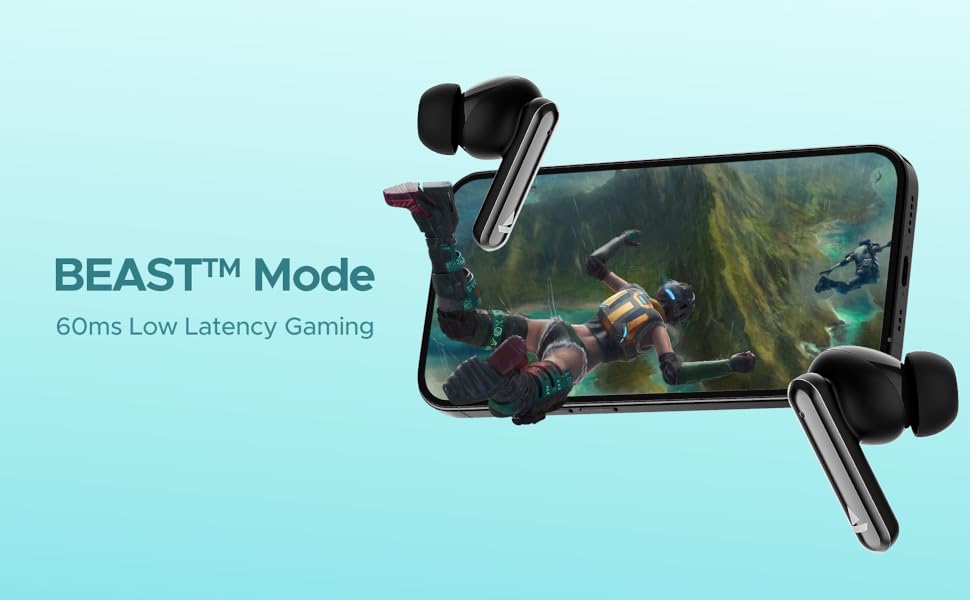
Image: Visual depicting the BEAST Mode for low-latency gaming.
ENx™ Technology (Quad Mics)
The earbuds are equipped with ENx™ Technology and Quad Mics for clear voice calls, ensuring your voice is heard clearly even in noisy environments.

Image: Diagram showing the internal components related to ENx Technology and Quad Mics.
ບໍາລຸງຮັກສາ
ທໍາຄວາມສະອາດ
- ອະນາໄມຫູຟັງຫູຟັງ ແລະກະເປົ໋າສາກໄຟເປັນປະຈຳດ້ວຍຜ້າແພທີ່ອ່ອນ, ແຫ້ງ, ບໍ່ມີສານຂັດ.
- ຖອດປາຍຫູອອກ ແລະເຮັດຄວາມສະອາດດ້ວຍສະບູອ່ອນໆ ແລະນໍ້າ, ຈາກນັ້ນເຊັດໃຫ້ແຫ້ງກ່ອນຕິດໃໝ່.
- ກວດໃຫ້ແນ່ໃຈວ່າລາຍຊື່ຜູ້ຕິດຕໍ່ທີ່ສາກໄຟຢູ່ທັງຫູຟັງຫູຟັງ ແລະເຄສແມ່ນບໍ່ມີຂີ້ຝຸ່ນ ແລະສິ່ງເສດເຫຼືອ.
- ຢ່າໃຊ້ເຄື່ອງເຮັດຄວາມສະອາດຂັດຫຼືສານລະລາຍ.
ການເກັບຮັກສາ
- ເມື່ອບໍ່ໄດ້ໃຊ້, ໃຫ້ເກັບຮັກສາຫູຟັງໃສ່ໃນກະເປົ໋າສາກໄຟສະເໝີເພື່ອປົກປ້ອງພວກມັນ ແລະ ຮັກສາໃຫ້ມັນສາກ.
- ເກັບຮັກສາໄວ້ໃນບ່ອນທີ່ເຢັນ, ແຫ້ງ, ຫ່າງຈາກອຸນຫະພູມສູງສຸດແລະແສງແດດໂດຍກົງ.
ການດູແລຫມໍ້ໄຟ
- ຫຼີກລ້ຽງການປະຈຸຫມໍ້ໄຟຢ່າງເຕັມທີ່ເລື້ອຍໆ.
- Charge the earbuds and case regularly, even if not in frequent use, to maintain battery health.

Image: Earbuds and case with water droplets, illustrating IPX5 splash and sweat resistance. While resistant, avoid submerging the device.
ການແກ້ໄຂບັນຫາ
ຫູຟັງບໍ່ຈັບຄູ່
- ກວດໃຫ້ແນ່ໃຈວ່າໄດ້ສາກຫູຟັງທັງສອງອັນແລ້ວ.
- ວາງຫູຟັງຫູຟັງທັງສອງໃສ່ໃນກ່ອງສາກ, ປິດຝາປິດ, ລໍຖ້າສອງສາມວິນາທີ, ຈາກນັ້ນເປີດຝາປິດອີກຄັ້ງ.
- ປິດ Bluetooth ໃນອຸປະກອນຂອງທ່ານ, ຈາກນັ້ນເປີດມັນຄືນໃໝ່ ແລະລອງຈັບຄູ່ອີກຄັ້ງ.
- ຖ້າບັນຫາຍັງຄົງຢູ່, ລອງຕັ້ງຄ່າຫູຟັງຄືນໃໝ່ (ອ້າງອີງເຖິງຂໍ້ມູນຂອງຜູ້ຜະລິດ webເວັບໄຊສໍາລັບຄໍາແນະນໍາການຕັ້ງຄ່າສະເພາະໃດຫນຶ່ງຖ້າຫາກວ່າບໍ່ໄດ້ສະຫນອງໃຫ້ຢູ່ທີ່ນີ້).
ບໍ່ມີສຽງ ຫຼືສຽງຕໍ່າ
- ກວດເບິ່ງລະດັບສຽງຢູ່ໃນທັງອຸປະກອນທີ່ເຊື່ອມຕໍ່ຂອງເຈົ້າ ແລະຫູຟັງເອຍບັດ.
- ຮັບປະກັນວ່າຫູຟັງເອຍບັດຖືກນັ່ງຢູ່ໃນຫູຂອງເຈົ້າຢ່າງຖືກຕ້ອງ ແລະ ເຄັດລັບຫູໃຫ້ປະທັບຕາທີ່ດີ.
- ອະນາໄມສິ່ງເສດເຫຼືອໃດໆຈາກລຳໂພງຫູຟັງ.
- ເຊື່ອມຕໍ່ຫູຟັງໃສ່ອຸປະກອນຂອງທ່ານຄືນໃໝ່.
ບັນຫາການສາກໄຟ
- ໃຫ້ແນ່ໃຈວ່າສາຍສາກໄດ້ເຊື່ອມຕໍ່ຢ່າງປອດໄພກັບທັງກໍລະນີ ແລະແຫຼ່ງພະລັງງານ.
- ລອງສາຍສາກໄຟ ຫຼືອະແດັບເຕີສາຍສາກອື່ນ.
- ເຮັດຄວາມສະອາດລາຍຊື່ຜູ້ຕິດຕໍ່ການສາກໄຟຢູ່ຫູຟັງຫູຟັງ ແລະ ພາຍໃນເຄສ.
ຂໍ້ມູນຈໍາເພາະ
| ຄຸນສົມບັດ | ລາຍລະອຽດ |
|---|---|
| ຊື່ຕົວແບບ | Airdopes Bliss ANC |
| ເຕັກໂນໂລຊີການເຊື່ອມຕໍ່ | Bluetooth |
| ເຕັກໂນໂລຊີການສື່ສານໄຮ້ສາຍ | Bluetooth |
| Active Noise Cancellation | ເຖິງ 32 dB |
| ເວລາຫຼິ້ນ | ສູງສຸດ 42 ຊົ່ວໂມງ (ລວມທັງກ່ອງ) |
| ASAP Charging | ຄ່າບໍລິການ 10 ນາທີ = ເວລາຫຼິ້ນ 180 ນາທີ |
| ໂໝດ BEAST Latency | 60 ມລ |
| ເທັກໂນໂລຍີໄມໂຄຣໂຟນ | ENx Technology with Quad Mics |
| ວິທີການຄວບຄຸມ | ແຕະ |
| ການຈັດອັນດັບຄວາມຕ້ານທານນ້ໍາ | IPX5 (ກັນນໍ້າ ແລະ ເຫື່ອ) |
| ປະເພດຫມໍ້ໄຟ | ລີໂທມໂພລີເມີ |
| ນ້ໍາຫນັກລາຍການ | 50 ກຣາມ |
| ຂະໜາດສິນຄ້າ | 5.9 x 4.9 x 2.6 cm |
| ອົງປະກອບລວມ | 1 X TWS Earbuds, 2 X Additional Earbuds, Cable, User Manual |
ການຮັບປະກັນແລະການສະຫນັບສະຫນູນ
For warranty information and customer support, please refer to the official boAt webເວັບໄຊ ຫຼືຕິດຕໍ່ບໍລິການລູກຄ້າຂອງເຂົາເຈົ້າ. ຮັກສາໃບຮັບເງິນການຊື້ຂອງທ່ານສໍາລັບການຮ້ອງຂໍການຮັບປະກັນ.


