1. ບົດແນະນຳ
ຂອບໃຈສໍາລັບການຊື້asing the ZEBRONICS Juke BAR 9102 PRO 240W Dolby Soundbar. This manual provides essential information for the proper setup, operation, and maintenance of your soundbar system. Please read this manual thoroughly before use to ensure optimal performance and safety.
2. ຄໍາແນະນໍາຄວາມປອດໄພ
- ແຫຼ່ງພະລັງງານ: ໃຊ້ພຽງແຕ່ອະແດັບເຕີພະລັງງານທີ່ລະບຸໄວ້. ຮັບປະກັນ voltage ເຂົ້າກັນໄດ້ກັບການສະໜອງພະລັງງານໃນທ້ອງຖິ່ນຂອງທ່ານ.
- ການລະບາຍອາກາດ: ຢ່າອຸດຕັນຊ່ອງລະບາຍອາກາດໃດໆ. ຮັກສາພື້ນທີ່ໃຫ້ພຽງພໍອ້ອມຮອບເຄື່ອງເພື່ອໃຫ້ມີການໄຫຼວຽນຂອງອາກາດທີ່ເໝາະສົມ.
- ນ້ໍາແລະຄວາມຊຸ່ມ: Do not expose the soundbar or subwoofer to water, rain, or moisture. Avoid placing objects filled with liquids, such as vases, on or near the unit.
- ແຫຼ່ງຄວາມຮ້ອນ: ເກັບຮັກສາເຄື່ອງໃຫ້ຫ່າງຈາກແຫຼ່ງຄວາມຮ້ອນ ເຊັ່ນ: ໝໍ້ນ້ຳ, ເຄື່ອງບັນທຶກຄວາມຮ້ອນ, ເຕົາໄຟ ຫຼື ເຄື່ອງໃຊ້ໄຟຟ້າທີ່ຜະລິດຄວາມຮ້ອນອື່ນໆ.
- ທໍາຄວາມສະອາດ: ຖອດສາຍໄຟອອກກ່ອນທຳຄວາມສະອາດ. ໃຊ້ຜ້າອ່ອນແລະແຫ້ງ. ຢ່າໃຊ້ນໍ້າຢາທຳຄວາມສະອາດ ຫຼື ນໍ້າຢາທຳຄວາມສະອາດແບບສີດ.
- ການບໍລິການ: ຢ່າພະຍາຍາມບໍລິການຜະລິດຕະພັນນີ້ດ້ວຍຕົນເອງ. ອ້າງເຖິງການບໍລິການທັງtoົດໃຫ້ກັບພະນັກງານບໍລິການທີ່ມີຄຸນວຸດທິ.
- ການຈັດວາງ: Place the soundbar on a stable, flat surface or mount it securely on a wall as instructed.
3. ເນື້ອໃນຊຸດ
ກວດສອບວ່າລາຍການທັງຫມົດທີ່ລະບຸໄວ້ຂ້າງລຸ່ມນີ້ແມ່ນລວມຢູ່ໃນຊຸດຂອງທ່ານ:
- Soundbar - 1 Unit
- ຊັບວູບເຟີ - 1 ໜ່ວຍ
- ຣີໂໝດຄວບຄຸມ - 1 ໜ່ວຍ
- QR Code User Manual - 1 Unit (Digital access)
- Wall Mount Bracket and Fasteners
4. ຜະລິດຕະພັນເກີນview
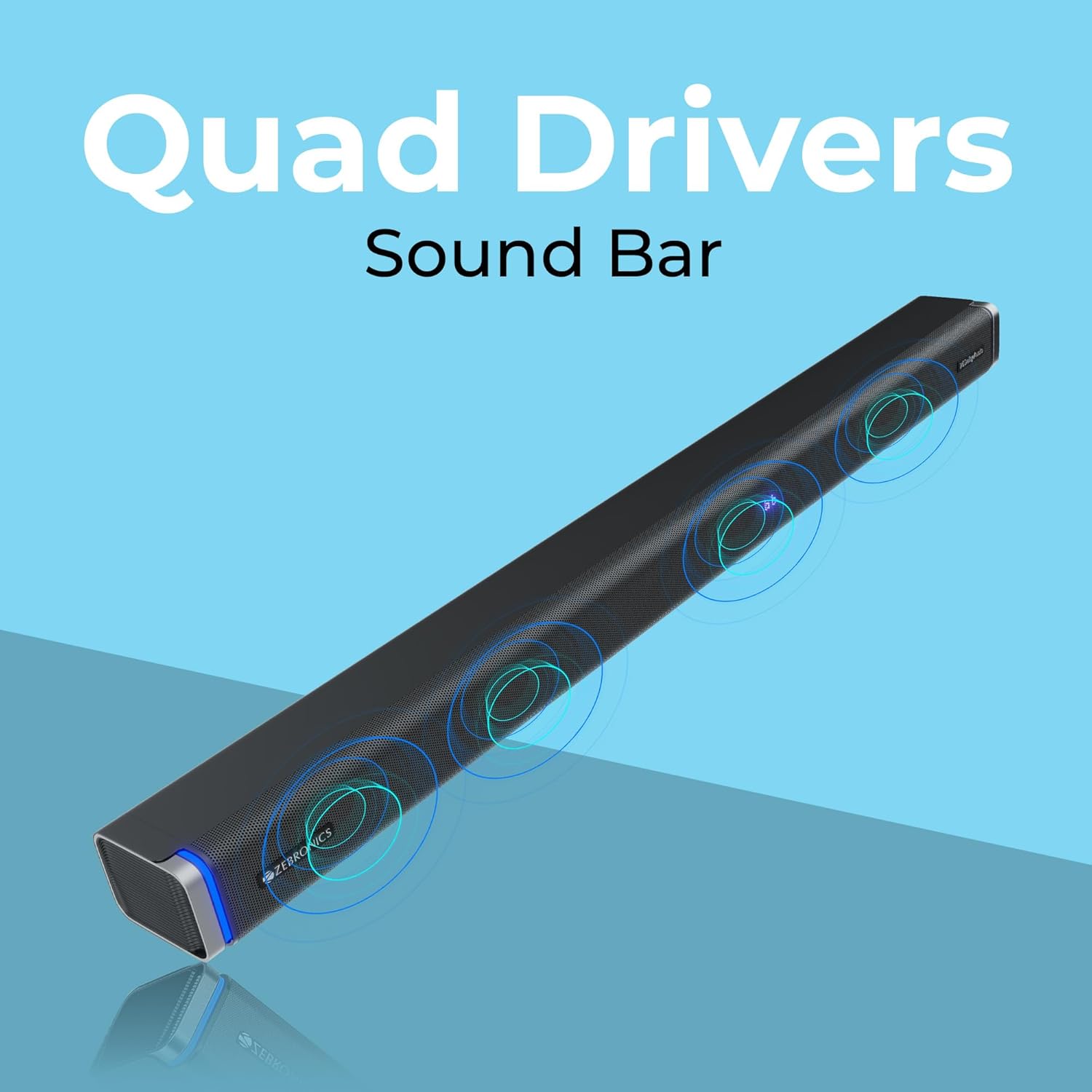
The ZEBRONICS Juke BAR 9102 PRO is a 240W output Dolby soundbar system designed to enhance your audio experience. It features a soundbar with quad drivers and a powerful 6.5-inch wired subwoofer.



5. ຕັ້ງຄ່າ
5.1 ການຈັດວາງເບື້ອງຕົ້ນ
- ວາງແຖບສຽງໄວ້ຢູ່ໃຈກາງລຸ່ມໂທລະທັດຂອງທ່ານ.
- Position the subwoofer on the floor near the soundbar for optimal bass response.
5.2 ການເຊື່ອມຕໍ່ພະລັງງານ
- Connect the power cable to the soundbar's power input.
- ເຊື່ອມຕໍ່ສາຍໄຟກັບອິນພຸດໄຟຂອງ subwoofer.
- Plug both power cables into a suitable wall outlet.
5.3 ການເຊື່ອມຕໍ່ Subwoofer
The subwoofer connects to the soundbar via a wired connection. Ensure the subwoofer cable is securely connected to both units.
6. ຄໍາແນະນໍາການດໍາເນີນງານ
6.1 ເປີດ/ປິດ
Press the power button on the soundbar or the remote control to turn the unit on or off. The LED display will indicate the power status.
6.2 ການຄວບຄຸມປະລິມານ
Use the volume up (+) and volume down (-) buttons on the soundbar or remote control to adjust the audio level.
6.3 ການເລືອກໂໝດ
Press the 'Mode' button on the soundbar or remote control to cycle through available input modes (Bluetooth, HDMI ARC, Optical, AUX, USB). The LED display will show the current mode (e.g., 'BT' for Bluetooth, 'ARC' for HDMI ARC).
6.4 ໂໝດ Equalizer (EQ)
The soundbar features 3D EQ alternatives. Use the EQ button on the remote to switch between modes. The LED display will show 'E1', 'E2', 'E3' for different sound profiles, and '3D' for the virtual 5.1 effect. Common EQ modes include:
- E1: ໂໝດດົນຕີ
- E2: ໂໝດຮູບເງົາ
- E3: News/Voice mode
- 3D: Virtual Surround Sound mode
6.5 ໄຟ LED RGB
The soundbar includes RGB LED lights. These can be controlled and changed using the remote control to suit your preference.
7. ຕົວເລືອກການເຊື່ອມຕໍ່
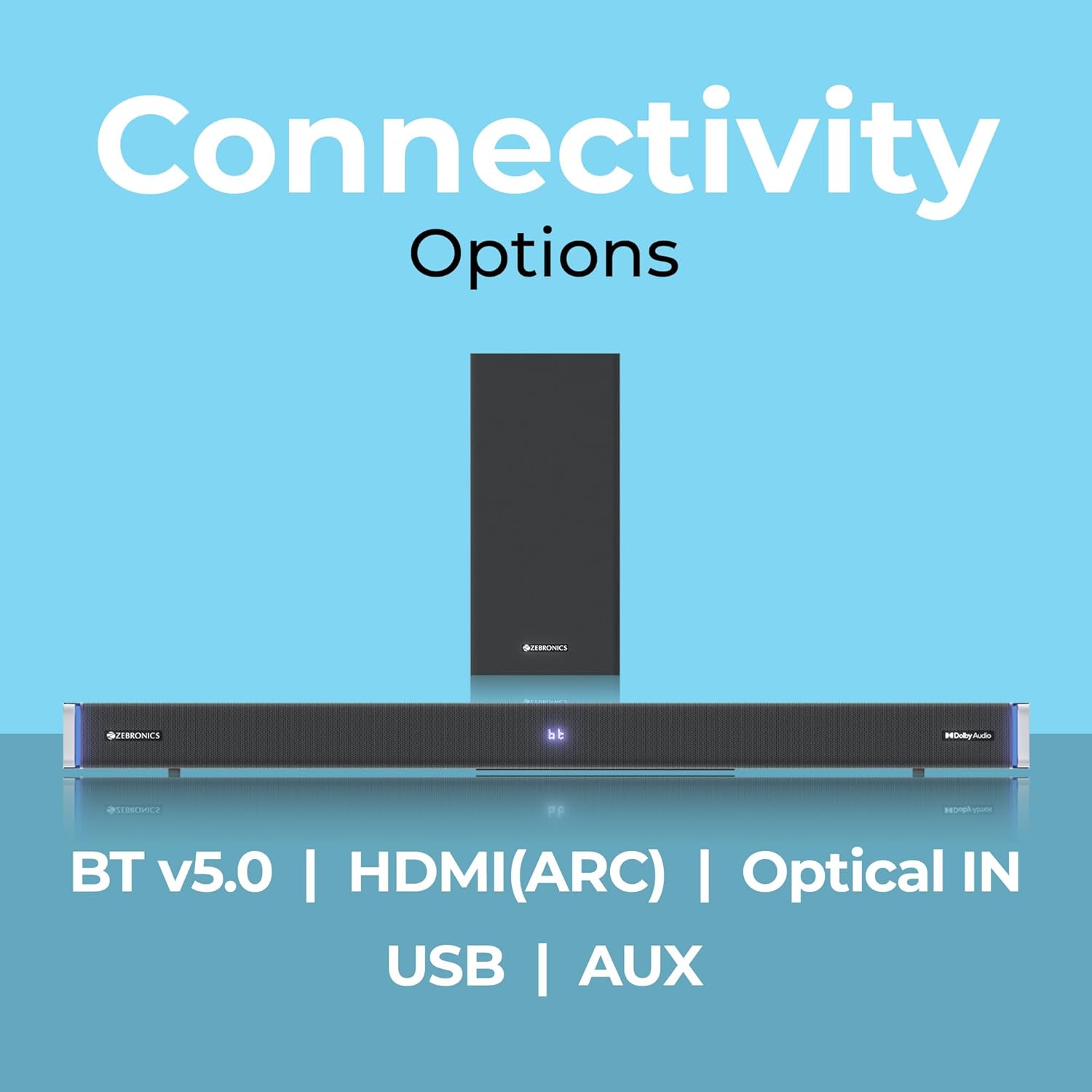
The ZEBRONICS Juke BAR 9102 PRO offers multiple connectivity options for versatile use.
7.1 Bluetooth v5.0
- Press the 'Mode' button until 'BT' appears on the LED display.
- On your mobile device or computer, search for Bluetooth devices and select 'ZEB-JUKE BAR 9102 PRO'.
- Once paired, audio will stream wirelessly to the soundbar.
7.2 HDMI (ARC)
- Connect an HDMI cable (ARC compatible) from the HDMI ARC port on your television to the HDMI ARC port on the soundbar.
- Select 'ARC' mode on the soundbar.
- Ensure your TV's audio output is set to HDMI ARC.
7.3 Optical IN
- Connect an optical cable from your audio source (e.g., TV, DVD player) to the 'Optical IN' port on the soundbar.
- Select 'OPT' mode on the soundbar.
7.4 ສາຍ AUX 3.5mm
- Connect a 3.5mm AUX cable from your audio source to the 'AUX' port on the soundbar.
- Select 'AUX' mode on the soundbar.
7.5 ການຫຼິ້ນ USB
- Insert a USB pen drive (up to 32GB, supporting MP3 audio format) into the USB port on the soundbar.
- Select 'USB' mode on the soundbar. The soundbar will automatically begin playing compatible audio files.
8. ຝາຜະ ໜັງ
The soundbar can be wall-mounted to save space. A wall mount bracket and fasteners are included in the package.
- Determine the desired mounting location on the wall, ensuring it is structurally sound and can support the weight of the soundbar.
- Mark the positions for drilling holes using the wall mount bracket as a template.
- ເຈາະຮູນຳທາງ ແລະ ໃສ່ສະກູຕິດຝາທີ່ເໝາະສົມຖ້າຈຳເປັນ.
- Secure the wall mount bracket to the wall using the provided fasteners.
- Carefully attach the soundbar to the mounted bracket. Ensure it is securely fastened before releasing.
ໝາຍເຫດ: Professional installation is recommended for wall mounting to prevent damage or injury.
9. ບໍາລຸງຮັກສາ
9.1 ການທໍາຄວາມສະອາດ
Wipe the surfaces of the soundbar and subwoofer with a soft, dry, lint-free cloth. Do not use abrasive cleaners, waxes, or solvents as they may damage the finish.
9.2 ການເກັບຮັກສາ
ຖ້າເກັບຮັກສາເຄື່ອງເປັນເວລາດົນນານ, ໃຫ້ຖອດສາຍອອກຈາກແຫຼ່ງຈ່າຍໄຟ ແລະ ເກັບຮັກສາໄວ້ໃນບ່ອນທີ່ເຢັນ, ແຫ້ງ, ຫ່າງຈາກແສງແດດໂດຍກົງ ແລະ ອຸນຫະພູມສູງສຸດ.
10. ການແກ້ໄຂບັນຫາ
| ບັນຫາ | ສາເຫດທີ່ເປັນໄປໄດ້ | ການແກ້ໄຂ |
|---|---|---|
| ບໍ່ມີພະລັງງານ | ສາຍໄຟບໍ່ໄດ້ເຊື່ອມຕໍ່; ປລັກສຽບໄຟບໍ່ເຮັດວຽກ | Ensure power cables are securely connected and the outlet is functional. |
| ບໍ່ມີສຽງ | Incorrect input mode; Volume too low; Cables not connected properly | Select the correct input mode. Increase volume. Check all audio cables for secure connection. |
| ບັນຫາການຈັບຄູ່ Bluetooth | Soundbar ບໍ່ຢູ່ໃນໂໝດຈັບຄູ່; ອຸປະກອນຢູ່ໄກເກີນໄປ; ມີການລົບກວນ | Ensure soundbar is in 'BT' mode. Move device closer. Restart both devices. |
| ການຄວບຄຸມໄລຍະໄກບໍ່ເຮັດວຽກ | ແບັດເຕີຣີໝົດ; ມີສິ່ງກີດຂວາງລະຫວ່າງຣີໂໝດ ແລະ soundbar | Replace remote control batteries. Remove any obstructions. |
| ສຽງບິດເບືອນ | Volume too high; Poor audio source quality; Incorrect EQ setting | Reduce volume. Try a different audio source. Adjust EQ settings. |
11. ຂໍ້ມູນຈໍາເພາະ
| ຄຸນສົມບັດ | ລາຍລະອຽດ |
|---|---|
| ຊື່ຕົວແບບ | ZEB-JUKE BAR 9102 PRO |
| ພະລັງງານຜົນຜະລິດ | 240 ວັດ (RMS) |
| ເສັ້ນຜ່າສູນກາງຂອງ Subwoofer | 6.5 ນິ້ວ |
| ຂະໜາດໄດເວີສຽງ | 5.5 cm (Quad Drivers) |
| ການເຊື່ອມຕໍ່ | Bluetooth v5.0, HDMI (ARC), Optical IN, 3.5mm AUX, USB |
| ການຕັ້ງຄ່າສຽງອ້ອມຮອບ | ສະເືອນ 5.1 |
| ການຕອບສະໜອງຄວາມຖີ່ | 20 Hz - 20 KHz |
| ອັດຕາສ່ວນສັນຍານເຖິງສຽງດັງ | 65 dB |
| impedance | 15 ໂອມ |
| ວິທີການຄວບຄຸມ | ການຄວບຄຸມໄລຍະໄກ |
| ຂະໜາດຜະລິດຕະພັນ (ແຖບສຽງ) | Approx. 98.5W x 17.3D x 40.2H Centimeters |
| ນ້ໍາຫນັກລາຍການ | 5.8 ກິໂລ |
| ແຫຼ່ງພະລັງງານ | ໄຟຟ້າສາຍ |
| ຄຸນນະສົມບັດພິເສດ | Dolby Audio, LED Display, RGB LED Lights, Wall Mountable |
12. ການຮັບປະກັນແລະການສະຫນັບສະຫນູນ
12.1 ຂໍ້ມູນການຮັບປະກັນ
This ZEBRONICS product comes with a ຮັບປະກັນ 1 ປີ from the date of purchase. The warranty covers manufacturing defects under normal use. Please retain your purchase receipt for warranty claims.
12.2 ສະຫນັບສະຫນູນລູກຄ້າ
For technical assistance, troubleshooting, or warranty inquiries, please contact ZEBRONICS customer support. Refer to the official ZEBRONICS website or the QR Code User Manual for contact details.


