1. ບົດແນະນຳ
ຂອບໃຈສໍາລັບການຊື້asing the FunFlix RD-882 Portable Projector. This manual provides essential information for setting up, operating, and maintaining your projector to ensure optimal performance and longevity. Please read this manual thoroughly before use and retain it for future reference.
2. ຄໍາແນະນໍາຄວາມປອດໄພ
- ຢ່າເບິ່ງໂດຍກົງໃນເລນໂປເຈັກເຕີເມື່ອ lamp ແມ່ນຢູ່. ແສງສະຫວ່າງທີ່ຮຸນແຮງສາມາດເຮັດໃຫ້ເກີດຄວາມເສຍຫາຍຕໍ່ຕາ.
- ຮັບປະກັນການລະບາຍອາກາດທີ່ເຫມາະສົມຮອບໂປເຈັກເຕີ. ຫ້າມປິດຊ່ອງລະບາຍອາກາດ.
- ຮັກສາໂປເຈັກເຕີໃຫ້ຫ່າງຈາກນ້ໍາ, ຄວາມຊຸ່ມຊື່ນ, ແລະອຸນຫະພູມທີ່ຮຸນແຮງ.
- ໃຊ້ພຽງແຕ່ອະແດັບເຕີໄຟທີ່ສະໜອງໃຫ້ກັບໂປເຈັກເຕີເທົ່ານັ້ນ.
- ຢ່າພະຍາຍາມສ້ອມແປງໂປເຈັກເຕີດ້ວຍຕົວທ່ານເອງ. ໃຫ້ແນະນຳບໍລິການທັງໝົດໃຫ້ກັບພະນັກງານທີ່ມີຄຸນວຸດທິ.
- ຖອດສາຍໂປເຈັກເຕີໃນລະຫວ່າງການມີຟ້າຜ່າ ຫຼືເມື່ອບໍ່ໄດ້ໃຊ້ເປັນເວລາດົນນານ.
3. ເນື້ອໃນຊຸດ
ກວດສອບວ່າລາຍການທັງຫມົດແມ່ນມີຢູ່ໃນຊຸດຂອງທ່ານ:
- FunFlix RD-882 Portable Projector
- ການຄວບຄຸມໄລຍະໄກ (ແບດເຕີຣີບໍ່ລວມ)
- ສາຍໄຟ
- ສາຍ HDMI
- ສາຍ AV
- ຄູ່ມືຜູ້ໃຊ້

ຮູບທີ 3.1: ອຸປະກອນເສີມ
4. ຜະລິດຕະພັນເກີນview
4.1 ແນວ ໜ້າ View
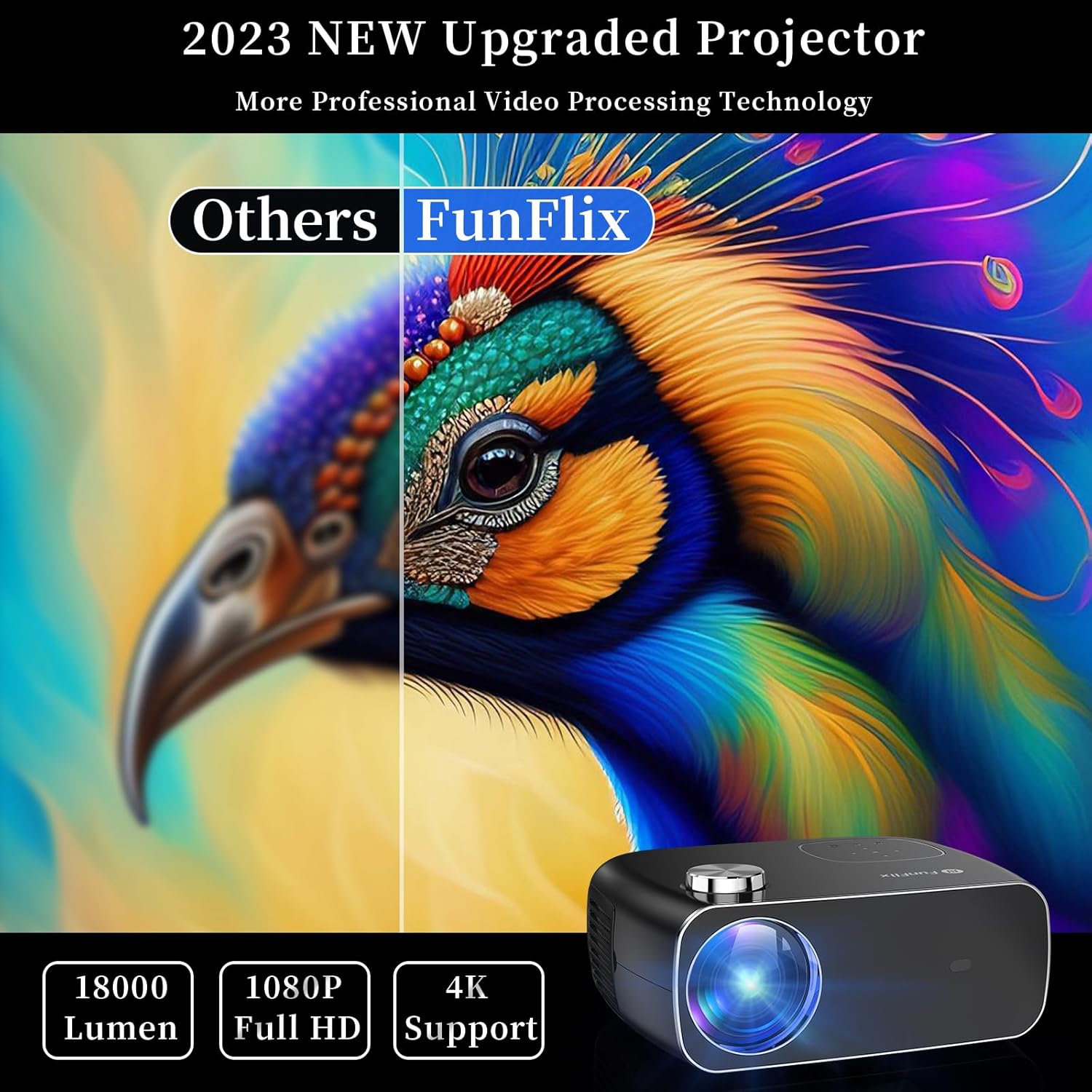
ຮູບ 4.1: ດ້ານຫນ້າ View ຂອງໂປເຈັກເຕີ
The front of the projector features the projection lens and an infrared receiver for the remote control.
4.2 ດ້ານຫຼັງ View ແລະພອດ

ຮູບ 4.2: ດ້ານຫລັງ View with Input Ports
The rear panel provides connectivity options:
- ຜອດ HDMI (x2): Connect to devices like laptops, gaming consoles, or streaming sticks.
- ພອດ USB (x2): Connect USB drives for media playback or power external devices.
- ພອດ AV: Connect to older devices using the included AV cable.
- ອອກສຽງ: ເຊື່ອມຕໍ່ລຳໂພງ ຫຼືຫູຟັງພາຍນອກ.
- ການປ້ອນຂໍ້ມູນພະລັງງານ: ເຊື່ອມຕໍ່ອະແດບເຕີໄຟ.
5. ຕັ້ງຄ່າ
5.1 ການຈັດວາງ
Place the projector on a stable, flat surface. Ensure there is enough space around the projector for proper ventilation. The projection distance and screen size can vary. The projector supports projection sizes from 50 to 300 inches.

Figure 5.1: Projector Placement and Projection
5.2 ການເຊື່ອມຕໍ່ພະລັງງານ
ເຊື່ອມຕໍ່ສາຍໄຟເຂົ້າກັບພອດປ້ອນຂໍ້ມູນຂອງໂປເຈັກເຕີ ແລະ ຈາກນັ້ນສຽບມັນເຂົ້າກັບປລັກໄຟ.
5.3 ຈຸດສຸມແລະການແກ້ໄຂ Keystone
After powering on the projector, adjust the focus ring on the top of the projector until the image is clear. Use the keystone correction feature to adjust the image shape if it appears trapezoidal. The projector supports both manual focus and digital keystone correction.

Figure 5.2: Keystone Correction and Zoom Function
Video 5.1: Demonstrates projector features including power-on, bulb life, display sizes, precise intelligent focusing, native 1080P resolution, zoom function, 5G WiFi support, wireless projection for iOS/Android, wired HDMI connection, built-in speaker, 15-degree gradient correction, Bluetooth connection, and high color reproduction.
6. ການເຮັດວຽກ
6.1 ເປີດ/ປິດ
ກົດປຸ່ມເປີດ/ປິດເທິງໂປເຈັກເຕີ ຫຼື ຣີໂມດຄວບຄຸມເພື່ອເປີດ ຫຼື ປິດໂປເຈັກເຕີ.
6.2 ແຫຼ່ງປ້ອນຂໍ້ມູນ
Select the desired input source from the main menu using the remote control or the buttons on the projector.
- HDMI: Connect your device via an HDMI cable.
- USB: ໃສ່ໄດຣຟ໌ USB ເພື່ອຫຼິ້ນສື່ files.
- ຂອງ: ເຊື່ອມຕໍ່ອຸປະກອນເກົ່າໂດຍໃຊ້ສາຍ AV.
6.3 ການເຊື່ອມຕໍ່ໄຮ້ສາຍ
The FunFlix RD-882 supports 5G WiFi and Bluetooth 5.2 for enhanced connectivity.
6.3.1 5G WiFi Connection
To connect to a 5G WiFi network:
- ໄປທີ່ເມນູ 'ການຕັ້ງຄ່າ' ໃນໂປເຈັກເຕີ.
- Select 'Network Settings' or 'WiFi'.
- Choose your 5G WiFi network from the list and enter the password.

Figure 6.1: 5G WiFi Wireless Connection
ການເຊື່ອມຕໍ່ Bluetooth 6.3.2 5.2
To connect to Bluetooth audio devices:
- ໄປທີ່ເມນູ 'ການຕັ້ງຄ່າ'.
- Select 'Bluetooth Settings'.
- ເປີດໃຊ້ Bluetooth ແລະຊອກຫາອຸປະກອນທີ່ມີຢູ່.
- Select your Bluetooth speaker or headphones to pair.

ຮູບທີ 6.2: ການເຊື່ອມຕໍ່ Bluetooth 5.2
6.4 ການສະທ້ອນໜ້າຈໍ
The projector supports screen mirroring from iOS and Android devices. Ensure your device and the projector are connected to the same WiFi network.
- ສໍາລັບອຸປະກອນ iOS: Use the 'Screen Mirroring' or 'AirPlay' function on your iPhone/iPad and select the projector from the list of available devices.
- ສໍາລັບອຸປະກອນ Android: Use the 'Cast', 'Smart View', or 'Wireless Display' function on your Android phone/tablet and select the projector.
6.5 ການປັບການຕັ້ງຄ່າ
Access the projector's menu to adjust various settings:
- ການຕັ້ງຄ່າຮູບ: ປັບຄວາມສະຫວ່າງ, ກົງກັນຂ້າມ, ສີ, ແລະຄວາມຄົມຊັດ.
- ການຕັ້ງຄ່າສຽງ: Adjust volume, sound mode, and balance.
- ໂໝດການສາຍ: Select front, rear, ceiling front, or ceiling rear projection.
7. ບໍາລຸງຮັກສາ
7.1 ການເຮັດຄວາມສະອາດເລນ
Use a soft, lint-free cloth or lens cleaning paper to gently wipe the lens. Avoid using abrasive cleaners or excessive force, which can scratch the lens.
7.2 Cleaning Air Filters/Vents
Regularly check and clean the air filters and vents to prevent dust buildup, which can affect cooling and performance. Use a soft brush or a vacuum cleaner with a brush attachment to remove dust.
7.3 ການເກັບຮັກສາ
When not in use, store the projector in a cool, dry place, away from direct sunlight and extreme temperatures. Use the original packaging or a protective case to prevent dust and damage.
8. ການແກ້ໄຂບັນຫາ
| ບັນຫາ | ສາເຫດທີ່ເປັນໄປໄດ້ | ການແກ້ໄຂ |
|---|---|---|
| ບໍ່ມີຮູບພາບໃນ ໜ້າ ຈໍ | Power not connected, incorrect input source, device not connected. | Check power cable, select correct input source, ensure source device is on and connected. |
| ຮູບພາບມົວ | Focus not adjusted, projector too far/close. | Adjust the focus ring. Ensure projector is within optimal projection distance. |
| ຮູບພາບແມ່ນ trapezoidal | Keystone ບໍ່ໄດ້ຮັບການແກ້ໄຂ. | Adjust keystone correction in the settings menu. |
| ບໍ່ມີສຽງ | Volume too low, incorrect audio output, source device muted. | Increase projector volume, check audio output settings, unmute source device. |
| ການຄວບຄຸມໄລຍະໄກບໍ່ເຮັດວຽກ | Batteries low/dead, IR sensor blocked. | Replace batteries, ensure no obstructions between remote and projector. |
9. ຂໍ້ມູນຈໍາເພາະ
- ຍີ່ຫໍ້: FunFlix
- ໝາຍເລກຕົວແບບ: RD-882
- ນ້ໍາຫນັກລາຍການ: 4.75 ປອນ
- ຂະໜາດຜະລິດຕະພັນ: 9.57 x 7.87 x 3.98 ນິ້ວ
- ຄວາມລະອຽດສູງສຸດຂອງການສະແດງຜົນ: 1920 x 1080 (1080P ພື້ນເມືອງ)
- ການເຊື່ອມຕໍ່: 5G WiFi, Bluetooth 5.2, HDMI (x2), USB (x2), AV
- ການນໍາໃຊ້ທີ່ແນະນໍາ: Gaming, Home Theater, Outdoor Projection
- ປັດໄຈແບບຟອມ: ແບບພົກພາ
- ປະເພດການຕິດຕັ້ງ: ພູຕັ້ງໂຕະ
10. ການຮັບປະກັນແລະການສະຫນັບສະຫນູນ
For warranty information and technical support, please refer to the contact details provided on the FunFlix official website or your purchase documentation. Do not attempt to open or repair the device yourself, as this may void your warranty.


