ແນະນຳ
This manual provides essential instructions for the safe and efficient use of your Haier 43K7700UGA 43 Inch 4K Google Smart Android Television. Please read this manual thoroughly before operating the television and retain it for future reference. This television features a 4K UHD display, Google Android 11 operating system, and built-in Chromecast for an enhanced viewປະສົບການ.
ຂໍ້ມູນຄວາມປອດໄພທີ່ສໍາຄັນ
ປະຕິບັດຕາມຄວາມລະມັດລະວັງດ້ານຄວາມປອດໄພຂັ້ນພື້ນຖານສະເໝີເມື່ອໃຊ້ໂທລະທັດເຄື່ອງນີ້ເພື່ອຫຼຸດຜ່ອນຄວາມສ່ຽງຕໍ່ການເກີດອັກຄີໄພ, ໄຟຟ້າຊອດ ແລະ ການບາດເຈັບ.
- ຢ່າເຮັດໃຫ້ໂທລະທັດຖືກຝົນ ຫຼື ຄວາມຊຸ່ມຊື່ນ.
- ຢ່າອຸດຕັນຊ່ອງລະບາຍອາກາດ. ຮັບປະກັນໃຫ້ມີພື້ນທີ່ພຽງພໍອ້ອມຮອບໂທລະທັດເພື່ອໃຫ້ມີການລະບາຍອາກາດທີ່ເໝາະສົມ.
- ປົກປ້ອງສາຍໄຟຈາກການຖືກເປີດ ຫຼື ສຽບ.
- ໃຊ້ໄຟລ໌ແນບ/ອຸປະກອນເສີມທີ່ຜູ້ຜະລິດລະບຸໄວ້ເທົ່ານັ້ນ.
- ຖອດສາຍໂທລະທັດໃນເວລາມີພາຍຸຟ້າຜ່າ ຫຼືເມື່ອບໍ່ໄດ້ໃຊ້ເປັນເວລາດົນນານ.
- ອ້າງອີງການບໍລິການທັງໝົດໃຫ້ກັບພະນັກງານບໍລິການທີ່ມີຄຸນວຸດທິ.
ເນື້ອໃນຊຸດ
ກວດສອບວ່າລາຍການທັງຫມົດແມ່ນມີຢູ່ໃນຊຸດ:
- 1 x Haier 43 Inch LED TV
- 1 x ການຄວບຄຸມໄລຍະໄກ
- 1 x Table Top Stand (set)
- 1 x ສາຍໄຟ
- 2 x ຫມໍ້ໄຟ AAA (ສໍາລັບໄລຍະໄກ)
- 1 x ຄູ່ມືຜູ້ໃຊ້ (ເອກະສານນີ້)
- 1 x ບັດຮັບປະກັນ
ຄູ່ມືການຕິດຕັ້ງ
1. ການຫຸ້ມຫໍ່ແລະການຈັດວາງ
Carefully remove the television from its packaging. Place the TV on a stable, flat surface or prepare for wall mounting (wall mount kit sold separately). Ensure proper ventilation around the TV.
2. ການຕິດຕັ້ງຂາຕັ້ງໂຕະ
If using the included table top stand, align the stand components with the designated slots at the bottom of the television. Secure them firmly with the provided screws. Refer to the diagram below for guidance.
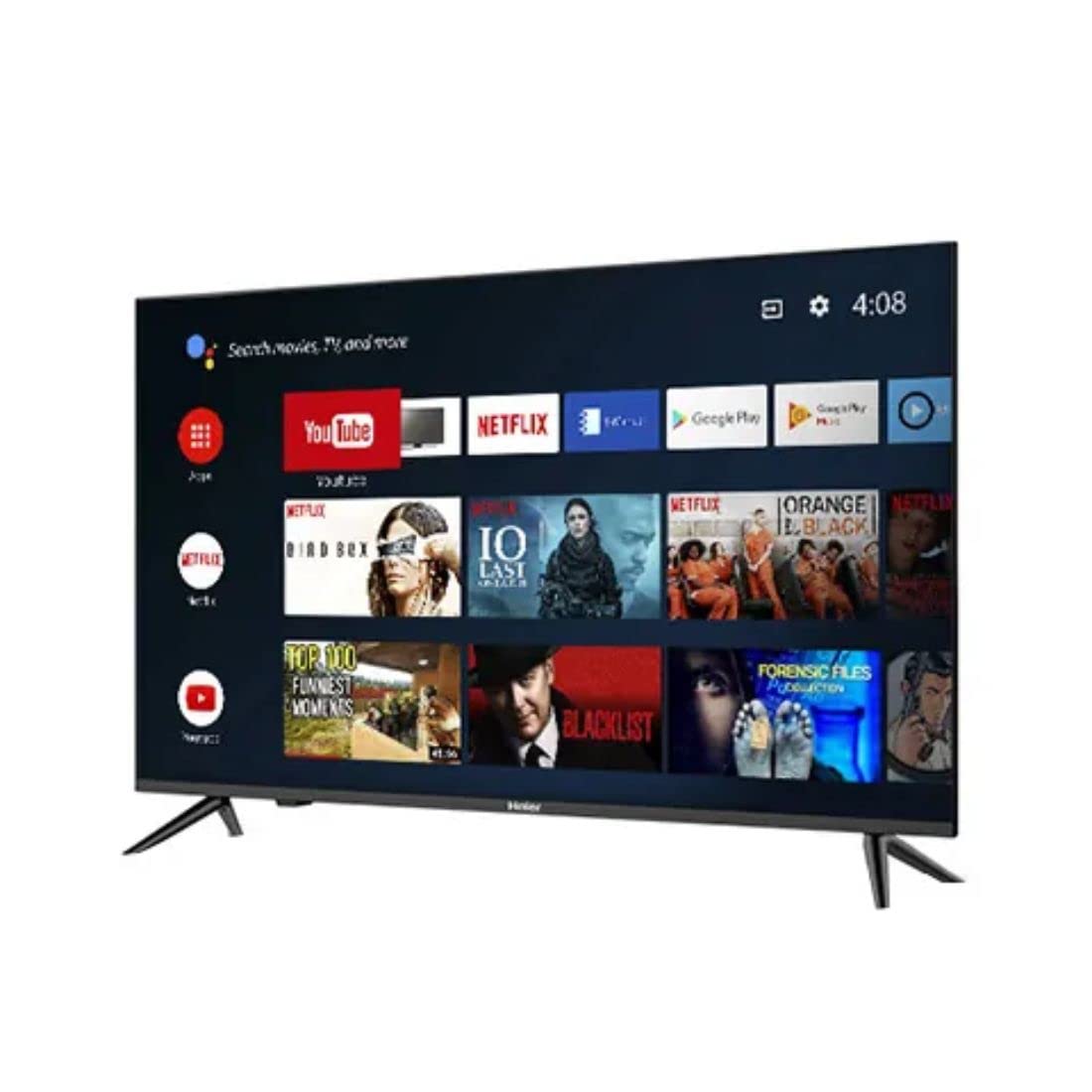
ຮູບພາບ: ຂ້າງ view of the television demonstrating stand attachment.
3. ການເຊື່ອມຕໍ່ພະລັງງານ
Connect the power cable to the AC input port on the back of the television, then plug the other end into a suitable power outlet. Ensure the power supply matches the voltage requirements of the TV (230 Volts).
4. ການເຊື່ອມຕໍ່ອຸປະກອນພາຍນອກ
Your Haier TV supports various connections. Use the HDMI ports for high-definition devices like set-top boxes, gaming consoles, or Blu-ray players. USB ports are available for media playback from storage devices.
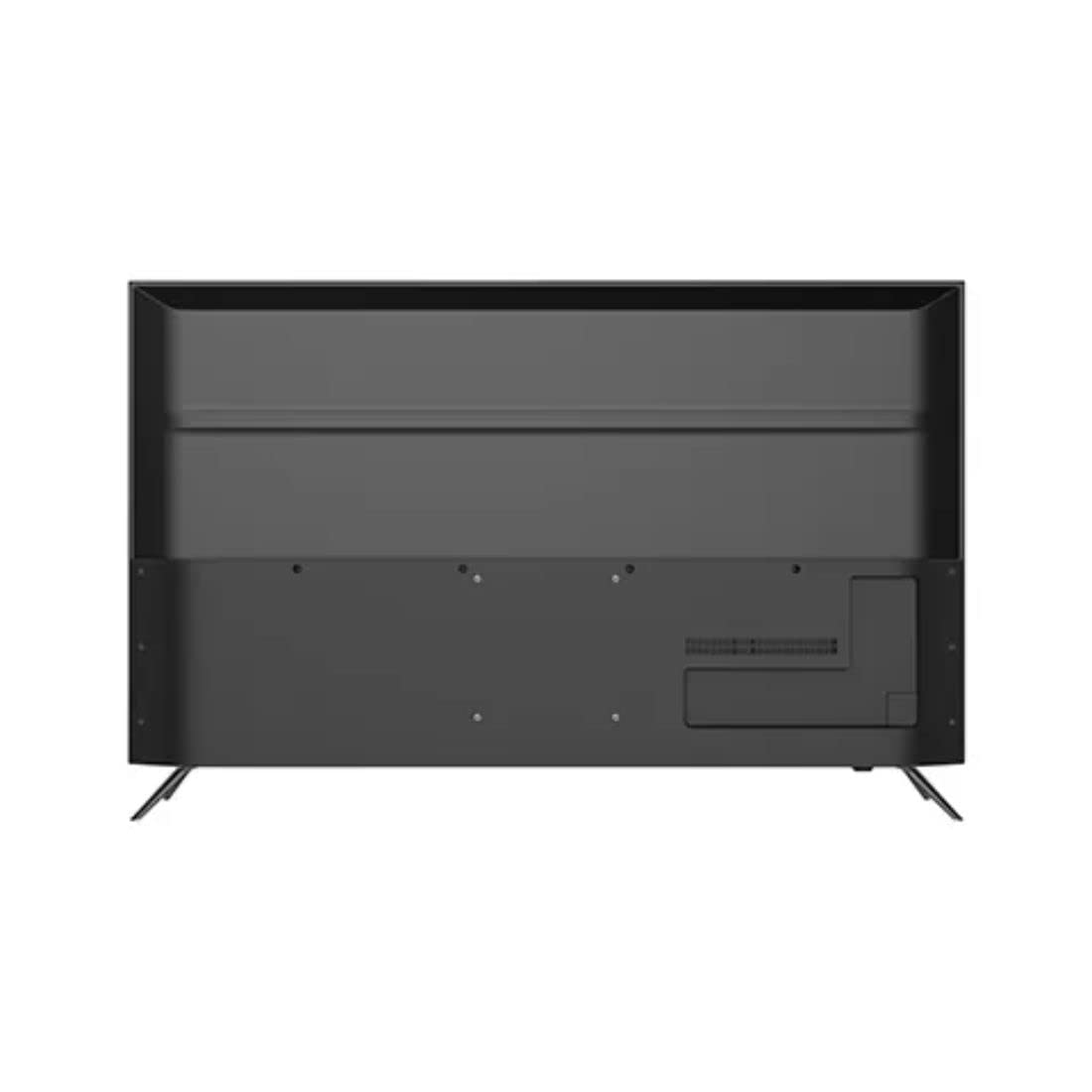
ຮູບພາບ: ດ້ານຫລັງ view of the television highlighting various input ports such as HDMI and USB.
- HDMI: Connect HDMI cables from your devices to the HDMI ports on the TV.
- USB: Insert USB storage devices into the USB ports for accessing media files.
- Bluetooth: Use Bluetooth for wireless audio devices or other compatible accessories.
5. Initial Setup (First Power On)
Upon first power-on, the TV will guide you through the initial setup process. This includes selecting your language, connecting to a Wi-Fi network, signing in with your Google account, and configuring basic settings for your Android TV experience.
Operating Your Television
1. ການຄວບຄຸມໄລຍະໄກ
Insert the two AAA batteries into the remote control, ensuring correct polarity. The remote allows you to navigate the TV's interface, adjust volume, change channels, and access smart features.
2. ເປີດ/ປິດ
ກົດ ພະລັງງານ button on the remote control or on the TV to turn the television on or off.
3. ການໂຕ້ຕອບ Android TV
Your Haier TV runs on Google Android 11, providing access to a wide range of apps and services. Use the directional buttons on your remote to navigate the home screen, select apps, and browse content.

ຮູບພາບ: ທາງຫນ້າ view of the television showing the Android TV home screen with applications like YouTube and Netflix.
4. ການໃຊ້ຜູ້ຊ່ວຍ Google
Press the Google Assistant button on your remote to activate voice commands. You can ask questions, search for content, control smart home devices, and more.
5. Chromecast ໃນຕົວ
With Chromecast built-in, you can cast movies, shows, photos, and more from your smartphone, tablet, or computer directly to your TV. Ensure your device and TV are on the same Wi-Fi network.
6. ການຕັ້ງຄ່າຮູບພາບ ແລະສຽງ
Access the settings menu to customize picture modes (e.g., Standard, Vivid, Movie), adjust brightness, contrast, color, and sound settings (e.g., sound mode, equalizer).
ບໍາລຸງຮັກສາ
1. ການທໍາຄວາມສະອາດຫນ້າຈໍ
ເຊັດໜ້າຈໍຄ່ອຍໆດ້ວຍຜ້າອ່ອນ, ແຫ້ງ, ບໍ່ມີສານຂັດ. ສໍາລັບຮອຍແຂງ, ເບົາບາງ dampໃສ່ຜ້າດ້ວຍນ້ໍາຫຼືເຄື່ອງເຮັດຄວາມສະອາດຫນ້າຈໍພິເສດ. ຢ່າສີດນໍ້າໂດຍກົງໃສ່ໜ້າຈໍ.
2. ການດູແລທົ່ວໄປ
Keep the television free from dust by regularly wiping the cabinet with a soft, dry cloth. Avoid placing heavy objects on the TV or exposing it to direct sunlight or extreme temperatures.
ການແກ້ໄຂບັນຫາ
ຖ້າທ່ານພົບບັນຫາກັບໂທລະທັດຂອງທ່ານ, ໃຫ້ອ້າງອີງເຖິງວິທີແກ້ໄຂທົ່ວໄປຕໍ່ໄປນີ້ກ່ອນທີ່ຈະຕິດຕໍ່ກັບຝ່າຍຊ່ວຍເຫຼືອລູກຄ້າ.
- ບໍ່ມີພະລັງງານ: ໃຫ້ແນ່ໃຈວ່າສາຍໄຟໄດ້ເຊື່ອມຕໍ່ກັບທັງໂທລະພາບ ແລະ ປລັກໄຟຢ່າງແໜ້ນໜາແລ້ວ. ກວດສອບວ່າປລັກໄຟເຮັດວຽກໄດ້ຫຼືບໍ່ໂດຍການສຽບອຸປະກອນອື່ນ.
- ບໍ່ມີຮູບພາບ/ສຽງ: Verify that the correct input source is selected. Check all cable connections (HDMI, etc.) are secure. For no sound, check volume levels and mute settings.
- ການຄວບຄຸມໄລຍະໄກບໍ່ເຮັດວຽກ: ປ່ຽນແບັດ AAA ໃນການຄວບຄຸມໄລຍະໄກ. ກວດໃຫ້ແນ່ໃຈວ່າບໍ່ມີສິ່ງກີດຂວາງລະຫວ່າງຣີໂໝດ ແລະເຊັນເຊີ IR ຂອງໂທລະທັດ.
- ບັນຫາການເຊື່ອມຕໍ່ເຄືອຂ່າຍ: Restart your Wi-Fi router. Go to the TV's network settings to reconnect to your Wi-Fi network. Ensure the Wi-Fi password is entered correctly.
- ບັນຫາຄຸນນະພາບຮູບ: Adjust picture settings (brightness, contrast, sharpness) in the TV's menu. Ensure the input source is providing a high-quality signal.
ຂໍ້ມູນຈໍາເພາະ
Below are the key technical specifications for the Haier 43K7700UGA television:
| ຄຸນສົມບັດ | ຂໍ້ມູນຈໍາເພາະ |
|---|---|
| ຍີ່ຫໍ້ | Haier |
| ຊື່ຕົວແບບ | 43K7700UGA |
| ຂະໜາດໜ້າຈໍ | 43 ນິ້ວ (109 ຊັງຕີແມັດ) |
| ເຕັກໂນໂລຊີການສະແດງ | LED |
| ຄວາມລະອຽດ | 4K Ultra HD (3840 x 2160 ພິກເຊວ) |
| ອັດຕາການໂຫຼດຂໍ້ມູນຄືນໃໝ່ | 60 Hz |
| ລະບົບປະຕິບັດການ | Google Certified Android 11 |
| ຄວາມອາດສາມາດເກັບຮັກສາຫນ່ວຍຄວາມຈໍາ | 1 GB |
| ການໂຕ້ຕອບຮາດແວ | HDMI, USB |
| ພອດ USB ທັງໝົດ | 2 |
| ປະເພດຕົວເຊື່ອມຕໍ່ | Bluetooth |
| ບໍລິການອິນເຕີເນັດທີ່ຮອງຮັບ | ຜູ້ຊ່ວຍ Google |
| Viewໃນມຸມ | 178 ອົງສາ |
| ຂະໜາດສິນຄ້າ (LxWxH) | 95.9 x 23 x 61.7 cm |
| ນ້ໍາຫນັກລາຍການ | 7.3 ກິໂລ |
| ສະບັບtage | 230 ໂວນ |
| ວັດtage | 180 ວັດ |

ຮູບພາບ: ທາງຫນ້າ view of the television with key dimensions indicated.
ການຮັບປະກັນແລະການສະຫນັບສະຫນູນ
Your Haier 43K7700UGA television comes with a ຮັບປະກັນ 1 ປີ ຈາກວັນທີ່ຊື້. ກະລຸນາອ້າງອີງໃສ່ບັດຮັບປະກັນທີ່ປະກອບມີສໍາລັບຂໍ້ກໍານົດແລະເງື່ອນໄຂລະອຽດ.
For technical assistance, troubleshooting not covered in this manual, or warranty claims, please contact Haier customer support. Contact information can typically be found on the warranty card or the official Haier webເວັບໄຊ.


