ແນະນຳ
The Twinkly Strings USB-C Star 200 LED light string offers advanced, app-controlled RGB multicolor lighting for various indoor applications. This manual provides essential information for setting up, operating, maintaining, and troubleshooting your Twinkly Strings to ensure optimal performance and enjoyment.

Image: The Twinkly Strings USB-C Star 200 LED light string, its packaging, and a smartphone displaying the Twinkly app's mapping feature.
ສິນຄ້າເກີນview
The Twinkly Strings USB-C Star 200 LED is a versatile lighting solution designed for ambient lighting, festive decorations, and gaming setups. It features 200 RGB LED lights on a green wire, powered via USB-C for convenience.
ຄຸນນະສົມບັດທີ່ສໍາຄັນ:
- ໄຟ LED ຫຼາຍສີ: Offers over 16 million colors for diverse lighting effects.
- ເອັບເຟັກທີ່ສາມາດປັບແຕ່ງໄດ້: Utilize the Twinkly App to select from pre-set effects or create unique light shows.
- ພະລັງງານ USB-C: Conveniently powered via USB-C, suitable for various indoor settings.
- Gaming Integration: Compatible with Homey app, Razer Chroma RGB, and OMEN Light Studio for enhanced gaming experiences.
- ການຄວບຄຸມອັດສະລິຍະ: Seamlessly integrates with Amazon Alexa and Google Assistant for voice control and smart home automation.
Available Shapes:
Twinkly Strings are available in various LED shapes, including Star (this model), Pearl, Candle, and Heart, allowing for diverse aesthetic choices.

ຮູບພາບ: Examples of Twinkly LED light strings featuring different shapes: Pearl, Candle, Heart, and Star.

Image: Twinkly lights illuminating a child's room, demonstrating their brightness and ability to create intricate patterns.
ຄໍາແນະນໍາການຕິດຕັ້ງ
- ຖອດຫໍ່ແລະກວດກາ: Carefully remove the Twinkly Strings from the packaging. Ensure all components are present and undamaged.
- ການເຊື່ອມຕໍ່ພະລັງງານ: Connect the USB-C cable from the light string to a compatible USB-C power adapter (not included) or a USB-C port on a power strip or device. The lights will illuminate in a default demo mode.
- Download Twinkly App: Download the official Twinkly App from your device's app store (App Store for iOS or Google Play Store for Android).

Image: The Twinkly App interface, demonstrating its features for applying, customizing, and designing light effects.
- Initial App Connection (Bluetooth/Direct Wi-Fi):
- Open the Twinkly App. It will guide you through the initial setup.
- The app will prompt you to connect to the Twinkly device's direct Wi-Fi network (e.g., "Twinkly_xxxx"). The default password is usually "Twinkly2019".
- Follow the in-app instructions to pair your device. You may be asked to update the firmware and set a new password for the Twinkly network.
- Light Mapping: The Twinkly App features a unique mapping function. Position your lights as desired, then use your smartphone's camera through the app to map the exact position of each LED. This allows for precise effect application.
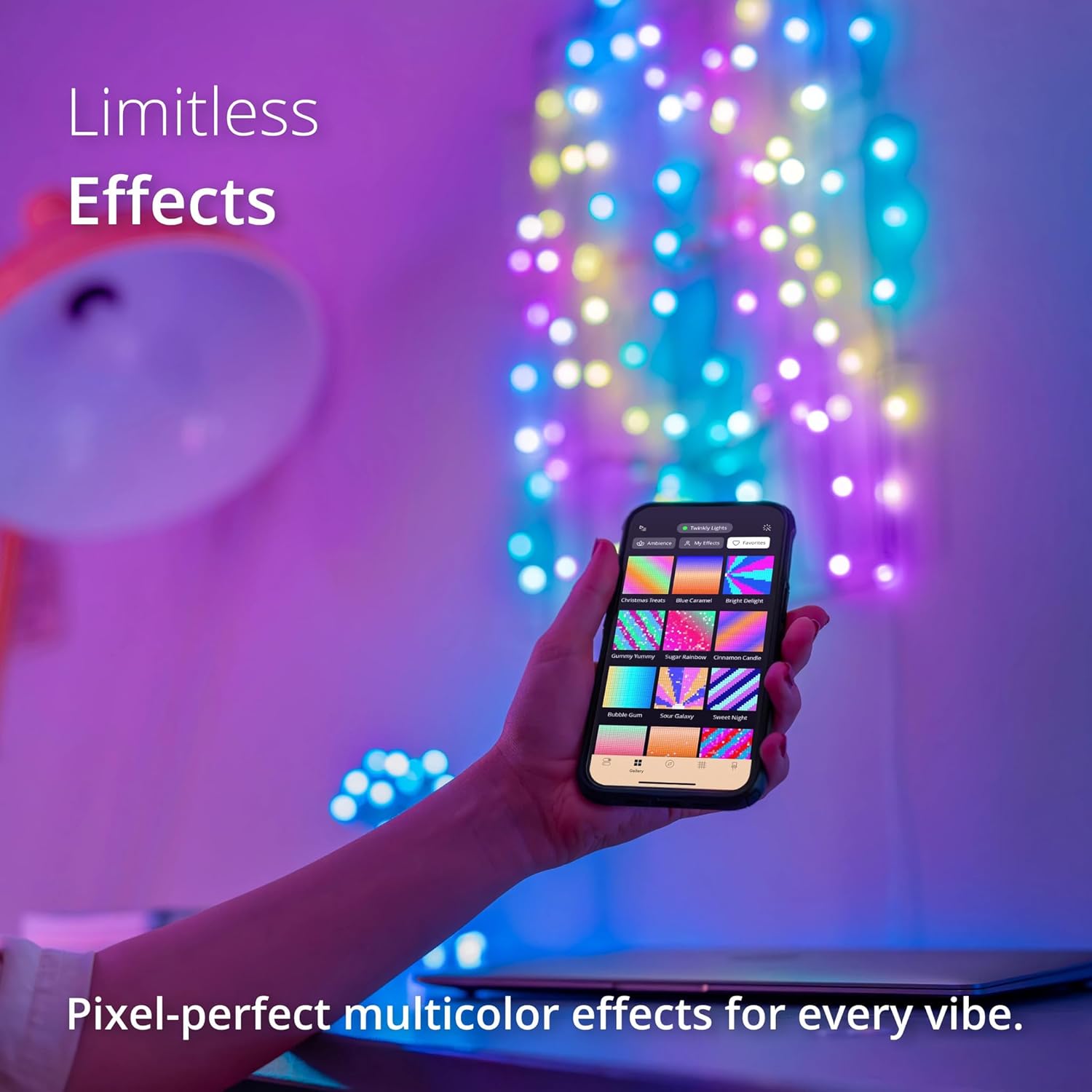
Image: A smartphone showing the Twinkly app's interface for selecting and applying various light effects to the connected Twinkly lights.
- Connect to Home Wi-Fi (Optional but Recommended): For advanced features, voice control, and remote access, connect your Twinkly device to your home Wi-Fi network through the app's settings. This requires a 2.4GHz Wi-Fi network.
ຄໍາແນະນໍາການດໍາເນີນງານ
Using the Twinkly App:
- Effect Gallery: Browse and apply a wide range of pre-designed effects.
- Create Custom Effects: Use the app's tools to design your own unique light patterns and animations.
- ສີ Palette: Select specific colors or create custom color schemes.
- ການຄວບຄຸມຄວາມສະຫວ່າງ: ປັບຄວາມເຂັ້ມຂອງແສງໄຟ.
- ໂມງຈັບເວລາ: Set schedules for your lights to turn on/off automatically.
- ການຈັດກຸ່ມ: If you have multiple Twinkly devices, you can group them together in the app to synchronize effects.
ການປະສົມປະສານການຄວບຄຸມດ້ວຍສຽງ:
The Twinkly Strings are compatible with popular voice assistants for hands-free control.
- Amazon Alexa: Enable the Twinkly skill in the Alexa app. Once linked, you can use commands like "Alexa, turn on Twinkly lights" or "Alexa, set Twinkly lights to blue."
- ຜູ້ຊ່ວຍ Google: Link your Twinkly account in the Google Home app. Use commands such as "Hey Google, turn off Twinkly" or "Hey Google, change Twinkly to party mode."

Image: Twinkly lights in a room, highlighting compatibility with Amazon Alexa and Google Assistant for easy voice control.
Gaming Integration:
For gamers and streamers, Twinkly Strings can be integrated with specific gaming platforms for dynamic lighting effects that react to gameplay.
- Homey App: Integrate for smart home automation and scene creation.
- Razer Chroma RGB: Synchronize lighting with your Razer Chroma-enabled gaming peripherals.
- OMEN Light Studio: Connect for immersive lighting experiences with HP OMEN gaming setups.
ບໍາລຸງຮັກສາ
- ທໍາຄວາມສະອາດ: Gently wipe the LED bulbs and wire with a soft, dry cloth. Do not use harsh chemicals or abrasive cleaners.
- ການເກັບຮັກສາ: When not in use, store the light string in its original packaging or a protective container in a cool, dry place, away from direct sunlight and extreme temperatures. Avoid tangling the wire.
- ການຈັດການ: Handle the light string with care to prevent damage to the LEDs or wiring. Do not pull or stretch the wire excessively.
ການແກ້ໄຂບັນຫາ
| ບັນຫາ | ສາເຫດທີ່ເປັນໄປໄດ້ | ການແກ້ໄຂ |
|---|---|---|
| ໄຟບໍ່ເປີດ. | No power, faulty USB-C connection. | Ensure USB-C power adapter is working and connected securely. Try a different USB-C port or adapter. |
| Cannot connect to Twinkly App. | Incorrect Wi-Fi password, Bluetooth issues, app glitch. | Verify the Wi-Fi password for the Twinkly network (default: Twinkly2019). Ensure Bluetooth is enabled on your device. Restart the app and your phone. Reset the Twinkly device (refer to app for specific reset procedure). |
| Mapping issues / Effects not displaying correctly. | Poor lighting during mapping, obstructed view, incorrect mapping. | Ensure the room is well-lit during mapping. Clear any obstructions. Re-do the mapping process carefully, following in-app instructions. |
| ການຄວບຄຸມສຽງບໍ່ເຮັດວຽກ. | Twinkly skill/action not enabled, device not linked, Wi-Fi connectivity issues. | Confirm Twinkly is connected to your home Wi-Fi. Ensure the Twinkly skill (Alexa) or action (Google Assistant) is enabled and linked to your Twinkly account. Try unlinking and relinking the account. |
For further assistance, refer to the Twinkly App's help section or visit the official Twinkly support webເວັບໄຊ.
ຂໍ້ມູນຈໍາເພາະ
| ຄຸນລັກສະນະ | ລາຍລະອຽດ |
|---|---|
| ໝາຍເລກຕົວແບບ | 8053614841226 |
| ຜູ້ຜະລິດ | ກະພິບ |
| ນ້ໍາຫນັກລາຍການ | 12 ອອນ |
| ຂະໜາດ | 39.4ft (Green Wire) |
| ສີ | ດາວ |
| ແບບ | 200 LED (39.4 FT) Green Wire |
| ແຫຼ່ງພະລັງງານ | ໄຟຟ້າມີສາຍ (USB-C) |
| ສະບັບtage | 15 ໂວນ |
| ວັດtage | 15 ວັດ |
| ປະເພດຂອງ Bulb | LED |
| ຕ້ອງໃຊ້ແບັດເຕີຣີ? | ບໍ່ |
| ວັນທີທີ່ມີໃຫ້ທໍາອິດ | ວັນທີ 7 ກຸມພາ 2023 |
ການຮັບປະກັນແລະການສະຫນັບສະຫນູນ
For information regarding product warranty, please refer to the documentation included with your purchase or visit the official Twinkly website. For technical support, troubleshooting assistance, or general inquiries, please contact Twinkly customer service.
ນອກນັ້ນທ່ານຍັງສາມາດໄປຢ້ຽມຢາມໄດ້ Twinkly Store on Amazon ສໍາລັບຂໍ້ມູນຜະລິດຕະພັນແລະຊັບພະຍາກອນເພີ່ມເຕີມ.


