ແນະນຳ
This manual provides comprehensive instructions for the assembly, operation, and maintenance of your HSH Black L Shaped Computer Desk. Designed for comfort and versatility, this desk offers ample workspace and integrated storage solutions, making it ideal for various home and office environments. Please read all instructions carefully before beginning assembly or use.

Figure 1: HSH L-Shaped Computer Desk in a modern office setting.
ຂໍ້ມູນຄວາມປອດໄພ
ເພື່ອຮັບປະກັນການນຳໃຊ້ທີ່ປອດໄພ ແລະ ປ້ອງກັນການບາດເຈັບ, ກະລຸນາປະຕິບັດຕາມຄຳແນະນຳດ້ານຄວາມປອດໄພຕໍ່ໄປນີ້:
- ສະເຫມີປະກອບໂຕະຕາມຄໍາແນະນໍາທີ່ສະຫນອງໃຫ້.
- ໃຫ້ແນ່ໃຈວ່າໂຕະຖືກຍຶດຕິດກັບພື້ນຢ່າງຖືກຕ້ອງເພື່ອປ້ອງກັນການລົ້ມລົງ, ຖ້າມີ.
- Do not place heavy objects on the desk that exceed the maximum weight limit of 350 pounds to maintain stability and prevent injuries.
- Keep small parts and assembly hardware out of reach of children.
- Avoid exposing the desk to excessive moisture or direct sunlight to prevent damage to the material.
ຄຸນສົມບັດຜະລິດຕະພັນ
- Exquisite Design for Comfort: The 19.7-inch desktop provides ample room for writing, studying, or working, while the 15.7-inch desktop allows for comfortable movement. The 29.9-inch height ensures plenty of legroom. The black wood grain finish is easy to clean and adds a delicate, luxurious charm to any home or office.
- Integrated Storage Solutions: Features two open long shelves for essential office supplies and three drawers to neatly tuck away items from loose odds and ends to important files. This design maximizes home office space and provides efficient storage.
- Extraordinary Durability and Sturdy Construction: Manufactured with high-quality MDF board, featuring a 1.18-inch thick surface desktop. Sturdy board, firm wooden legs, and two metal brackets provide extra strength and stability. The drawers are robust and operate smoothly. This 55-inch L-shaped desk can support up to 350 LBS of weight.
- ການຕັ້ງຄ່າອະເນກປະສົງ: Perfect for study rooms, living rooms, bedrooms, and offices. This reversible L-shaped desk can be configured in six different ways to suit various space arrangements.

Figure 2: Key dimensions and 350 LBS weight capacity of the desk.
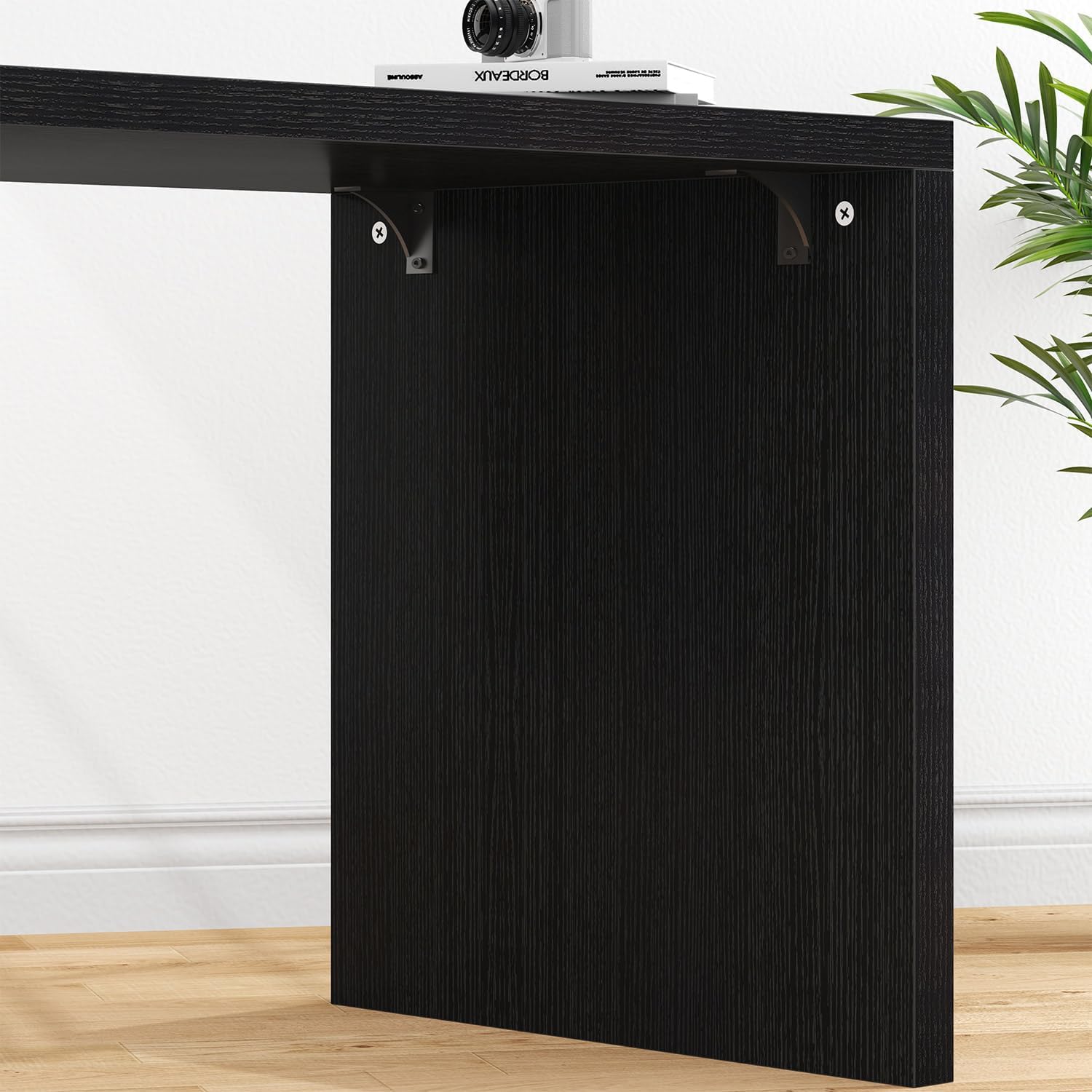
Figure 3: Three spacious storage drawers for organization.

Figure 4: Open shelves for easy access to frequently used items.

Figure 5: Reinforced metal brackets for enhanced stability.
ການຕິດຕັ້ງແລະການປະກອບ
The HSH L Shaped Computer Desk is designed for straightforward assembly. All necessary hardware is included, and clear instructions are provided to guide you through each step. Assembly can typically be completed within 60 minutes.
Assembly Configurations
This desk offers six different assembly configurations to adapt to your specific space and needs. Review the diagrams below to choose the best setup for your environment.

Figure 6: Six versatile assembly options for the L-shaped desk.
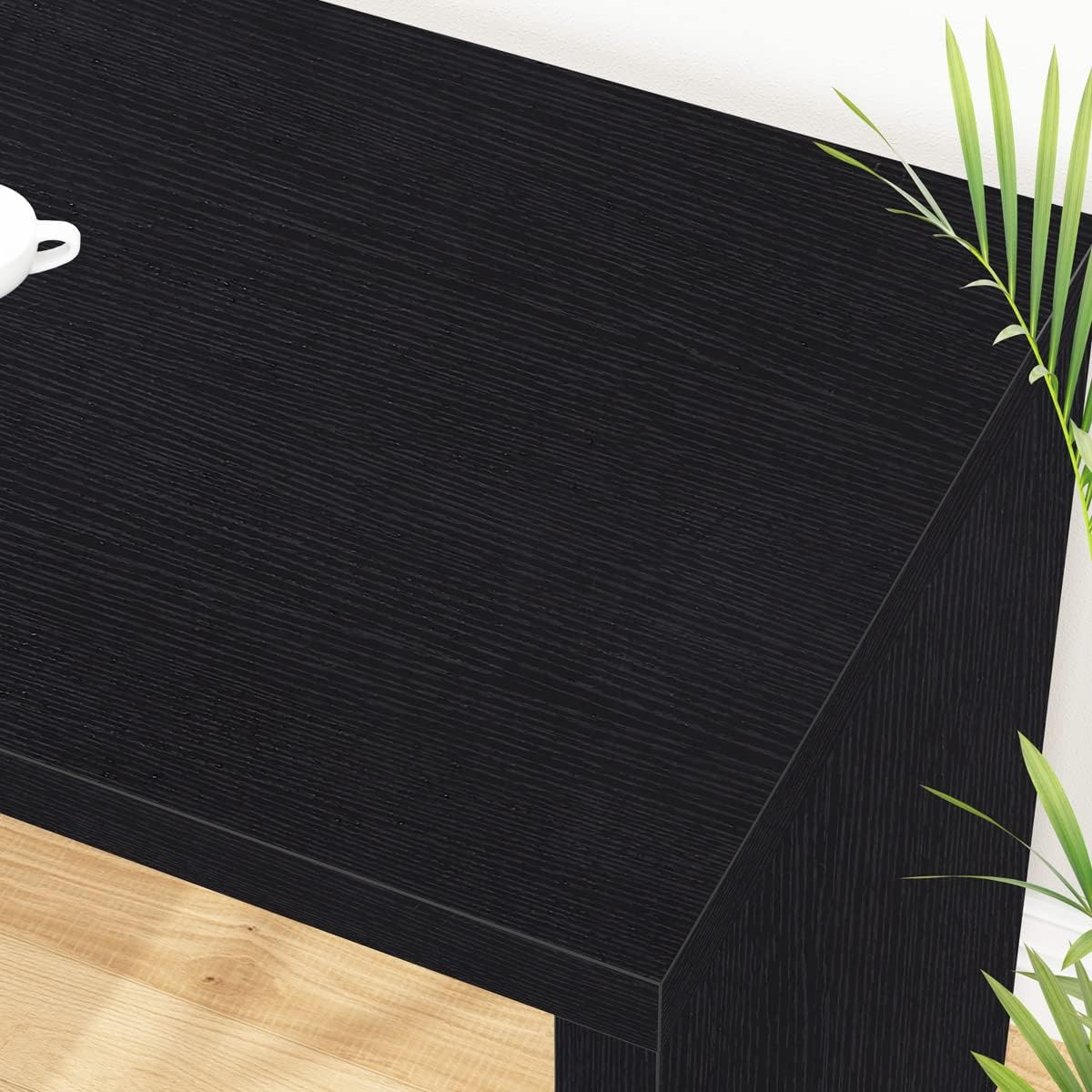
Figure 7: Dimensions for overlapped and extended desktop setups.
ຄູ່ມືວິດີໂອສະພາແຫ່ງ
For a visual guide on assembly and configuration, please watch the official product video below. This video demonstrates the various features and setup possibilities of the HSH L Shaped Desk.
Video 1: Official HSH L Shaped Desk with Drawers and Shelves product overview and configuration demonstration.
ຄໍາແນະນໍາການດໍາເນີນງານ
The HSH L Shaped Computer Desk is designed for flexible use in various settings. Once assembled in your preferred configuration, ensure all connections are secure and the desk is stable before placing items on it.
- ການນໍາໃຊ້ຮູບຊົງຕົວ L: Position the desk in a corner or against two walls to maximize your workspace. The L-shape provides distinct areas for different tasks, such as a computer setup on one side and a writing or reading area on the other.
- ການເຂົ້າເຖິງບ່ອນຈັດເກັບຂໍ້ມູນ: The three drawers provide concealed storage for documents, office supplies, and personal items. The open shelves are ideal for books, decorative items, or frequently accessed files.
- ການອອກແບບປີ້ນກັບກັນ: The storage unit can be positioned on either the left or right side of the main desk, allowing you to customize the layout to fit your room's orientation and personal preference.
- Extended or Overlapped Desktop: Depending on your chosen assembly, the desk can function as a compact unit (overlapped) or extend to provide a longer working surface. Adjust the configuration as needed for your current task or space requirements.

Figure 8: Desk configured with the storage unit extended for a longer workspace.
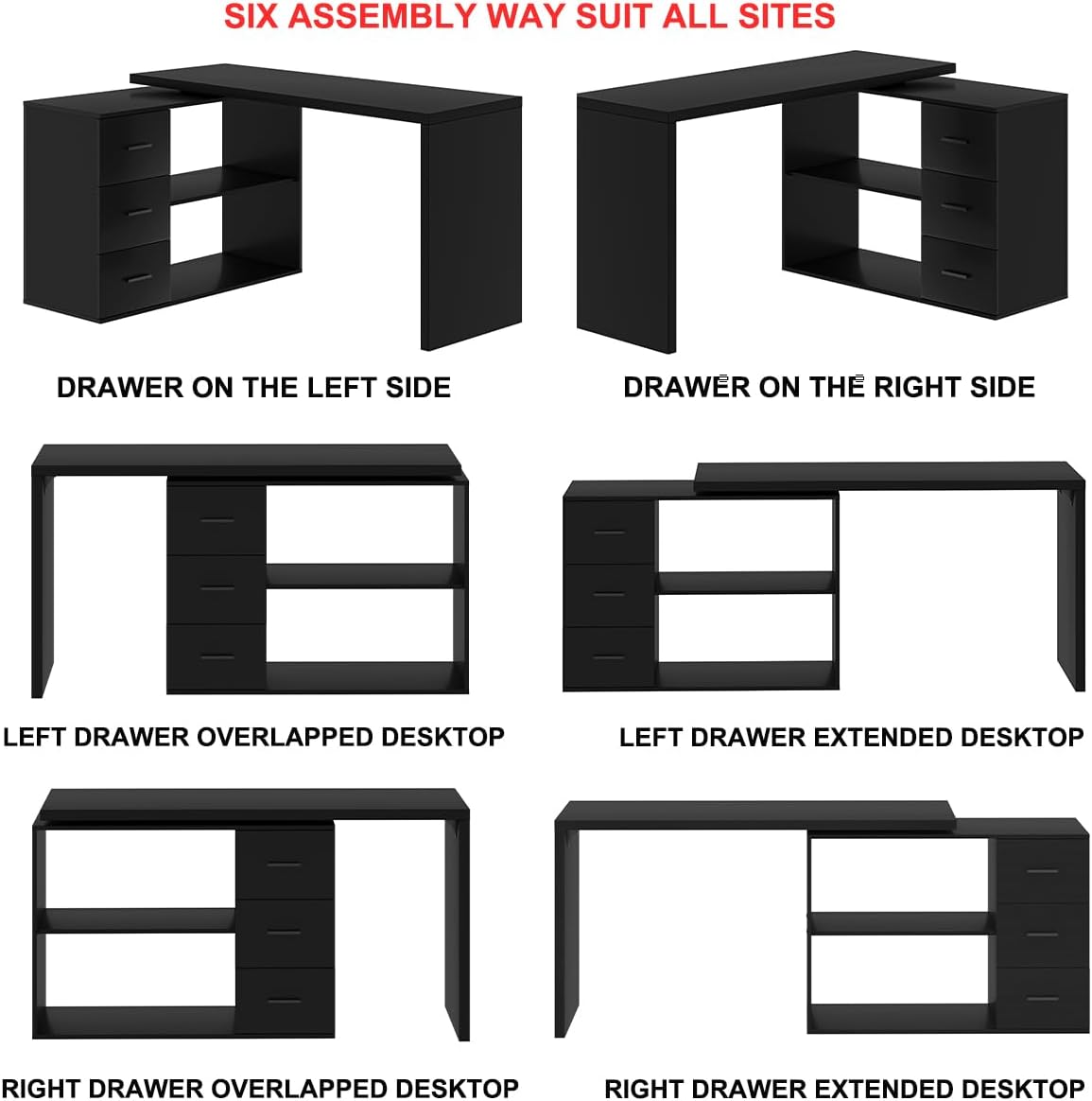
Figure 9: Desk in a typical home office setup, demonstrating practical use.
ບໍາລຸງຮັກສາ
To maintain the appearance and longevity of your HSH L Shaped Computer Desk, follow these simple maintenance guidelines:
- ທໍາຄວາມສະອາດ: Wipe the desk surface and frame with a dry cloth. For stubborn marks, a slightly damp cloth followed immediately by a dry cloth can be used. Avoid abrasive cleaners or harsh chemicals that may damage the finish.
- ການຮົ່ວໄຫລ: ເຊັດນ້ຳທີ່ຮົ່ວໄຫຼອອກໂດຍທັນທີເພື່ອປ້ອງກັນຄວາມເສຍຫາຍຈາກນ້ຳ ຫຼື ການເປື້ອນ.
- ຄວາມຮ້ອນແລະຄວາມຊຸ່ມ: Avoid placing hot items directly on the surface. Use coasters for drinks to protect against moisture rings.
- ກວດກາປົກກະຕິ: Periodically check all screws and connections to ensure they remain tight and secure. Tighten as necessary.

Figure 10: Close-up of the durable black wood grain finish, easy to clean.
ການແກ້ໄຂບັນຫາ
If you encounter any issues with your HSH L Shaped Computer Desk, please refer to the following common troubleshooting tips:
| ບັນຫາ | ສາເຫດທີ່ເປັນໄປໄດ້ | ການແກ້ໄຂ |
|---|---|---|
| ໂຕະເຮັດວຽກສັ່ນຄອນ. | screws ວ່າງຫຼືພື້ນທີ່ບໍ່ສະເຫມີກັນ. | Check and tighten all assembly screws. Ensure the desk is on a flat, level surface. Use furniture pads if necessary. |
| drawers ບໍ່ເລື່ອນໄດ້ກ້ຽງ. | Improper alignment of drawer slides or debris in tracks. | Verify that drawer slides are correctly installed and aligned. Clear any dust or debris from the tracks. Apply a silicone-based lubricant if needed. |
| ຊິ້ນສ່ວນທີ່ຂາດຫາຍໄປຫຼືສ່ວນປະກອບທີ່ເສຍຫາຍ. | ຄວາມຜິດພາດການຫຸ້ມຫໍ່ ຫຼືຄວາມເສຍຫາຍທາງຜ່ານ. | Contact HSH customer service immediately with your purchase details. Do not attempt to assemble with missing or damaged parts. |
| ຄວາມຫຍຸ້ງຍາກໃນລະຫວ່າງການປະກອບ. | Misinterpretation of instructions or incorrect part orientation. | Review the instruction manual carefully, paying close attention to diagrams. If still stuck, refer to the assembly video or contact customer support. |
ຂໍ້ມູນຈໍາເພາະ
| ຄຸນລັກສະນະ | ລາຍລະອຽດ |
|---|---|
| ຍີ່ຫໍ້ | HSH |
| ຂະໜາດສິນຄ້າ | 19.7"D x 55"W x 29.99"H |
| ສີ | Black Oak |
| ແບບ | ອຸດສາຫະກໍາ |
| ວັດສະດຸພື້ນຖານ | ໄມ້ວິສະວະກໍາ |
| ປະເພດສໍາເລັດຮູບ | Laminated |
| ຄຸນນະສົມບັດພິເສດ | ປີ້ນກັບກັນໄດ້ |
| ປະເພດຫ້ອງ | ຫ້ອງນອນ, ຫ້ອງຮັບແຂກ, ຫ້ອງການ, ຫ້ອງສຶກສາ |
| ການນໍາໃຊ້ທີ່ແນະນໍາສໍາລັບຜະລິດຕະພັນ | ການຫຼິ້ນເກມ, ການເຮັດວຽກ, ການຂຽນ |
| ປະເພດການຕິດຕັ້ງ | ຊັ້ນເທິງ |
| ໝາຍເລກຕົວແບບ | LC050106 |
| ນ້ໍາຫນັກລາຍການ | 80 ປອນ |
| ຈຳ ນວນຕູ້ແຕ້ມ | 3 |
| ຈໍານວນຊັ້ນວາງ | 2 |
| ຄວາມໜາຂອງໂຕະ | 1.18 ນິ້ວ |
| ຄໍາແນະນໍານ້ໍາຫນັກສູງສຸດ | 350 ປອນ |
| ສະພາແຫ່ງທີ່ຕ້ອງການ | ແມ່ນແລ້ວ |
| ລວມມີເຄື່ອງມືປະກອບທັງໝົດ | ແມ່ນແລ້ວ |
ການຮັບປະກັນແລະການສະຫນັບສະຫນູນ
HSH is committed to providing high-quality products and excellent customer service.
- ການຮັບປະກັນ: Your HSH L Shaped Computer Desk comes with a 12-Month Quality Assurance (Limited Warranty). This covers manufacturing defects and ensures the product meets our quality standards.
- ຜົນຕອບແທນ: We offer a 30-Day Free Return policy for your peace of mind.
- ບໍລິການລູກຄ້າ: For any questions, concerns, or assistance with assembly or product issues, please contact our 24-Hour friendly customer service. You can also visit the official HSH Store for more information and support: HSH Furniture Store.


