1. ບົດແນະນຳ
This user manual provides essential information for the installation, operation, and maintenance of your ARREGUI CI10B-E Electronic Invisible Lock. Please read these instructions carefully before using the product to ensure proper function and safety. The ARREGUI CI10B-E is designed to enhance security by providing an additional, invisible locking mechanism for your door.
2. ຜະລິດຕະພັນເກີນview
The ARREGUI CI10B-E is an electronic invisible lock designed for interior placement, making its presence unknown to potential intruders. It functions as an additional security measure for homes, apartments, or offices. Key features include:
- Invisible Design: Installed on the inside of the door, it remains hidden from external view.
- ການດໍາເນີນງານການຄວບຄຸມໄລຍະໄກ: Comes with 4 remote controls for convenient opening and closing.
- Secure Radio Frequency: Utilizes evolving code encryption to prevent unauthorized copying of signals.
- Reprogrammable Remotes: Remotes can be reprogrammed in case of loss or theft. Additional remotes can be purchased and paired (up to 16 per lock).
- ຄຳເຕືອນແບັດເຕີຣີຕໍ່າ: The lock emits an audible signal when batteries are low, preventing accidental lockout. The lock will not close if batteries are critically low.
- Emergency Unlock System: Features an emergency override for manual operation.
- ການຢືນຢັນທີ່ໄດ້ຍິນ: Emits an alarm sound upon each opening and closing for verification.

Image: The ARREGUI CI10B-E Electronic Invisible Lock unit shown with its four accompanying remote controls.
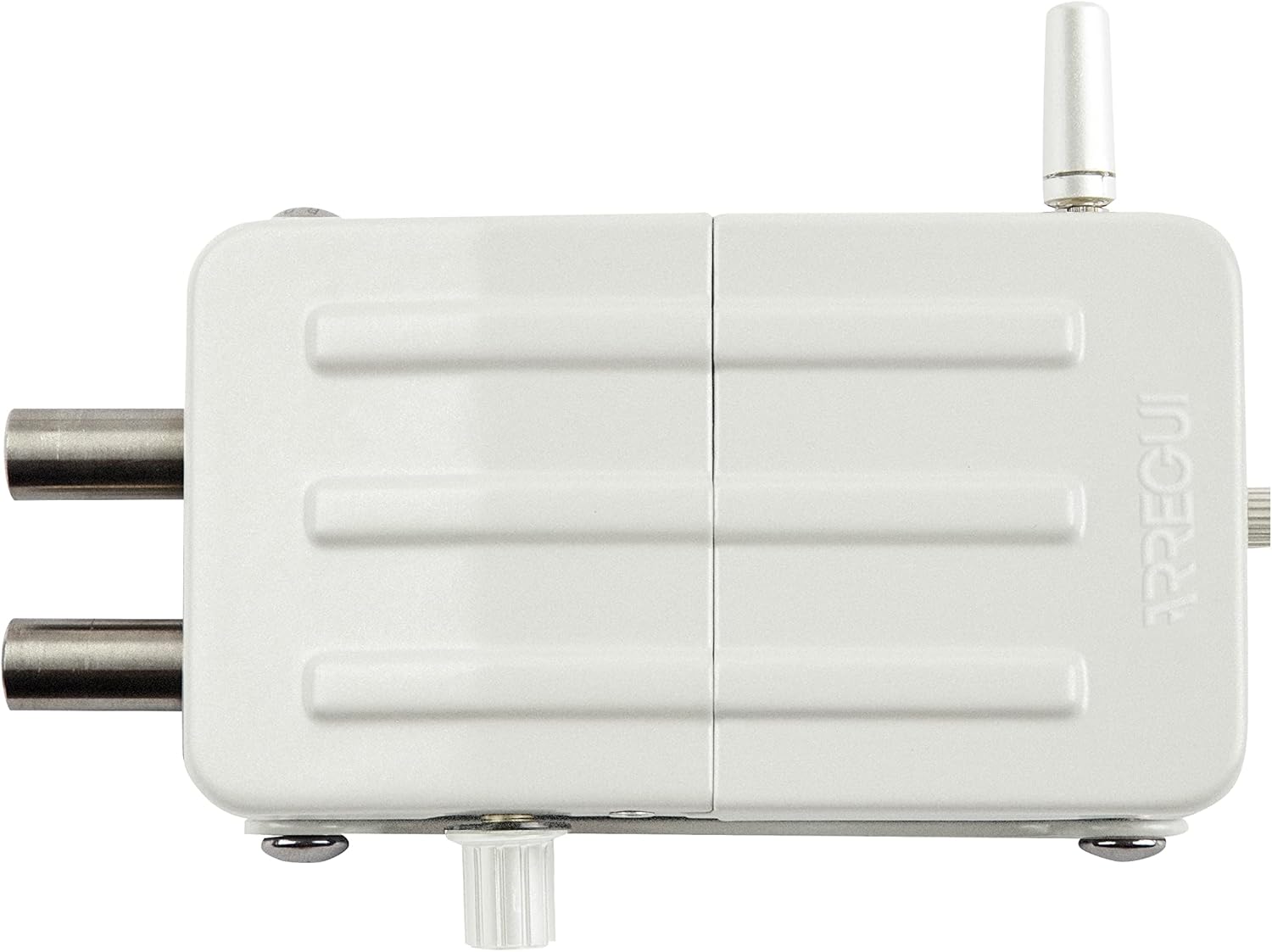
ຮູບພາບ: ເທິງລົງລຸ່ມ view of the ARREGUI CI10B-E Electronic Invisible Lock, highlighting its robust construction.
3. ເນື້ອໃນຊຸດ
ກວດສອບວ່າອົງປະກອບທັງໝົດມີຢູ່ໃນຊຸດ:
- 1x ARREGUI CI10B-E Electronic Invisible Lock
- 4x ການຄວບຄຸມໄລຍະໄກ
- 1x Fixing Plate
- ເສົາອາກາດ 1 ເທົ່າ
- Fixing Screws (for wood or metal doors)
- 1x Allen Key
- 4x AA Alkaline Battery (1.5V)
- 1x 12V Emergency Battery
- ຄູ່ມືຜູ້ໃຊ້ (ເອກະສານນີ້)
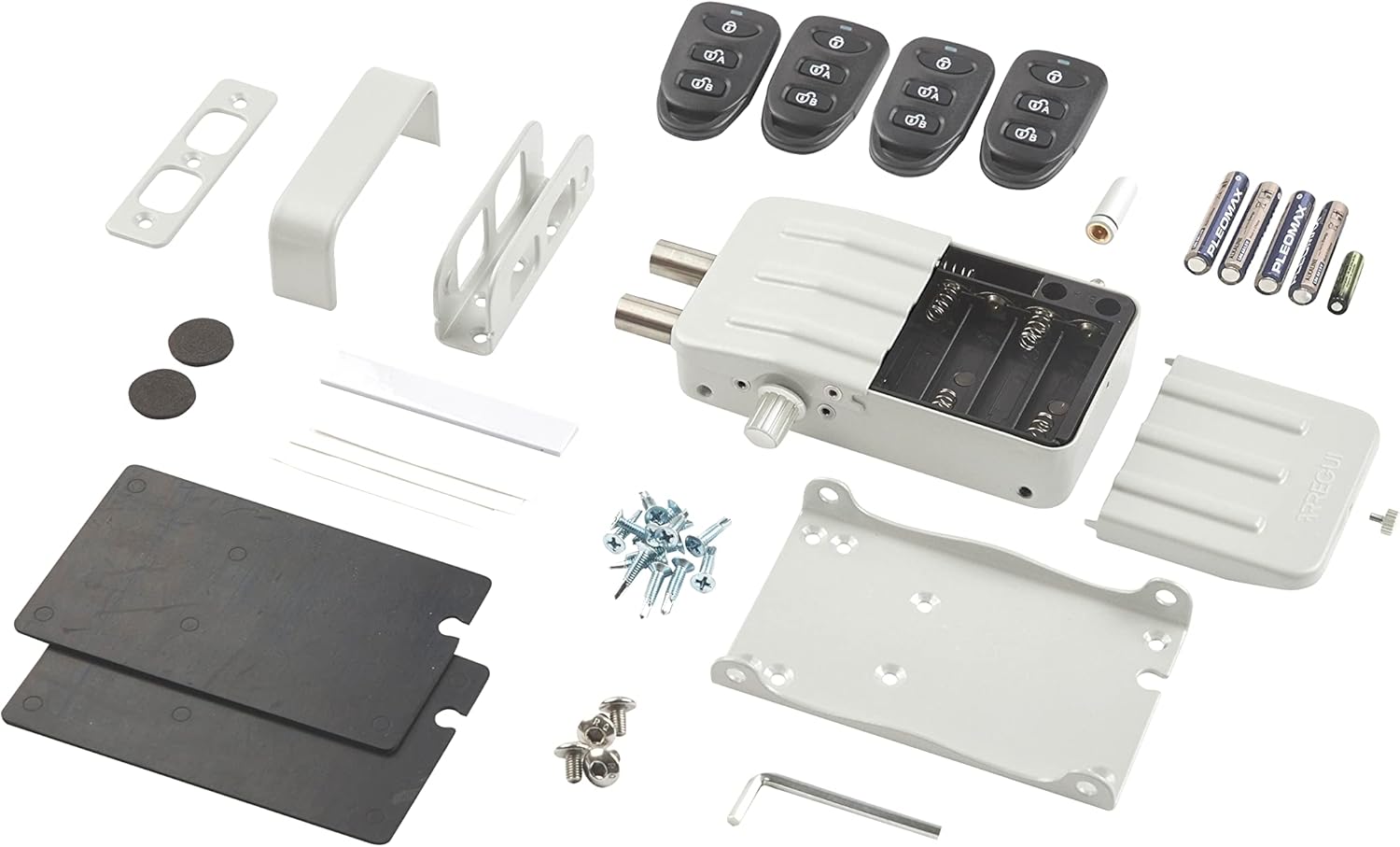
ຮູບພາບ: ລະເບີດ view showing all items included in the ARREGUI CI10B-E product package, including the lock, remotes, mounting hardware, and batteries.
4. ການຕິດຕັ້ງແລະການຕິດຕັ້ງ
The ARREGUI CI10B-E lock is suitable for both wooden and metal doors. Detailed installation instructions are provided in the included user manual. Please follow these steps carefully to ensure correct and secure installation.
4.1. ການຕິດຕັ້ງຫມໍ້ໄຟ
- Open the battery compartment on the lock unit.
- ໃສ່ແບັດເຕີຣີອາກາລີນ AA 4 ກ້ອນ, ຮັບປະກັນວ່າຂົ້ວຖືກຕ້ອງ.
- Insert the 12V emergency battery into its designated slot.
- ປິດຊ່ອງໃສ່ຫມໍ້ໄຟຢ່າງປອດໄພ.
4.2. ການຕິດຕັ້ງກະແຈລັອກ
- Choose an appropriate location on the interior side of your door for the lock unit and the fixing plate.
- Use the provided screws to securely attach the fixing plate to the door.
- Mount the lock unit onto the fixing plate.
- Ensure the antenna is properly connected and positioned for optimal signal reception.

Image: A hand demonstrating the use of the remote control with the ARREGUI CI10B-E lock installed on the interior of a door.
5. ຄໍາແນະນໍາການດໍາເນີນງານ
5.1. Opening and Closing with Remote Control
The lock operates via radio frequency remote controls. Each remote uses evolving code encryption to prevent unauthorized duplication.
- ເຖິງ ເປີດ the lock, press the designated unlock button on the remote control.
- ເຖິງ ໃກ້ the lock, press the designated lock button on the remote control.
- The lock will emit an audible alarm sound upon each successful opening and closing.
5.2. Remote Control Reprogramming
In case a remote control is lost or stolen, you can reprogram all existing remotes to change their internal code, rendering the lost/stolen remote unusable. New additional remotes can also be paired with the lock.
- Refer to the detailed instructions in the included manual for the specific steps to reprogram or add remote controls.
- The lock supports up to 16 remote controls.
5.3. ປົດລັອກສຸກເສີນ
The lock features an emergency unlock system that can be activated at any time. Additionally, the lock can be opened and closed manually by turning the latch located on the bottom part of the unit.
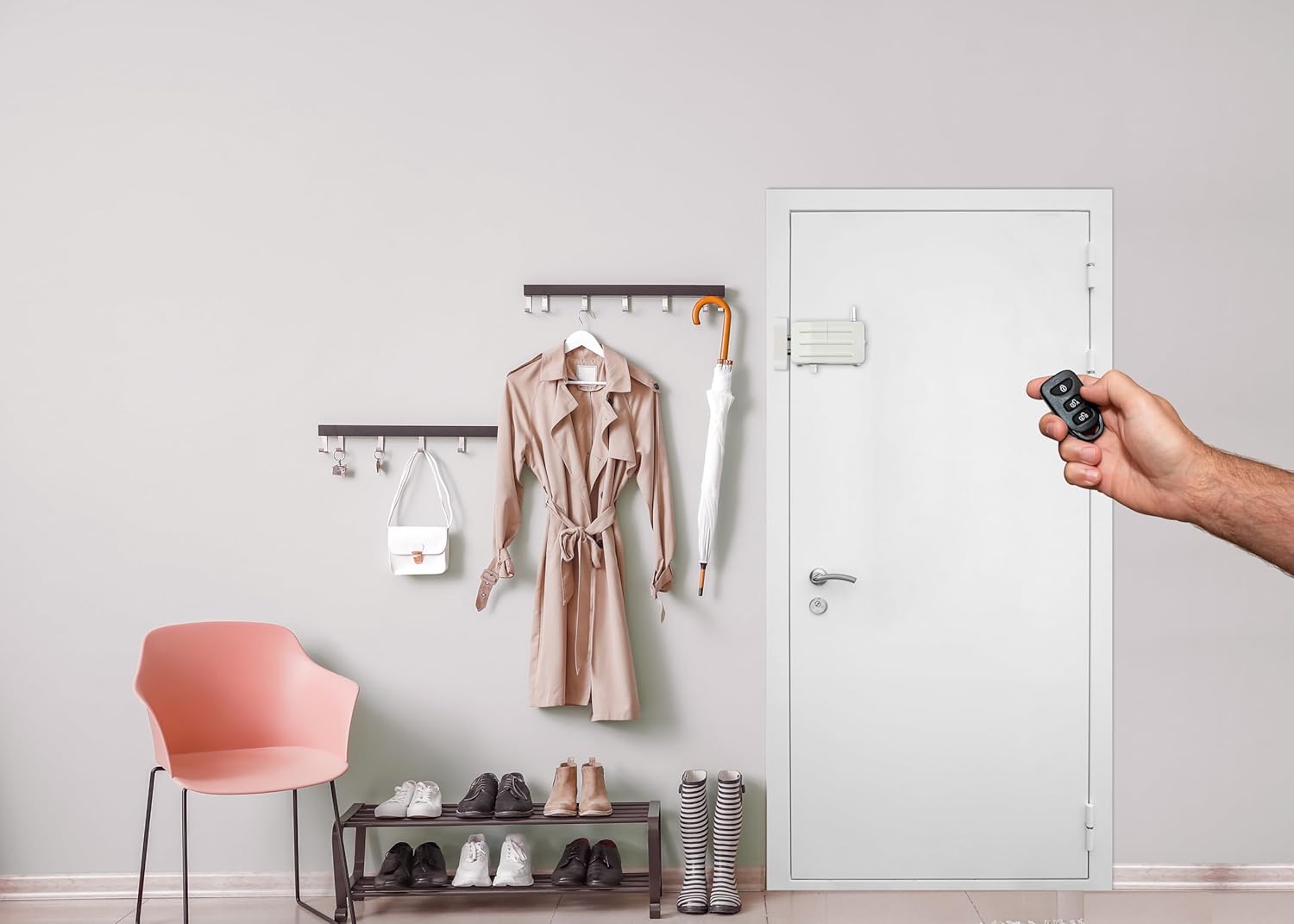
Image: The ARREGUI CI10B-E lock discreetly installed on the interior of a white door, blending into a home environment.
6. ບໍາລຸງຮັກສາ
6.1. ການທົດແທນຫມໍ້ໄຟ
The lock will emit an audible signal when the batteries are running low. It will not allow itself to be locked until the batteries are replaced, preventing you from being locked out.
- When the low battery warning sounds, replace all 4 AA alkaline batteries promptly.
- ຮັບປະກັນຄວາມຂົ້ວທີ່ຖືກຕ້ອງໃນເວລາໃສ່ແບັດໃໝ່.
- It is recommended to use high-quality alkaline batteries for optimal performance and lifespan.
6.2. ການດູແລທົ່ວໄປ
Clean the lock unit with a soft, dry cloth. Avoid using abrasive cleaners or solvents, which may damage the finish or internal components.
7. ການແກ້ໄຂບັນຫາ
| ບັນຫາ | ສາເຫດທີ່ເປັນໄປໄດ້ | ການແກ້ໄຂ |
|---|---|---|
| Lock does not respond to remote control. | Low batteries in the lock unit or remote control. Remote control not paired or reprogrammed correctly. Obstruction between remote and lock. | Replace batteries in the lock unit and remote control. Reprogram the remote controls as per the manual. Ensure clear line of sight or proximity. |
| Lock emits continuous beeping sound. | ການເຕືອນໄພຫມໍ້ໄຟຕ່ໍາ. | Replace all 4 AA alkaline batteries in the lock unit immediately. The lock will not close until batteries are replaced. |
| Cannot open the lock electronically. | Electronic malfunction or critical battery depletion. | Utilize the emergency unlock system or manually open the lock by turning the latch on the bottom of the unit. |
8. ຂໍ້ມູນຈໍາເພາະ
| ຄຸນສົມບັດ | ລາຍລະອຽດ |
|---|---|
| ຍີ່ຫໍ້ | ARREGUI |
| ໝາຍເລກຕົວແບບ | CI10B-E |
| ຂະໜາດສິນຄ້າ (L x W x H) | 3.5 x 13.3 x 7.5 ຊມ (1.38 x 5.24 x 2.95 ນິ້ວ) |
| ນ້ຳໜັກ | 632 ກຣາມ (1.39 ປອນ) |
| ສີ | ສີຂາວ |
| ແບບ | ລັອກເບິ່ງບໍ່ເຫັນ |
| ຈົບ | ທາສີ |
| ວັດສະດຸ | ເຫຼັກໂລຫະປະສົມ |
| ແຫຼ່ງພະລັງງານ | 4x AA Alkaline Batteries (included) |
| ພະລັງງານສຸກເສີນ | 1x 12V Emergency Battery (included) |
| ຄຸນນະສົມບັດພິເສດ | Alarm, Remote Control, Emergency Unlock |
| Max Remote Controls | ເຖິງ 16 |
| ຄວາມເຂົ້າກັນໄດ້ | Wooden and Metal Doors |
9. ຂໍ້ມູນການຮັບປະກັນ
Specific warranty details for the ARREGUI CI10B-E Electronic Invisible Lock are not provided in this document. Please refer to the warranty card included with your product or contact ARREGUI customer support for information regarding warranty coverage and terms.
10. ການຊ່ວຍເຫຼືອລູກຄ້າ
For any incidents, questions, or assistance regarding the use of your ARREGUI CI10B-E Electronic Invisible Lock, please contact ARREGUI's technical support service. Contact information can typically be found on the product packaging, the ARREGUI webເວັບໄຊທ໌, ຫຼືໃນເອກະສານລວມ.


