ແນະນຳ
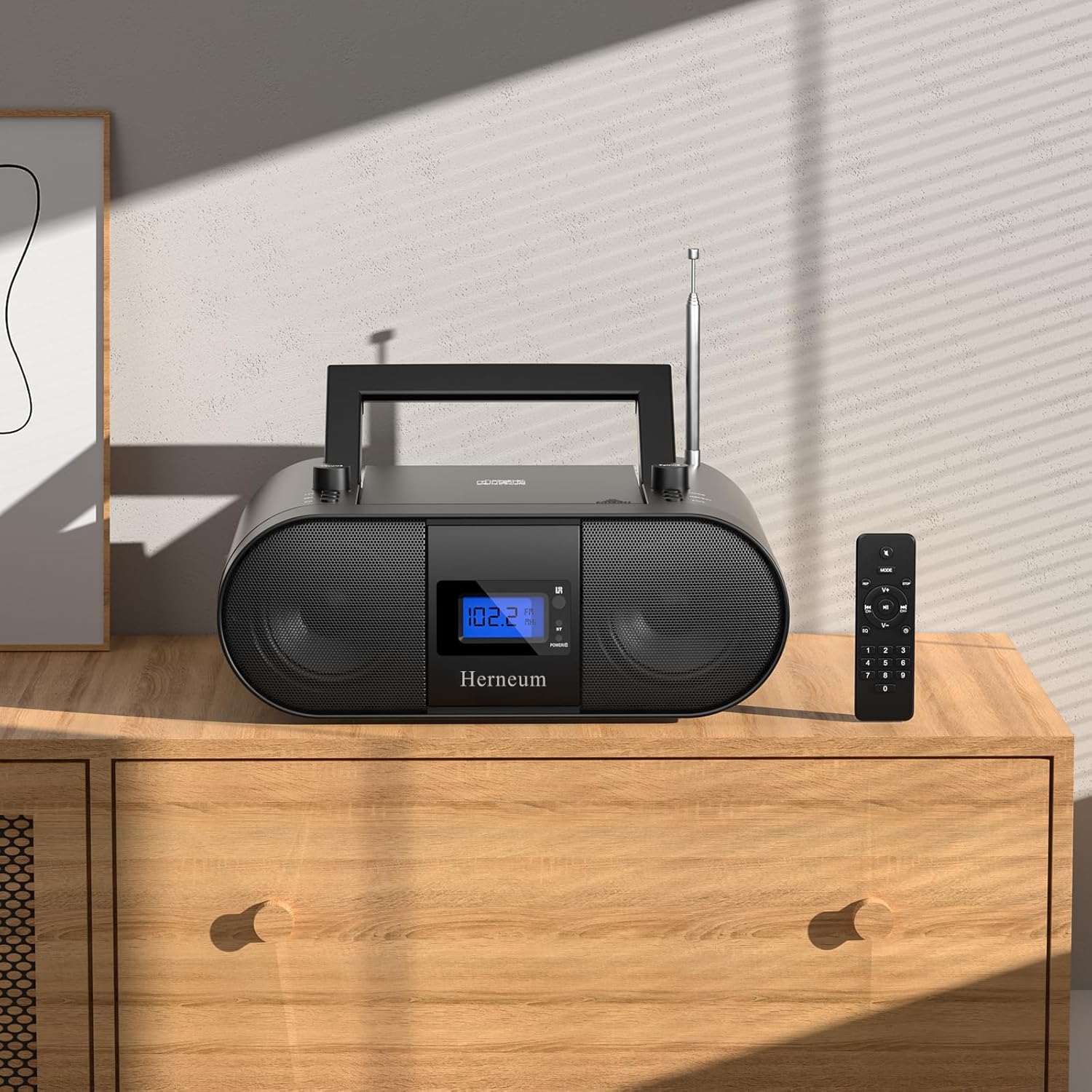
This manual provides essential instructions for the safe and efficient operation of your Herneum FC Portable CD Player Boombox. Please read this manual thoroughly before using the device and retain it for future reference.
ຄຸນສົມບັດຜະລິດຕະພັນ
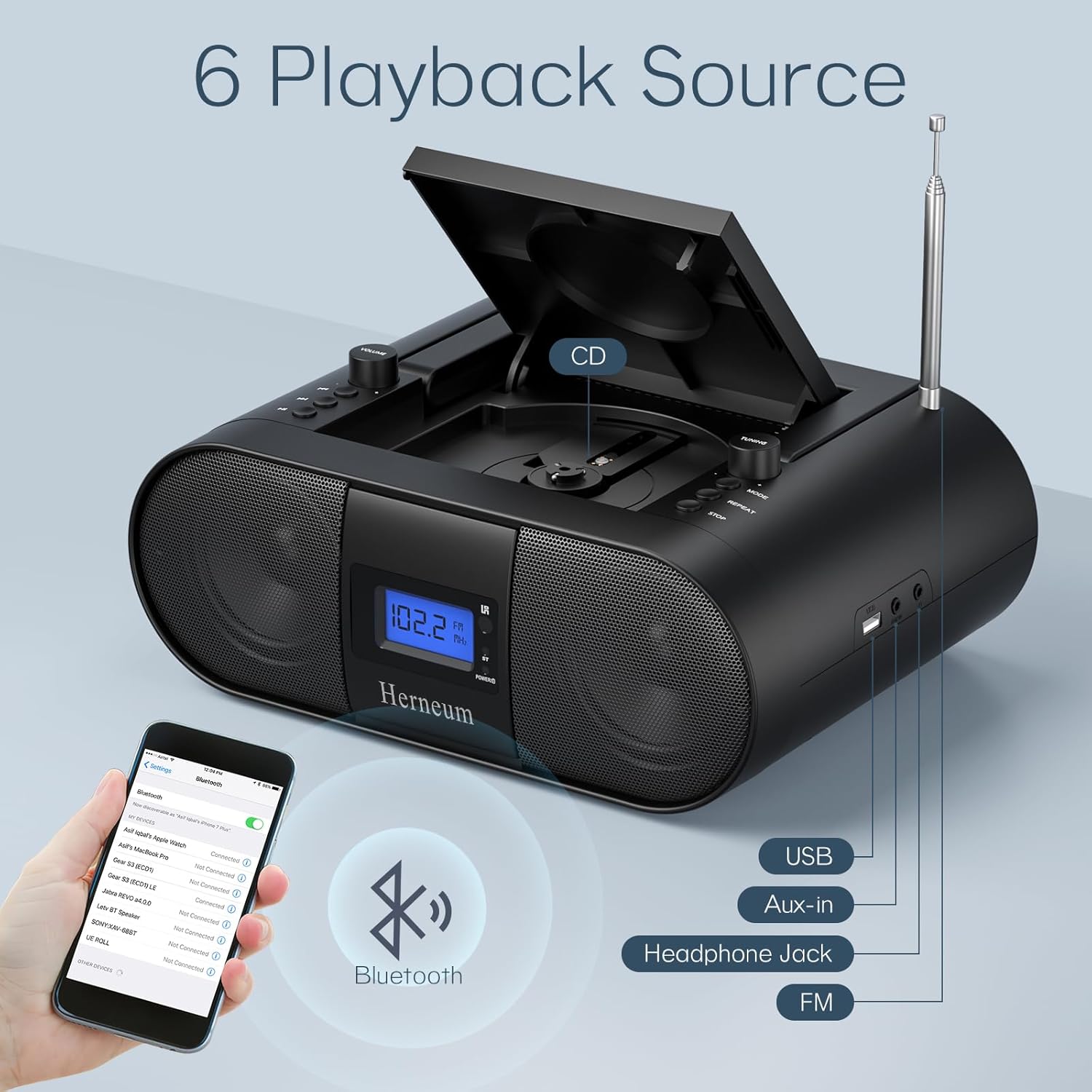
- ເຄື່ອງຫຼິ້ນຊີດີແບບພົກພາ: Top-loading CD player with play/pause, skip, and repeat functions.
- ວິທະຍຸ FM: Built-in FM radio with telescopic antenna for enhanced reception.
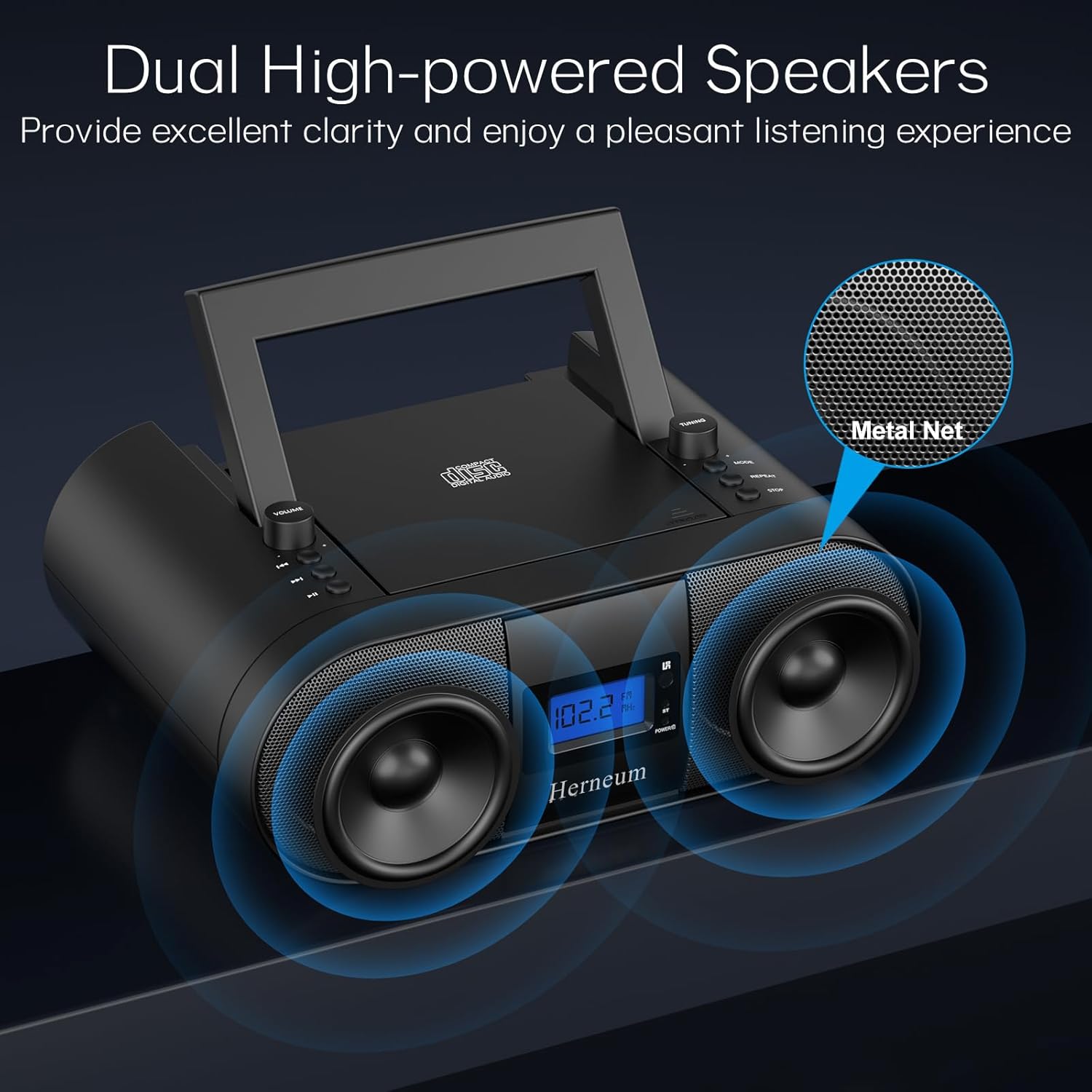
- Dual Stereo Sound System: High-performance speakers for clear audio.
- ແບັດເຕີຣີທີ່ສາມາດສາກໄດ້: Integrated 2000mAh battery providing 4-5 hours of playback.
- ການເຊື່ອມຕໍ່ Bluetooth: ການຖ່າຍທອດສຽງແບບໄຮ້ສາຍຈາກອຸປະກອນທີ່ເຂົ້າກັນໄດ້.
- ການປ້ອນຂໍ້ມູນຫຼາຍອັນ: Supports USB and AUX-in for versatile audio sources.
- ຫູຟັງ Output: ສໍາລັບການຟັງສ່ວນຕົວ.
- ການຄວບຄຸມໄລຍະໄກ: Convenient operation from a distance, including sleep timer function.
ເນື້ອໃນຊຸດ
ຮັບປະກັນວ່າລາຍການທັງໝົດມີຢູ່ເມື່ອ unboxing:
- Herneum FC Portable CD Player Boombox
- ການຄວບຄຸມໄລຍະໄກ
- ຄູ່ມືຜູ້ໃຊ້
- ສາຍໄຟ
ຂໍ້ມູນຄວາມປອດໄພ
- ຢ່າເຮັດໃຫ້ອຸປະກອນຖືກຝົນຫຼືຄວາມຊຸ່ມຊື່ນ.
- ຫຼີກເວັ້ນການວາງອຸປະກອນຢູ່ໃກ້ກັບແຫຼ່ງຄວາມຮ້ອນ ຫຼືຢູ່ໃນແສງແດດໂດຍກົງ.
- ຢ່າເປີດອຸປະກອນ casing; ສົ່ງຕໍ່ການບໍລິການໄປຫາພະນັກງານທີ່ມີຄຸນວຸດທິ.
- ຮັກສາໃຫ້ໄກຈາກເດັກນ້ອຍ.
- ໃຊ້ພຽງແຕ່ອະແດັບເຕີໄຟທີ່ໃຫ້ມາ.
ຕັ້ງຄ່າ
1. ການເປີດອຸປະກອນ
The Herneum FC can be powered by its internal rechargeable battery or by connecting it to an AC power outlet.
- ໄຟຟ້າ AC: Connect the provided power cable to the "Power socket" (19) on the back of the unit and then to a wall outlet.
- ແບັດເຕີຣີທີ່ສາມາດສາກໄດ້: The unit has a built-in 2000mAh rechargeable battery. It charges automatically when connected to AC power. A full charge provides approximately 4-5 hours of playback.
2. ການປັບເສົາອາກາດ
For optimal FM radio reception, extend the telescopic antenna fully and adjust its position.

ຄໍາແນະນໍາການດໍາເນີນງານ
1. ການຄວບຄຸມທົ່ວໄປ
The device features various controls on its top panel and a remote control for convenient operation.

- ສະວິດໄຟ (18): ຕັ້ງຢູ່ດ້ານຫຼັງຂອງໜ່ວຍ.
- Volume +/- (1): ປັບລະດັບສຽງອອກ.
- ໂໝດ (7): Switches between CD, FM, Bluetooth, USB, and AUX modes.
- ຈໍສະແດງຜົນ (14): Shows current mode, track number, and FM frequency.
2. ການຫຼິ້ນ CD
- Open the CD compartment (10) by gently lifting the lid.
- ວາງແຜ່ນຊີດີໃຫ້ດ້ານຂ້າງຂອງປ້າຍກຳກັບຫັນໜ້າຂຶ້ນ.
- ປິດຊ່ອງ CD.
- ກົດ ໂໝດ button (7) to select CD mode.
- ກົດ ຫຼິ້ນ/ຢຸດຊົ່ວຄາວ (4) ເພື່ອເລີ່ມຕົ້ນການຫຼິ້ນ.
- ໃຊ້ ເພງກ່ອນໜ້າ (2) ແລະ ຕິດຕາມຕໍ່ໄປ (3) to navigate tracks.
- ກົດ ເຮັດຊ້ຳ (8) for single track or all track repeat.
- ກົດ ຢຸດ (9) to end playback.
3. ການດໍາເນີນງານວິທະຍຸ FM
- ຂະຫຍາຍເສົາອາກາດ telescopic.
- ກົດ ໂໝດ button (7) to select FM radio mode.
- ໃຊ້ ການປັບ +/- (6) to manually tune to a station.
- For automatic scanning, press and hold ການປັບ +/- (6).
4. ການເຊື່ອມຕໍ່ Bluetooth
- ກົດ ໂໝດ button (7) to select Bluetooth mode. The display will show "BT" and flash, indicating it's ready for pairing.
- On your mobile device, enable Bluetooth and search for "Herneum FC" (or similar device name).
- Select the device to pair. Once connected, the "BT" indicator will stop flashing.
- You can now stream audio from your device to the boombox.
5. ການຫຼິ້ນ USB
- ໃສ່ໄດຣຟ໌ USB ທີ່ມີ MP3/WMA files into the USB PORT (11).
- ກົດ ໂໝດ button (7) to select USB mode.
- Playback will start automatically. Use track navigation buttons to select songs.
6. AUX-in Connection
- Connect an external audio device (e.g., smartphone, MP3 player) to the AUX-in jack (12) using a 3.5mm audio cable.
- ກົດ ໂໝດ button (7) to select AUX mode.
- ຄວບຄຸມການຫຼິ້ນ ແລະລະດັບສຽງຈາກອຸປະກອນພາຍນອກຂອງທ່ານ.
7. ການໃຊ້ຫູຟັງ
Plug headphones into the Headphone jack (13) for private listening. The speakers will automatically mute.
8. ການຄວບຄຸມໄລຍະໄກ
The included remote control allows for convenient operation of all functions from a distance. Insert 2 x AAA batteries (not included) into the remote.
- ປິດສຽງ/ປິດສຽງ: Temporarily silences or restores audio.
- ຂ້າມເບິ່ງ: Navigates to the next or previous track.
- Change Radio: Adjusts FM frequency.
- ປະລິມານການຄວບຄຸມ: ເພີ່ມ ຫຼື ຫຼຸດລະດັບສຽງ.
- Stop Playing: Halts current playback.
- ໂEດ EQ: Adjusts sound equalization settings.
- ເຄື່ອງຈັບເວລານອນ: Set preferred running time (15, 30, 45, 60, or 90 minutes).

ບໍາລຸງຮັກສາ
- ທໍາຄວາມສະອາດ: ໃຊ້ຜ້າປຽກແຫ້ງເພື່ອເຮັດຄວາມສະອາດດ້ານນອກຂອງເຄື່ອງ. ຢ່າໃຊ້ເຄື່ອງເຮັດຄວາມສະອາດຂັດຫຼືສານລະລາຍ.
- CD Care: ຈັດການແຜ່ນຊີດີໂດຍແຄມຂອງພວກມັນ. ເຮັດຄວາມສະອາດແຜ່ນຊີດີທີ່ເປື້ອນດ້ວຍຜ້າອ່ອນໆ, ບໍ່ມີເສັ້ນດ່າງ, ເຊັດຈາກກາງອອກໄປຂ້າງນອກ.
- ການເກັບຮັກສາ: ເມື່ອບໍ່ໄດ້ໃຊ້ເປັນເວລາດົນ, ໃຫ້ເກັບຮັກສາ boombox ໄວ້ໃນບ່ອນທີ່ເຢັນ, ແຫ້ງ.
ການແກ້ໄຂບັນຫາ
| ບັນຫາ | ສາເຫດທີ່ເປັນໄປໄດ້ | ການແກ້ໄຂ |
|---|---|---|
| ບໍ່ມີພະລັງງານ | Power cable not connected; battery drained; power switch off. | Check power cable connection; charge battery; ensure power switch (18) is ON. |
| CD not playing/skipping | ຊີດີເປື້ອນ ຫຼື ມີຮອຍຂີດຂ່ວນ; ໃສ່ຊີດີບໍ່ຖືກຕ້ອງ; ຊ່ອງໃສ່ຊີດີບໍ່ໄດ້ປິດ. | Clean or replace CD; ensure CD is label-side up; close compartment firmly. |
| ການຮັບ FM ບໍ່ດີ | ແອນເຕນນາບໍ່ໄດ້ຂະຫຍາຍ/ປັບ; ສັນຍານອ່ອນ. | Extend and adjust antenna; try moving the unit to a different location. |
| Bluetooth ບໍ່ໄດ້ຈັບຄູ່ | Device not in pairing mode; Bluetooth disabled on external device. | Ensure boombox is in Bluetooth mode; enable Bluetooth on your device and search again. |
| ການຄວບຄຸມໄລຍະໄກບໍ່ເຮັດວຽກ | Batteries drained or inserted incorrectly; obstruction between remote and unit. | Replace remote batteries; ensure correct polarity; remove obstructions. |
ຂໍ້ມູນຈໍາເພາະ
- ຕົວແບບ: FC
- ຍີ່ຫໍ້: Herneum
- ຂະໜາດຜະລິດຕະພັນ: 12.6 x 8.66 x 5.9 ນິ້ວ
- ນ້ໍາຫນັກລາຍການ: 4.36 ປອນ
- ເຕັກໂນໂລຍີການເຊື່ອມຕໍ່: Bluetooth, CD, USB, AUX-in, FM Radio
- ສີ: ດຳ
- ປະເພດລຳໂພງ: ລຳ ໂພງຄູ່
- ແບັດເຕີຣີ: ແບດເຕີຣີທີ່ສາມາດສາກໄຟໄດ້ໃນຕົວ 2000mAh
- Playback Time (Battery): 4-5 ຊົ່ວໂມງ
ການຮັບປະກັນແລະການສະຫນັບສະຫນູນ
The Herneum FC Portable CD Player Boombox comes with an 18-month warranty. For warranty claims, technical support, or any inquiries, please contact Herneum customer service.
Visit the official Herneum store for more information: Herneum Store


