ແນະນຳ
This manual provides detailed instructions for the installation, operation, and maintenance of your CP PLUS CP-V41A 4MP Wi-Fi Camera. Please read this manual thoroughly before using the product to ensure correct usage and optimal performance. Keep this manual for future reference.
ສິນຄ້າເກີນview
The CP PLUS CP-V41A is a 4MP Wi-Fi camera designed for home security and surveillance. It features high-resolution imaging, night vision capabilities, and smart integration options.
ຄຸນນະສົມບັດທີ່ສໍາຄັນ:
- 4MP CMOS Image Sensor: ໃຫ້ foo ວິດີໂອທີ່ຊັດເຈນແລະລາຍລະອຽດtage.
- ເລນ 3.6mm: ສະເຫນີພາກສະຫນາມກ້ວາງຂອງ view ສໍາລັບການຄຸ້ມຄອງທີ່ສົມບູນແບບ.
- ການບີບອັດວິດີໂອ H.265: ບີບອັດວິດີໂອຢ່າງມີປະສິດທິພາບເພື່ອປະຢັດພື້ນທີ່ເກັບຂໍ້ມູນໂດຍບໍ່ມີການຫຼຸດຜ່ອນຄຸນນະພາບ.
- ຮອງຮັບ Wi-Fi: Enables wireless connectivity for flexible placement.
- IR Distance of 15 Mtr.: Ensures clear night vision up to 15 meters.
- ການຈັດອັນດັບ IP65: Suitable for both indoor and outdoor use, offering protection against dust and water jets.
- ການເຊື່ອມໂຍງເຮືອນອັດສະລິຍະ: Works with Google Assistant and Amazon Alexa for voice control and smart automation.
ມີຫຍັງຢູ່ໃນກ່ອງ:
- CP PLUS CP-V41A 4MP Wi-Fi Camera
- Power Adapter
- screws ແລະ plugs
- ຄູ່ມືເລີ່ມຕົ້ນດ່ວນ (ເບິ່ງຄູ່ມືນີ້ສໍາລັບລາຍລະອຽດເຕັມ)

Image: The CP PLUS CP-V41A 4MP Wi-Fi Camera, highlighting its model and key features.
ຕັ້ງຄ່າ
1. ການຕິດຕັ້ງທາງດ້ານຮ່າງກາຍ
- ເລືອກສະຖານທີ່: Select a suitable location for your camera, considering the desired viewing area, Wi-Fi signal strength, and power source accessibility. The camera is rated IP65, making it suitable for both indoor and outdoor environments.
- ຕິດກ້ອງ:
- ໝາຍຈຸດເຈາະຢູ່ເທິງຝາ ຫຼື ເພດານໂດຍໃຊ້ຖານຕິດຕັ້ງຂອງກ້ອງຖ່າຍຮູບເປັນແມ່ແບບ.
- ເຈາະຮູແລະສຽບປລັກຝາທີ່ສະຫນອງໃຫ້.
- Secure the camera's mounting base with the screws.
- ປັບມຸມກ້ອງຕາມຄວາມຕ້ອງການ.
- ເຊື່ອມຕໍ່ພະລັງງານ: Plug the power adapter into the camera's power input and then into a power outlet. The camera will power on and initiate its startup sequence.
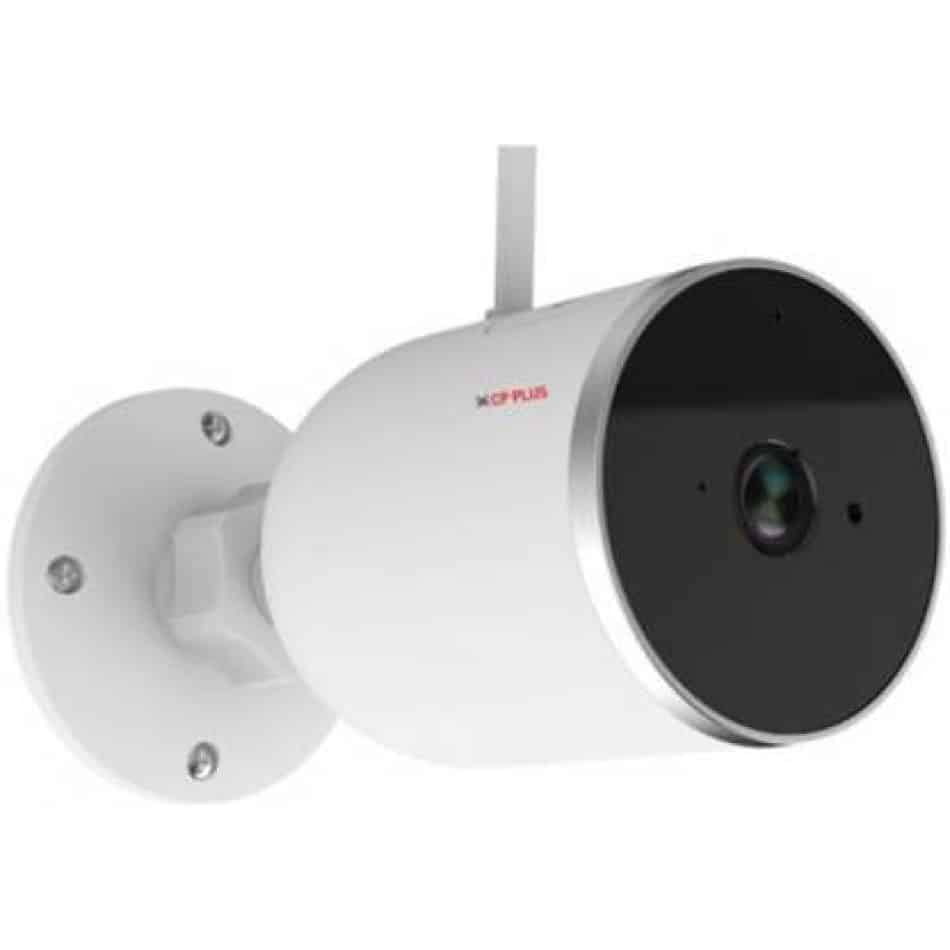
ຮູບພາບ: ຂ້າງ view of the CP PLUS CP-V41A camera showing its mounting base and antenna, illustrating physical installation.
2. ການເຊື່ອມຕໍ່ເຄືອຂ່າຍ (Wi-Fi)
- ດາວໂຫລດ App ໄດ້: ຊອກຫາ the official CP PLUS mobile application on your smartphone's app store (iOS or Android) and install it.
- ສ້າງບັນຊີ: ເປີດ app ແລະລົງທະບຽນສໍາລັບບັນຊີໃຫມ່ຫຼືເຂົ້າສູ່ລະບົບຖ້າຫາກວ່າທ່ານມີແລ້ວ.
- ເພີ່ມອຸປະກອນ: Follow the in-app instructions to add your new camera. This typically involves:
- Scanning a QR code on the camera.
- Connecting your phone to the camera's temporary Wi-Fi hotspot.
- Selecting your home Wi-Fi network and entering its password.
- ສໍາເລັດ: Once connected, the camera's status indicator will change, and you will see the camera online in your app.
ຄໍາແນະນໍາການດໍາເນີນງານ
1. ມີຊີວິດ View ແລະການບັນທຶກ
- ເຂົ້າເຖິງສົດ View: Open the CP PLUS app and select your camera from the device list to view ອາຫານສົດ.
- ການບັນທຶກຄູ່ມື: Tap the record button in the app to start or stop manual video recording.
- ພາບລວມ: Use the snapshot button to capture still images from the live feed.
2. ກວດຈັບການເຄື່ອນໄຫວ ແລະການແຈ້ງເຕືອນ
- ເປີດໃຊ້ການກວດຈັບການເຄື່ອນໄຫວ: Navigate to the camera settings in the app and enable motion detection.
- ປັບຄວາມອ່ອນໄຫວ: Set the motion detection sensitivity to minimize false alarms.
- Set Alert Schedule: Configure specific times or days for receiving motion alerts.
- ຮັບການແຈ້ງເຕືອນ: The app will send push notifications to your smartphone when motion is detected.
3. ວິໄສທັດກາງຄືນ
The camera automatically switches to night vision mode in low-light conditions, utilizing its infrared (IR) LEDs to provide clear black-and-white video up to 15 meters. Ensure no obstructions block the IR lights for optimal performance.
4. Smart Home Integration (Google Assistant / Amazon Alexa)

Image: The CP PLUS CP-V41A camera integrated into a smart home environment, indicating compatibility with Google Assistant.
- ເຊື່ອມໂຍງບັນຊີ: In your Google Home or Amazon Alexa app, search for the CP PLUS skill/service and link your CP PLUS account.
- ຄົ້ນພົບອຸປະກອນ: Once linked, ask your smart assistant to discover new devices.
- ຄຳສັ່ງສຽງ: ດຽວນີ້ທ່ານສາມາດໃຊ້ຄຳສັ່ງສຽງເພື່ອ view your camera feed on compatible smart displays (e.g., "Hey Google, show me the front door camera" or "Alexa, show me the living room camera").
ບໍາລຸງຮັກສາ
- ທໍາຄວາມສະອາດ:
- ເຊັດເລນກ້ອງຖ່າຍຮູບ ແລະ ຕົວກ້ອງດ້ວຍຜ້າອ່ອນໆ ແລະ ແຫ້ງ.
- ຢ່າໃຊ້ສານເຄມີທີ່ຮຸນແຮງຫຼືນໍ້າຢາ ທຳ ຄວາມສະອາດທີ່ຫຍາບຄາຍ.
- ໃຫ້ແນ່ໃຈວ່າກ້ອງຖ່າຍຮູບຖືກປິດແລ້ວກ່ອນທຳຄວາມສະອາດ.
- ການອັບເດດເຟີມແວ: Regularly check the CP PLUS app for available firmware updates. Updates often include performance improvements, new features, and security enhancements. Follow the in-app instructions to perform updates.
- ການຈັດການການເກັບຮັກສາ: If using a local storage (e.g., microSD card, not included), periodically review ແລະຈັດການ foo ບັນທຶກtage to ensure sufficient space.
ການແກ້ໄຂບັນຫາ
| ບັນຫາ | ສາເຫດທີ່ເປັນໄປໄດ້ | ການແກ້ໄຂ |
|---|---|---|
| ກ້ອງຖ່າຍຮູບບໍ່ເປີດ. | ອະແດັບເຕີໄຟບໍ່ໄດ້ເຊື່ອມຕໍ່ ຫຼື ມີບັນຫາ. | Ensure the power adapter is securely connected to the camera and a working power outlet. Try a different outlet. |
| ບໍ່ສາມາດເຊື່ອມຕໍ່ກັບ Wi-Fi ໄດ້. | Incorrect Wi-Fi password, weak signal, or camera too far from router. | Verify Wi-Fi password. Move the camera closer to the router. Ensure your router is broadcasting a 2.4GHz network (5GHz is not supported by many smart devices). Reset the camera and try pairing again. |
| ຄຸນນະພາບຮູບພາບບໍ່ດີ ຫຼື ວິດີໂອມົວ. | Protective film on lens, dirty lens, or insufficient lighting. | Remove any protective film. Clean the lens with a soft cloth. Ensure adequate lighting or check night vision functionality. |
| ການກວດຈັບການເຄື່ອນໄຫວບໍ່ເຮັດວຽກ. | Motion detection disabled, sensitivity too low, or incorrect schedule. | Check app settings to ensure motion detection is enabled, sensitivity is appropriate, and the schedule is correctly configured. |
| No sound or poor audio. | Microphone/speaker blocked, app volume low, or network issues. | Ensure nothing is obstructing the microphone or speaker. Check volume settings in the app and on your phone. Verify stable network connection. |
ຂໍ້ມູນຈໍາເພາະ
| ຄຸນສົມບັດ | ລາຍລະອຽດ |
|---|---|
| ໝາຍເລກຕົວແບບ | CP-V41A |
| ເຊັນເຊີຮູບພາບ | 1/2.8” 4MP CMOS (0.9071cm) |
| ເລນ | 3.6ມມ |
| ການບີບອັດວິດີໂອ | H.265 |
| ການເຊື່ອມຕໍ່ | Wi-Fi, ອີເທີເນັດ |
| ໄລຍະຫ່າງ IR | 15 Mtr. |
| ການປົກປ້ອງຂາເຂົ້າ | IP65 |
| ຄວາມເຂົ້າກັນໄດ້ຂອງຜູ້ຊ່ວຍອັດສະລິຍະ | ຜູ້ຊ່ວຍ Google, Amazon Alexa |
| ແຫຼ່ງພະລັງງານ | ໄຟຟ້າສາຍ |
| ການນຳໃຊ້ພາຍໃນ/ນອກ | ພາຍໃນ, ກາງແຈ້ງ |
| ນ້ໍາຫນັກລາຍການ | 460 g |
| ຂະໜາດ (LxWxH) | 20 x 10 x 5 ຊັງຕີແມັດ |
| ອົງປະກອບລວມ | ອະແດັບເຕີ |

Image: An office setting with the CP PLUS CP-V41A camera mounted, illustrating its 4MP CMOS image sensor capability.
ການຮັບປະກັນແລະການສະຫນັບສະຫນູນ
CP PLUS products are designed for reliability and performance. For warranty information, please refer to the warranty card included with your product or visit the official CP PLUS website. For technical support, troubleshooting assistance, or service inquiries, please contact CP PLUS customer support through their official channels.
ໝາຍເຫດ: ຂໍ້ມູນສະເພາະ ແລະ ຄຸນສົມບັດຂອງຜະລິດຕະພັນແມ່ນມີການປ່ຽນແປງໂດຍບໍ່ຕ້ອງແຈ້ງໃຫ້ຮູ້ລ່ວງໜ້າ.


