ແນະນຳ
Thank you for choosing the BUFFBEE Sound Machine & Alarm Clock. This versatile 2-in-1 device combines a high-quality sound machine with a fully functional alarm clock, designed to help you achieve restful sleep and wake up refreshed. Its intuitive controls and customizable features make it an essential addition to any bedroom.

Image: The Buffbee Sound Machine and Alarm Clock highlighting its dual functionality as both a sound machine and an alarm clock.
ຂໍ້ມູນຄວາມປອດໄພ
- ຢ່າປ່ອຍໃຫ້ອຸປະກອນຖືກນ້ໍາຫຼືຄວາມຊຸ່ມຊື່ນຫຼາຍເກີນໄປ.
- ຢູ່ຫ່າງຈາກແຫຼ່ງຄວາມຮ້ອນແລະແສງແດດໂດຍກົງ.
- ໃຊ້ພຽງແຕ່ອະແດັບເຕີໄຟທີ່ໃຫ້ມາ.
- ຢ່າພະຍາຍາມຖອດປະກອບ ຫຼືສ້ອມແປງອຸປະກອນດ້ວຍຕົນເອງ. ຕິດຕໍ່ຝ່າຍຊ່ວຍເຫຼືອລູກຄ້າເພື່ອຂໍຄວາມຊ່ວຍເຫຼືອ.
- ໃຫ້ແນ່ໃຈວ່າອຸປະກອນຖືກວາງຢູ່ເທິງພື້ນຜິວທີ່ຮາບພຽງ.
ເນື້ອໃນຊຸດ
- BUFFBEE Sound Machine & Alarm Clock (Model: BK11)
- Power Adapter
- ຄູ່ມືຜູ້ໃຊ້
ສິນຄ້າເກີນview
ຄຸ້ນເຄີຍກັບອົງປະກອບ ແລະ ການຄວບຄຸມຂອງອຸປະກອນ:

Image: A detailed diagram illustrating the top panel controls (Alarm, Volume Control, Sound Machine, Night Light) and the rear panel (Display Dimmer, Adapter port).
- ການຄວບຄຸມແຜງເທິງ: Alarm button, Timer button, Volume Up/Down, Previous/Next Sound, Sound Machine button, Night Light button.
- ຈໍສະແດງຜົນດ້ານຫນ້າ: ຈໍສະແດງຜົນໂມງດິຈິຕອນ.
- ແສງລຸ່ມ: Integrated colored light.
- ກະດານດ້ານຫລັງ: DC 5V Adapter port, 0-100% Display Dimmer knob.
ຕັ້ງຄ່າ
- ການຈັດວາງ: Place the device on a stable surface, such as a nightstand or desk.
- ການເຊື່ອມຕໍ່ພະລັງງານ: Insert the power adapter into the DC 5V port on the rear of the device, then plug it into a standard electrical outlet.
- ການເປີດເຄື່ອງເບື້ອງຕົ້ນ: ຈໍສະແດງຜົນໂມງຈະສະຫວ່າງ.
- ຕັ້ງເວລາ: Refer to the 'Operating Instructions' section for setting the current time.
ຄໍາແນະນໍາການດໍາເນີນງານ
ກໍານົດເວລາ
- ກົດຄ້າງໄວ້ ເວລາ button (clock icon) on the top panel until the hour digits flash.
- ໃຊ້ ທີ່ຜ່ານມາ (◀︎) or ຕໍ່ໄປ (▶︎) buttons to adjust the hour.
- ກົດ ເວລາ ກົດປຸ່ມອີກຄັ້ງເພື່ອຢືນຢັນຊົ່ວໂມງ ແລະ ຍ້າຍໄປຕັ້ງຄ່ານາທີ.
- ໃຊ້ ທີ່ຜ່ານມາ (◀︎) or ຕໍ່ໄປ (▶︎) buttons to adjust the minutes.
- ກົດ ເວລາ button one more time to confirm the minutes and exit time setting.
ການຕັ້ງຄ່າປຸກ
- ກົດຄ້າງໄວ້ ປຸກ button (bell icon) on the top panel until the alarm hour digits flash.
- ໃຊ້ ທີ່ຜ່ານມາ (◀︎) or ຕໍ່ໄປ (▶︎) buttons to adjust the alarm hour.
- ກົດ ປຸກ button again to confirm the hour and move to alarm minute setting.
- ໃຊ້ ທີ່ຜ່ານມາ (◀︎) or ຕໍ່ໄປ (▶︎) buttons to adjust the alarm minutes.
- ກົດ ປຸກ button one more time to confirm the minutes. The alarm icon will appear on the display, indicating the alarm is set.
- ເພື່ອປິດໂມງປຸກ, ໃຫ້ກົດປຸ່ມ ປຸກ button once. The alarm icon will disappear.
Using the Sound Machine
The device offers 18 soothing sounds, including 5 white noises, 3 fan sounds, and 10 nature sounds (ocean, lullaby, waves, rain, thunderstorm, brook, croaking, bird chirping, summer night, and campໄຟ).
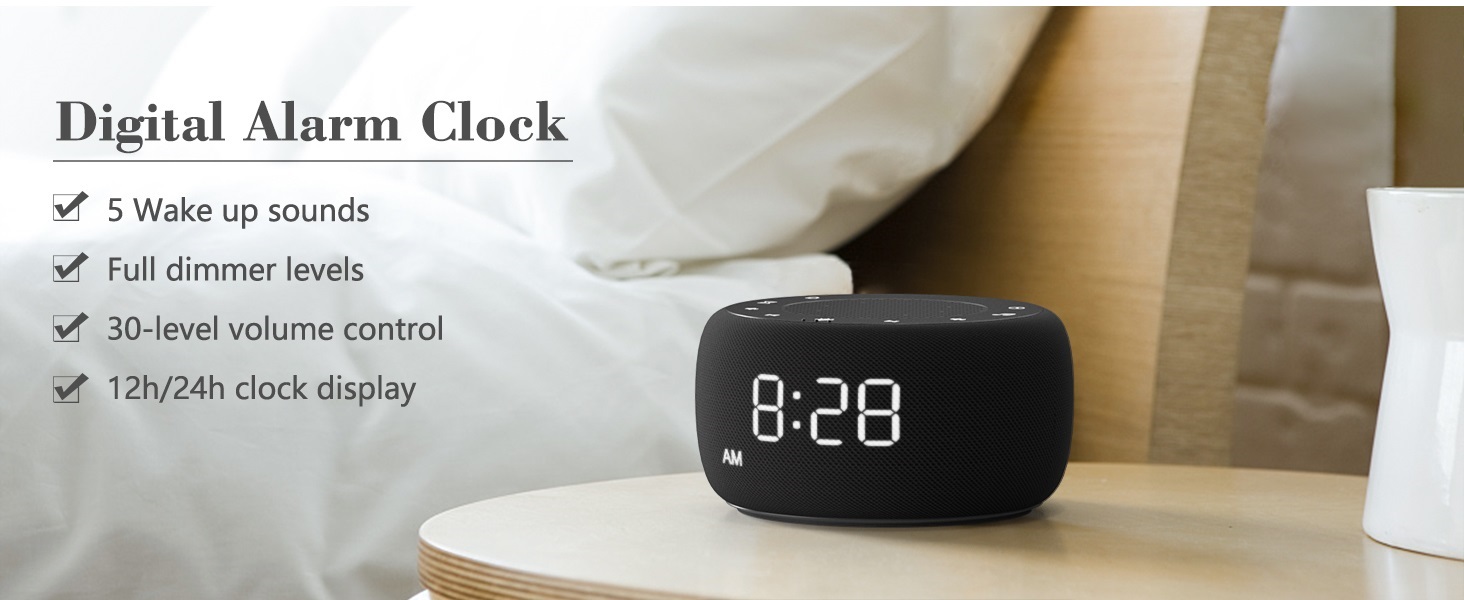
Image: An infographic displaying the 18 soothing sounds categorized into 3 fan sounds, 5 white noises, and 10 nature sounds, including ocean, lullaby, waves, rain, thunderstorm, brook, croaking, bird chirping, summer night, and campໄຟ.
- ກົດ ເຄື່ອງສຽງ button (music note icon) to cycle through the available sounds.
- ໃຊ້ ປະລິມານຂຶ້ນ (▲) ແລະ ປະລິມານລົງ (▼) buttons to adjust the volume (30 levels).
- To turn off the sound, press the ເຄື່ອງສຽງ button until no sound is playing.
ຈັບເວລານອນ
Set a timer for the sound machine to automatically turn off.

Image: The top panel of the Buffbee Sound Machine, highlighting the Auto-Off Timer button and the Volume Control buttons.
- ກົດ ໂມງຈັບເວລາ button (hourglass icon) to cycle through timer options: 15, 30, 60, 90, 120 minutes, or continuous play.
- The selected timer duration will be displayed on the screen.
Adjusting Clock Face Brightness
The clock display brightness can be adjusted from 0% (completely dark) to 100%.

Image: The Buffbee Sound Machine demonstrating its 0-100% display dimmer feature, showing the clock face at 0%, partial, and 100% brightness.
- ຄົ້ນຫາສະຖານທີ່ ສະແດງ Dimmer knob on the rear of the device.
- Rotate the knob to increase or decrease the brightness of the clock display to your preference.
Using the Bottom Colored Light
The device features a bottom light with 7 color options to create a relaxing ambiance.

Image: The Buffbee Sound Machine displaying its bottom colored light feature, showing various color options and the ability to turn it on or off.
- ກົດ ແສງກາງຄືນ button (light bulb icon) to cycle through the 7 color options.
- Continue pressing the button to turn the light off.
ບໍາລຸງຮັກສາ
- ທໍາຄວາມສະອາດ: ເຊັດອຸປະກອນດ້ວຍຜ້າອ່ອນໆ, ແຫ້ງ. ຢ່າໃຊ້ເຄື່ອງເຮັດຄວາມສະອາດຂັດຫຼືສານລະລາຍ.
- ການເກັບຮັກສາ: ເມື່ອບໍ່ໄດ້ໃຊ້ເປັນເວລາດົນ, ໃຫ້ເກັບຮັກສາອຸປະກອນໄວ້ໃນບ່ອນທີ່ເຢັນ, ແຫ້ງ.
ການແກ້ໄຂບັນຫາ
| ບັນຫາ | ສາເຫດທີ່ເປັນໄປໄດ້ | ການແກ້ໄຂ |
|---|---|---|
| ອຸປະກອນບໍ່ເປີດ. | Power adapter not connected properly or power outlet issue. | ໃຫ້ແນ່ໃຈວ່າອະແດບເຕີໄຟຟ້າໄດ້ສຽບເຂົ້າກັບອຸປະກອນຢ່າງແໜ້ນໜາ ແລະ ມີປລັກສຽບໄຟຟ້າທີ່ໃຊ້ໄດ້. ລອງໃຊ້ປລັກສຽບອື່ນ. |
| Clock display is too bright/dim. | Display dimmer setting needs adjustment. | Adjust the 0-100% Display Dimmer knob on the rear of the device. |
| ສຽງບໍ່ດັງພໍ. | ປະລິມານຖືກຕັ້ງໄວ້ຕໍ່າເກີນໄປ. | ກົດ ປະລິມານຂຶ້ນ (▲) button to increase the volume. The device has 30 volume levels. |
| ໂມງປຸກບໍ່ມີສຽງ. | Alarm is not set or is turned off. | Ensure the alarm is set correctly and the alarm icon is visible on the display. |
ຂໍ້ມູນຈໍາເພາະ
| ຄຸນສົມບັດ | ລາຍລະອຽດ |
|---|---|
| ໝາຍເລກຕົວແບບ | BK11 |
| ຂະໜາດ | 5.63 x 4.57 x 3.03 ນິ້ວ |
| ນ້ຳໜັກ | 11.64 ອອນ |
| ແຫຼ່ງພະລັງງານ | Battery Powered (for backup) / AC Adapter |
| ລຳໂພງ Output | 5W |
| ຕົວເລືອກສຽງ | 18 (5 white noises, 3 fan sounds, 10 nature sounds) |
| ລະດັບສຽງ | 30 |
| ຈັບເວລານອນ | 15, 30, 60, 90, 120 minutes, or continuous |
| ຄວາມສະຫວ່າງຂອງຈໍສະແດງຜົນໂມງ | 0-100% ປັບໄດ້ |
| Bottom Light Colors | 7 ທາງເລືອກ |
| ວັດສະດຸ | ພາດສະຕິກ, Acrylonitrile Butadiene Styrene (ABS) |
ການຮັບປະກັນແລະການສະຫນັບສະຫນູນ
For warranty information and customer support, please refer to the contact details provided on the product packaging or visit the official BUFFBEE webເວັບໄຊ. ຮັກສາໃບຮັບເງິນການຊື້ຂອງທ່ານສໍາລັບການຮ້ອງຂໍການຮັບປະກັນ.


