1. ຜະລິດຕະພັນເກີນview
The BISOFICE 3-IN-1 Mini Projector is a versatile and portable device designed for various entertainment and presentation needs. Featuring Android TV 9.0, WiFi, and Bluetooth connectivity, it delivers 1080P HD projection with 150 ANSI lumens and automatic vertical keystone correction.
ຄຸນນະສົມບັດທີ່ສໍາຄັນ:
- Upgraded Performance & 1080P HD Projection: Android 9.0 system for smooth operation, 400:1 contrast ratio, 35,000-hour LED bulb lifetime, 100 ANSI lumens for clear images, and advanced color restoration technology.
- Low Noise 3-Side Stereo Speakers: Advanced noise reduction (max 28BD fan noise) and unique 3-sided speakers for clear, three-dimensional audio. Supports external speakers.
- ຫຼາຍການໂຕ້ຕອບ: Equipped with HDMI, VGA, AV, and USB ports for connecting smartphones, laptops, tablets, USB drives, and TV boxes.
- Travel Portable: Compact and lightweight design, 7000 mAh battery for 1-2 movies, supports Type-C mobile power supply or car charger (5V/2.5A required).
- ຄວາມລະອຽດທີ່ປັບປຸງແລ້ວ: Natural resolution increased to 800*480 for improved brightness and color saturation.
ເນື້ອໃນຊຸດ:
- BISOFICE 3-IN-1 Mini Projector
- ການຄວບຄຸມໄລຍະໄກ
- ປະເພດ C ສາຍ
- USB Flash Disk
- ສາຍໄຟ 1.2 ແມັດ
- ສາຍ HDMI 1m
- ຂາຕັ້ງໂຕະ

Image: All items included in the BISOFICE Mini Projector package, including the projector, remote, cables, and tripod.
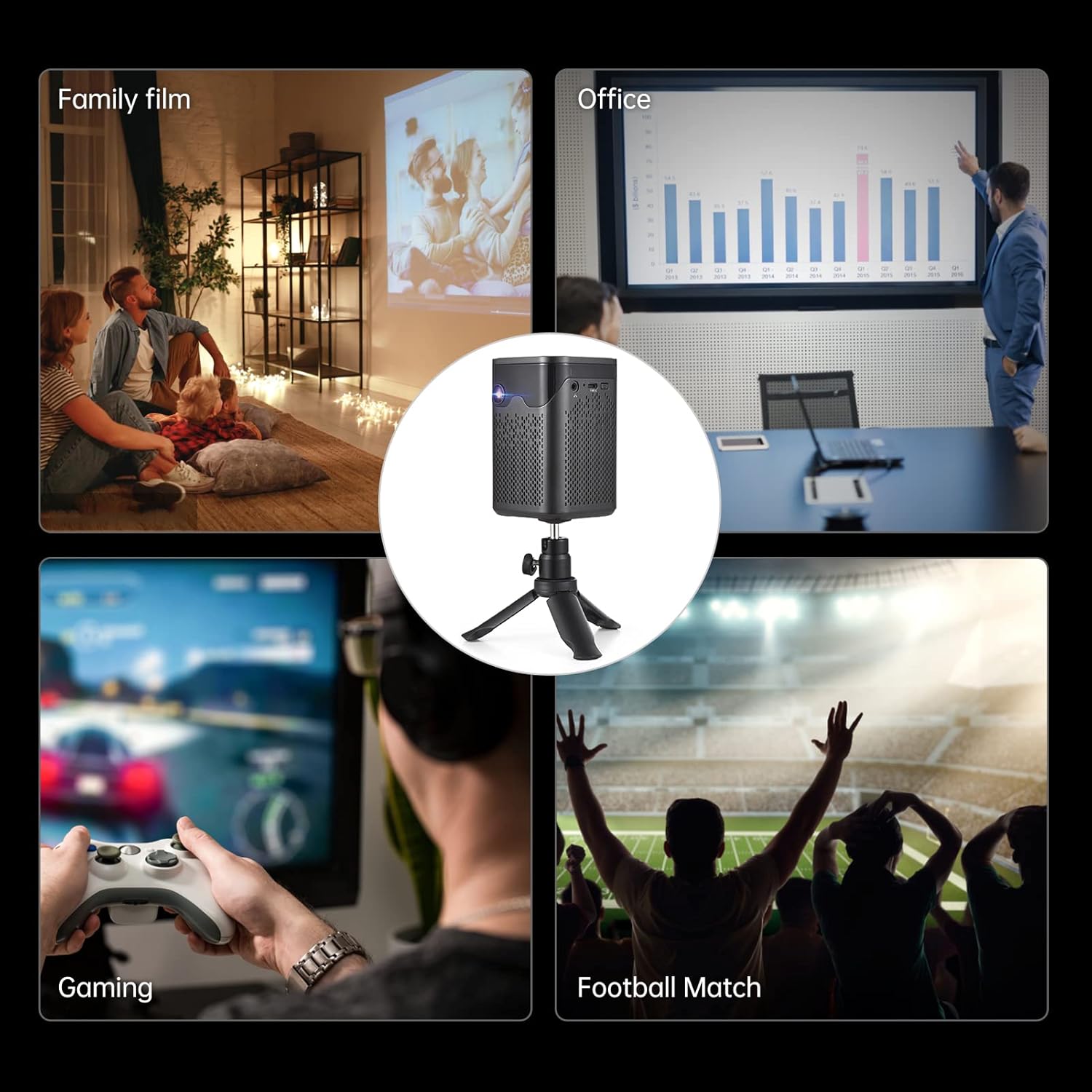
Image: A collage showing various usage scenarios for the projector, including family movie night, office presentations, gaming, and watching sports.
2. ຄູ່ມືການຕິດຕັ້ງ
2.1 ການຕິດຕັ້ງເບື້ອງຕົ້ນ
- ເປີດ: Connect the projector to a power source using the provided power cord or use the built-in 7000 mAh battery. Press the power button on the projector or remote control to turn it on.
- ການຈັດວາງ: ວາງໂປເຈັກເຕີຢູ່ເທິງພື້ນທີ່ຮາບພຽງທີ່ຫມັ້ນຄົງ. ສໍາລັບທີ່ດີທີ່ສຸດ viewing, position it perpendicular to the projection surface. The included tripod can be used for flexible placement.
- ການປັບຈຸດສຸມ: Use the focus wheel on the side of the projector to achieve a clear image.
- ການແກ້ໄຂ Keystone: The projector features auto-vertical keystone correction. If the image appears trapezoidal, the projector will automatically adjust it. Manual adjustment options may also be available in the settings.

Image: The BISOFICE Mini Projector shown with its remote control and a smartphone, highlighting its compact size and connectivity options.
2.2 ອຸປະກອນເຊື່ອມຕໍ່
The projector offers multiple ways to connect your devices:
- HDMI: Connect laptops, gaming consoles, or TV boxes using an HDMI cable.
- USB: Plug in USB drives for direct media playback.
- ຂອງ: ເຊື່ອມຕໍ່ອຸປະກອນເກົ່າໂດຍໃຊ້ສາຍ AV.
- ປະເພດ -C: Use the Type-C port for power input or connecting compatible devices.
- WiFi: ເຊື່ອມຕໍ່ກັບເຄືອຂ່າຍເຮືອນຂອງທ່ານສໍາລັບການສະຕຣີມແລະເນື້ອໃນອອນໄລນ໌.
- Bluetooth: Pair with external Bluetooth speakers, headphones, or input devices like a mouse or keyboard.

Image: A hand holding the compact BISOFICE Mini Projector, illustrating its portable design and small dimensions (74x74x110mm, 410g).
3. ຄໍາແນະນໍາການດໍາເນີນງານ
3.1 Navigating the Android TV 9.0 Interface
The projector runs on Android TV 9.0, providing access to various applications and settings. Use the remote control to navigate the interface.
- ໜ້າຈໍຫຼັກ: Access pre-installed apps like Netflix, YouTube, and Google Play.
- ການຕັ້ງຄ່າ: Adjust network, Bluetooth, language, date/time, and projection settings.
- ການປະຕິບັດຫນ້າຈໍສໍາພັດ: The top panel of the projector features touch controls for basic navigation and volume adjustment.

Image: The projector operating in Bluetooth Speaker Mode, connected to a smartphone playing music, demonstrating its audio capabilities.
3.2 ການຕັ້ງຄ່າການສະແດງພາບ
Access the "Projection Setting" menu to fine-tune your viewປະສົບການ:
- ໂໝດການສາຍ: Adjust for front, rear, ceiling front, or ceiling rear projection.
- ການແກ້ໄຂ Keystone: Manual adjustment for image shape if needed.
- ການປັບຄວາມສະຫວ່າງ: Control the image brightness.
- ແບບຂະຫຍາຍ: Adjust the screen size without moving the projector.

Image: The projector displaying the Android 9 Smart OS interface, showing various applications like Netflix, YouTube, and Google Play.
3.3 Video Playback and Connectivity
Enjoy movies, videos, and games by connecting your devices or streaming directly:
Video: A demonstration of the BISOFICE Mini Projector's interface, settings, and projection capabilities, including network and language settings, and media playback.
ວີດີໂອ: ຫຍໍ້ໆview of the Mini Projector with WiFi and Bluetooth, showcasing its compact design, touch screen operation, headphone jack, battery life, keystone correction, and various usage scenarios.
4. ບໍາລຸງຮັກສາ
4.1 ການທໍາຄວາມສະອາດ
- ເລນ: Gently wipe the projector lens with a soft, lint-free cloth. Avoid abrasive materials or harsh chemicals.
- ພາຍນອກ: Clean the exterior of the projector with a dry or slightly damp soft cloth. Do not use liquid cleaners directly on the device.
- ການລະບາຍອາກາດ: ໃຫ້ແນ່ໃຈວ່າຊ່ອງລະບາຍອາກາດມີຂີ້ຝຸ່ນແລະສິ່ງເສດເຫຼືອເພື່ອປ້ອງກັນຄວາມຮ້ອນເກີນ.
4.2 ລamp ຕະຫຼອດຊີວິດ
The projector uses an LED light source with an estimated lifetime of 35,000 hours, providing long-term use without frequent lamp ການທົດແທນ.

Image: Graphic illustrating the projector's LED lamp lifetime of 30,000 hours and 100 ANSI lumens brightness.
5. ການແກ້ໄຂບັນຫາ
- ບໍ່ມີຮູບພາບ:
- ໃຫ້ແນ່ໃຈວ່າໂປເຈັກເຕີເປີດຢູ່ ແລະ ເຊື່ອມຕໍ່ຢ່າງຖືກຕ້ອງ.
- ກວດສອບການເລືອກແຫຼ່ງທີ່ມາຂອງອິນພຸດ.
- Verify the projection surface is clear.
- ຮູບມົວ:
- Adjust the focus wheel until the image is sharp.
- Ensure the projector is within the recommended projection distance (0.5m-3m for 10-100 inches).
- Check keystone correction settings.
- ບໍ່ມີສຽງ:
- ເພີ່ມລະດັບສຽງໃນໂປເຈັກເຕີ ແລະອຸປະກອນທີ່ເຊື່ອມຕໍ່.
- Check audio output settings on the connected device.
- Ensure Bluetooth speakers are properly paired if used.
- ບັນຫາການເຊື່ອມຕໍ່ (WiFi/Bluetooth):
- Ensure WiFi/Bluetooth is enabled on both the projector and the device.
- ປິດເປີດໂປເຈັກເຕີ ແລະ ອຸປະກອນທີ່ເຊື່ອມຕໍ່ຄືນໃໝ່.
- Check network settings and password for WiFi.
6. ຂໍ້ມູນຈໍາເພາະ
| ຄຸນສົມບັດ | ລາຍລະອຽດ |
|---|---|
| ຍີ່ຫໍ້ | ສຳນັກງານໃຫຍ່ |
| ໝາຍເລກຕົວແບບ | 3-IN-1 Mini Projector |
| ລະບົບປະຕິບັດການ | Android 9.0 |
| ເຕັກໂນໂລຊີການສະແດງ | DLP |
| ຄວາມລະອຽດການສະແດງ | 3840 x 2160 (4K supported) |
| ຄວາມສະຫວ່າງ | 150 ANSI Lumens |
| ອັດຕາສ່ວນກົງກັນຂ້າມ | 400:1 |
| ການເຊື່ອມຕໍ່ | WiFi, Bluetooth, HDMI, VGA, AV, USB, Type-C |
| ປະເພດລຳໂພງ | Built-In 3W Stereo Speakers |
| ແບັດເຕີຣີ | 7000 mAh (up to 1-2 movies playback) |
| ຂະໜາດ | 2.91 x 2.91 x 4.33 ນິ້ວ |
| ນ້ໍາຫນັກລາຍການ | 2.2 ປອນ |
| ຄຸນນະສົມບັດພິເສດ | HDMI Connectivity, Portable, USB Connectivity, Auto-Vertical Keystone |
7. ການຮັບປະກັນແລະການສະຫນັບສະຫນູນ
This BISOFICE product comes with a standard manufacturer's warranty. Please refer to the warranty card included in your package for specific terms and conditions. For technical support, troubleshooting assistance, or warranty claims, please contact BISOFICE customer service through their official webເວັບໄຊທ໌ຫຼືຮ້ານຂາຍຍ່ອຍບ່ອນທີ່ຜະລິດຕະພັນໄດ້ຖືກຊື້.
ຮັກສາໃບຮັບເງິນຊື້ ແລະໝາຍເລກຊີຣຽວຂອງຜະລິດຕະພັນໄວ້ໃຫ້ສະດວກເມື່ອຕິດຕໍ່ກັບຝ່າຍຊ່ວຍເຫຼືອ.


