1. ບົດແນະນຳ
This manual provides detailed instructions for the setup, operation, and maintenance of your HEAD LOS Angeles H160305 Smartwatch. Please read this manual thoroughly to ensure proper use and to maximize the benefits of your device.
The HEAD LOS Angeles H160305 is a versatile smartwatch designed for both men and women, featuring a 1.78-inch color display, health monitoring capabilities, and smart notifications. It is compatible with iOS and Android devices.
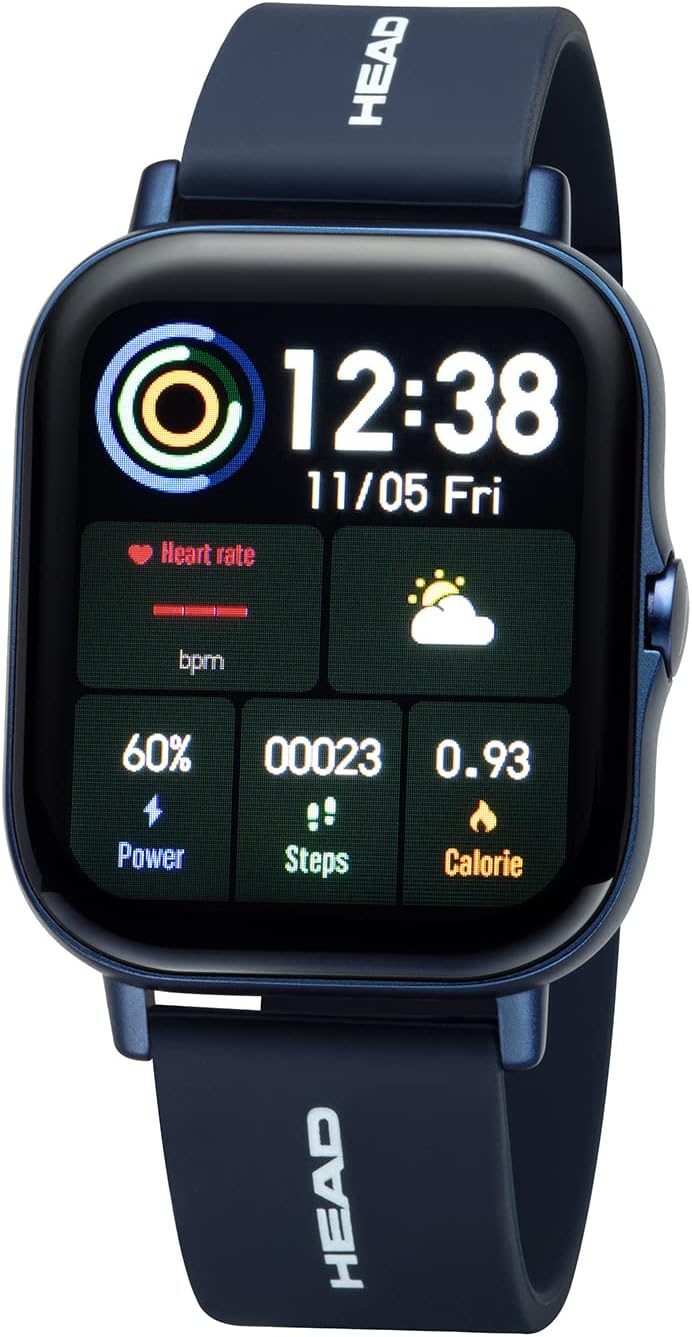
ຮູບທີ 1.1: ດ້ານໜ້າ view of the HEAD LOS Angeles H160305 Smartwatch, displaying time, heart rate, power, steps, and calorie data on its vibrant screen.
2. ເນື້ອໃນຊຸດ
ເມື່ອເປີດແພັກເກັດ, ກວດເບິ່ງວ່າສິນຄ້າທັງໝົດມີຢູ່:
- HEAD LOS Angeles H160305 Smartwatch
- Silicone Strap (pre-attached or separate)
- ສາຍສາກ
- ຄູ່ມືຜູ້ໃຊ້ (ເອກະສານນີ້)
3. ຕັ້ງຄ່າ
3.1. ການສາກ Smartwatch
Before first use, fully charge your smartwatch. Connect the charging cable to the charging contacts on the back of the watch and to a USB power source. The watch has a 200 mAh battery, providing up to 3 days of normal use and up to 5 days of standby time.

ຮູບທີ 3.1: ໃກ້ຊິດ view of the back of the HEAD LOS Angeles H160305 Smartwatch, highlighting the optical sensors and magnetic charging contacts.
3.2. ການຕິດຕັ້ງແອັບ
To unlock the full functionality of your smartwatch, download and install the companion application on your smartphone. The app is compatible with Android 4.4 and above, and iOS 8.0 and above. ຊອກຫາ the official HEAD Smartwatch app in your device's app store.
3.3. ການຈັບຄູ່ອຸປະກອນ
Once the app is installed and your smartwatch is charged:
- ເປີດໃຊ້ Bluetooth ໃນໂທລະສັບສະຫຼາດຂອງທ່ານ.
- Open the HEAD Smartwatch app.
- Follow the on-screen instructions within the app to search for and pair with your H160305 smartwatch. Ensure the smartwatch is powered on and within Bluetooth range (Bluetooth 4.0).
4. ຄໍາແນະນໍາການດໍາເນີນງານ
4.1. ການສະແດງແລະການນໍາທາງ
The smartwatch features a 1.78-inch color display. You can customize watch faces and adjust screen brightness to suit different environments.
- ໜ້າຈໍສຳຜັດ: ປັດຊ້າຍ, ຂວາ, ຂຶ້ນ ຫຼື ລົງເພື່ອນຳທາງຜ່ານເມນູ ແລະ ຄຸນສົມບັດຕ່າງໆ. ແຕະເພື່ອເລືອກຕົວເລືອກ.
- ປຸ່ມຂ້າງ: Typically used to return to the home screen, power on/off, or activate specific functions.
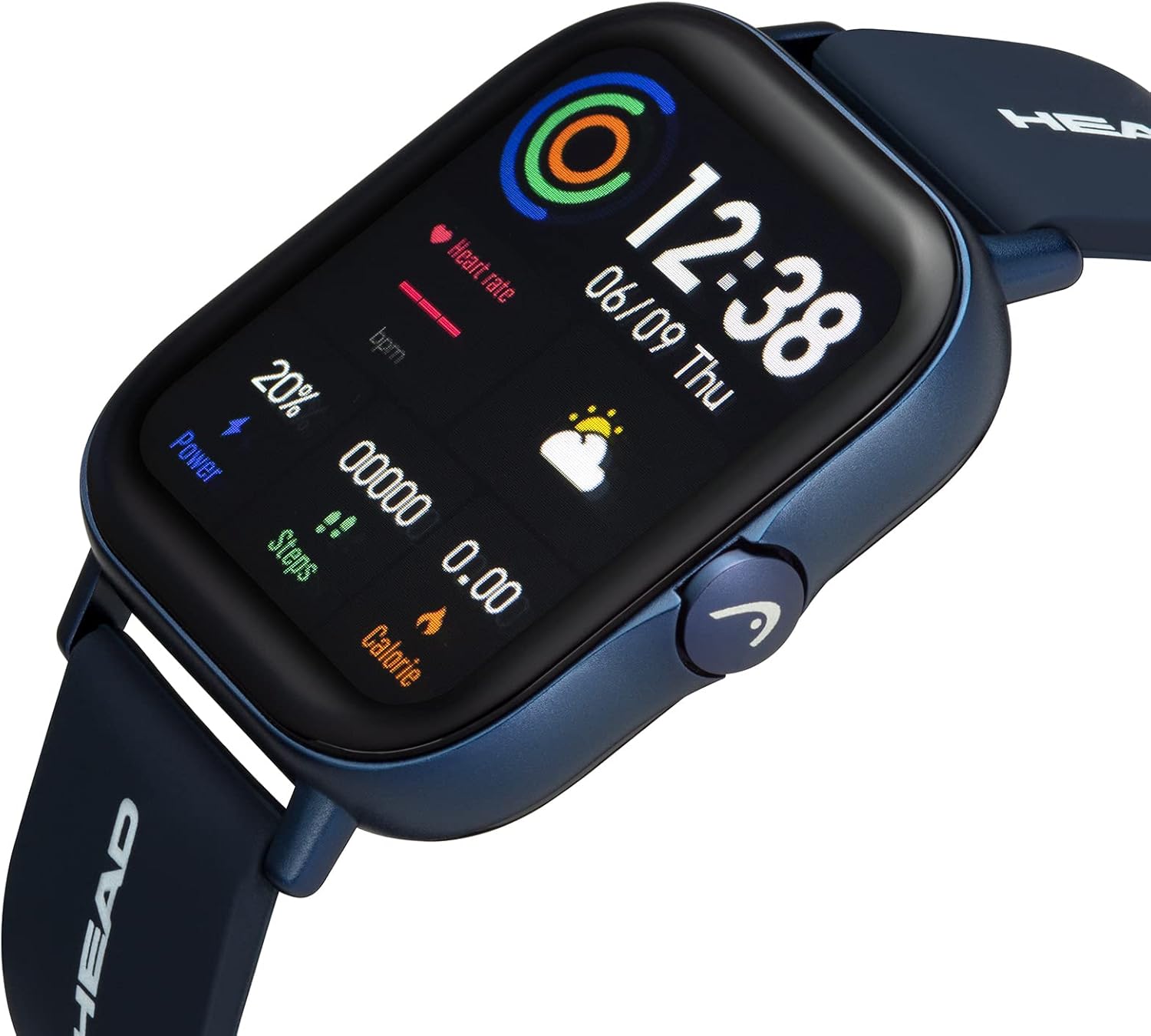
ຮູບທີ 4.1: ມຸມ view of the smartwatch, showcasing its display and the functional side button.
4.2. ປັບແຕ່ງໜ້າໂມງ
The smartwatch supports interchangeable watch faces. You can change them directly on the watch or through the companion app to personalize your device's appearance.

ຮູບທີ 4.2: A smartphone screen displaying a selection of customizable watch faces available through the companion application.
5. Health and Fitness Features
The HEAD LOS Angeles H160305 Smartwatch offers a comprehensive suite of health and fitness tracking features:
- ການກວດສອບອັດຕາການເຕັ້ນຫົວໃຈ: ຕິດຕາມອັດຕາການເຕັ້ນຂອງຫົວໃຈຂອງທ່ານຢ່າງຕໍ່ເນື່ອງຕະຫຼອດມື້.
- ECG: Electrocardiogram function for heart health assessment.
- ຄວາມດັນເລືອດ: Monitor your blood pressure levels.
- ຄວາມອີ່ມຕົວຂອງອົກຊີເຈນ (SpO2): ວັດແທກລະດັບອົກຊີເຈນໃນເລືອດ.
- ຈໍພາບການນອນ: ວິເຄາະຮູບແບບ ແລະ ຄຸນນະພາບການນອນຂອງທ່ານ.
- ໂໝດກິລາຫຼາຍປະເພດ: Track various activities with dedicated sport modes.
- ໂມງຢຸດ: ສໍາລັບກິດຈະກໍາທີ່ໃຊ້ເວລາ.
- ການຝຶກຊ້ອມການຫາຍໃຈ: ການຝຶກຫາຍໃຈແບບມີການແນະນຳເພື່ອການຜ່ອນຄາຍ.
- ຟັງຊັນນວດ: Provides gentle vibrations.
- Female Cycle Monitor: ຕິດຕາມ ແລະ ຄາດຄະເນຮອບວຽນປະຈຳເດືອນ.
- ເຕືອນການເຄື່ອນໄຫວ: ແຈ້ງເຕືອນທ່ານໃຫ້ເຄື່ອນຍ້າຍຫຼັງຈາກໄລຍະເວລາທີ່ບໍ່ມີການເຄື່ອນໄຫວ.
- ເຕືອນນ້ໍາ: Prompts you to drink water regularly.

ຮູບທີ 5.1: ຫຼາຍກວ່າview of the smartwatch's health and fitness features, including icons for heart rate, blood oxygen, ECG, blood pressure, sleep monitoring, and multi-sport modes.

ຮູບທີ 5.2: The smartwatch and a smartphone screen illustrating detailed sleep tracking data, showing sleep duration and quality analysis.
6. ຄຸນສົມບັດອັດສະລິຍະ
Stay connected and manage your daily tasks with these smart functionalities:
- ການແຈ້ງເຕືອນການຊຸກຍູ້: Receive alerts from your smartphone apps directly on your watch.
- ໂທ Bluetooth: Make and receive calls directly from your smartwatch.
- Messages & SMS Notifications: View incoming messages and SMS alerts.
- Contact Favorites: Access your most frequent contacts.
- Music App Remote Control: ຄວບຄຸມການຫຼິ້ນເພງໃນໂທລະສັບສະຫຼາດຂອງທ່ານ.
- ສະພາບອາກາດ: ຮັບການອັບເດດສະພາບອາກາດຕາມເວລາຈິງ.
- Find Smartphone/Smartwatch: ຊອກຫາອຸປະກອນທີ່ຈັບຄູ່ແລ້ວຂອງທ່ານ.
- ໂໝດກ້ອງຖ່າຍຮູບ: ຄວບຄຸມກ້ອງສະມາດໂຟນຂອງທ່ານຈາກໄລຍະໄກ.
- ການແຈ້ງເຕືອນ: Set various alarms, including movement alarms.

ຮູບທີ 6.1: The smartwatch screen showing an incoming message notification, alongside a smartphone displaying multiple app notifications.
7. ບໍາລຸງຮັກສາ
7.1. Water Resistance
The HEAD LOS Angeles H160305 Smartwatch is IP67 water-resistant. This means it is protected against dust ingress and can withstand immersion in water up to 1 meter for up to 30 minutes. It is suitable for daily use, such as hand washing or rain exposure, but not recommended for swimming or showering with hot water.
7.2. ທໍາຄວາມສະອາດ
ເພື່ອຮັກສາຮູບລັກສະນະ ແລະ ໜ້າທີ່ການເຮັດວຽກຂອງໂມງອັດສະລິຍະຂອງທ່ານ:
- ເຊັດໜ້າຈໍ ແລະ ຕົວເຄື່ອງດ້ວຍຜ້າອ່ອນໆ.amp ຜ້າ.
- ຫຼີກເວັ້ນການນໍາໃຊ້ສານເຄມີທີ່ຮຸນແຮງຫຼືວັດສະດຸຂັດ.
- ກວດໃຫ້ແນ່ໃຈວ່າບ່ອນຕິດຕໍ່ສາກໄຟສະອາດ ແລະແຫ້ງກ່ອນການສາກໄຟ.
8. ການແກ້ໄຂບັນຫາ
If you encounter issues with your smartwatch, try the following steps:
- ອຸປະກອນບໍ່ເປີດ: ກວດໃຫ້ແນ່ໃຈວ່າໂມງຖືກສາກເຕັມແລ້ວ.
- ບັນຫາການຈັບຄູ່: Check if Bluetooth is enabled on your phone and the watch is within range. Restart both devices and try pairing again.
- ການອ່ານທີ່ບໍ່ຖືກຕ້ອງ: Ensure the watch is worn snugly on your wrist, and the sensors are clean.
- ການແຈ້ງເຕືອນບໍ່ປາກົດ: Verify notification permissions are granted to the app on your smartphone.
For further assistance, refer to the support section of the companion app or contact customer service.
9. ຂໍ້ມູນຈໍາເພາະ
| ຄຸນສົມບັດ | ຂໍ້ມູນຈໍາເພາະ |
|---|---|
| ຍີ່ຫໍ້ | ຫົວ |
| ຊື່ຕົວແບບ | LOS ANGELES |
| ໝາຍເລກຕົວແບບ | H160305 |
| ສີ | ສີຟ້າ |
| ຂະໜາດໜ້າຈໍ | 1.78 ນິ້ວ |
| ການເຊື່ອມຕໍ່ | Bluetooth 4.0 |
| ຄວາມເຂົ້າກັນໄດ້ | Android 4.4+, iOS 8.0+ |
| ການຕໍ່ຕ້ານນ້ໍາ | IP67 |
| ຄວາມອາດສາມາດຫມໍ້ໄຟ | 200 mAh |
| ຄຸນນະສົມບັດພິເສດ | Time Display, Calendar, Activity Tracker, Heart Rate, ECG, Blood Pressure, SpO2, Sleep Monitor, Multi-Sport Mode, Notifications, Bluetooth Calls |
10. ການຮັບປະກັນແລະການສະຫນັບສະຫນູນ
For information regarding warranty coverage and customer support, please refer to the documentation included with your purchase or visit the official HEAD Watches website. You can also find support resources within the companion smartphone application.


