1. ບົດແນະນຳ
This manual provides essential instructions for the SOLTECH CCTV Remote Control, model RCWN00001B (also identified as EP10-001090A). This remote is specifically designed for use with various Samsung Wisenet Security & Surveillance Camera Systems, including DVRs and NVRs. Please read this manual thoroughly to ensure proper use and functionality of your remote control.
2. ຜະລິດຕະພັນເກີນview
The SOLTECH CCTV Remote Control is a dedicated device for managing your Samsung Wisenet security system. It replicates the functionality of the original remote control included with Wisenet All-In-One systems, providing convenient access to your DVR or NVR functions.
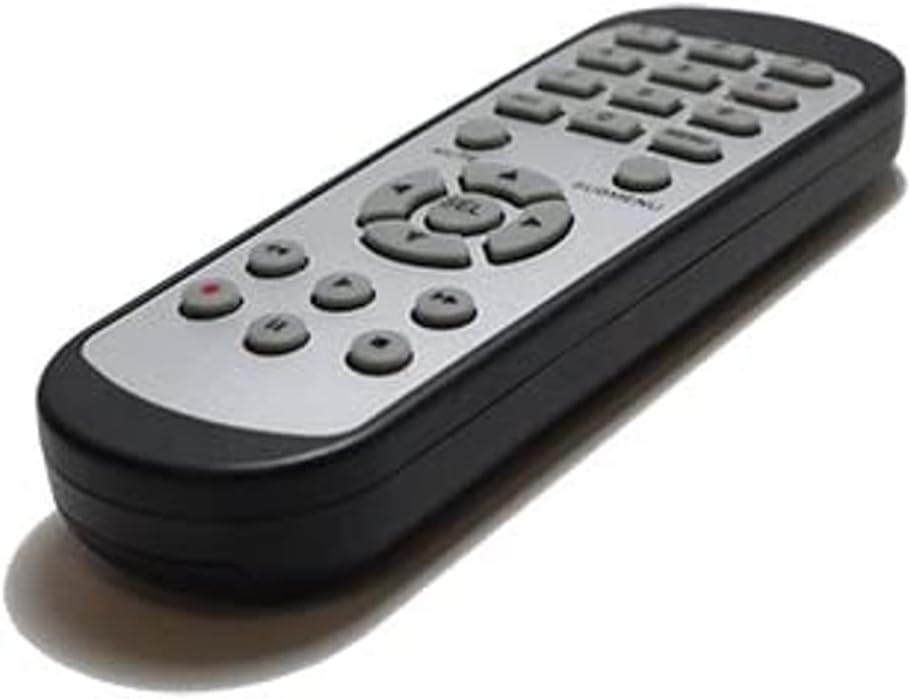
ຮູບພາບ 2.1: ດ້ານຫນ້າ view of the SOLTECH CCTV Remote Control (Model RCWN00001B / EP10-001090A).
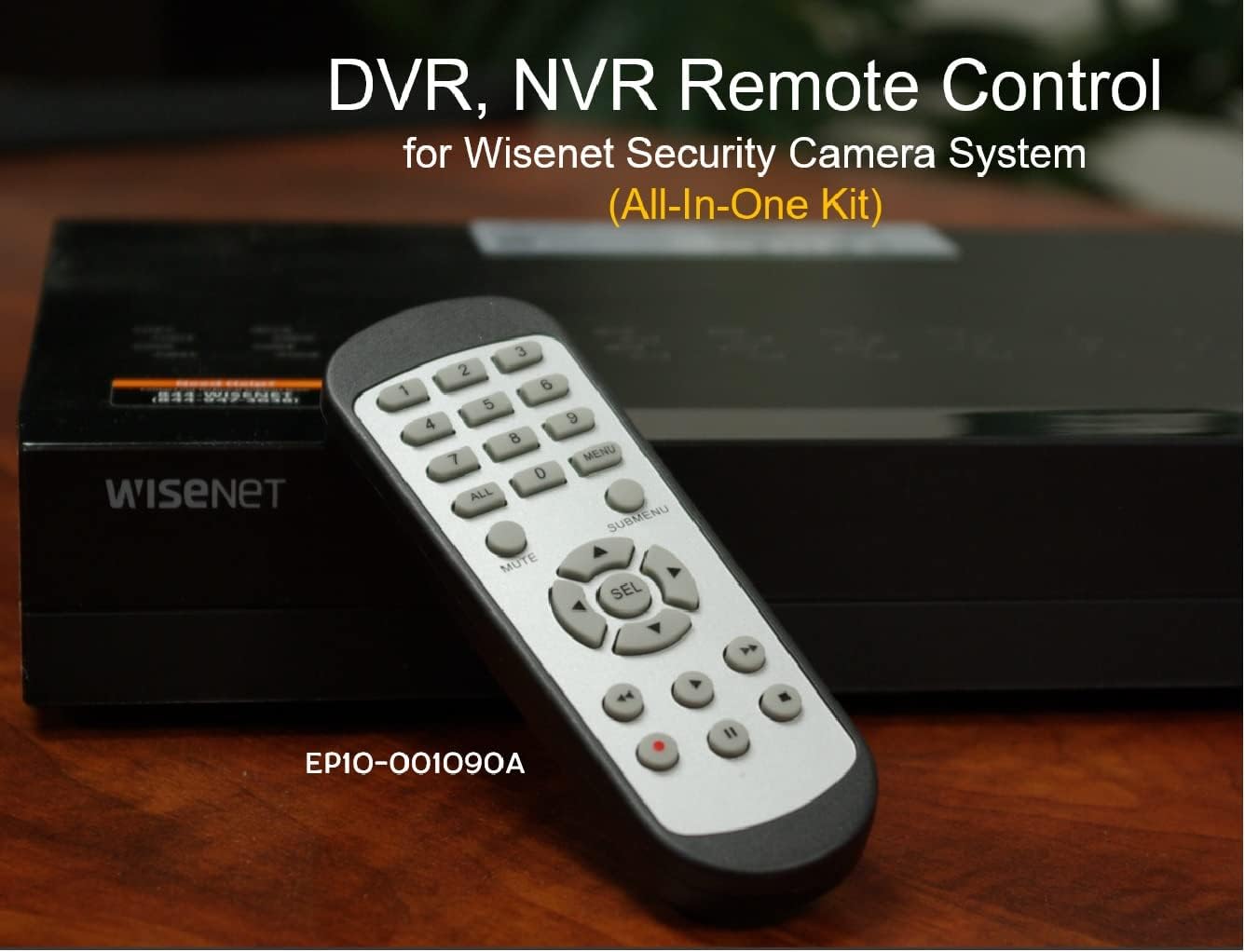
Image 2.2: The remote control positioned on a Wisenet Digital Video Recorder (DVR).
3. ຕັ້ງຄ່າ
This remote control requires two AAA batteries for operation. Batteries are not included with the product and must be purchased separately.
3.1 ການຕິດຕັ້ງຫມໍ້ໄຟ
- ຊອກຫາຊ່ອງໃສ່ຫມໍ້ໄຟຢູ່ດ້ານຫຼັງຂອງການຄວບຄຸມໄລຍະໄກ.
- ເລື່ອນຝາປິດຊ່ອງໃສ່ຫມໍ້ໄຟລົງລຸ່ມ ແລະຍົກມັນອອກ.
- ໃສ່ໝໍ້ໄຟ AAA ສອງໜ່ວຍ, ຮັບປະກັນຄວາມຂົ້ວທີ່ຖືກຕ້ອງ (+ ແລະ -) ຕາມທີ່ລະບຸໄວ້ພາຍໃນຊ່ອງ.
- ປ່ຽນຝາປິດຊ່ອງໃສ່ແບັດເຕີລີໂດຍການເລື່ອນມັນກັບຄືນໃສ່ບ່ອນເກົ່າຈົນກວ່າມັນຈະກົດຢ່າງປອດໄພ.

ຮູບພາບ 3.1: ດ້ານຫລັງ view ຂອງການຄວບຄຸມໄລຍະໄກທີ່ມີຊ່ອງຫມໍ້ໄຟເປີດ, ສະແດງບ່ອນທີ່ຈະໃສ່ຫມໍ້ໄຟ AAA.
3.2 ການເຊື່ອມຕໍ່ເບື້ອງຕົ້ນ
The SOLTECH CCTV Remote Control is pre-configured for Samsung Wisenet All-In-One System DVRs and NVRs. No additional setup, programming, or pairing is required. Once batteries are installed, the remote is ready for immediate use with compatible systems.
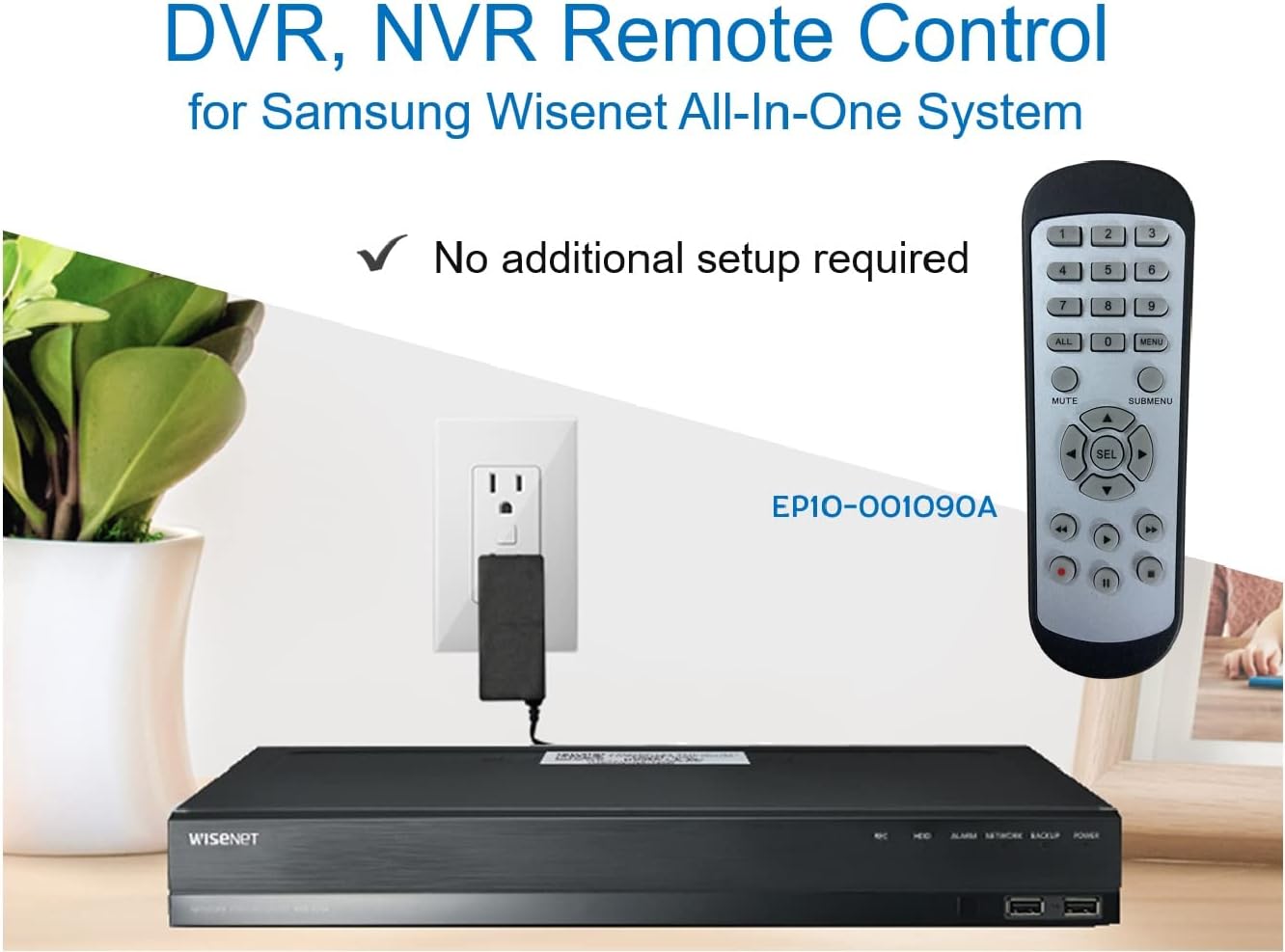
Image 3.2: The remote control shown alongside a Wisenet DVR, illustrating the 'no additional setup required' feature.
4. ຄໍາແນະນໍາການດໍາເນີນງານ
Point the remote control directly at your Samsung Wisenet DVR or NVR. Press the desired buttons to navigate menus, control playback, switch camera views, and access other functions of your security system. The button layout is standard for Wisenet systems, allowing for intuitive operation.
- ປຸ່ມຕົວເລກ (0-9): Used for direct camera selection or data entry.
- Directional Pad (Up, Down, Left, Right, SEL): ສໍາລັບການນໍາທາງເມນູແລະການເລືອກ.
- ປິດສຽງ: ປິດສຽງອອກ.
- SUBMENU: Accesses sub-menus within the system interface.
- ການຄວບຄຸມການຫຼິ້ນຄືນ (ຫຼິ້ນ, ຢຸດຊົ່ວຄາວ, ຢຸດ, ເລື່ອນໄປໜ້າຢ່າງໄວ, ຖອຍຫຼັງ): Manages recorded footage ການຫຼິ້ນ.
- REC (ບັນທຶກ): Initiates manual recording.
5. ຄວາມເຂົ້າກັນໄດ້
This remote control is compatible with various Samsung Wisenet All-In-One System Series. It is designed to function as a direct replacement for the original remote controls supplied with these systems.
5.1 Compatible System Series
The remote control is compatible with, but not limited to, the following Samsung Wisenet All-In-One System Series:
- SDH-E95127
- SDH-B94047
- SDH-C94087
- SDH-B73043
- SDH-C85080
- SDH-SF440
- SDH-B74043
- SDH-B74083
- SDH-B74041
- SDH-B74081
- SDH-C85100
- SDR-C85300
- SNK-B73047
- SDH-B74086
- SDH-C73043
- SDR-C73303
- SDH-C74043DF
- SDR-C74303N1T
- SDR-B74301

Image 5.1: The remote control displayed alongside a partial list of compatible Samsung Wisenet All-In-One System Series.

Image 5.2: An illustration showing the remote control's compatibility with a range of Samsung Wisenet security camera systems.
6. ບໍາລຸງຮັກສາ
6.1 ການທົດແທນຫມໍ້ໄຟ
When the remote control's performance diminishes or it stops responding, replace the AAA batteries. Always replace both batteries at the same time with new ones. Do not mix old and new batteries, or different types of batteries.
6.2 ການທໍາຄວາມສະອາດ
ເພື່ອເຮັດຄວາມສະອາດເຄື່ອງຄວບຄຸມໄລຍະໄກ, ໃຫ້ໃຊ້ຜ້າປຽກແຫ້ງ. ສໍາລັບຝຸ່ນ stubborn, ເລັກນ້ອຍ dampen the cloth with water. Avoid using harsh chemicals, abrasive cleaners, or solvents, as these can damage the remote's surface or internal components.
6.3 ການເກັບຮັກສາ
ເກັບຮັກສາຣີໂໝດຄວບຄຸມໄວ້ໃນບ່ອນທີ່ເຢັນ, ແຫ້ງ ແລະ ຫ່າງຈາກແສງແດດໂດຍກົງ ແລະ ອຸນຫະພູມທີ່ຮຸນແຮງ. ຖ້າບໍ່ໄດ້ໃຊ້ຣີໂໝດເປັນເວລາດົນ, ຄວນຖອດແບັດເຕີຣີອອກເພື່ອປ້ອງກັນການຮົ່ວໄຫຼ.
7. ການແກ້ໄຂບັນຫາ
If you experience issues with your SOLTECH CCTV Remote Control, refer to the following common troubleshooting steps:
- ໄລຍະໄກບໍ່ຕອບສະໜອງ:
- ກວດເບິ່ງວ່າໃສ່ແບັດເຕີລີ່ຖືກໃສ່ຢ່າງຖືກຕ້ອງກັບຂົ້ວທີ່ຖືກຕ້ອງຫຼືບໍ່.
- ປ່ຽນແບັດເຕີລີ່ AAA ໃໝ່.
- Ensure there is a clear line of sight between the remote control and the infrared receiver on your Wisenet DVR/NVR. Obstructions can block the signal.
- Verify that the remote control is pointed directly at the Wisenet system.
- ການທໍາງານແບບບໍ່ຢຸດຢັ້ງ:
- ນີ້ມັກຈະຊີ້ໃຫ້ເຫັນເຖິງພະລັງງານຫມໍ້ໄຟຕ່ໍາ. ປ່ຽນແບັດເຕີລີ.
- Ensure no strong light sources (like direct sunlight or bright fluorescent lights) are interfering with the infrared signal.
- Remote Does Not Control My System:
- Confirm that your security system is a Samsung Wisenet All-In-One System and is listed as compatible in Section 5.1. This remote is specifically designed for these systems and may not work with other brands or models.
- As this remote requires no additional setup, if it is not working with a confirmed compatible system after battery replacement, contact customer support.
8. ຂໍ້ມູນຈໍາເພາະ
| ຄຸນສົມບັດ | ລາຍລະອຽດ |
|---|---|
| ໝາຍເລກຕົວແບບ | RCWN00001B (EP10-001090A) |
| ຂະໜາດສິນຄ້າ | 5 x 1.75 x 0.75 ນິ້ວ |
| ນ້ໍາຫນັກລາຍການ | 1.76 ອອນ |
| ຕ້ອງໃຊ້ແບັດເຕີຣີ | 2 ຫມໍ້ໄຟ AAA (ບໍ່ລວມ) |
| ຜູ້ຜະລິດ | ແກ້ໄຂ |
| ສີ | ສີເທົາ |
| ຈຳນວນສູງສຸດຂອງອຸປະກອນທີ່ຮອງຮັບ | 1 (Wisenet DVR/NVR) |
| ອຸປະກອນທີ່ເຂົ້າກັນໄດ້ | Samsung Wisenet Security Camera Systems (DVR/NVR) |

Image 8.1: The remote control with its physical dimensions (length, width, thickness) indicated.
9. ການຮັບປະກັນແລະການສະຫນັບສະຫນູນ
For information regarding product warranty, please refer to the documentation provided with your purchase or contact the seller directly. The seller for this product is SOLTECH America.
For further assistance or technical support, please reach out to the manufacturer or seller through their official contact channels.


