ຄູ່ມືການໃຊ້ຫູຟັງໄຮ້ສາຍ Zebronics ZEB-PARADISE
Model: ZEB-PARADISE
1. ຜະລິດຕະພັນເກີນview
The Zebronics ZEB-PARADISE is a versatile wireless headphone designed for an immersive audio experience. It features Bluetooth connectivity, an AUX input, Micro SD card support, and an FM radio function, providing multiple ways to enjoy your music and manage calls.

Image 1: Zebronics ZEB-PARADISE Wireless Headphone. This image displays the over-ear design of the headphone, highlighting its sleek appearance and comfortable earcups.
2. ເນື້ອໃນຊຸດ
ກະລຸນາກວດເບິ່ງກ່ອງສໍາລັບລາຍການຕໍ່ໄປນີ້:
- 1 Unit Headphone
- 1 Unit Charging Cable
- 1 Unit Aux Cable
- 1 Unit User Manual
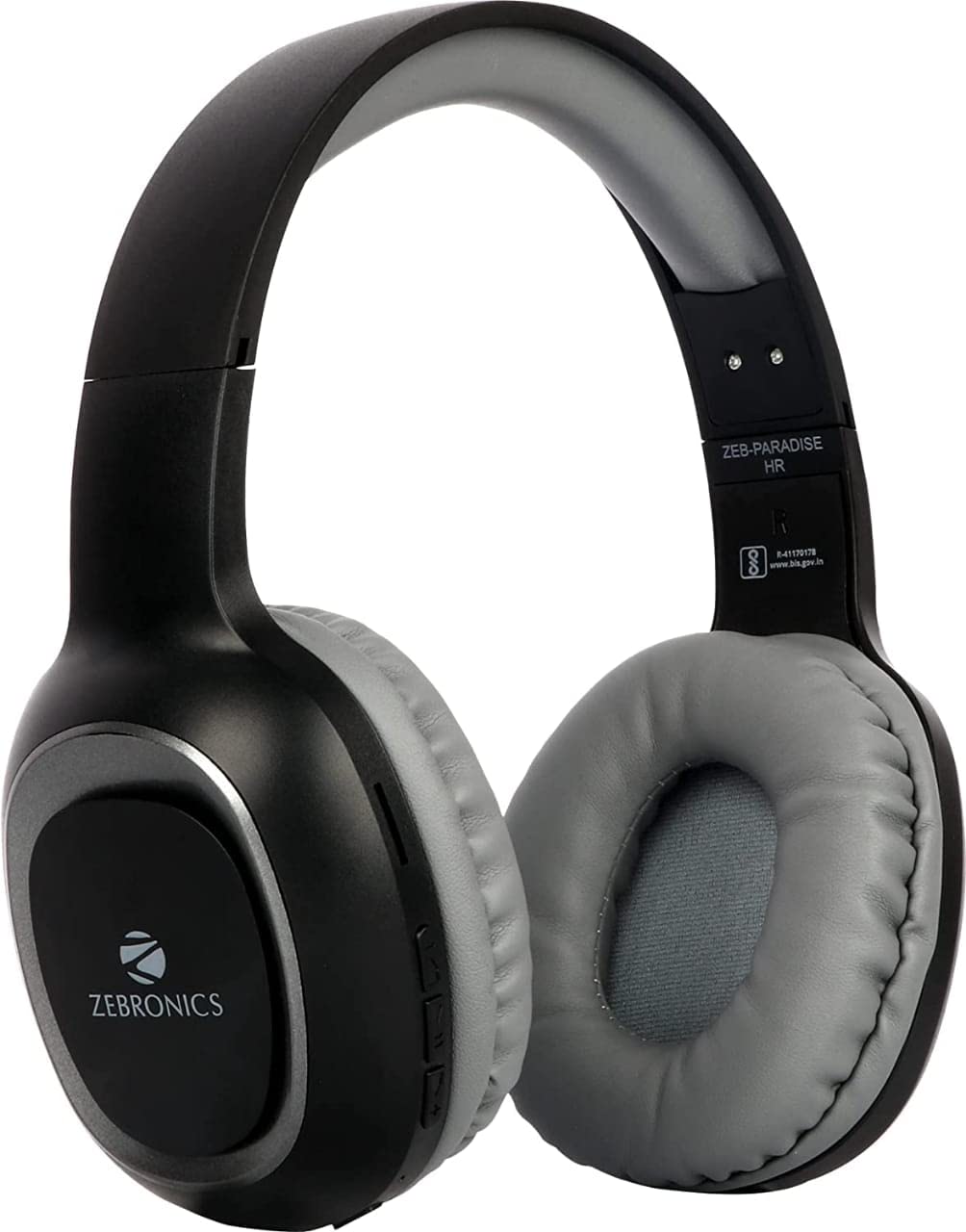
Image 2: Packaging of the Zebronics ZEB-PARADISE Wireless Headphone. This image shows the product box, detailing the package contents and key features printed on the packaging.
3. ຂໍ້ມູນຄວາມປອດໄພ
ຂໍ້ຄວນລະວັງ:
Please be aware of your surroundings while using the headphone. Constant exposure to high volume may damage your hearing. Please use the headphone at moderate volume to protect your ears.
4. ຄຸນນະສົມບັດທີ່ສໍາຄັນ
- Bluetooth v4.2 Connectivity
- AUX Input for Wired Connection
- Micro SD Card Support for MP3 Playback
- ຟັງຊັນ FM Radio
- Call Function with Built-in Microphone
- Media Volume Control
- Dual Pairing Capability
- 40mm Audio Drivers
- ແບັດເຕີຣີທີ່ສາມາດສາກໄດ້ໃນຕົວ
- ຮອງຮັບການສາກໄວ
5. ຕັ້ງຄ່າ
5.1 ການສາກຫູຟັງ
- Connect the provided USB charging cable to the charging port on the headphone.
- ເຊື່ອມຕໍ່ອີກສົ້ນຂອງສາຍ USB ກັບອະແດັບເຕີໄຟ USB (ບໍ່ລວມ) ຫຼືພອດ USB ຂອງຄອມພິວເຕີ.
- The LED indicator will illuminate to show charging status. It will typically turn off or change color once fully charged.
5.2 ການຈັບຄູ່ Bluetooth
- Ensure the headphone is fully charged.
- ກົດປຸ່ມເປີດ/ປິດຄ້າງໄວ້ເທິງຫູຟັງຈົນກວ່າໄຟ LED ຈະກະພິບເປັນສີຟ້າ ແລະ ສີແດງ, ເຊິ່ງຊີ້ບອກເຖິງໂໝດຈັບຄູ່.
- On your smartphone or Bluetooth-enabled device, go to the Bluetooth settings and search for available devices.
- Select "ZEB-PARADISE" from the list of found devices.
- ເມື່ອຈັບຄູ່ແລ້ວ, ໄຟ LED ຈະກະພິບສີຟ້າຊ້າໆ ຫຼື ຍັງຄົງເປັນສີຟ້າຄົງທີ່.
5.3 ການໃຊ້ສາຍ AUX
- Connect one end of the provided 3.5mm AUX cable to the AUX input port on the headphone.
- Connect the other end of the AUX cable to the 3.5mm audio output jack of your audio device.
- The headphone will automatically switch to AUX mode.
6. ຄໍາແນະນໍາການດໍາເນີນງານ
6.1 ການຄວບຄຸມພື້ນຖານ
- ເປີດ/ປິດ: ກົດປຸ່ມເປີດປິດຄ້າງໄວ້.
- ຫຼິ້ນ/ຢຸດ: ກົດປຸ່ມຫຼິ້ນ/ຢຸດຊົ່ວຄາວໜຶ່ງຄັ້ງ.
- ເພີ່ມລະດັບສຽງຂຶ້ນ/ເພງຕໍ່ໄປ: Press the Volume Up (+) button to increase volume. Press and hold to skip to the next track.
- ຫຼຸດສຽງລົງ/ເພງກ່ອນ ໜ້າ: Press the Volume Down (-) button to decrease volume. Press and hold to go to the previous track.
- ສະຫຼັບໂໝດ: Press the 'M' button to switch between Bluetooth, FM Radio, and Micro SD modes.
6.2 ຟັງຊັນການໂທ
- ຮັບສາຍ: ກົດປຸ່ມຫຼິ້ນ/ຢຸດຊົ່ວຄາວເມື່ອມີສາຍໂທເຂົ້າມາ.
- ສິ້ນສຸດການໂທ: ກົດປຸ່ມຫຼິ້ນ/ຢຸດຊົ່ວຄາວໜຶ່ງຄັ້ງໃນລະຫວ່າງການໂທ.
- ປະຕິເສດການໂທ: ກົດປຸ່ມຫຼິ້ນ/ຢຸດຊົ່ວຄາວຄ້າງໄວ້ 2 ວິນາທີ ເມື່ອມີສາຍໂທເຂົ້າ.
- ໂທຫາເບີສຸດທ້າຍ: ກົດປຸ່ມຫຼິ້ນ/ຢຸດຊົ່ວຄາວສອງເທື່ອ.
ໂໝດວິທະຍຸ 6.3 FM
- ສະລັບໄປໃຊ້ໂໝດວິທະຍຸ FM ໂດຍໃຊ້ປຸ່ມ 'M'.
- Press the Play/Pause button once to auto-scan and save available FM channels.
- Use the Volume Up (+) and Volume Down (-) buttons to navigate between saved channels.
6.4 ການຫຼິ້ນບັດ Micro SD
- Insert a Micro SD card (with MP3 files) into the designated slot on the headphone.
- Switch to Micro SD mode using the 'M' button.
- Music playback will start automatically. Use the control buttons for play/pause, next/previous track, and volume adjustment.
7. ບໍາລຸງຮັກສາ
- Clean the headphone with a soft, dry cloth. Do not use harsh chemicals or abrasive materials.
- Avoid exposing the headphone to extreme temperatures, humidity, or direct sunlight.
- Store the headphone in a cool, dry place when not in use.
- Do not attempt to disassemble or repair the headphone yourself, as this will void the warranty.
8. ການແກ້ໄຂບັນຫາ
- ບໍ່ມີພະລັງງານ: Ensure the headphone is fully charged. Connect it to a power source using the charging cable.
- ບໍ່ສາມາດຈັບຄູ່ຜ່ານ Bluetooth: Make sure the headphone is in pairing mode (flashing blue and red LED). Ensure Bluetooth is enabled on your device and it is within range. Try restarting both devices.
- ບໍ່ມີສຽງ: Check the volume level on both the headphone and your connected device. Ensure the correct mode (Bluetooth, AUX, SD) is selected. If using AUX, ensure the cable is fully inserted.
- ວິທະຍຸ FM ບໍ່ເຮັດວຽກ: Ensure you are in an area with good FM signal. Perform an auto-scan to save channels.
- Micro SD Card Not Playing: Ensure the Micro SD card is inserted correctly and contains compatible audio files (ເຊັ່ນ: MP3).
9. ຂໍ້ກໍານົດດ້ານວິຊາການ
| ຄຸນສົມບັດ | ຂໍ້ມູນຈໍາເພາະ |
|---|---|
| ຕົວແບບ | ZEB-PARADISE |
| ການເຊື່ອມຕໍ່ | ໄຮ້ສາຍ (Bluetooth v4.2) |
| ອົງປະກອບລວມ | Headphone, Charging Cable, Aux Cable, User Manual |
| ຄົນຂັບລົດ | 40ມມ |
| ແບັດເຕີຣີ | ສາມາດສາກໄຟໄດ້ໃນຕົວ |
| ຄຸນນະສົມບັດພິເສດ | FM Radio, Micro SD Card Support, Call Function, Media Volume Control, Dual Pairing, Fast Charging |
| Jack ຫູຟັງ | Jack ຂະ ໜາດ 3.5 ມມ |
| ປັດໄຈແບບຟອມ | ເກີນຫູ |
| ສີ | ດຳ |
| ຜູ້ຜະລິດ | ບໍລິສັດ Zebronics ອິນເດຍ ຈຳກັດ |
10. ການຮັບປະກັນແລະການສະຫນັບສະຫນູນ
10.1 ຂໍ້ມູນການຮັບປະກັນ
This product comes with a standard manufacturer's warranty. Please refer to the warranty card included in your package or contact customer support for detailed warranty terms and conditions.
10.2 ສະຫນັບສະຫນູນລູກຄ້າ
For any complaints, feedback, or support inquiries, please contact:
Consumer Care Executive
ທີ່ຢູ່: ZEBRONICS INDIA PRIVATE LIMITED, NO. 118, POONAMALLEE HIGH ROAD, CHENNAI-600084.
ໂທລະສັບ: 044-4000 0004
ອີເມວ: ENQUIRY@ZEBRONICS.COM
ນອກນັ້ນທ່ານຍັງສາມາດໄປຢ້ຽມຢາມຢ່າງເປັນທາງການ webເວັບໄຊ: www.zebronics.com


