1. ບົດແນະນຳ
Thank you for choosing the PUREMIC Wireless Karaoke Microphone Q1PRO. This handheld, rechargeable microphone system is designed to provide crystal clear sound quality and versatile connectivity for various entertainment setups, including cars, speakers, phones, TVs, laptops, and tablets. Enjoy 8 unique sound effects to enhance your karaoke experience.
This manual provides detailed instructions for setting up, operating, and maintaining your PUREMIC Q1PRO microphone to ensure optimal performance and longevity.

Figure 1: Wide Compatibility of PUREMIC Q1PRO
2. ສິ່ງທີ່ຢູ່ໃນກ່ອງ
ກະລຸນາກວດສອບເນື້ອໃນຂອງຊຸດເພື່ອໃຫ້ແນ່ໃຈວ່າລາຍການທັງຫມົດມີຢູ່:
- ໄມໂຄຣໂຟນ x 1
- ຕົວຮັບໄມໂຄຣໂຟນ x 1
- ສາຍໄຟ Type-C x 1
- ກະເປົ໋າພົກພາ x 1
- ຄູ່ມືຜູ້ໃຊ້ x 1 (ເອກະສານນີ້)

ຮູບທີ 2: ເນື້ອໃນຊຸດ
3. ຄູ່ມືການຕິດຕັ້ງ
3.1. ການສາກໄຟອຸປະກອນ
Both the microphone and the receiver have built-in rechargeable batteries. Ensure both devices are fully charged before first use for optimal performance.
- Connect the provided Type-C cable to the charging port on both the microphone and the receiver.
- Plug the other end of the Type-C cable into a standard USB power adapter (not included).
- The indicator light on the devices will show charging status (refer to device for specific light behavior).
- A full charge provides approximately 15 hours of playtime for the microphone and up to 4 hours for the receiver.

ຮູບທີ 3: ແບັດເຕີຣີໝົດແລ້ວview
3.2. Connecting to a Car Audio System
Follow these steps to connect your PUREMIC Q1PRO to your car's audio system via the AUX input:
- Insert the 3.5mm AUX cable of the receiver into your car's AUX connection socket.
- Press and hold the receiver's power button to turn it on. The indicator light will illuminate.
- Turn on the microphone by pressing its power button. The blue indicator light will turn on.
- ໃນໂທລະສັບສະຫຼາດ ຫຼື ແທັບເລັດຂອງທ່ານ, ໄປທີ່ການຕັ້ງຄ່າ Bluetooth ແລະ ຄົ້ນຫາອຸປະກອນທີ່ມີຢູ່.
- Select 'Loostone PureMic Q1PRO' (or similar name) from the list to pair.
- Once paired, you can play music from your phone through the car's speakers and use the microphone for karaoke.
Video 1: How to Connect Puremic Q1 Microphone to Car/Speaker/Phone. This video demonstrates the connection process for both car and speaker setups.

Figure 4: Connecting to Car Audio System
3.3. Connecting to a Speaker or Other Devices
To connect your PUREMIC Q1PRO to a speaker, TV, or other compatible device:
- Insert the 3.5mm AUX cable of the receiver into the AUX input of your speaker or device.
- Press and hold the receiver's power button to turn it on.
- Turn on the microphone by pressing its power button.
- On your smartphone, tablet, or other Bluetooth-enabled device, go to Bluetooth settings and search for 'Loostone PureMic Q1PRO' (or similar name).
- Select the device to pair. Once connected, audio from your device will play through the speaker, and the microphone will be ready for use.

Figure 5: Connecting to a Portable Speaker
4. ຄໍາແນະນໍາການດໍາເນີນງານ
4.1. ເປີດ/ປິດ ແລະຄວບຄຸມລະດັບສຽງ
- ເປີດ: ກົດປຸ່ມເປີດປິດຄ້າງໄວ້ (⏻) on both the microphone and the receiver until the indicator light turns on.
- ປິດພະລັງງານ: ກົດປຸ່ມເປີດປິດຄ້າງໄວ້ (⏻) again until the indicator light turns off.
- ການຄວບຄຸມລະດັບສຽງ: ໃຊ້ຂຶ້ນ (▲) ແລະລົງ (▼) arrow buttons on the microphone to adjust the microphone's volume.
4.2. ຜົນກະທົບສຽງ
The PUREMIC Q1PRO features 8 unique sound effects to enhance your singing. Press the effect button (⊞) on the microphone to cycle through the available effects:
- Standard Effect
- Male Effect
- Female Effect
- Children Effect
- Monster Effect
- Concert Effect
- Living Room Effect
- K.T.V. Effect
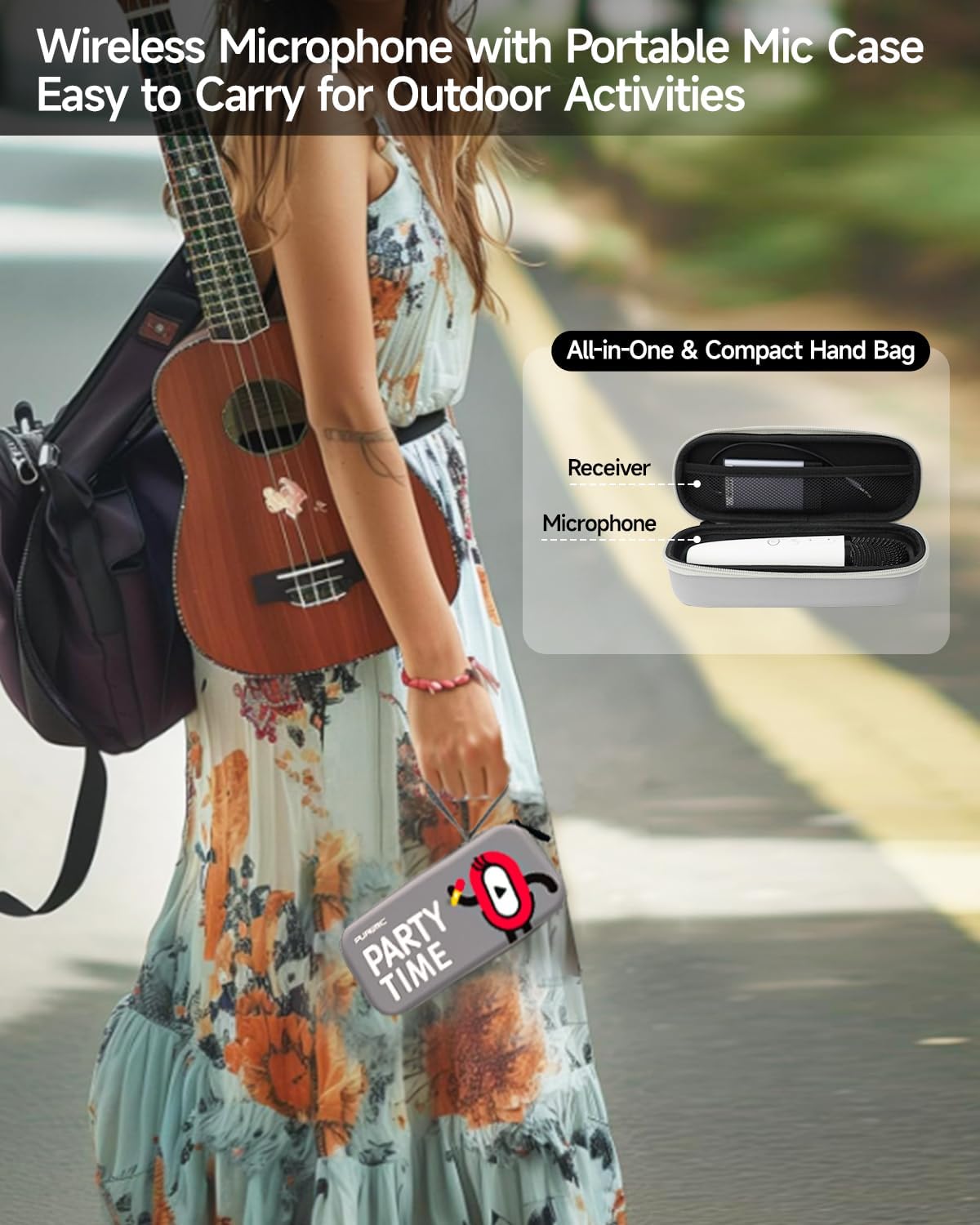
Figure 6: Available Sound Effects
5. ບໍາລຸງຮັກສາ
- ທໍາຄວາມສະອາດ: Wipe the microphone and receiver with a soft, dry cloth. Do not use harsh chemicals or abrasive cleaners.
- ການເກັບຮັກສາ: When not in use, store the microphone and receiver in the provided portable bag to protect them from dust and damage.
- ການດູແລຫມໍ້ໄຟ: ເພື່ອຍືດອາຍຸການໃຊ້ງານຂອງແບັດເຕີຣີ, ໃຫ້ຫຼີກລ່ຽງການສາກໄຟອຸປະກອນໃຫ້ໝົດເລື້ອຍໆ. ໃຫ້ສາກໄຟເປັນປະຈຳ, ເຖິງແມ່ນວ່າຈະບໍ່ໄດ້ໃຊ້ຢູ່ຕະຫຼອດເວລາກໍຕາມ.
- ເງື່ອນໄຂສິ່ງແວດລ້ອມ: ຫຼີກເວັ້ນການເປີດເຜີຍອຸປະກອນໃນອຸນຫະພູມທີ່ຮຸນແຮງ, ແສງແດດໂດຍກົງ, ຫຼືຄວາມຊຸ່ມຊື່ນສູງ.

Figure 7: Portable Storage Bag
6. ການແກ້ໄຂບັນຫາ
| ບັນຫາ | ສາເຫດທີ່ເປັນໄປໄດ້ | ການແກ້ໄຂ |
|---|---|---|
| ບໍ່ມີສຽງຈາກໄມໂຄຣໂຟນ | Microphone or receiver is off; Low battery; Incorrect connection; Volume too low. | Ensure both devices are powered on and charged. Check AUX cable connection. Increase microphone and speaker volume. |
| ການຈັບຄູ່ Bluetooth ລົ້ມເຫລວ | Receiver not in pairing mode; Device too far; Interference. | Ensure receiver is on and ready to pair. Move devices closer. Turn off other Bluetooth devices. Restart both devices and try again. |
| Sound distortion or feedback | ໄມໂຄຣໂຟນໃກ້ກັບລຳໂພງເກີນໄປ; ລະດັບສຽງດັງເກີນໄປ; ການລົບກວນສິ່ງແວດລ້ອມ. | Increase distance between microphone and speaker. Lower microphone or speaker volume. Move away from other electronic devices. |
| ອາຍຸແບັດເຕີຣີສັ້ນ | Incomplete charging; Old battery. | Ensure devices are fully charged. If battery life significantly degrades, contact customer support. |
7. ຂໍ້ມູນຈໍາເພາະ
| ຄຸນສົມບັດ | ລາຍລະອຽດ |
|---|---|
| ຊື່ຕົວແບບ | Bluetooth Microphone-Q1PRO |
| ນ້ໍາຫນັກລາຍການ | 12 ອອນສ໌ (0.75 ປອນ) |
| ຂະໜາດສິນຄ້າ | 8.46 x 3.15 x 2.36 ນິ້ວ |
| ວັດສະດຸ | Acrylonitrile Butadiene ສະໄຕຣີນ |
| ສີ | ສີຂາວ |
| ແຫຼ່ງພະລັງງານ | ພະລັງງານຫມໍ້ໄຟ (ມີຫມໍ້ໄຟ Lithium Polymer 1 ໜ່ວຍ) |
| ເຕັກໂນໂລຊີການເຊື່ອມຕໍ່ | UHF |
| ປະເພດຕົວເຊື່ອມຕໍ່ | Jack ຂະ ໜາດ 3.5 ມມ |
| ຕົວປະກອບແບບຟອມໄມໂຄຣໂຟນ | ມືຖື |
| ຮູບແບບຂົ້ວໂລກ | Unidirectional |
| ຊ່ວງຄວາມຖີ່ | 657MHz - 662MHz |
| ການຕອບສະໜອງຄວາມຖີ່ | 20000 Hz |
| ອັດຕາສ່ວນສັນຍານເຖິງສຽງດັງ | 75 dB |
| ຄຸນນະສົມບັດພິເສດ | Battery Indicator Light, Volume Control, Mute Function, Noise Reduction, 8 Sound Effects |
| ອຸປະກອນທີ່ເຂົ້າກັນໄດ້ | Television, Car, Smartphone, Karaoke Machine, Speaker |
| ຜູ້ຜະລິດ | LOOSTONE |
| ປະເທດຕົ້ນກໍາເນີດ | ຈີນ |
| ວັນທີທໍາອິດທີ່ມີ | ວັນທີ 21 ຕຸລາ 2022 |

ຮູບທີ 8: ຂະໜາດຜະລິດຕະພັນ
8. ການຮັບປະກັນແລະການສະຫນັບສະຫນູນ
PUREMIC products are designed for quality and reliability. For warranty information, technical support, or any inquiries regarding your PUREMIC Wireless Karaoke Microphone Q1PRO, please refer to the contact information provided on the product packaging or visit the official PUREMIC webເວັບໄຊ.
ກະລຸນາຮັກສາຫຼັກຖານການຊື້ຂອງທ່ານສໍາລັບການຮຽກຮ້ອງການຮັບປະກັນ.


