1. ບົດແນະນຳ
This manual provides detailed instructions for the operation and maintenance of your Soundmaster DAB280SW Portable DAB+ and FM RDS Digital Radio. The DAB280SW is a versatile portable radio featuring DAB+ and FM RDS reception, a headphone jack, and a practical carrying handle. It offers excellent sound quality and user-friendly controls, including preset station memory and alarm functions.
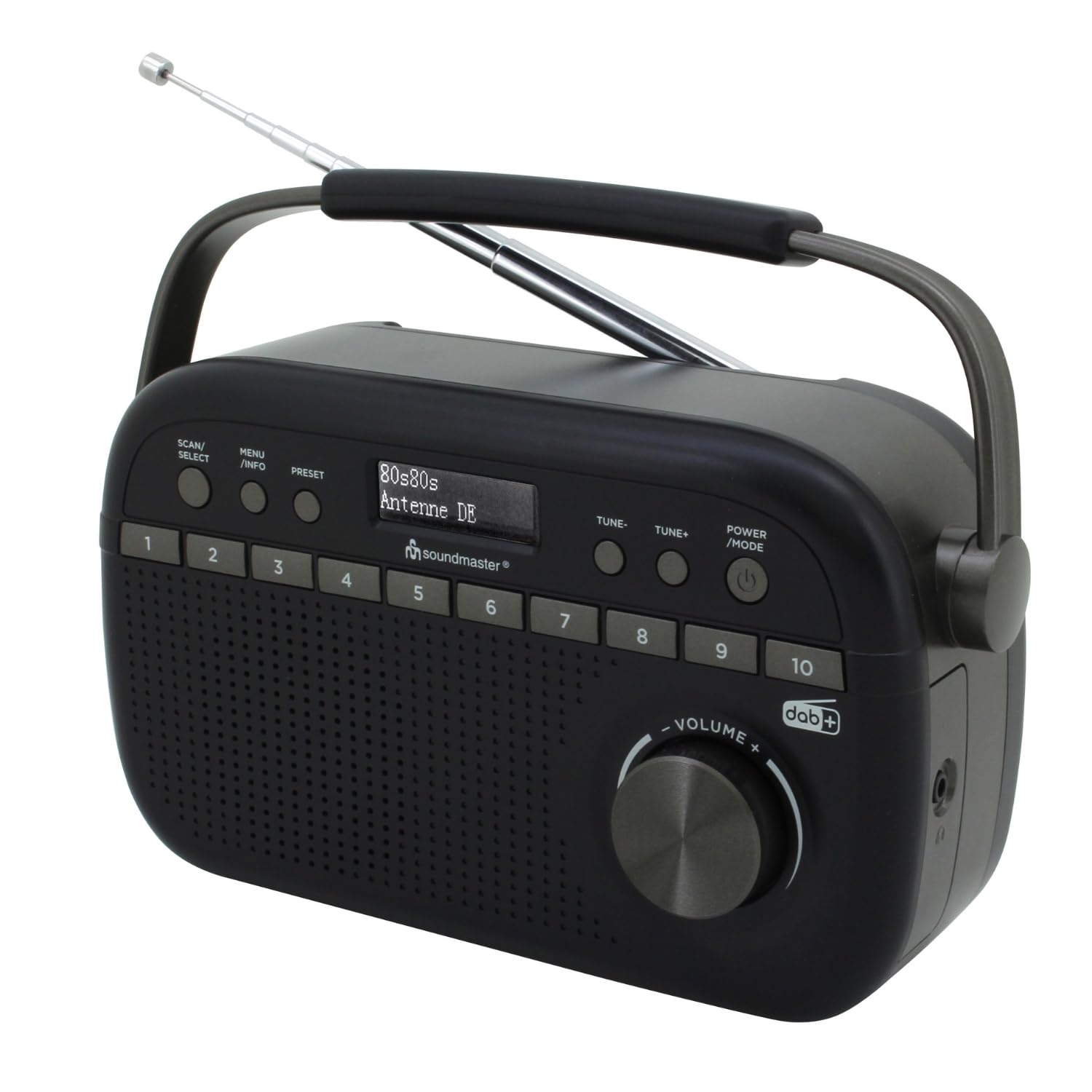
Image 1.1: The Soundmaster DAB280SW Portable DAB+ and FM RDS Digital Radio, showcasing its compact design and carrying handle.
2. ຂໍ້ມູນຄວາມປອດໄພ
- ອ່ານຄໍາແນະນໍາທັງຫມົດຢ່າງລະອຽດກ່ອນທີ່ຈະໃຊ້ອຸປະກອນ.
- ຫ້າມບໍ່ໃຫ້ອຸປະກອນຖືກຝົນ ຫຼື ຄວາມຊຸ່ມຊື້ນເພື່ອປ້ອງກັນໄຟ ຫຼື ໄຟຟ້າຊັອດ.
- ຮັບປະກັນການລະບາຍອາກາດທີ່ເຫມາະສົມຮອບຫນ່ວຍ. ຫ້າມປິດຊ່ອງລະບາຍອາກາດ.
- ໃຊ້ພຽງແຕ່ອະແດບເຕີພະລັງງານຫຼືຫມໍ້ໄຟທີ່ລະບຸ.
- ຫ້າມເປີດຄasing. ອ້າງອີງການບໍລິການທັງໝົດໃຫ້ກັບບຸກຄະລາກອນທີ່ມີຄຸນວຸດທິ.
- ຮັກສາເຄື່ອງໃຫ້ຫ່າງຈາກແສງແດດໂດຍກົງ, ແຫຼ່ງຄວາມຮ້ອນ, ແລະສະຫນາມແມ່ເຫຼັກທີ່ເຂັ້ມແຂງ.
- ຖິ້ມແບດເຕີລີ່ຢ່າງມີຄວາມຮັບຜິດຊອບຕາມກົດລະບຽບທ້ອງຖິ່ນ.
3. ເນື້ອໃນຊຸດ
ກະລຸນາກວດເບິ່ງວ່າລາຍການທັງໝົດມີຢູ່:
- Soundmaster DAB280SW Portable Radio
- AC Power Adapter (if included)
- ຄູ່ມືຜູ້ໃຊ້
4. ຄຸນລັກສະນະຂອງຜະລິດຕະພັນ
- DAB+ Digital Radio Tuner
- FM - RDS Radio Tuner
- 10 preset station memory buttons for quick access
- Total of 40 presets available (20 DAB+, 20 FM)
- ເວລາປຸກສອງຄັ້ງ
- Sleep and Snooze functions
- ຊ່ອງສຽບຫູຟັງ 3.5 ມມ
- Portable design with carrying handle
- Battery or AC powered operation
5. ການຄວບຄຸມແລະການສະແດງ
Familiarize yourself with the controls on your radio:
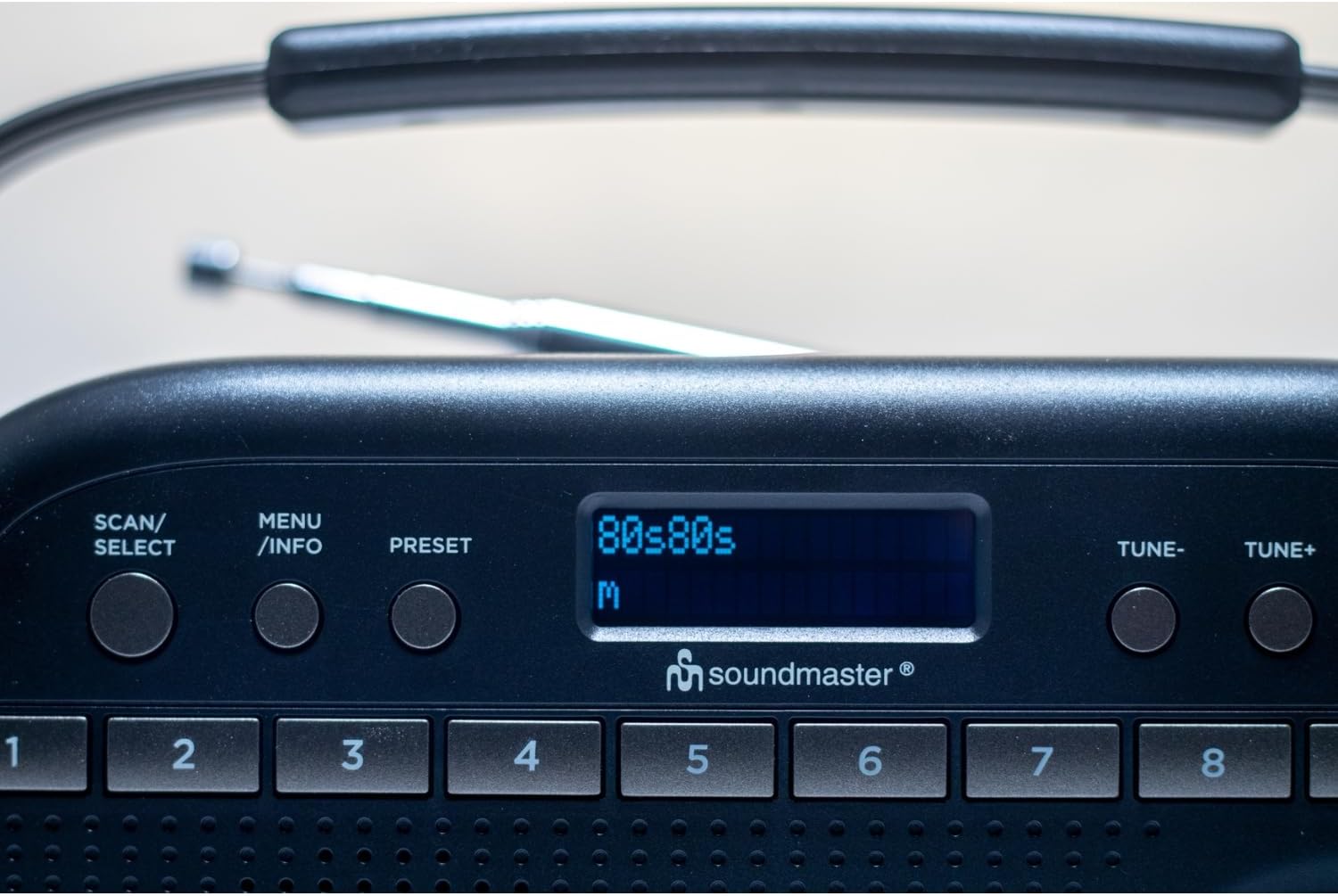
ຮູບພາບ 5.1: ທາງເທິງ view of the radio showing the display, SCAN/SELECT, MENU/INFO, PRESET buttons, and preset buttons 1-8.
- ປຸ່ມ POWER/MODE: Press to turn the unit on or off. Press repeatedly to switch between DAB+ and FM modes.
- TUNE- / TUNE+ Buttons: Used to manually tune frequencies in FM mode or navigate through DAB+ stations/menu options.
- ປຸ່ມສະແກນ/ເລືອກ: Initiates a scan for stations in DAB+ or FM mode. Also confirms selections in menu.
- ປຸ່ມເມນູ/ຂໍ້ມູນ: Accesses the menu settings. Press repeatedly to cycle through information display (e.g., program type, signal strength).
- ປຸ່ມຕັ້ງໄວ້ລ່ວງໜ້າ: Used to save and recall favorite stations.
- ປຸ່ມທີ່ຕັ້ງໄວ້ລ່ວງໜ້າ (1-10): Direct access buttons for your stored favorite stations.
- ປຸ່ມລະດັບສຽງ: ໝຸນເພື່ອປັບລະດັບສຽງອອກ.
- ຈໍສະແດງຜົນ: Shows station information, time, menu options, and other relevant data.
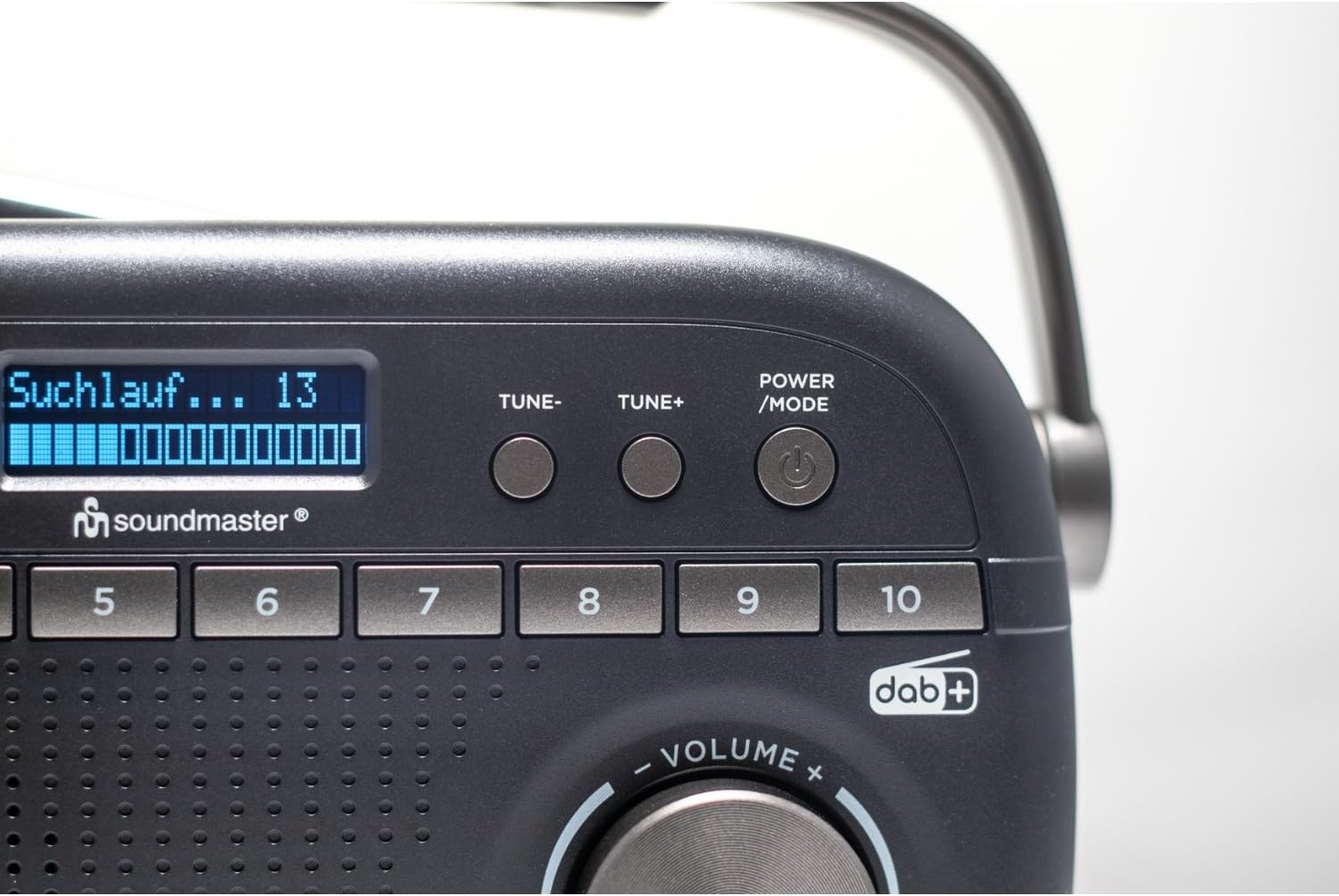
Image 5.2: Close-up of the radio display showing a 'Suchlauf...' (scanning) message, indicating station search in progress.
6. ຕັ້ງຄ່າ
6.1 ການສ້າງພະລັງງານຫນ່ວຍງານ
The DAB280SW can be powered by either the included AC power adapter or batteries.
- ໄຟຟ້າ AC: Connect the AC power adapter to the DC IN jack on the rear of the unit and plug the other end into a standard wall outlet.
- ພະລັງງານຫມໍ້ໄຟ: Open the battery compartment on the rear of the unit. Insert the required number of batteries (type not specified, typically C or AA) ensuring correct polarity (+/-). Close the battery compartment securely.

ຮູບພາບ 6.1: ດ້ານຫລັງ view of the radio, illustrating the battery compartment cover and the AC power input socket.
6.2 ການປັບສາຍອາກາດ
For optimal reception, fully extend the telescopic antenna located on the rear of the unit. Adjust its position and angle to achieve the best signal quality for both DAB+ and FM broadcasts.
7. ຄໍາແນະນໍາການດໍາເນີນງານ
7.1 ເປີດ/ປິດ
ກົດ ພະລັງງານ / ແບບ button to turn the radio on. Press and hold the ພະລັງງານ / ແບບ ປຸ່ມເພື່ອປິດວິທະຍຸ.
7.2 Selecting DAB+ or FM Mode
With the radio powered on, press the ພະລັງງານ / ແບບ button repeatedly to cycle between DAB+ and FM radio modes. The current mode will be displayed on the screen.
7.3 ການດໍາເນີນງານວິທະຍຸ DAB+
- ການຕັ້ງຄ່າຄັ້ງທໍາອິດ: When you first power on the radio in DAB+ mode, it will automatically perform a full scan for available stations. This may take a few minutes.
- ສະແກນດ້ວຍມື: To initiate a full scan at any time, press the SCAN / ການຄັດເລືອກ ປຸ່ມ.
- ເລືອກສະຖານີ: After a scan, use the tune- or TUNE+ buttons to scroll through the list of available DAB+ stations. Press SCAN / ການຄັດເລືອກ ເພື່ອຢືນຢັນການເລືອກຂອງທ່ານ.

Image 7.1: The official DAB+ digital radio logo, indicating support for digital audio broadcasting.
7.4 ການດໍາເນີນງານວິທະຍຸ FM
- ສະແກນອັດຕະໂນມັດ: ໃນໂຫມດ FM, ກົດປຸ່ມ SCAN / ການຄັດເລືອກ button to automatically scan for and stop at the next available strong station.
- ຄູ່ມືການປບັຄູ່ມື: ໃຊ້ tune- or TUNE+ buttons to manually adjust the frequency in small increments. Press and hold these buttons for faster tuning.
7.5 ການບັນທຶກ ແລະ ການເອີ້ນຄືນຄ່າທີ່ຕັ້ງໄວ້ລ່ວງໜ້າ
The radio allows you to store up to 20 DAB+ and 20 FM stations as presets.
- ເພື່ອບັນທຶກ Preset: ປບັກັບສະຖານີທີ່ຕ້ອງການ. ກົດຄ້າງໄວ້ ຕັ້ງໄວ້ລ່ວງໜ້າ button until 'Preset Store' appears on the display. Use the tune- or TUNE+ buttons to select a preset number (1-10 for direct access, or 11-20 via menu). Press SCAN / ການຄັດເລືອກ to confirm. Alternatively, for direct access presets (1-10), press and hold the desired numbered preset button.
- ເພື່ອຈື່ຈໍາໄວ້ລ່ວງຫນ້າໄດ້: ຫຍໍ້ໆ ກົດເຂົ້າ ຕັ້ງໄວ້ລ່ວງໜ້າ ປຸ່ມ, ຈາກນັ້ນໃຊ້ tune- or TUNE+ to select the desired preset number and press SCAN / ການຄັດເລືອກ. For direct access presets (1-10), simply press the corresponding numbered preset button.
7.6 Alarm, Sleep, and Snooze Functions
The DAB280SW includes dual alarm times, a sleep timer, and a snooze function. Refer to the detailed menu options for setting these features:
- ການຕັ້ງຄ່າໂມງປຸກ: ກົດ MENU / INFO button to enter the menu. Navigate to the 'Alarm' option using tune- or TUNE+ ແລະກົດ SCAN / ການຄັດເລືອກ. Follow the on-screen prompts to set Alarm 1 and Alarm 2, including time, source (DAB/FM/Buzzer), and duration.
- ເຄື່ອງຈັບເວລານອນ: In the menu, select 'Sleep'. Choose a duration (e.g., 15, 30, 60 minutes) after which the radio will automatically turn off.
- ປິດສຽງເຕືອນຊົ່ວຄາວ: When an alarm sounds, press any button (except POWER/MODE) to activate the snooze function, which will temporarily silence the alarm for a short period.
7.7 ການໃຊ້ຫູຟັງ
To listen privately, plug 3.5mm stereo headphones into the headphone jack located on the side of the unit. The internal speaker will automatically mute.
8. ບໍາລຸງຮັກສາ
- ທໍາຄວາມສະອາດ: ເຊັດເຄື່ອງດ້ວຍຜ້າອ່ອນ, ແຫ້ງ. ຢ່າໃຊ້ເຄື່ອງເຮັດຄວາມສະອາດຂັດຫຼືສານລະລາຍ.
- ການປ່ຽນແບັດເຕີຣີ: If using batteries, replace them when the low battery indicator appears on the display or when performance degrades. Ensure to use fresh batteries of the correct type and dispose of old batteries properly.
- ການເກັບຮັກສາ: ຖ້າເກັບຮັກສາວິທະຍຸເປັນເວລາດົນ, ໃຫ້ຖອດແບດເຕີລີ່ອອກເພື່ອປ້ອງກັນການຮົ່ວໄຫຼ.
9. ການແກ້ໄຂບັນຫາ
- ບໍ່ມີພະລັງງານ: Check if the AC adapter is securely connected or if batteries are inserted correctly and are not depleted.
- ການຕ້ອນຮັບທີ່ບໍ່ດີ: Fully extend and adjust the telescopic antenna. Try moving the radio to a different location, away from other electronic devices that may cause interference. Perform a full scan for stations.
- ບໍ່ມີສຽງ: ກວດສອບລະດັບສຽງ. ໃຫ້ແນ່ໃຈວ່າບໍ່ໄດ້ສຽບຫູຟັງຖ້າທ່ານຕັ້ງໃຈທີ່ຈະໃຊ້ລຳໂພງ.
- DAB+ Stations Missing: Perform a full DAB+ scan. DAB+ coverage may vary by location; check local availability.
- ຈໍສະແດງຜົນບໍ່ເຮັດວຽກ: Try turning the unit off and on again. If the issue persists, contact customer support.
10. ຂໍ້ມູນຈໍາເພາະ
| ຄຸນສົມບັດ | ຂໍ້ມູນຈໍາເພາະ |
|---|---|
| ຕົວແບບ | DAB280SW |
| ເທກໂນໂລຍີ Tuner | DAB+, FM RDS |
| ແຖບວິທະຍຸສະຫນັບສະຫນູນ | FM (up to 108 MHz) |
| ສະຖານີທີ່ຕັ້ງໄວ້ລ່ວງໜ້າ | 40 (20 DAB +, 20 FM) |
| ສຽງອອກ | ຊ່ອງສຽບຫູຟັງ 3.5 ມມ |
| ແຫຼ່ງພະລັງງານ | AC Power Adapter, Battery Powered |
| ຂະໜາດສິນຄ້າ (L x W x H) | 25 x 6 x 12 cm |
| ນ້ໍາຫນັກລາຍການ | 0.6 ກິໂລກຣາມ |
| ຄຸນນະສົມບັດພິເສດ | Portable, Dual Alarm, Sleep/Snooze |

Image 10.1: The Soundmaster DAB280SW radio with its approximate dimensions (25cm length, 6cm width, 12cm height) indicated.
11. ການຮັບປະກັນແລະການສະຫນັບສະຫນູນ
Your Soundmaster DAB280SW radio comes with a standard manufacturer's warranty. Please refer to the warranty card included in your package for specific terms and conditions. For technical support, troubleshooting assistance, or warranty claims, please contact your retailer or the Soundmaster customer service department. Contact information can typically be found on the manufacturer's webສະຖານທີ່ຫຼືຢູ່ໃນການຫຸ້ມຫໍ່ຜະລິດຕະພັນ.