1. ບົດແນະນຳ
This instruction manual provides detailed information on the setup, operation, maintenance, and specifications of your MINISFORUM HM80 Mini PC. Please read this manual thoroughly before using the device to ensure proper functionality and to maximize its performance.
2. ເນື້ອໃນຊຸດ
ກວດສອບວ່າລາຍການທັງຫມົດທີ່ລະບຸໄວ້ຂ້າງລຸ່ມນີ້ແມ່ນລວມຢູ່ໃນຊຸດຂອງທ່ານ:
- 1x MINISFORUM HM80 Mini PC
- ວົງເລັບ 1x
- 1x HDMI Cable (60cm)
- 1x ຕົວແປງໄຟ
- 1x ຄູ່ມືການສອນ
3. ຄຸນລັກສະນະຂອງຜະລິດຕະພັນ
The MINISFORUM HM80 Mini PC offers a range of features designed for efficient computing:
- ປະສິດທິພາບທີ່ມີປະສິດທິພາບ: Equipped with an AMD Ryzen 7 4800U processor (8 Cores/16 Threads, up to 4.0 GHz) for smooth handling of demanding tasks and multitasking.
- ການສະແດງຜົນສາມຄັ້ງ: Features integrated AMD Radeon Graphics (1750 MHz) supporting 4K@60Hz output across three independent displays via HDMI 2.0, DisplayPort, and USB-C.
- ການເຊື່ອມຕໍ່ທີ່ດີກວ່າ: Includes M.2 2230 WIFI with WiFi 6 (802.11ax) and Bluetooth 5.1, offering dual-band 5GHz/2.4GHz support and multi-user 2x2 MIMO (MU-MIMO) for high-speed wireless connections. Two 2.5 Gigabit LAN ports are also provided for robust wired networking.
- ຄວາມອາດສາມາດຂະຫນາດໃຫຍ່: Comes with 32GB DDR4 RAM (2x16GB, upgradable to 32GB per slot) and a 512GB 2280 PCIe SSD (upgradable up to 2TB). Additionally, two 2.5-inch SATA HDD slots are available for further storage expansion (up to 2TB each).
4. ຮາດແວຫຼາຍກວ່າview
4.1 ແຜງດ້ານຫນ້າແລະຫລັງ
Familiarize yourself with the ports and buttons on your HM80 Mini PC.

Image: Front and Rear Panel Ports of the HM80 Mini PC. The front panel includes the power button, audio jacks, and USB ports. The rear panel features multiple USB ports, LAN ports, HDMI, DisplayPort, and a USB-C port.
ແຜງໜ້າ:
- ປຸ່ມເປີດປິດ: ເພື່ອເປີດຫຼືປິດອຸປະກອນ.
- 3.5mm Microphone Jack: ສໍາລັບການເຊື່ອມຕໍ່ໄມໂຄໂຟນ.
- Jack ສຽງ 3.5mm: ສໍາລັບການເຊື່ອມຕໍ່ຫູຟັງຫຼືລໍາໂພງ.
- ພອດ USB 3.1 (x2): ສໍາລັບການເຊື່ອມຕໍ່ອຸປະກອນ USB.
- ຜອດ USB-C: For data transfer and display output.
ກະດານດ້ານຫລັງ:
- ພອດ USB 3.0 (x4): ສໍາລັບການເຊື່ອມຕໍ່ອຸປະກອນ USB.
- 2.5G LAN Port (x2): ສໍາລັບການເຊື່ອມຕໍ່ເຄືອຂ່າຍມີສາຍ.
- HDMI Port: ສໍາລັບການເຊື່ອມຕໍ່ກັບຈໍສະແດງຜົນ.
- DisplayPort: ສໍາລັບການເຊື່ອມຕໍ່ກັບຈໍສະແດງຜົນ.
- Kensington Lock Slot: For security locking.
- ຜອດ USB-C: For data transfer and display output.
- ການປ້ອນຂໍ້ມູນພະລັງງານ: ສໍາລັບການເຊື່ອມຕໍ່ອະແດບເຕີພະລັງງານ.
4.2 ອົງປະກອບພາຍໃນ
The HM80 Mini PC is designed for easy access to internal components for upgrades.

ຮູບພາບ: ລະເບີດ view of the HM80 Mini PC showing internal components like RAM, SSD, and HDD slots.
- M.2 2230 WIFI Module: ສະຫນອງການເຊື່ອມຕໍ່ໄຮ້ສາຍ.
- DDR4 SO-DIMM Slots (x2): For system memory (RAM).
- M.2 2280 PCIe SSD Slot: For the primary solid-state drive.
- 2.5-inch SATA HDD Slots (x2): For additional hard disk drives.
5. ຄໍາແນະນໍາການຕິດຕັ້ງ
5.1 ການເຊື່ອມຕໍ່ອຸປະກອນຕໍ່
- Connect your monitor(s) to the HDMI, DisplayPort, or USB-C video output ports on the rear panel.
- ເຊື່ອມຕໍ່ແປ້ນພິມ ແລະເມົ້າຂອງທ່ານກັບພອດ USB ໃດໆກໍຕາມທີ່ມີໃຫ້.
- If using a wired network, connect an Ethernet cable from your router or modem to one of the 2.5G LAN ports.
5.2 ການເຊື່ອມຕໍ່ພະລັງງານ
- Connect the power adapter to the power input port on the rear of the Mini PC.
- ສຽບອະແດບເຕີໄຟໃສ່ກັບປລັກສຽບໃສ່ຝາ.
5.3 ການບູດເບື້ອງຕົ້ນ
- ກົດປຸ່ມເປີດປິດທີ່ຕັ້ງຢູ່ເທິງແຜງດ້ານຫນ້າຂອງ Mini PC.
- The system will boot up. Follow any on-screen instructions for initial Windows 11 Pro setup.
6. ຄໍາແນະນໍາການດໍາເນີນງານ
6.1 ເປີດ/ປິດ
- ເພື່ອເປີດເຄື່ອງ: ກົດປຸ່ມເປີດປິດຢູ່ແຖບດ້ານຫນ້າ.
- ປິດເຄື່ອງ: Click the Start button in Windows, then select Power > Shut down. Alternatively, press and hold the power button for 4-5 seconds for a forced shutdown (use only when necessary).
6.2 ການເຊື່ອມຕໍ່ເຄືອຂ່າຍ
- ການເຊື່ອມຕໍ່ສາຍ: ຖ້າສາຍອີເທີເນັດຖືກເຊື່ອມຕໍ່, ລະບົບຄວນກວດພົບແລະເຊື່ອມຕໍ່ກັບເຄືອຂ່າຍໂດຍອັດຕະໂນມັດ.
- ການເຊື່ອມຕໍ່ໄຮ້ສາຍ (Wi-Fi): In Windows, click the Wi-Fi icon in the taskbar, select your desired network, enter the password, and click Connect.
6.3 ການຕັ້ງຄ່າການສະແດງ
The HM80 supports up to three independent 4K@60Hz displays.
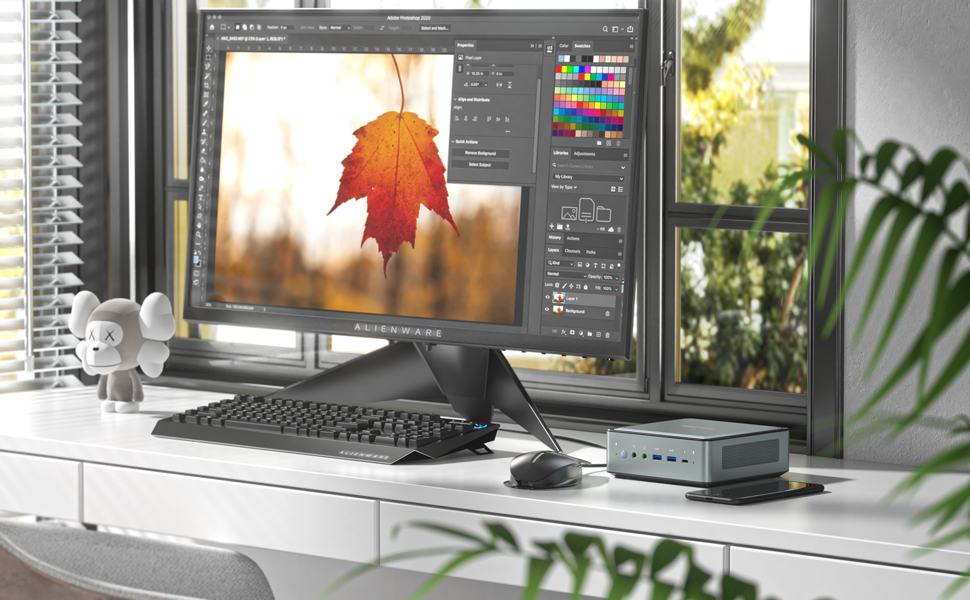
Image: Illustration of the HM80 Mini PC connected to three monitors, demonstrating its triple display output capability.
- Connect your monitors to the HDMI, DisplayPort, and USB-C video outputs.
- In Windows, right-click on the desktop and select 'Display settings' to configure display arrangement, resolution, and orientation.
7. ບໍາລຸງຮັກສາ
7.1 ການທໍາຄວາມສະອາດ
- ໃຊ້ຜ້າປຽກແຫ້ງເພື່ອເຮັດຄວາມສະອາດດ້ານນອກຂອງ Mini PC.
- For dust accumulation in vents, use compressed air. Ensure the device is powered off before cleaning.
7.2 ການຍົກລະດັບບ່ອນເກັບຂໍ້ມູນ ແລະ RAM
The HM80 Mini PC allows for easy upgrades of RAM, SSD, and HDD.
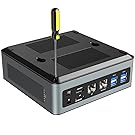
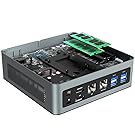

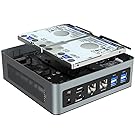
Images: Steps for opening the HM80 Mini PC and installing RAM, SSD, and HDD components.
- Ensure the Mini PC is powered off and disconnected from the power source.
- Carefully remove the bottom cover of the Mini PC.
- Locate the RAM (SO-DIMM) slots, M.2 SSD slot, or 2.5-inch HDD bays.
- Install or replace components according to their specific instructions. Ensure components are seated correctly.
- Replace the bottom cover and reconnect the power.
Note: Refer to the specific component's manual for detailed installation steps. Handle internal components with care to avoid damage.
8. ການແກ້ໄຂບັນຫາ
If you encounter issues with your MINISFORUM HM80 Mini PC, refer to the following common troubleshooting steps:
- ບໍ່ມີພະລັງງານ: ໃຫ້ແນ່ໃຈວ່າອະແດັບເຕີໄຟເຊື່ອມຕໍ່ຢ່າງປອດໄພກັບທັງ Mini PC ແລະປລັກສຽບໄຟທີ່ເຮັດວຽກໄດ້. ລອງຮ້ານອື່ນຖ້າຈໍາເປັນ.
- ບໍ່ມີການສະແດງຜົນ: Verify that the monitor is powered on and the video cable (HDMI, DisplayPort, or USB-C) is securely connected to both the Mini PC and the monitor. Try a different cable or monitor if possible.
- ບໍ່ມີການເຊື່ອມຕໍ່ອິນເຕີເນັດ: For wired connections, check the Ethernet cable and router/modem status. For Wi-Fi, ensure Wi-Fi is enabled in Windows settings and you are connected to the correct network with the correct password.
- ລະບົບບໍ່ຕອບສະໜອງ: If the system freezes, press and hold the power button for 4-5 seconds to force a shutdown, then restart the device.
- ບໍ່ກວດພົບອຸປະກອນຕໍ່ພ່ວງ: Ensure USB devices are properly connected. Try connecting them to a different USB port.
If problems persist, consult the MINISFORUM support webສະຖານທີ່ສໍາລັບການຊ່ວຍເຫຼືອເພີ່ມເຕີມ.
9. ຂໍ້ມູນຈໍາເພາະ
Detailed technical specifications for the MINISFORUM HM80 Mini PC:
| ຄຸນສົມບັດ | ຂໍ້ມູນຈໍາເພາະ |
|---|---|
| ໂຮງງານຜະລິດ | AMD Ryzen 7 4800U (8 Cores, 16 Threads, 3.4 GHz base, up to 4.0 GHz boost) |
| ຮູບພາບ | Integrated AMD Radeon Graphics (1750 MHz) |
| RAM | 16 GB DDR4 (2x8GB, upgradable to 32GB per slot) |
| ການເກັບຮັກສາ | 512 GB 2280 PCIe SSD (up to 2TB), 2x 2.5-inch SATA HDD slots (up to 2TB each) |
| ລະບົບປະຕິບັດການ | Windows 11 Pro |
| ຜົນຜະລິດວິດີໂອ | HDMI 2.0, DisplayPort, USB-C (supports triple 4K@60Hz displays) |
| ການເຊື່ອມຕໍ່ໄຮ້ສາຍ | Wi-Fi 6 (802.11ax), Bluetooth 5.1 |
| ພອດ LAN | 2x 2.5 Gigabit Ethernet (RJ45) |
| ພອດ USB | 4x USB 3.0, 2x USB 3.1, 2x USB-C |
| ສຽງ | 3.5mm Microphone Jack, 3.5mm Audio Jack |
| ຂະໜາດ | ຂະໜາດປະມານ 14.96 x 14.96 x 5.55 cm (5.89 x 5.89 x 2.19 ນິ້ວ) |
| ນ້ຳໜັກ | ປະມານ 1.5 ກິໂລ (3.32 ປອນ) |
10. ການຮັບປະກັນແລະການສະຫນັບສະຫນູນ
MINISFORUM products typically come with a standard manufacturer's warranty. For specific warranty terms, duration, and to register your product, please visit the official MINISFORUM webເວັບໄຊທ໌ຫຼືຕິດຕໍ່ສະຫນັບສະຫນູນລູກຄ້າຂອງພວກເຂົາ.
For technical support, driver downloads, and frequently asked questions, please refer to the MINISFORUM support page: www.minisforum.com/support


