BIGTREETECH 7-inch HDMI Touch Screen Display User Manual
Model: KINGPRINTER-1040000036
1. ຜະລິດຕະພັນເກີນview
The BIGTREETECH 7-inch HDMI Touch Screen Display is a versatile monitor designed for various applications, including compatibility with Sovol-SV08, Raspberry Pi 4B/3B, Banana Pi, and Windows 10/8/7 PCs. It features a 1024x600 resolution IPS panel with a 160° wide viewing angle, offering excellent image quality and responsive touch control.
This manual provides detailed instructions for setting up, operating, and maintaining your display, ensuring optimal performance and longevity.
ຄຸນນະສົມບັດທີ່ສໍາຄັນ:
- ໜ້າຈໍສຳຜັດ IPS ແບບ Capacitive ຂະໜາດ 7 ນິ້ວ
- 1024x600 Resolution
- ກວ້າງ 160° Viewໃນມຸມ
- HDMI Input for broad compatibility
- Support for 5-point touch
- Adjustable Brightness and Display Direction
- Built-in Audio Decoding Circuit with 3.5mm Headphone Jack
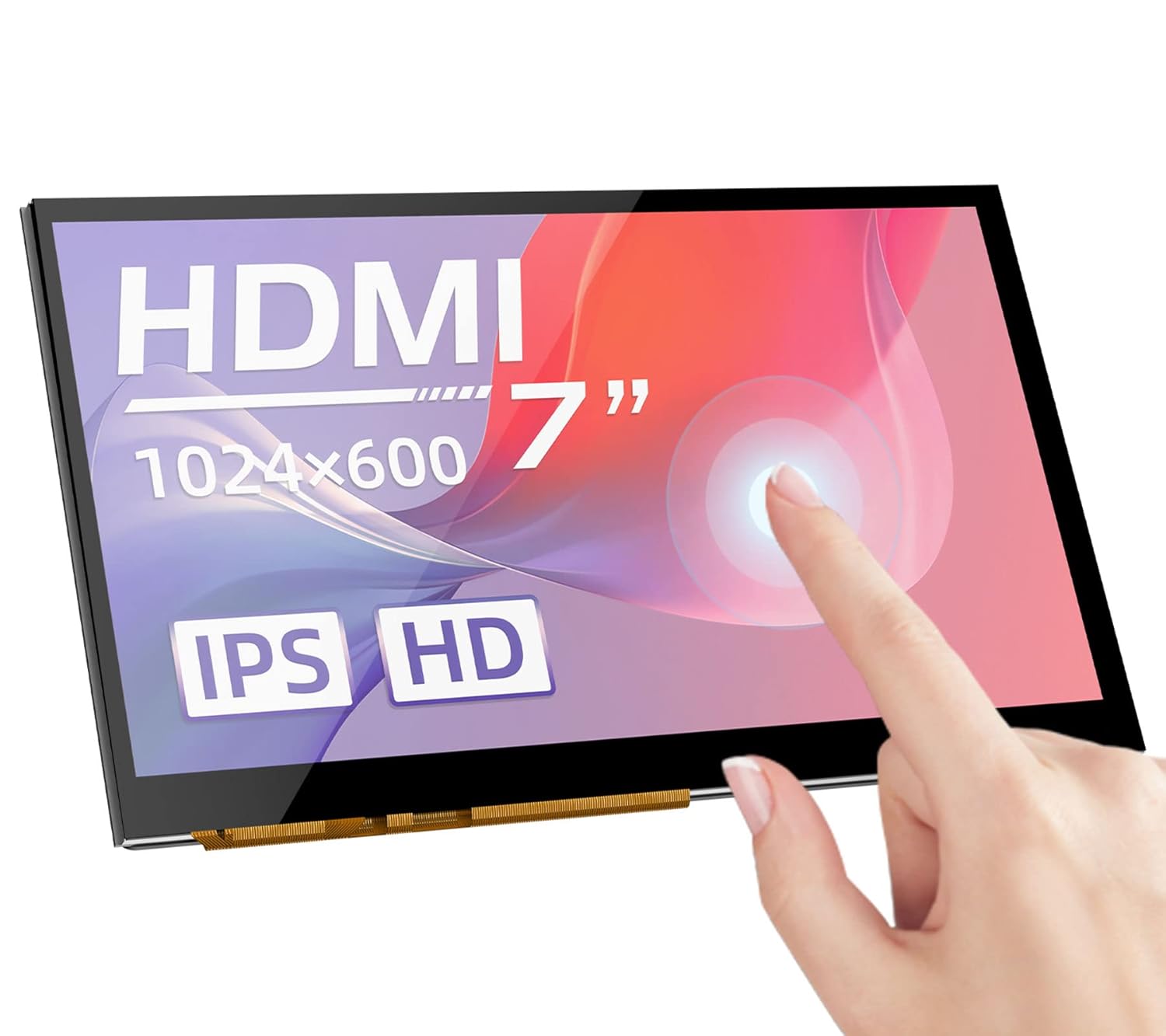
ຮູບ 1: ດ້ານຫນ້າ view of the BIGTREETECH 7-inch HDMI Touch Screen Display.
2. ການຕິດຕັ້ງ ແລະການເຊື່ອມຕໍ່
Follow these steps to connect your BIGTREETECH HDMI7 display to your desired device.
2.1 Connecting to Display Output Device
- Using Type-C Data Cable: Connect the HDMI7 display to your display output device (e.g., Sovol-SV08, Raspberry Pi, PC, or other HDMI-compatible devices) using the provided Type-C data cable.
- When connecting to a PC, the PC will typically load the necessary drivers automatically. Once drivers are loaded, the touch functionality will be recognized.
- Using HDMI Cable: Alternatively, connect the HDMI7 display to your display output device using an HDMI cable. The LCD should display content normally within 5 seconds after connection.
ຮູບ 2: ດ້ານຫລັງ view of the display showing connection ports (HDMI, Type-C, Audio Out).
3. ຄໍາແນະນໍາການດໍາເນີນງານ
3.1 Power Indicator and Status
ເມື່ອເມນບອດເປີດ:
- The power indicator, D11 (Power) red light, will illuminate, indicating normal power supply.
- The working status indicator, D12 (Status) green light, will flash, indicating that the screen is operating normally.
3.2 ສຽງອອກ
To enable audio output, plug a 3.5mm earphone or speaker into the AUDIO interface on the display.

Figure 3: Illustration of connecting a 3.5mm audio device to the display.
3.3 ການປັບຄວາມສະຫວ່າງໜ້າຈໍ
The BIGTREETECH HDMI7 V1.0 supports brightness adjustment:
- Increase brightness using the ເງີນກີບ1 ປຸ່ມ.
- Decrease brightness using the ເງີນກີບ3 ປຸ່ມ.
3.4 ການປັບທິດທາງການສະແດງຜົນ
The BIGTREETECH HDMI7 V1.0 allows for horizontal display direction adjustment:
- Adjust the display direction using the ເງີນກີບ2 ປຸ່ມ.
3.5 ການທໍາງານຂອງຫນ້າຈໍສໍາຜັດ
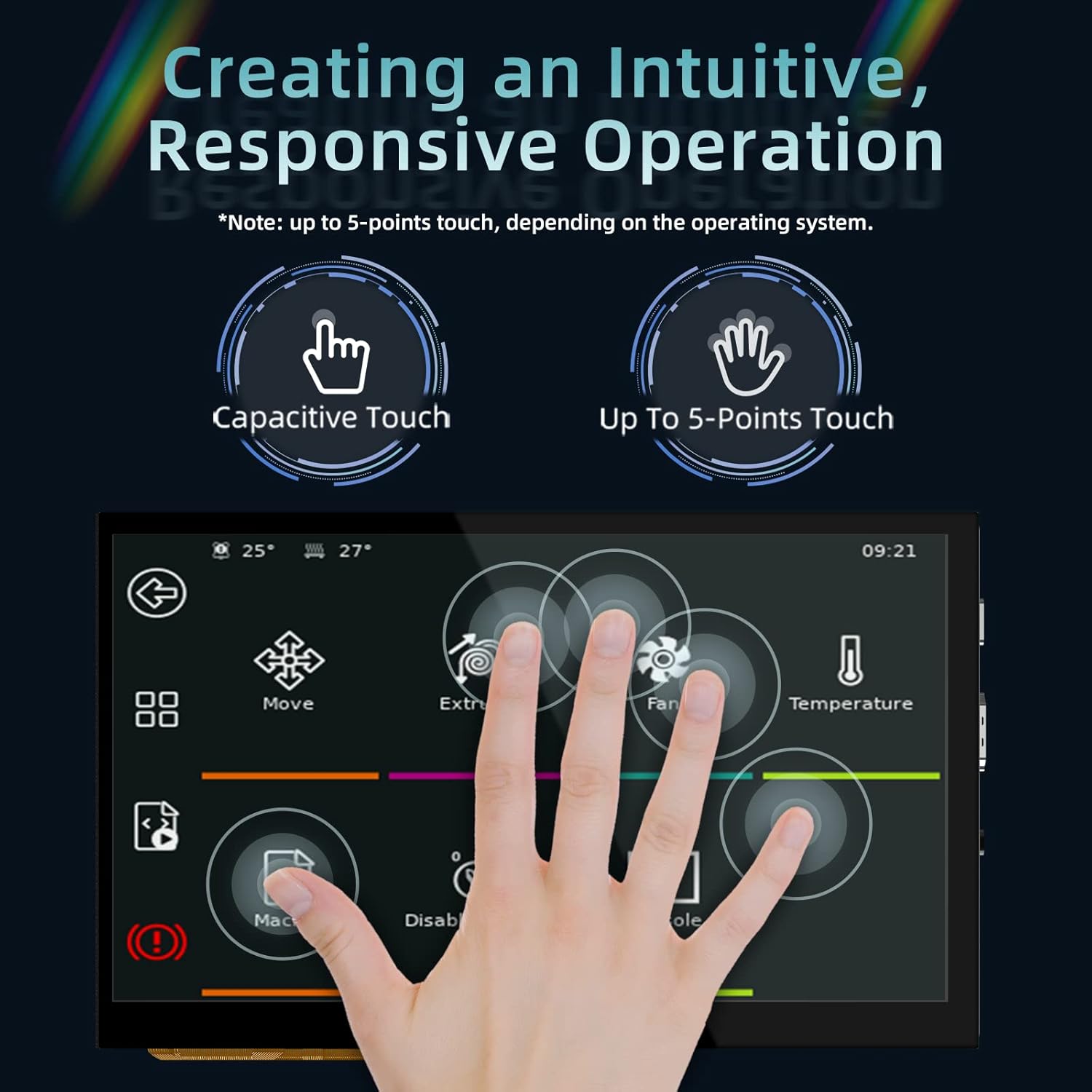
The display features a responsive capacitive touch screen that supports up to 5-point multi-touch, depending on the operating system of the connected device. This allows for intuitive interaction with your applications.

Figure 4: Demonstrating the responsive multi-touch capability of the display.
4. ບໍາລຸງຮັກສາ
ການບຳລຸງຮັກສາທີ່ເໝາະສົມຮັບປະກັນອາຍຸການໃຊ້ງານທີ່ຍາວນານ ແລະ ປະສິດທິພາບທີ່ດີທີ່ສຸດຂອງຈໍສະແດງຜົນຂອງທ່ານ.
- ທໍາຄວາມສະອາດ: ໃຊ້ຜ້າແພທີ່ອ່ອນໆ ທີ່ບໍ່ມີເສັ້ນດ່າງ dampened with water or a screen-safe cleaner to wipe the display surface. Avoid abrasive materials or harsh chemicals.
- ການເກັບຮັກສາ: ເມື່ອບໍ່ໄດ້ໃຊ້ງານເປັນເວລາດົນ, ໃຫ້ເກັບຮັກສາຈໍສະແດງຜົນໄວ້ໃນບ່ອນທີ່ເຢັນ, ແຫ້ງ ແລະ ຫ່າງຈາກແສງແດດໂດຍກົງ ແລະ ອຸນຫະພູມທີ່ຮຸນແຮງ.
- ການຈັດການ: ໃຫ້ຈັບໜ້າຈໍດ້ວຍຂອບສະເໝີ. ຫຼີກລ່ຽງການໃຊ້ແຮງກົດດັນຫຼາຍເກີນໄປໃສ່ໜ້າໜ້າຈໍ.
- ການລະບາຍອາກາດ: Ensure proper ventilation around the display to prevent overheating, especially during prolonged operation.
5. ການແກ້ໄຂບັນຫາ
If you encounter issues with your display, refer to the following troubleshooting tips:
5.1 ບໍ່ມີຈໍສະແດງຜົນ/ສີດຳ
- ກວດສອບພະລັງງານ: Ensure the D11 (Power) red indicator light is on. If not, verify the power input (DC 5V) connection.
- ກວດສອບສາຍສັນຍານ: Confirm that the HDMI or Type-C cable is securely connected to both the display and the output device. Try a different cable if available.
- Output Device Settings: Verify that your connected device (PC, Raspberry Pi, etc.) is configured to output video to the correct HDMI port and at a compatible resolution (1024x600).
- ຣີສະຕາດອຸປະກອນ: Power cycle both the display and the connected output device.
5.2 ໜ້າທີ່ການສຳຜັດບໍ່ເຮັດວຽກ
- ການເຊື່ອມຕໍ່ USB: For touch functionality, ensure the Type-C data cable is connected, as it carries the touch data.
- ການຕິດຕັ້ງໄດເວີ: If connecting to a PC, confirm that the touch screen drivers have been successfully loaded. This usually happens automatically, but manual installation might be required in some cases.
- ສະຫນັບສະຫນູນລະບົບປະຕິບັດການ: ກວດສອບວ່າລະບົບປະຕິບັດການຂອງທ່ານສະຫນັບສະຫນູນການສໍາພັດສໍາລັບການສະແດງຜົນພາຍນອກ.
- ການປັບທຽບ: Some operating systems may require touch screen calibration. Refer to your OS settings.
5.3 ບໍ່ມີສຽງອອກ
- ສາຍສຽງ: Ensure your 3.5mm earphone/speaker is correctly plugged into the AUDIO interface.
- ການຕັ້ງຄ່າປະລິມານ: Check the volume settings on your connected output device.
- ແຫຼ່ງສຽງ: Confirm that the output device is sending audio through the HDMI/Type-C connection.
6. ຂໍ້ມູນຈໍາເພາະ
| ພາລາມິເຕີ | ມູນຄ່າ |
|---|---|
| ຂະໜາດສິນຄ້າ | 100 x 165 ມມ |
| ການປ້ອນຂໍ້ມູນພະລັງງານ | DC 5V |
| Logic Voltage | DC 3.3V |
| ຂະໜາດໜ້າຈໍ | ຈໍສະແດງຜົນ IPS ຂະໜາດ 7 ນິ້ວ |
| ຄວາມລະອຽດໜ້າຈໍ | 1024x600 |
| ໜ້າຈໍ Viewໃນມຸມ | 160° |
| ໝາຍເລກຕົວແບບ | KINGPRINTER-1040000036 |
| ຜູ້ຜະລິດ | BIGTREETECH |
| ວັນທີທີ່ມີໃຫ້ທໍາອິດ | ວັນທີ 27 ສິງຫາ 2022 |

Figure 5: High-definition IPS display panel for excellent image quality.

Figure 6: The display offers a wide 160° viewing angle for clear images from various perspectives.
7. ການຮັບປະກັນແລະການສະຫນັບສະຫນູນ
For warranty information and technical support, please contact BIGTREETECH directly or refer to their official webເວັບໄຊ. ຮັກສາໃບຮັບເງິນການຊື້ຂອງທ່ານໄວ້ເປັນຫຼັກຖານການຊື້.
ຜູ້ຜະລິດ: BIGTREETECH
ສໍາລັບການຊ່ວຍເຫຼືອເພີ່ມເຕີມ, ໄປຢ້ຽມຢາມ BIGTREETECH Store on Amazon.


