ແນະນຳ
This manual provides instructions for the Angrox AN-MR21GA Magic Remote Control, designed as a replacement for compatible LG Smart TVs. This remote features pointer functionality, voice control, and dedicated shortcut buttons for enhanced navigation and user experience.
The remote is compatible with LG 2021, 2022, 2023, and 2024 OLED, QNED Mini-LED, NanoCell, and UHD TV series. It offers an ergonomic design with soft plastic buttons for comfortable use.
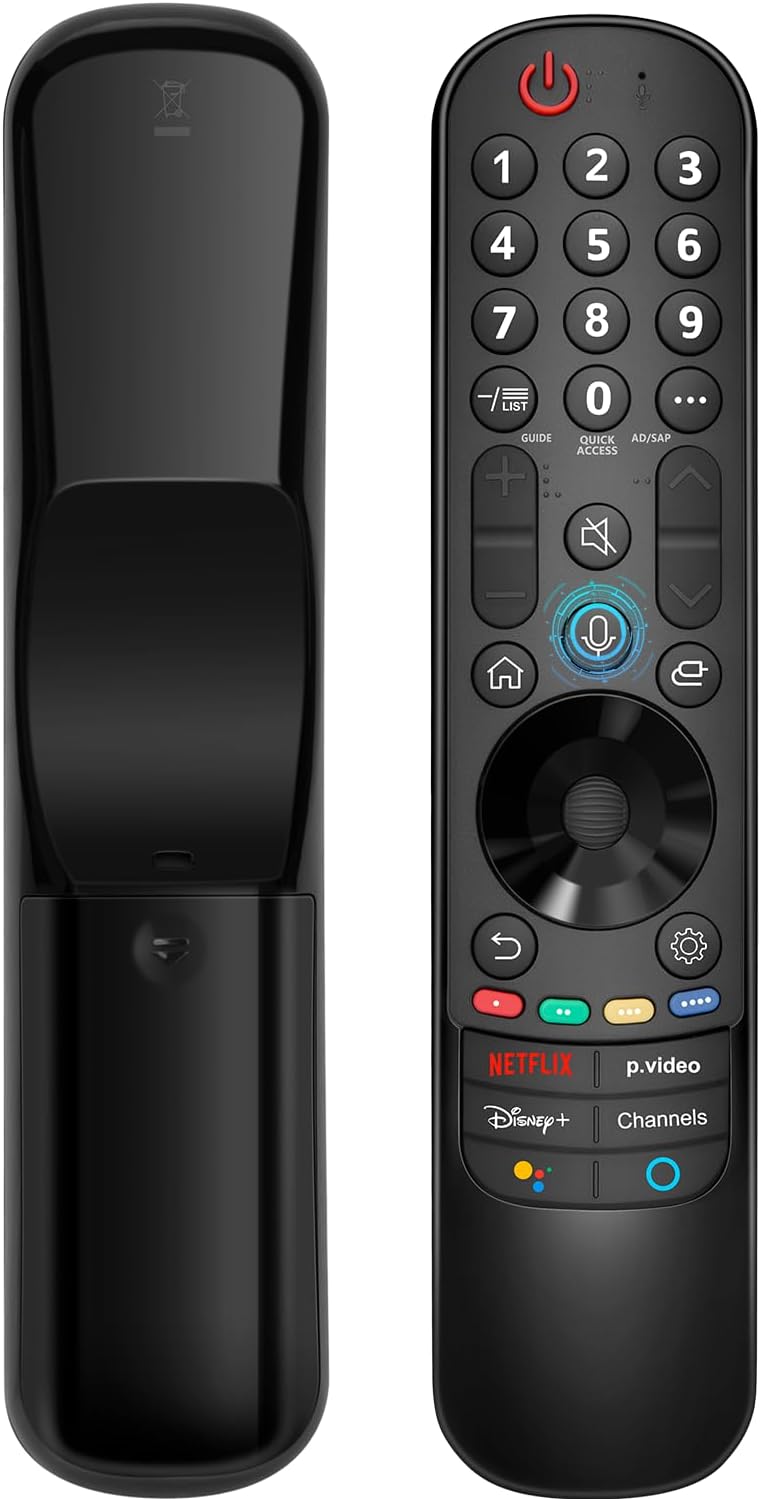
ຄວາມເຂົ້າກັນໄດ້
The Angrox AN-MR21GA Magic Remote Control is compatible with the following LG Smart TV series from 2021, 2022, 2023, and 2024:
- OLED TV Series: G1, G2, G3, G4, C1, C2, C3, C4, A1, A2, A3, A4 series.
- QNED Mini-LED TV Series: QNED99, QNED90 series.
- NanoCell TV Series: NANO99, NANO90, NANO85, NANO80, NANO75 series.
- UHD TV Series: UP80, UP75 series.
Specific compatible model numbers include, but are not limited to: 43NANO75UPA, 43UP7100ZUF, 43UP7560AUD, 43UP7700PUB, 43UP8000PUA, 50NANO75UPA, 50NANO77ZPA, 50NANO80UPA, 50NANO85APA, 50UP7100ZUF, 50UP7560AUD, 50UP7700PUB, 50UP8000PUA, 55NANO75UPA, 55NANO77ZPA, 55NANO80UPA, 55NANO85APA, 55NANO90UPA, 55UP7100ZUF, 55UP7560AUD, 55UP7700PUB, 55UP8000PUA, 60UP7700PUB, 60UP8000PUA, 65NANO75UPA, 65NANO77ZPA, 65NANO80UPA, 65NANO85APA, 65NANO90UPA, 65UP7100ZUF, 65UP7560AUD, 65UP7700PUA, 65UP7700PUB, 65UP8000PUA, 70UP7170ZUC, 70UP7570AUD, 70UP7770PUB, 70UP8070PUA, 75NANO75UPA, 75NANO80UPA, 75NANO85APA, 75NANO90UPA, 75QNED90UPA, 75QNED99UPA, 75UP7170ZUC, 75UP7570AUE, 75UP7770PUB, 75UP8070PUA, 82UP8770PUA, 86NANO75UPA, 86NANO85APA, 86NANO90UPA, 86NANO99UPA, 86QNED90UPA, 86QNED99UPA, 86UP8770PUA, BEJMR21GA, OLED48A1AUA, OLED48A1PUA, OLED48C1AUB, OLED48C1PUB, OLED55A1AUA, OLED55A1PUA, OLED55B1PUA, OLED55C1AUB, OLED55C1PUA, OLED55C1PUB, OLED55G1PUA, OLED65A1AUA, OLED65A1PUA, OLED65B1PUA, OLED65C1AUA, OLED65C1AUB, OLED65C1PUB, OLED65G1PUA, OLED77A1AUA, OLED77A1PUA, OLED77B1PUA, OLED77C1AUA, OLED77C1AUB, OLED77C1PUB, OLED77G1PUA, OLED83C1AUA, OLED83C1PUA, RCLLGEMR21GA, R-C-LLGEMR21GA, 43UP7670PUC, 43UP8000PUR, 50NANO75PUA, 50NANO80P, 50UP7670PUC, 50UP8000PUR, 55NANO80P, 55NANO90P, 55UP7670PUC, 55UP8000PUR, 60UP7670PUB, 60UP8000PUR.

ການຕັ້ງຄ່າແລະການຈັບຄູ່
The Angrox AN-MR21GA remote control is designed for easy setup without complex programming.
1. ການຕິດຕັ້ງຫມໍ້ໄຟ
Insert two (2) AA batteries into the remote control. Ensure correct polarity (+/-) as indicated inside the battery compartment. Batteries are not included with the remote.
2. ການຈັບຄູ່ກັບໂທລະພາບຂອງທ່ານ
There are two methods for pairing the remote with your LG Smart TV:
- Method 1 (Automatic Pairing):
- ເປີດ LG Smart TV ຂອງທ່ານ.
- Insert 2*AA batteries into the remote.
- After approximately 20 seconds, point the remote control towards the TV.
- ກົດ ລໍ້ (ຕົກລົງ) ປຸ່ມ.
- The remote control should register automatically, and a "Pairing Complete" message will appear on the TV screen.
- Method 2 (Manual Pairing):
- ເປີດ LG Smart TV ຂອງທ່ານ.
- Insert 2*AA batteries into the remote.
- ກົດຄ້າງໄວ້ ບ້ານ (
 ) ແລະ ກັບຄືນໄປບ່ອນ () ປຸ່ມພ້ອມໆກັນເປັນເວລາ 5 ວິນາທີ.
 - ຫຼັງຈາກນັ້ນ, ກົດປຸ່ມ ລໍ້ (ຕົກລົງ) ປຸ່ມ.
- A "Pairing Complete" message should appear on the TV screen.

ຄໍາແນະນໍາການດໍາເນີນງານ
Basic Navigation and Pointer Function
The remote features a pointer function that allows you to navigate the TV screen by moving the remote. The Wheel (OK) button acts as a click function, and scrolling is also supported.
ການຄວບຄຸມສຽງ
The remote includes a voice function for issuing commands to your TV. Press and hold the voice button (microphone icon) while speaking your command. Examples include "Go back home," "Open P.Video," or "Play some music."

ປຸ່ມລັດ
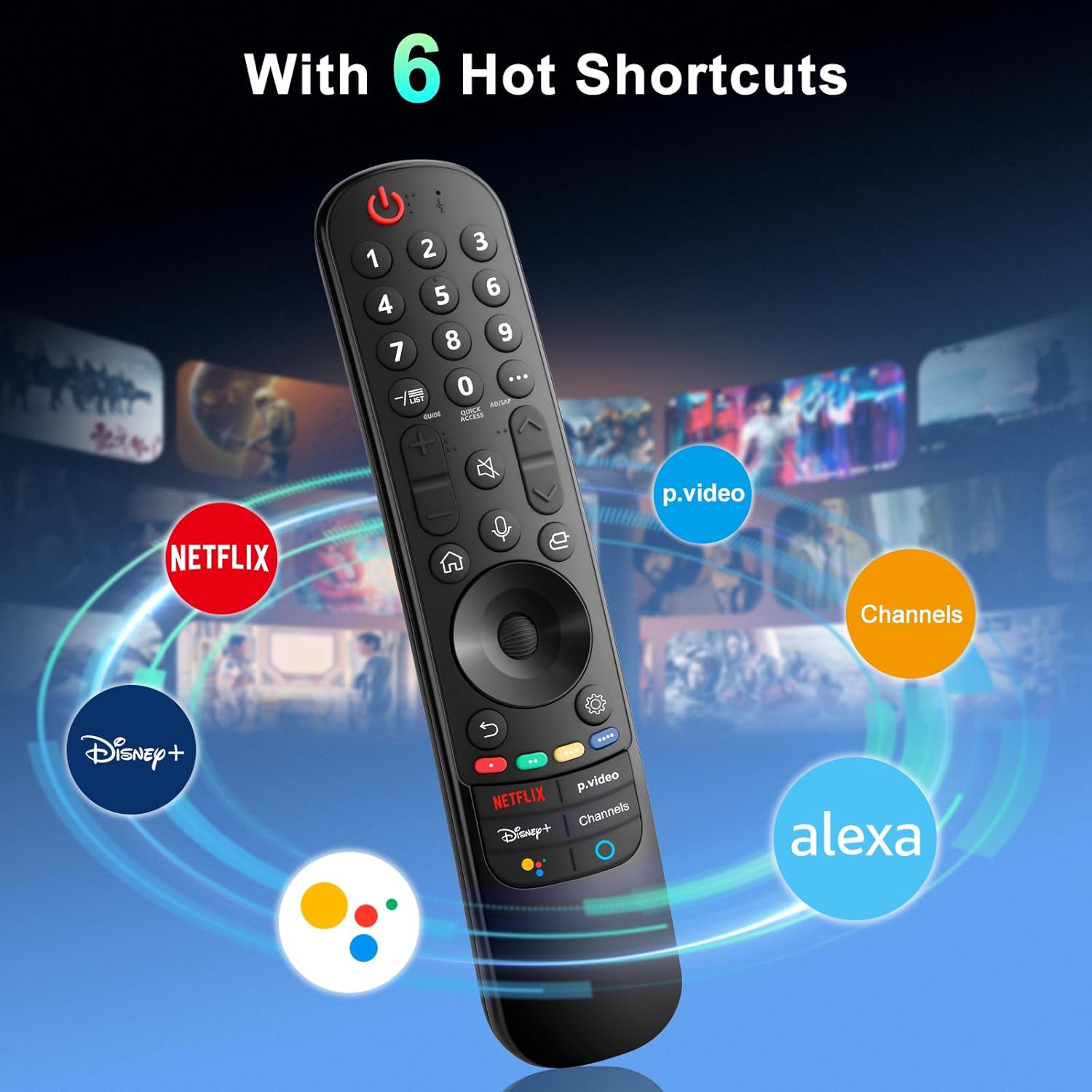
The remote provides dedicated shortcut buttons for quick access to popular streaming services and functions:
- NETFLIX: ເປີດຕົວແອັບພລິເຄຊັນ Netflix.
- P.Video: Launches the Prime Video application.
- Disney+: Launches the Disney+ application.
- ຊ່ອງ: Accesses TV channels.
- ຜູ້ຊ່ວຍ Google: ເປີດໃຊ້ Google Assistant ສຳລັບຄຳສັ່ງສຽງ ແລະ ການຄົ້ນຫາ.
- Alexa: Activates Amazon Alexa for voice commands and searches.

ຟັງຊັນປຸ່ມລະອຽດ
For buttons marked with a circle symbol (©), a long press (more than one second) may activate additional functions:
- 9©: Launch Quick Help.
- - / LIST©: Checking saved channels.
- GUIDE©: ຄູ່ມືເປີດຕົວ.
- 0©: ໜ້າຈໍແກ້ໄຂການເຂົ້າເຖິງດ່ວນຈະປາກົດຂຶ້ນ.
- ...©: Display additional buttons on the remote control.
- AD/SAP©: Configures SAP.
- Volume Up/Down©: ປັບລະດັບສຽງ.
- Channel Up/Down©: ທ່ານສາມາດປ່ຽນຊ່ອງໄດ້.
- Mute©: Select to turn off the sound from the TV.
- Accessibility©: Enter the Accessibility menu.
- Search©: Check out recommended contents. (Recommendation service may not be available depending on the countries you are in.)
- Voice Button (Microphone)©: Push and hold the button while speaking to use the voice recognition function.
- Home Button©: ສະແດງເມນູຫນ້າທໍາອິດ.
- Input Button©: ເລືອກແຫລ່ງປ້ອນເຂົ້າ.
- Settings Button©: Entering into the Home Dashboard.
- Back Button©: ຍ້າຍໄປຂັ້ນຕອນທີ່ຜ່ານມາ.
- Exit Button©: ປິດເມນູ.
- Quick Settings Button©: ເຂົ້າສູ່ເມນູການຕັ້ງຄ່າດ່ວນ.
- All Settings Button©: Enters the All Settings menu.
- Launch Record Button©: Launch Record. (Some models may not be supported.)
ການແກ້ໄຂບັນຫາ
- ໄລຍະໄກບໍ່ຕອບສະໜອງ:
- Ensure batteries are correctly inserted and have sufficient charge. Replace with new AA batteries if necessary.
- Re-attempt the pairing process (see "Setup and Pairing" section).
- Ensure there are no obstructions between the remote and the TV's infrared receiver. This remote primarily operates via line-of-sight.
- Pointer Function Not Working:
- ກວດໃຫ້ແນ່ໃຈວ່າຣີໂໝດຖືກຈັບຄູ່ຢ່າງຖືກຕ້ອງ.
- Try re-pairing the remote using Method 2 (holding Home and Back buttons).
- ການຄວບຄຸມດ້ວຍສຽງບໍ່ເຮັດວຽກ:
- Ensure the remote is properly paired and the TV supports voice control.
- Confirm that the voice button is being pressed and held while speaking.
- Check TV settings to ensure voice recognition is enabled.
- Buttons Feel Flimsy or Stick:
- This may indicate a manufacturing defect. Contact customer support for assistance.
ຂໍ້ມູນຈໍາເພາະ
| ຍີ່ຫໍ້ | Angrox |
| ໝາຍເລກຕົວແບບ | AN-MR21GA |
| ຂະໜາດສິນຄ້າ | 7.48 x 1.18 x 1.18 ນິ້ວ (18.54 x 4.06 x 1.77 cm) |
| ນ້ໍາຫນັກລາຍການ | 3.2 ອອນ |
| ຕ້ອງໃຊ້ແບັດເຕີຣີ | 2 ຫມໍ້ໄຟ AA (ບໍ່ລວມ) |
| ຄຸນນະສົມບັດພິເສດ | Ergonomic design, No Programming Required, Universal compatibility (for specified LG models), Voice Search, Pointer Function |
| ຈຳນວນສູງສຸດຂອງອຸປະກອນທີ່ຮອງຮັບ | 1 |
| ອຸປະກອນທີ່ເຂົ້າກັນໄດ້ | LG Smart Televisions (2021-2024 UHD, OLED, QNED, NanoCell series) |
ບໍາລຸງຮັກສາ
- ທໍາຄວາມສະອາດ: ໃຊ້ຜ້າປຽກແຫ້ງເພື່ອເຮັດຄວາມສະອາດຣີໂໝດ. ຢ່າໃຊ້ເຄື່ອງເຮັດຄວາມສະອາດຂອງແຫຼວຫຼືວັດສະດຸຂັດ.
- ການປ່ຽນແບັດເຕີຣີ: ໃຫ້ປ່ຽນແບັດເຕີຣີເມື່ອປະສິດທິພາບຂອງຣີໂໝດຫຼຸດລົງ. ໃຫ້ຖອດແບັດເຕີຣີອອກຖ້າບໍ່ໄດ້ໃຊ້ຣີໂໝດເປັນເວລາດົນເພື່ອປ້ອງກັນການຮົ່ວໄຫຼ.
- ການເກັບຮັກສາ: ເກັບຮັກສາຣີໂໝດໄວ້ໃນບ່ອນເຢັນ ແລະ ແຫ້ງ ຫ່າງຈາກແສງແດດໂດຍກົງ ແລະ ອຸນຫະພູມທີ່ຮ້າຍກາດ.
- ການຈັດການ: Avoid dropping the remote or subjecting it to strong impacts, as this can damage internal components.
ການຮັບປະກັນແລະການສະຫນັບສະຫນູນ
For warranty information or technical support, please contact the manufacturer, Angrox, directly through their official channels or the retailer where the product was purchased. Please retain your proof of purchase for warranty claims.
Manufacturer: Angror
ສໍາລັບການຊ່ວຍເຫຼືອເພີ່ມເຕີມ, ທ່ານສາມາດໄປຢ້ຽມຢາມໄດ້ Angrox Store on Amazon.


