ແນະນຳ
This manual provides comprehensive instructions for the operation and maintenance of your AbergBest Mini Digital Camera. Designed for ease of use, this compact camera is ideal for capturing everyday moments with its 21-megapixel sensor and HD 720P video recording capabilities. Please read this manual thoroughly to ensure proper usage and to maximize your camera's potential.
ແມ່ນຫຍັງຢູ່ໃນກ່ອງ
Upon unboxing your AbergBest Mini Digital Camera, please verify that all the following components are included:
- AbergBest Mini Digital Camera (Model: New2022ABDC5100)
- 2 x Lithium Batteries
- Charging Brick (USB Wall Adapter)
- ສາຍ USB (ສໍາລັບການສາກໄຟແລະການໂອນຂໍ້ມູນ)
- ສາຍແຂນ
- ແຜ່ນໄດຣເວີ (ຊີດີ)
- ຄູ່ມືຜູ້ໃຊ້
- Carrying Satchel

Image: All components included in the AbergBest Mini Digital Camera package.
ຕັ້ງຄ່າ
1. ການຕິດຕັ້ງຫມໍ້ໄຟ
The camera comes with two rechargeable lithium batteries. To install a battery:
- ຊອກຫາປະຕູຊ່ອງໃສ່ຫມໍ້ໄຟຢູ່ດ້ານລຸ່ມຂອງກ້ອງຖ່າຍຮູບ.
- ເລື່ອນສະລັກເພື່ອເປີດຊ່ອງໃສ່.
- ໃສ່ແບັດເຕີລີ, ຮັບປະກັນວ່າລາຍຊື່ຕິດຕໍ່ຖືກສອດຄ່ອງ.
- ປິດປະຕູຊ່ອງໃສ່ຫມໍ້ໄຟຢ່າງປອດໄພຈົນກວ່າມັນຈະຄລິກ.

Image: Visual guide for inserting the battery into the camera.
2. SD Card Installation (Not Included)
An SD memory card is required to store photos and videos. The camera supports up to a 64GB SD memory card. For optimal performance, use a certified brand SD card with a Class 4 speed or above.
- ຊອກຫາຊ່ອງສຽບ SD card, ໂດຍປົກກະຕິຢູ່ໃກ້ກັບຊ່ອງໃສ່ຫມໍ້ໄຟຫຼືຢູ່ຂ້າງຂອງກ້ອງຖ່າຍຮູບ.
- ສຽບ SD card ດ້ວຍການຫັນໜ້າດ້ານໂລຫະລົງໄປຈົນກວ່າມັນຈະກົດໃສ່ບ່ອນ.
- ເພື່ອເອົາອອກ, ຄ່ອຍໆຍູ້ບັດເຂົ້າຈົນກ່ວາມັນອອກມາ.

Image: Recommended SD card types and capacity for the camera.
3. ກຳລັງສາກກ້ອງ
Use the provided USB cable and charging brick to charge the camera. A fully charged battery can support the camera for over 60 minutes of use.
- ເຊື່ອມຕໍ່ປາຍສາຍ USB ຂະໜາດນ້ອຍເຂົ້າກັບພອດ USB ຂອງກ້ອງຖ່າຍຮູບ.
- Connect the large end of the USB cable to the charging brick.
- Plug the charging brick into a wall outlet.
- ໄຟສະແດງການສາກຈະສະຫວ່າງຂຶ້ນໃນລະຫວ່າງການສາກ ແລະ ຈະດັບລົງເມື່ອສາກສຳເລັດ.
ຄໍາແນະນໍາການດໍາເນີນງານ
1. ເປີດ / ປິດພະລັງງານ
Press and hold the Power button (usually located on the top or side of the camera) to turn the camera on or off.
2. ການໃຊ້ໜ້າຈໍ LCD
The camera features a 2.7-inch TFT LCD screen for framing shots, reviewing photos, and navigating menus.
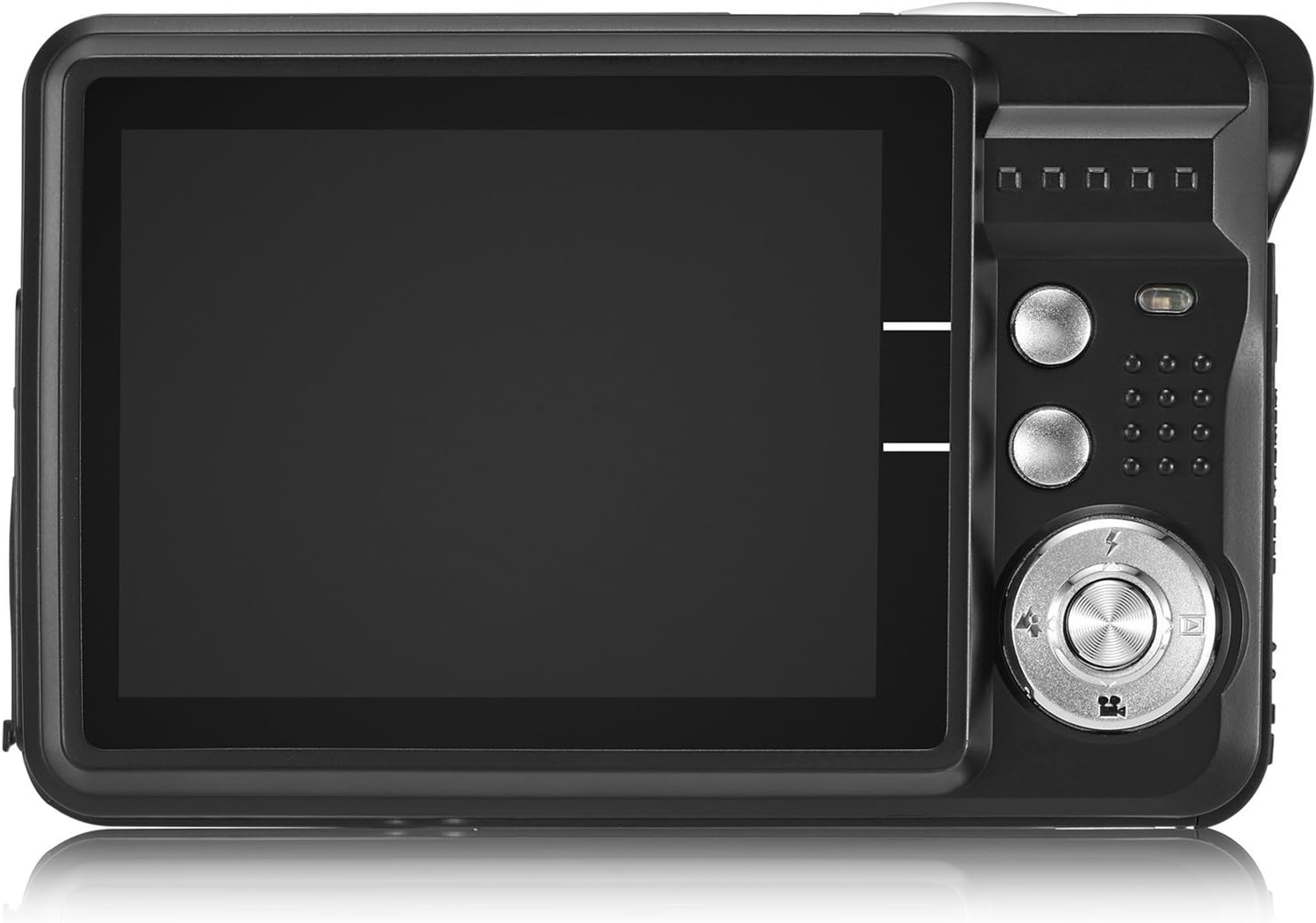
Image: The camera's 2.7-inch LCD screen and rear controls.
3. ຖ່າຍຮູບ
ເພື່ອຖ່າຍຮູບນິ້ງ:
- ວາງກອບວັດຖຸຂອງທ່ານໂດຍໃຊ້ໜ້າຈໍ LCD.
- Press the Shutter button halfway down to focus.
- Press the Shutter button fully to take the picture.
The camera captures images at 21 megapixels in JPEG format.
4. ການບັນທຶກວິດີໂອ
ເພື່ອບັນທຶກວິດີໂອ:
- Switch the camera to video mode (refer to the on-screen icons or user manual for specific button).
- ກົດປຸ່ມ Shutter ເພື່ອເລີ່ມຕົ້ນການບັນທຶກ.
- ກົດປຸ່ມ Shutter ອີກຄັ້ງເພື່ອຢຸດການບັນທຶກສຽງ.
Videos are recorded in HD 720P resolution in AVI format.

Image: The camera displaying video recording functionality.
5. ຟັງຊັນຊູມ
The camera features 8X digital zoom. Use the zoom buttons (often labeled with a magnifying glass icon or 'W' for Wide and 'T' for Telephoto) to adjust the zoom level.

Image: Demonstrating the camera's 8X digital zoom capability.
6. Scene Modes and Settings
Access the camera's menu to select various scene modes and adjust settings for different shooting conditions. Available modes include:
- ຮູບຄົນກາງຄືນ: For clear portraits in low light.
- ທິວທັດກາງຄືນ: Optimizes for landscapes at night.
- ກິລາ: Reduces blur for fast-moving subjects.
- ທິວທັດ: ປັບປຸງການຖ່າຍຮູບພູມສັນຖານກາງແຈ້ງໃຫ້ດີຂຶ້ນ.
- ພັກ: Ideal for indoor events with mixed lighting.
- ຫາດຊາຍ: ປັບໃຫ້ເໝາະສົມກັບສະພາບແວດລ້ອມທີ່ສະຫວ່າງ ແລະ ສະທ້ອນແສງ.
- ຄວາມອ່ອນໄຫວສູງ: Improves performance in very low light.
Other adjustable settings include ISO (Auto, 100, 200, 400), Anti-Shake for stable images, and Flash options (Auto, On, Off, Red-eye Reduction). The camera also features Face Detection, Smile Capture, and a 2-second Self-Timer.

Image: The camera's 2.7-inch screen highlighting the face detection feature.

Image: Illustrating the effect of the built-in flash in low-light conditions.
ການເຊື່ອມຕໍ່ກັບຄອມພິວເຕີ
ເພື່ອໂອນຮູບພາບ ແລະ ວິດີໂອໄປໃສ່ຄອມພິວເຕີຂອງທ່ານ:
- ໃຫ້ແນ່ໃຈວ່າກ້ອງຖ່າຍຮູບປິດຢູ່.
- ເຊື່ອມຕໍ່ກ້ອງຖ່າຍຮູບກັບຄອມພິວເຕີຂອງທ່ານໂດຍໃຊ້ສາຍ USB ທີ່ໃຫ້ມາ.
- Turn on the camera. It should appear as a removable disk drive on your computer.
- Alternatively, you can remove the SD card and insert it into a compatible card reader connected to your computer.
The camera is compatible with Windows XP/VISTA/7/8/10 and Mac operating systems. A driver disk is included for older systems or specific software needs, though most modern operating systems will recognize the camera automatically.

Image: Connecting the camera to a personal computer for data transfer.
ບໍາລຸງຮັກສາ
ການດູແລທີ່ເຫມາະສົມຈະຍືດອາຍຸຂອງກ້ອງຖ່າຍຮູບຂອງທ່ານ:
- ທໍາຄວາມສະອາດ: ໃຊ້ຜ້າອ່ອນໆທີ່ບໍ່ມີຂົນເພື່ອທຳຄວາມສະອາດຕົວກ້ອງ ແລະ ໜ້າຈໍ. ສຳລັບເລນ, ໃຫ້ໃຊ້ຜ້າເຊັດເລນ ແລະ ນ້ຳຢາທຳຄວາມສະອາດພິເສດ. ຫຼີກລ່ຽງສານເຄມີທີ່ຮຸນແຮງ.
- ການເກັບຮັກສາ: ເກັບຮັກສາກ້ອງຖ່າຍຮູບໄວ້ໃນບ່ອນທີ່ເຢັນ, ແຫ້ງ, ຫ່າງຈາກແສງແດດໂດຍກົງ ແລະອຸນຫະພູມທີ່ຮຸນແຮງ. ເອົາແບດເຕີລີ່ອອກຖ້າເກັບຮັກສາໄວ້ເປັນເວລາດົນ.
- ການດູແລຫມໍ້ໄຟ: Fully charge batteries before first use. Avoid overcharging or completely draining the battery frequently to prolong its lifespan.
ການແກ້ໄຂບັນຫາ
ຖ້າເຈົ້າພົບບັນຫາກັບກ້ອງຖ່າຍຮູບຂອງເຈົ້າ, ລອງໃຊ້ຂັ້ນຕອນການແກ້ໄຂບັນຫາທົ່ວໄປຕໍ່ໄປນີ້:
- ກ້ອງຖ່າຍຮູບບໍ່ເປີດ: Ensure the battery is correctly installed and fully charged. Try using the second provided battery.
- ຄຸນນະພາບຮູບພາບທີ່ບໍ່ດີ: Check lighting conditions. Ensure the lens is clean. Adjust scene modes or ISO settings as needed.
- ກາດຄວາມຈໍາຜິດພາດ: Ensure the SD card is properly inserted and not full. Try formatting the card (this will erase all data, so back up first). Use a compatible SD card (Class 4 or above, up to 64GB).
- ກ້ອງຖ່າຍຮູບຄ້າງ: ຖອດແລະໃສ່ແບັດເຕີຣີຄືນເພື່ອຕັ້ງຄ່າກ້ອງຖ່າຍຮູບຄືນໃໝ່.
If problems persist, please refer to the detailed user manual or contact customer support.
ຂໍ້ມູນຈໍາເພາະ
| ຄຸນສົມບັດ | ລາຍລະອຽດ |
|---|---|
| ຍີ່ຫໍ້ | AbergBest |
| ຊື່ຕົວແບບ | ABCAM218UPDATED |
| ໝາຍເລກຕົວແບບ | ໃໝ່2022ABDC5100 |
| ສູງສຸດ Webcam ຄວາມລະອຽດຮູບພາບ | 21 MP |
| ເທັກໂນໂລຍີເຊັນເຊີຮູບພາບ | CMOS |
| ຄວາມລະອຽດວິດີໂອ | 720p |
| ສະຫນັບສະຫນູນ File ຮູບແບບ | AVI (ວິດີໂອ), JPEG (ຮູບພາບ) |
| ສະຖຽນລະພາບຮູບພາບ | ດິຈິຕອລ |
| ຂະໜາດໜ້າຈໍ | ຈໍ LCD TFT 2.7 ນິ້ວ |
| ຊູມດິຈິຕອລ | 8x |
| ປະເພດຫນ່ວຍຄວາມຈໍາ Flash | SD (up to 64GB, Class 4+) |
| ປະເພດຫມໍ້ໄຟ | Lithium Polymer (ລວມເອົາ 2 ອັນ) |
| ເຕັກໂນໂລຊີການເຊື່ອມຕໍ່ | USB |
| ອຸປະກອນທີ່ເຂົ້າກັນໄດ້ | ວິນໂດ XP/ວິສຕາ/7/8/10/ແມັກ |
| ຄຸນນະສົມບັດພິເສດ | Face Detection, Smile Capture, Anti-Shake, Self-Timer |
| ນ້ໍາຫນັກລາຍການ | 309 ກຣາມ |
| ຂະໜາດລາຍການ (D x W x H) | 3.74"D x 2.4"W x 0.94"H |
ການຮັບປະກັນແລະການສະຫນັບສະຫນູນ
Your AbergBest Mini Digital Camera comes with a ການຮັບປະກັນຜູ້ຜະລິດ 1 ປີ. For warranty claims, technical support, or any questions regarding your product, please refer to the contact information provided in the included user manual or visit the official AbergBest webເວັບໄຊ.
ກະລຸນາຮັກສາຫຼັກຖານການຊື້ຂອງທ່ານໄວ້ເພື່ອຈຸດປະສົງການຮັບປະກັນ.