1. ບົດແນະນຳ
This manual provides instructions for the Lexon MINO+ Portable Bluetooth Mini Speaker. The MINO+ is a compact, rechargeable speaker designed for high-definition audio playback, hands-free calling, and remote selfie functionality. It features True Wireless Stereo (TWS) technology for pairing two speakers.
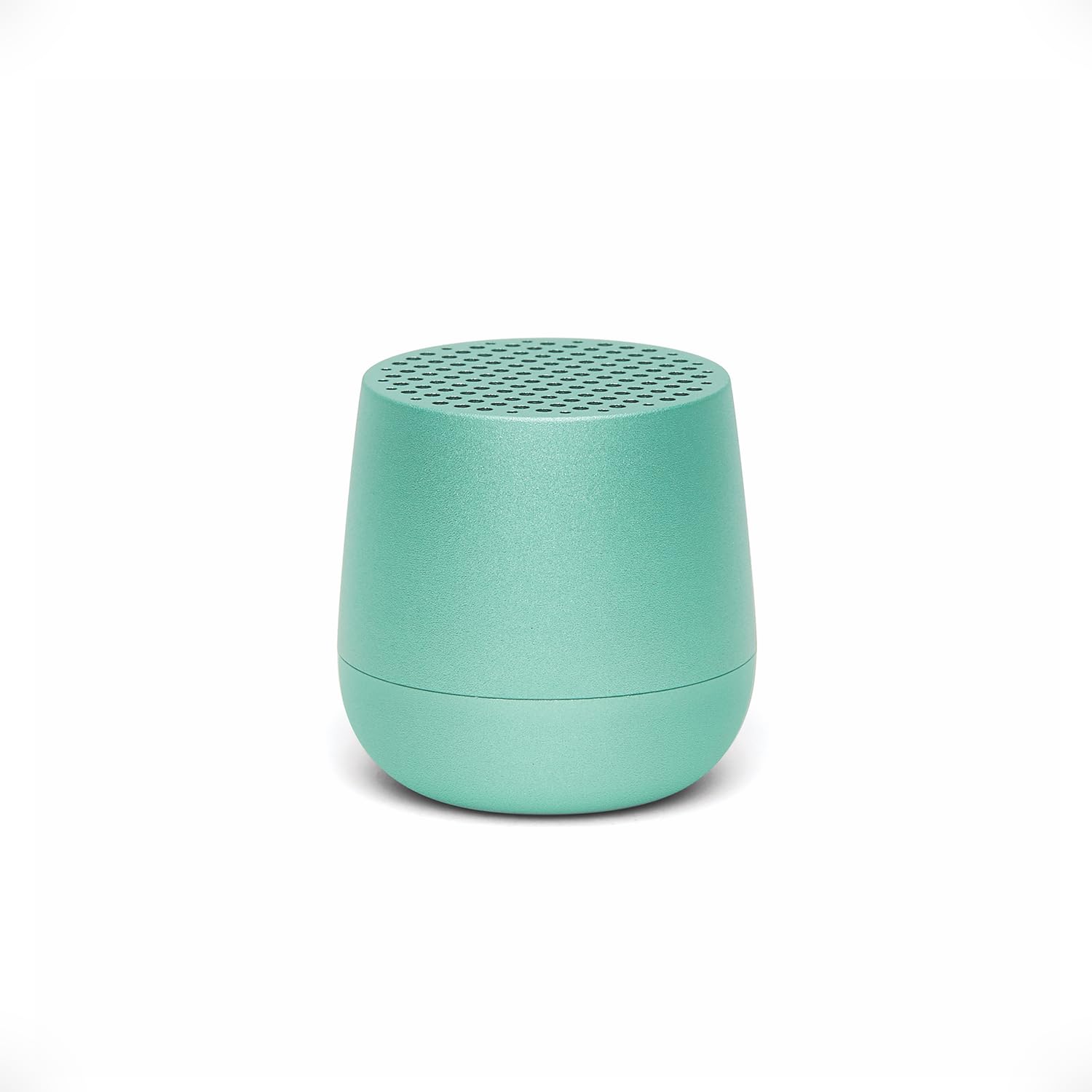
Image: The Lexon MINO+ speaker, showcasing ການອອກແບບຫນາແຫນ້ນຂອງມັນ.
ວິດີໂອ: ຫຼາຍກວ່າview of the Lexon MINO+ Bluetooth speaker, highlighting its features and design.
2. ສິ່ງທີ່ຢູ່ໃນກ່ອງ
- Lexon MINO+ Portable Bluetooth Mini Speaker
- ສາຍ USB-C
3. ຄຸນລັກສະນະຂອງຜະລິດຕະພັນ
- ການອອກແບບກະທັດຮັດ: Fits in the palm of your hand.
- ສຽງອອກ: Delivers 3W high-quality sound.
- ແບັດເຕີຣີທີ່ສາມາດສາກໄດ້: ເຖິງ 3 ຊົ່ວໂມງຂອງການຫຼີ້ນ.
- ຕົວເລືອກການສາກໄຟ: Supports wireless charging (Qi-enabled pad not included) and USB-C charging.
- True Wireless Stereo (TWS): Allows pairing of two MINO+ speakers for stereo sound.
- ໄມໂຄຣໂຟນແບບແຮນຟຣີ: ໄມໂຄຣໂຟນໃນຕົວສໍາລັບການໂທ.
- Selfie Remote Control: Use the speaker button to trigger your phone's camera.
- ວັດສະດຸ: ການກໍ່ສ້າງໂລຫະ.
- ການເຊື່ອມຕໍ່: Bluetooth wireless technology (range up to 10 meters / 32.8 feet).

Image: The MINO+ speaker comfortably held in a hand, illustrating its compact form factor.
4. ຕັ້ງຄ່າ
4.1 ການເປີດ/ປິດ
- To power on: Press and hold the button located on the bottom of the speaker until you hear an audible cue or see an indicator light.
- To power off: Press and hold the button again until the speaker powers down.
4.2 ການຈັບຄູ່ Bluetooth ເບື້ອງຕົ້ນ
- Ensure the MINO+ speaker is powered on and within 10 meters (32.8 feet) of your device.
- ລຳໂພງຈະເຂົ້າສູ່ໂໝດຈັບຄູ່ໂດຍອັດຕະໂນມັດ, ໂດຍສະແດງດ້ວຍໄຟ LED ກະພິບ.
- ໃນໂທລະສັບສະຫຼາດ, ແທັບເລັດ ຫຼື ຄອມພິວເຕີຂອງທ່ານ, ໃຫ້ໄປທີ່ການຕັ້ງຄ່າ Bluetooth.
- Select "MINO+" from the list of available devices.
- Once connected, the LED indicator will typically show a solid light, and you may hear a confirmation tone.
5. ຄໍາແນະນໍາການດໍາເນີນງານ
5.1 ການຫຼິ້ນສຽງ
After successful pairing, audio played on your connected device will stream through the MINO+ speaker. Control playback (play/pause, skip tracks) directly from your connected device.
5.2 ການປັບລະດັບສຽງ
ປັບລະດັບສຽງໂດຍກົງຈາກອຸປະກອນ Bluetooth ທີ່ເຊື່ອມຕໍ່ຂອງທ່ານ (ໂທລະສັບສະຫຼາດ, ແທັບເລັດ, ແລະອື່ນໆ).
5.3 ການໂທແບບບໍ່ໃຊ້ມື
- When a call comes in, the speaker will ring. Press the button on the bottom of the speaker once to answer the call.
- To end a call, press the button once again.
- ເພື່ອປະຕິເສດສາຍໂທເຂົ້າ, ໃຫ້ກົດປຸ່ມຄ້າງໄວ້ສອງສາມວິນາທີ.
5.4 Selfie Remote Control
With your phone's camera app open and the MINO+ connected via Bluetooth, press the button on the bottom of the speaker to remotely trigger the camera shutter and take a photo.
6. ການສາກໄຟ
The MINO+ speaker can be charged using the included USB-C cable or wirelessly with a Qi-enabled charging pad (sold separately).
6.1 ການສາກ USB-C
- ເຊື່ອມຕໍ່ສາຍ USB-C ກັບຊ່ອງສາກໄຟຢູ່ລຳໂພງ.
- ເຊື່ອມຕໍ່ອີກສົ້ນຂອງສາຍ USB-C ກັບອະແດັບເຕີໄຟ USB ທີ່ເຂົ້າກັນໄດ້ (ບໍ່ລວມ) ຫຼືພອດ USB ຂອງຄອມພິວເຕີ.
- The LED indicator will show charging status (e.g., solid red for charging, off or green for fully charged).
6.2 ການສາກໄຟໄຮ້ສາຍ
- Place the MINO+ speaker on a Qi-enabled wireless charging pad.
- Ensure the speaker is centered on the charging pad for optimal contact.
- ຕົວຊີ້ວັດ LED ຈະສະແດງສະຖານະການສາກໄຟ.

Image: The MINO+ speaker being charged wirelessly on a compatible charging pad.
7. True Wireless Stereo (TWS) ການຈັບຄູ່
To achieve a stereo sound experience, you can pair two MINO+ speakers together.
- Ensure both MINO+ speakers are powered off.
- ເປີດລຳໂພງທັງສອງພ້ອມໆກັນ. ພວກມັນຈະເຂົ້າສູ່ໂໝດຈັບຄູ່.
- Double-press the button on the bottom of one of the speakers. This speaker will become the primary unit.
- ລໍາໂພງທັງສອງຈະເຊື່ອມຕໍ່ກັນໂດຍອັດຕະໂນມັດ. ທ່ານຈະໄດ້ຍິນສຽງຢືນຢັນເມື່ອເຊື່ອມຕໍ່ແລ້ວ.
- Now, connect your device to the primary MINO+ speaker via Bluetooth as described in Section 4.2. Audio will play in stereo through both speakers.

Image: Two MINO+ speakers positioned to illustrate their True Wireless Stereo (TWS) pairing function.
8. ບໍາລຸງຮັກສາ
- ທໍາຄວາມສະອາດ: ໃຊ້ຜ້າອ່ອນ, ແຫ້ງເພື່ອເຮັດຄວາມສະອາດລໍາໂພງ. ຢ່າໃຊ້ເຄື່ອງເຮັດຄວາມສະອາດຂັດຫຼືສານລະລາຍ.
- ການເກັບຮັກສາ: ເກັບຮັກສາລຳໂພງໄວ້ໃນບ່ອນທີ່ເຢັນ, ແຫ້ງ, ຫ່າງຈາກແສງແດດໂດຍກົງ ແລະ ອຸນຫະພູມທີ່ຮ້າຍກາດ.
- ຄວາມຕ້ານທານນ້ໍາ: ຜະລິດຕະພັນນີ້ບໍ່ກັນນ້ຳ. ຫຼີກລ່ຽງການສຳຜັດກັບນ້ຳ ຫຼື ຄວາມຊຸ່ມຊື່ນສູງ.
9. ການແກ້ໄຂບັນຫາ
| ບັນຫາ | ການແກ້ໄຂ |
|---|---|
| ລຳໂພງບໍ່ເປີດ. | Ensure the speaker is charged. Connect it to a power source using the USB-C cable or a wireless charging pad. |
| ບໍ່ສາມາດຈັບຄູ່ກັບອຸປະກອນ Bluetooth ໄດ້. |
|
| ບໍ່ມີສຽງ ຫຼືສຽງຕໍ່າ. |
|
| ການຈັບຄູ່ TWS ລົ້ມເຫລວ. | Ensure both speakers are powered off before attempting TWS pairing. Follow the steps in Section 7 carefully. Make sure no other devices are connected to either speaker during TWS pairing. |
10. ຂໍ້ມູນຈໍາເພາະ
| ຄຸນສົມບັດ | ລາຍລະອຽດ |
|---|---|
| ຊື່ຕົວແບບ | MINO+ |
| ໝາຍເລກຕົວແບບ | LA125M1 |
| ຍີ່ຫໍ້ | Lexon |
| ປະເພດລຳໂພງ | ໃນຕົວ |
| ລຳໂພງກຳລັງຜົນຜະລິດສູງສຸດ | 3 ວັດ |
| ເຕັກໂນໂລຊີການເຊື່ອມຕໍ່ | Bluetooth |
| ຊ່ວງ Bluetooth | 10 ແມັດ (32.8 ຕີນ) |
| ແຫຼ່ງພະລັງງານ | ສາກແບັດເຕີຣີ (ຕ້ອງໃຊ້ແບັດເຕີຣີ Lithium Polymer 1 ອັນ) |
| ເວລາຫຼິ້ນ | ສູງສຸດ 3 ຊົ່ວໂມງ |
| ກຳລັງສາກໄຟ | USB-C, Wireless (Qi-compatible) |
| ຄຸນນະສົມບັດພິເສດ | Built-In Microphone, Stereo Pairing (TWS), USB Port, Selfie Remote |
| ວັດສະດຸ | ໂລຫະ |
| ຂະໜາດສິນຄ້າ | 1.45"D x 1.45"W x 1.45"H |
| ນ້ໍາຫນັກລາຍການ | 33 ກຣາມ (1.16 ອອນສ໌) |
| ລະດັບຄວາມຕ້ານທານນ້ໍາ | ບໍ່ທົນທານຕໍ່ນ້ໍາ |
11. ຂໍ້ມູນຄວາມປອດໄພ
- ຢ່າເຮັດໃຫ້ລໍາໂພງຖືກອຸນຫະພູມທີ່ຮຸນແຮງ, ແສງແດດໂດຍກົງ, ຫຼືຄວາມຊຸ່ມຊື່ນສູງ.
- ຫຼີກລ່ຽງການລຸດລົງ ຫຼື ວາງລຳໂພງຕໍ່ກັບຜົນກະທົບທີ່ຮຸນແຮງ.
- ຢ່າພະຍາຍາມຖອດປະກອບ, ສ້ອມແປງ ຫຼື ດັດແປງລຳໂພງ. ສິ່ງນີ້ອາດເຮັດໃຫ້ການຮັບປະກັນເປັນໂມຄະ ແລະ ມີຄວາມສ່ຽງດ້ານຄວາມປອດໄພ.
- ຮັກສາລໍາໂພງຢູ່ຫ່າງຈາກເດັກນ້ອຍ ແລະສັດລ້ຽງ.
- ຖິ້ມຜະລິດຕະພັນແລະຫມໍ້ໄຟຂອງຕົນຢ່າງມີຄວາມຮັບຜິດຊອບຕາມກົດລະບຽບທ້ອງຖິ່ນ.
12. ການຮັບປະກັນແລະການສະຫນັບສະຫນູນ
For warranty information or technical support, please refer to the official Lexon website or contact Lexon customer service directly. Keep your proof of purchase for warranty claims.


