ແນະນຳ
ຂອບໃຈສໍາລັບການຊື້asing the Edifier W600BT Bluetooth Over-Ear Headphones. This manual provides instructions for setup, operation, and maintenance to ensure optimal performance and longevity of your device. Please read this manual thoroughly before use.

Image: Edifier W600BT Bluetooth Over-Ear Headphones. These over-ear headphones feature a sleek grey design with comfortable earcups and an adjustable headband.
ເນື້ອໃນຊຸດ
The Edifier W600BT package includes the following items:
- Edifier W600BT Bluetooth Over-Ear Headphones
- ສາຍສຽງ 3.5 ມມ
- ສາຍສາກ USB
- ຄູ່ມືຜູ້ໃຊ້ (ເອກະສານນີ້)
ຕັ້ງຄ່າ
ກຳລັງສາກຫູຟັງ
- ເຊື່ອມຕໍ່ສາຍສາກ USB ກັບຊ່ອງສາກໄຟຢູ່ໃນຫູຟັງ.
- ເຊື່ອມຕໍ່ອີກສົ້ນຂອງສາຍ USB ກັບອະແດັບເຕີໄຟ USB (ບໍ່ລວມ) ຫຼືພອດ USB ຂອງຄອມພິວເຕີ.
- The indicator light will illuminate during charging and turn off when fully charged. A full charge takes approximately 3 hours.
ການຈັບຄູ່ Bluetooth
- ກວດໃຫ້ແນ່ໃຈວ່າໄດ້ສາກຫູຟັງແລ້ວ.
- ກົດປຸ່ມເປີດປິດຄ້າງໄວ້ຈົນກວ່າໄຟຊີ້ບອກຈະກະພິບສີຟ້າ ແລະສີແດງ, ສະແດງເຖິງໂໝດການຈັບຄູ່.
- ໃນອຸປະກອນຂອງທ່ານ (ໂທລະສັບສະຫຼາດ, ແທັບເລັດ, ແລັບທັອບ), ເປີດໃຊ້ Bluetooth ແລະຊອກຫາອຸປະກອນທີ່ມີຢູ່.
- Select "EDIFIER W600BT" from the list of devices.
- ເມື່ອເຊື່ອມຕໍ່ແລ້ວ, ໄຟຕົວຊີ້ວັດຈະກະພິບສີຟ້າຊ້າໆ.

Image: Diagram illustrating Bluetooth 5.1 connectivity for the Edifier W600BT headphones, showing connections to a laptop, headphones, and smartphone. Bluetooth 5.1 offers faster transmission, better sound quality, and a more stable connection.
ຄໍາແນະນໍາການດໍາເນີນງານ
ເປີດ/ປິດ
- ເປີດ: ກົດປຸ່ມເປີດປິດຄ້າງໄວ້ປະມານ 3 ວິນາທີ.
- ປິດພະລັງງານ: ກົດປຸ່ມເປີດປິດຄ້າງໄວ້ປະມານ 5 ວິນາທີ.
ເພັງ Playback
- ຫຼິ້ນ/ຢຸດ: ກົດປຸ່ມຟັງຊັນຫຼາຍ once ຄັ້ງ.
- ເພງຕໍ່ໄປ: ກົດປຸ່ມ "+" ຄ້າງໄວ້.
- ຕິດຕາມກ່ອນ ໜ້າ ນີ້: ກົດປຸ່ມ "-" ຄ້າງໄວ້.
- ປະລິມານຂຶ້ນ: ກົດປຸ່ມ "+".
- ປະລິມານລົງ: ກົດປຸ່ມ "-".
ການຄຸ້ມຄອງການໂທ
- ຮັບ/ສາຍໂທ: ກົດປຸ່ມຟັງຊັນຫຼາຍ once ຄັ້ງ.
- ປະຕິເສດການໂທ: ກົດປຸ່ມຫຼາຍ ໜ້າ ທີ່ຄ້າງໄວ້ເປັນເວລາ 2 ວິນາທີ.

Image: A close-up of the Edifier W600BT headphones, highlighting the control buttons on the earcup for media playback and call management.
ການເຊື່ອມຕໍ່ສາຍໄຟ
The headphones can also be used with a wired connection, which is useful when the battery is depleted or for devices without Bluetooth functionality.
- Connect one end of the included 3.5mm audio cable to the audio jack on the headphones.
- Connect the other end of the 3.5mm audio cable to your audio source (e.g., computer, tablet, laptop).
- In wired mode, the headphones will function passively and do not require battery power.
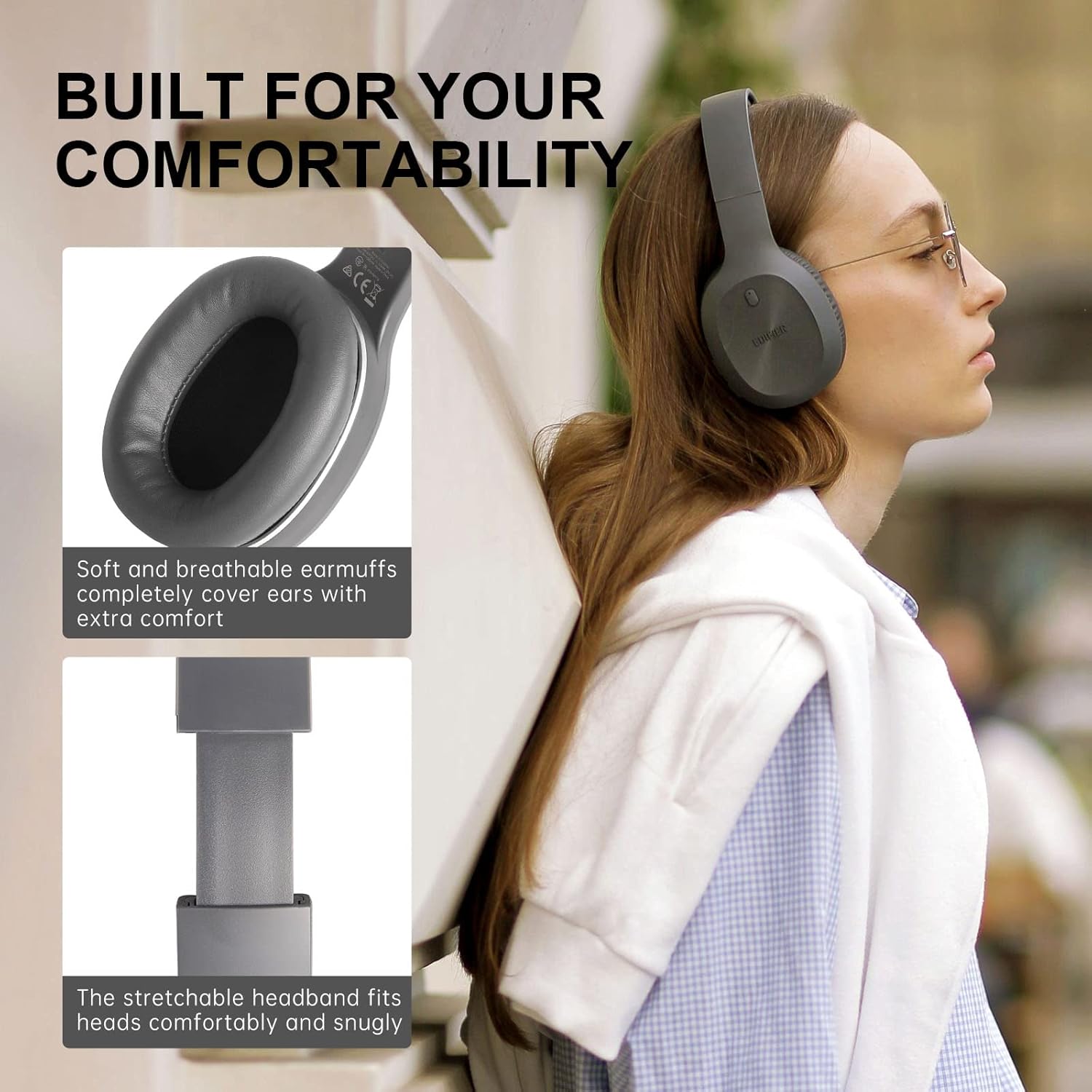
Image: A person wearing Edifier W600BT headphones, with an inset showing a 3.5mm audio jack. This illustrates the option for wired connection, ensuring continuous audio even if the battery is low.
ບໍາລຸງຮັກສາ
- ເຮັດຄວາມສະອາດຫູຟັງຢ່າງເປັນປົກກະຕິດ້ວຍຜ້າອ່ອນໆ, ແຫ້ງ.
- ຫຼີກເວັ້ນການເປີດຫູຟັງກັບອຸນຫະພູມທີ່ຮຸນແຮງ, ຄວາມຊຸ່ມຊື່ນ, ຫຼືແສງແດດໂດຍກົງ.
- ຢ່າໃຊ້ເຄື່ອງເຮັດຄວາມສະອາດຂັດຫຼືສານລະລາຍ.
- ເກັບຮັກສາຫູຟັງໄວ້ໃນບ່ອນທີ່ເຢັນ, ແຫ້ງເມື່ອບໍ່ໄດ້ໃຊ້.
- ຫຼີກເວັ້ນການລຸດລົງ ຫຼື ວາງຫູຟັງໃຫ້ຖືກຜົນກະທົບຢ່າງແຮງ.
ການແກ້ໄຂບັນຫາ
| ບັນຫາ | ສາເຫດທີ່ເປັນໄປໄດ້ | ການແກ້ໄຂ |
|---|---|---|
| ບໍ່ສາມາດເປີດໄດ້ | ແບັດເຕີຣີຕໍ່າ | ສາກຫູຟັງໃຫ້ເຕັມ. |
| ບໍ່ມີສຽງ | Volume too low; Not paired; Wired connection issue | Increase volume; Re-pair Bluetooth; Check 3.5mm cable connection. |
| ການເຊື່ອມຕໍ່ Bluetooth | Out of range; Interference | Move closer to the device; Avoid strong electromagnetic interference. |
| ໄມໂຄຣໂຟນບໍ່ເຮັດວຽກ | Device settings; Bluetooth connection issue | Check microphone settings on your device; Ensure proper Bluetooth connection. |
ຂໍ້ມູນຈໍາເພາະ
- ຕົວແບບ: W600BT
- ລຸ້ນ Bluetooth: 5.1
- ໜ່ວຍຂັບຂີ່: 40mm NdFeB
- ຊີວິດຫມໍ້ໄຟ: ສູງສຸດ 30 ຊົ່ວໂມງ (ຫຼິ້ນຄືນ)
- ເວລາສາກໄຟ: ປະມານ 3 ຊົ່ວໂມງ
- ການເຊື່ອມຕໍ່: ບູທູດ, ແຈັກສຽງ 3.5 ມມ
- ຂະໜາດ: 7.56 x 3.44 x 9.21 ນິ້ວ
- ນ້ຳໜັກ: 13 ອອນສ໌ (0.81 ປອນ)
- ວັດສະດຸ: ໜັງປອມ (ຜ້າຮອງຫູ)
- ອົງປະກອບລວມ: Cable (3.5mm audio cable)
ວິດີໂອຜະລິດຕະພັນຢ່າງເປັນທາງການ
ວິດີໂອ: ວິດີໂອຜະລິດຕະພັນຢ່າງເປັນທາງການasing the Edifier W600BT Bluetooth Over-Ear Headphones, highlighting key features such as sound quality, comfort, and connectivity options. This video provides a visual overview of the product's functionality and design.
ການຮັບປະກັນແລະການສະຫນັບສະຫນູນ
ສຳລັບຂໍ້ມູນການຮັບປະກັນ ແລະ ການຊ່ວຍເຫຼືອດ້ານເຕັກນິກ, ກະລຸນາອ້າງອີງເຖິງ Edifier ຢ່າງເປັນທາງການ webເວັບໄຊ ຫຼືຕິດຕໍ່ບໍລິການລູກຄ້າຂອງເຂົາເຈົ້າໂດຍກົງ. ຮັກສາໃບຮັບເງິນການຊື້ຂອງທ່ານສໍາລັບການຮ້ອງຂໍການຮັບປະກັນ.
Edifier ຢ່າງເປັນທາງການ Webເວັບໄຊ: www.edifier.com


