ແນະນຳ
Thank you for choosing the Dyplay 120W 2.1 Channel Soundbar. This manual provides essential information for setting up, operating, and maintaining your soundbar. Please read these instructions carefully before use and retain them for future reference.
ແມ່ນຫຍັງຢູ່ໃນກ່ອງ
ແກະສ່ວນປະກອບທັງໝົດອອກຢ່າງລະມັດລະວັງ ແລະ ຮັບປະກັນວ່າມີທຸກລາຍການຢູ່ແລ້ວ.

Image: The soundbar package includes the Dyplay Soundbar, remote controller, power adapter, AAA batteries, HDMI cable, optical cable, 3.5mm audio cable, RCA to 3.5mm cable, and user manual.
- Dyplay Soundbar
- ຄວບຄຸມໄລຍະໄກ
- Power Adapter
- AAA Batteries (for remote)
- ສາຍ HDMI
- ສາຍໄຟ optical
- ສາຍສຽງ 3.5 ມມ
- ສາຍ RCA ເຖິງ 3.5 ມມ
- ຄູ່ມືຜູ້ໃຊ້
ສິນຄ້າເກີນview
Soundbar Controls and Ports

Image: Rear panel connections of the soundbar, including USB, AUX, Optical, DC IN, TF card slot, and HDMI ARC port. Also shows side panel controls: ON/OFF, Audio Source, Volume Down/Previous, Volume Up/Next.
- ພອດ USB: ສໍາລັບການຫຼິ້ນ USB drive.
- ພອດ AUX: For analog audio input from devices with a 3.5mm jack.
- Optical Port: For digital audio input from TVs or other devices.
- DC ໃນ: ພອດປ້ອນພະລັງງານ.
- ສະລັອດຕິງບັດ TF: ສຳລັບການຫຼິ້ນບັດ TF.
- HDMI ARC Port: For digital audio input from TVs supporting HDMI ARC.
- ຕົວຊີ້ວັດ LED: Displays current mode and status.
- ປຸ່ມເປີດ/ປິດ: ການຄວບຄຸມພະລັງງານ.
- ປຸ່ມແຫຼ່ງສຽງ: Cycles through input modes.
- Volume - / Previous Button: ຫຼຸດລະດັບສຽງ ຫຼື ຂ້າມໄປຫາເພງກ່ອນໜ້ານີ້.
- Volume + / Next Button: ເພີ່ມລະດັບສຽງ ຫຼື ຂ້າມໄປເພງຕໍ່ໄປ.
ຟັງຊັນການຄວບຄຸມໄລຍະໄກ

Image: The remote control for the Dyplay Soundbar, featuring buttons for power, equalizer modes, mute, volume adjustment, track control, and direct input selection for USB, TF, Line In, Optical, HDMI ARC, and Bluetooth.
- ປຸ່ມເປີດປິດ: ເປີດ ຫຼືປິດແຖບສຽງ.
- ປຸ່ມ EQ: Cycles through equalizer modes (Movie, Music, News, Game).
- ປິດສຽງ: Mutes or unmutes the sound. Long-press to turn off the LED indicator.
- ລະດັບສຽງ +/- ປຸ່ມ: ປັບລະດັບສຽງ.
- Playback Controls (Previous/Play-Pause/Next): Controls media playback in compatible modes.
- ປຸ່ມເລືອກອິນພຸດ: Direct access to USB, TF, LINE IN (AUX), OPT (Optical), HDMI ARC, and Bluetooth input modes.
ຕັ້ງຄ່າ
ການຈັດວາງ
The soundbar can be placed on a flat surface in front of your TV or wall-mounted (mounting bracket not included).

Image: Demonstrates two installation options: placing the soundbar on a TV cabinet or mounting it on the wall below the television.
ກຳລັງເຊື່ອມຕໍ່ກັບໂທລະພາບຂອງທ່ານ
The soundbar offers multiple connection options. Choose the method that best suits your TV and desired audio quality.
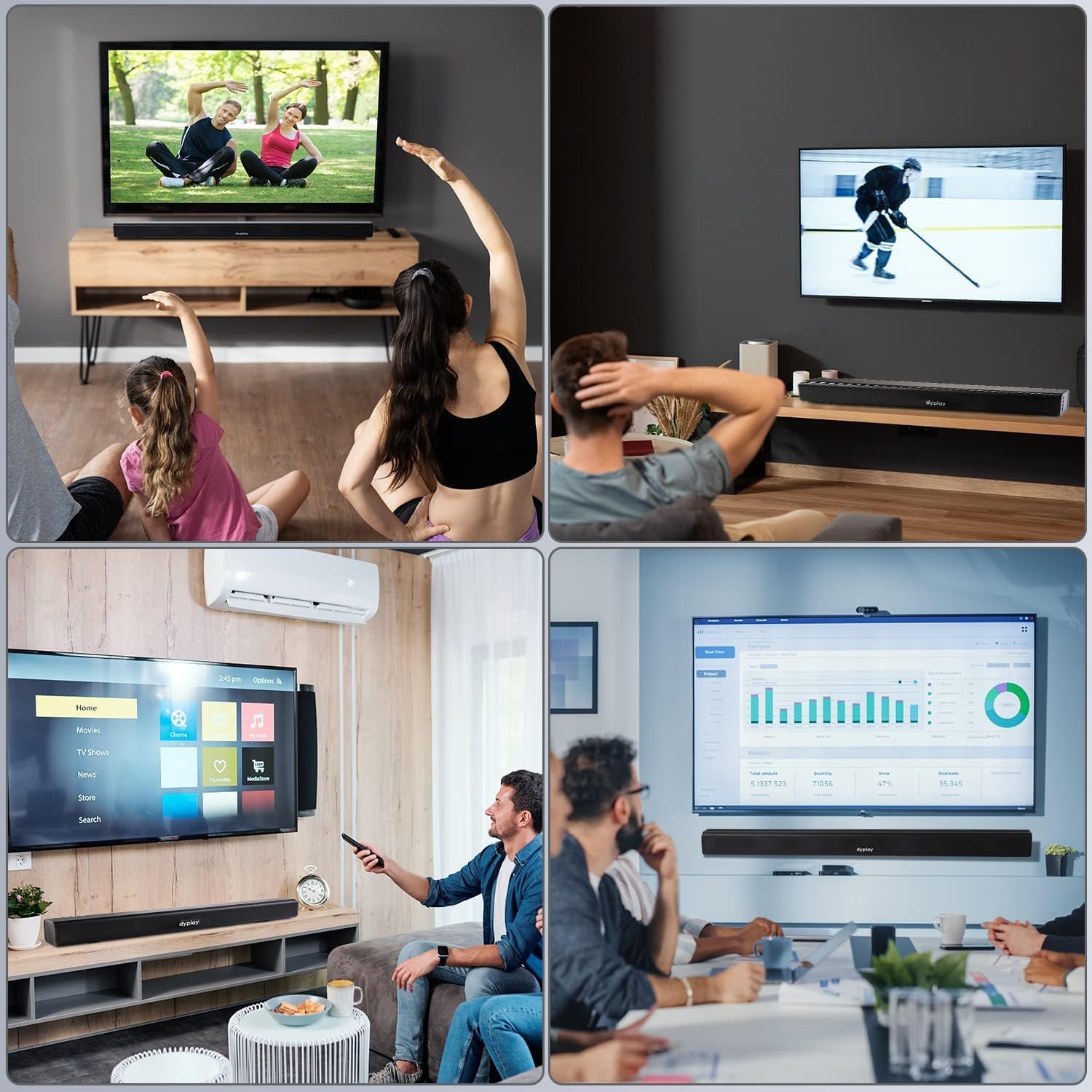
Image: Step-by-step guide for connecting the soundbar to a TV. It illustrates connecting an HDMI/Optical cable, pressing the corresponding input button on the soundbar or remote, and observing the LED indicator for the selected mode.
- ການເຊື່ອມຕໍ່ HDMI ARC:
- Connect one end of the HDMI cable to the HDMI ARC port on your TV and the other end to the HDMI ARC port on the soundbar.
- On your TV, navigate to the audio settings and ensure the audio output is set to HDMI ARC and the format is PCM.
- Press the 'HDMI ARC' button on the soundbar remote or the 'Audio Source' button on the soundbar until the LED indicator shows Light Blue.
- ການເຊື່ອມຕໍ່ Optical:
- Connect one end of the optical cable to the Optical OUT port on your TV and the other end to the OPTICAL port on the soundbar.
- On your TV, navigate to the audio settings and ensure the audio output is set to Optical and the format is PCM.
- Press the 'OPT' button on the soundbar remote or the 'Audio Source' button on the soundbar until the LED indicator shows Green.
- AUX (Line In) Connection:
- Connect one end of the 3.5mm audio cable to the AUX OUT port on your device (e.g., TV, smartphone) and the other end to the AUX port on the soundbar.
- Press the 'LINE IN' button on the soundbar remote or the 'Audio Source' button on the soundbar until the LED indicator shows White.
TV Audio Settings for HDMI ARC / Optical
When connecting via HDMI ARC or Optical, it is crucial to adjust your TV's audio output settings. The default TV speaker is often the TV's internal speaker. To ensure sound output through the soundbar, follow these general steps:
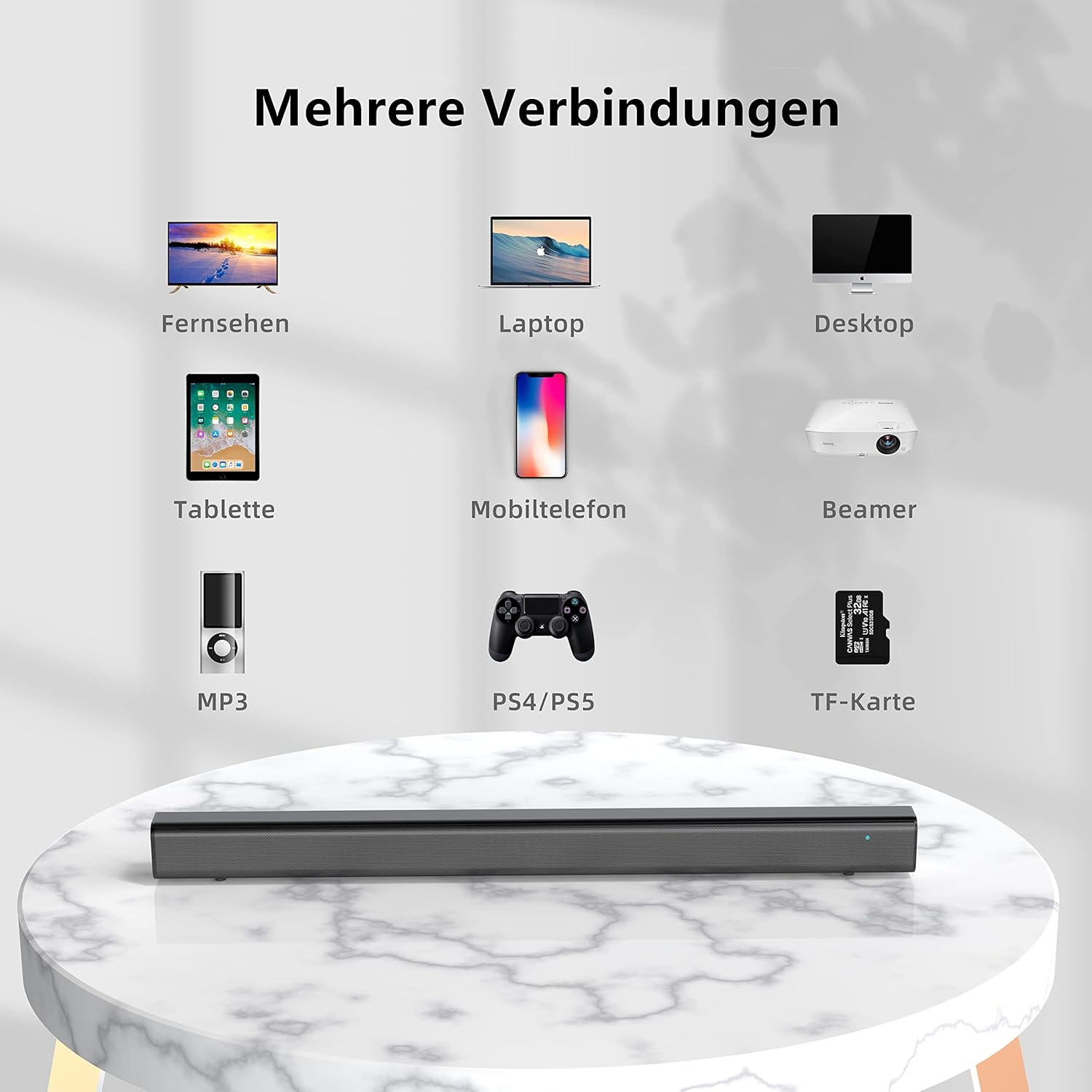
Image: Illustrates typical TV audio settings menus. For HDMI ARC, select 'HDMI(ARC)' for speakers and 'PCM' for digital output. For Optical, select 'OPTICAL PORT' for speakers and 'PCM' for digital output.
- Go to your TV's ການຕັ້ງຄ່າ ເມນູ.
- ທ່ອງໄປຫາ ສຽງ or ສຽງອອກ ການຕັ້ງຄ່າ.
- Select the appropriate output: HDMI (ARC) or Optical Port.
- Set the Digital Audio Output Format to PCM (Pulse Code Modulation). Avoid Bitstream or Dolby Digital settings, as they may not be compatible with the soundbar's processing.
ຄໍາແນະນໍາການດໍາເນີນງານ
ເປີດ/ປິດ
ກົດ ພະລັງງານ button on the remote control or the ON/OFF button on the soundbar to turn it on or off.
ການເລືອກໂໝດການປ້ອນຂໍ້ມູນ
Press the corresponding input button on the remote control (USB, TF, LINE IN, OPT, HDMI ARC, Bluetooth) or repeatedly press the ແຫຼ່ງສຽງ button on the soundbar to cycle through available input modes.
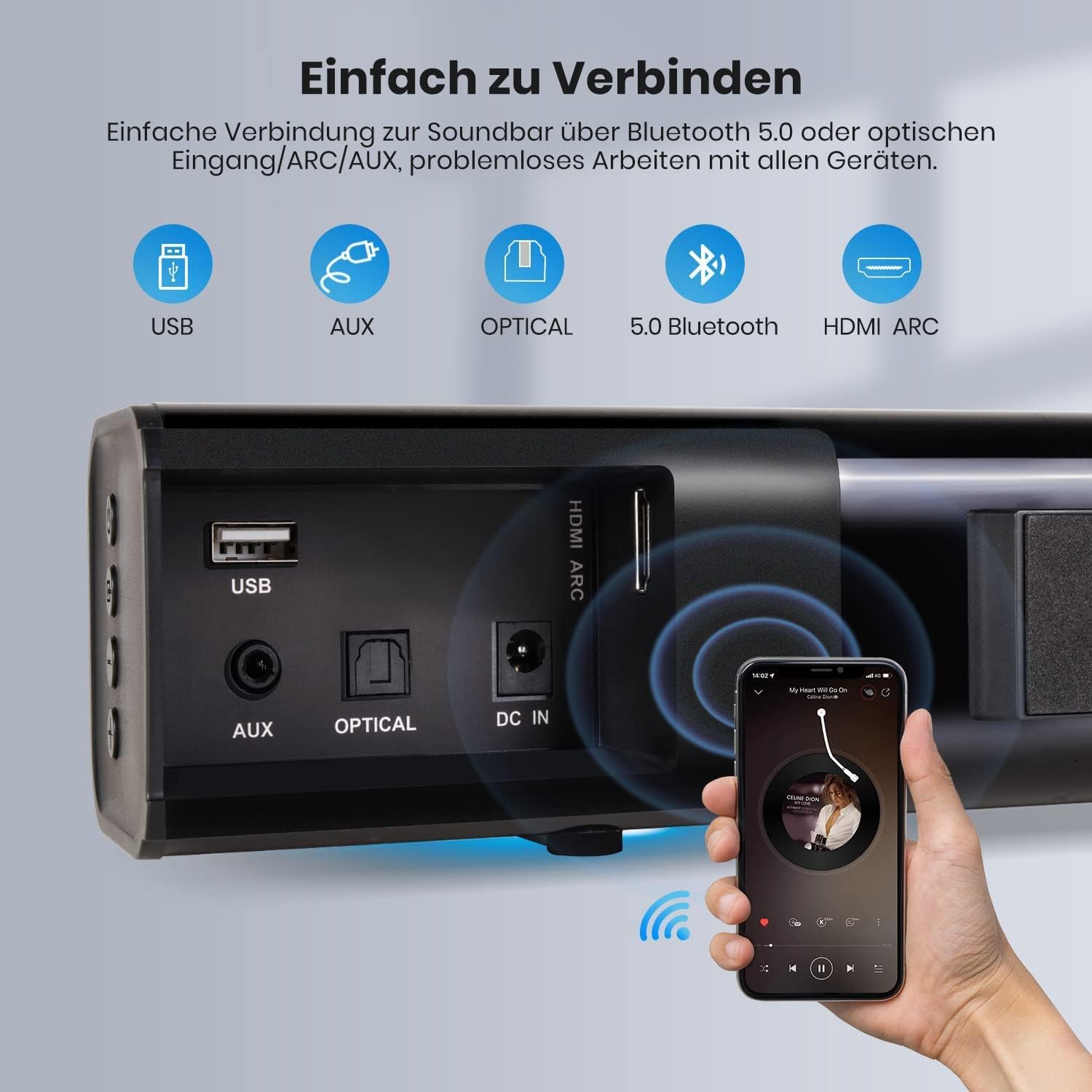
Image: Illustrates the soundbar's versatile connectivity options, including USB, AUX, Optical, Bluetooth 5.0, and HDMI ARC, demonstrating easy connection to various devices like smartphones.
ການຈັບຄູ່ Bluetooth
- ເປີດ ໜ້າ ຈໍສຽງ.
- ກົດ Bluetooth button on the remote or the ແຫຼ່ງສຽງ button on the soundbar until the LED indicator shows Blue.
- Enable Bluetooth on your device (e.g., smartphone, tablet) and search for "Dyplay Soundbar".
- Select "Dyplay Soundbar" to pair. Once connected, the LED indicator will remain blue.
ການປັບລະດັບສຽງ
ໃຊ້ ປະລິມານ +/- buttons on the remote control or the soundbar to adjust the volume.
ໂໝດສະເໝີພາບ (EQ).
The soundbar features an integrated Digital Signal Processor (DSP) and offers four equalizer modes to optimize audio for different content. Press the EQ button on the remote control to cycle through the modes:
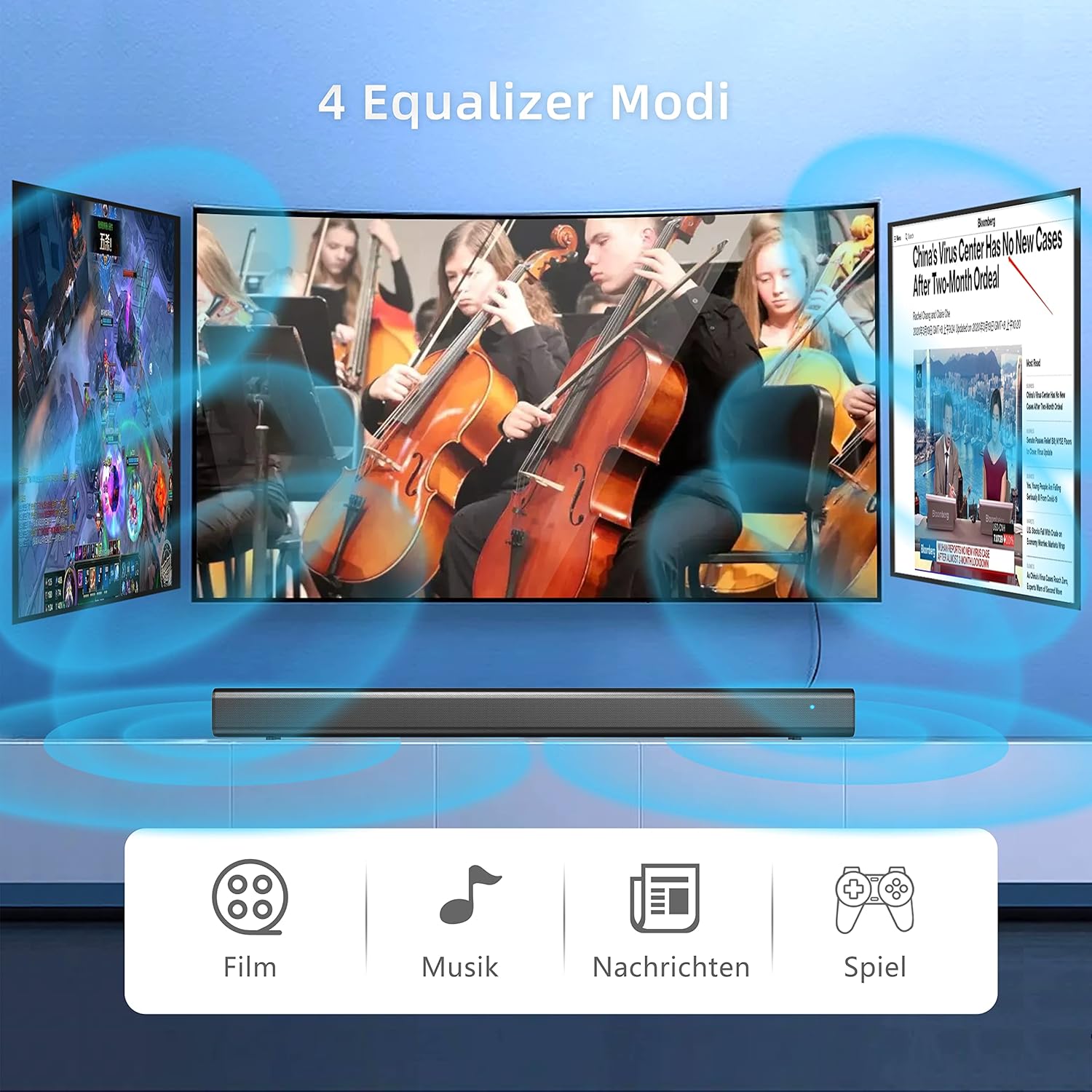
Image: The soundbar offers four distinct equalizer modes: Movie, Music, News, and Game, each designed to enhance specific audio content.
- ຮູບເງົາຮູບເງົາ: Enhances cinematic sound effects.
- ໂໝດດົນຕີ: ປັບແຕ່ງສຽງສຳລັບການຫຼິ້ນເພງ.
- ໂໝດຂ່າວ: Clarifies dialogue for news and speech.
- ໂໝດເກມ: ສະຫນອງສຽງທີ່ເລິກເຊິ່ງສໍາລັບການຫຼິ້ນເກມ.
ສະຖານະຕົວຊີ້ວັດ LED
The LED indicator on the soundbar displays the current operational status:
- ສະແຕນບາຍ: ສີແດງ
- Bluetooth: ສີຟ້າ
- SD ກາດ (TF): ສີມ່ວງ
- Optical: ສີຂຽວ
- AUX: ສີຂາວ
- USB: ສີເຫຼືອງ
- HDMI ARC: ສີຟ້າອ່ອນ
To turn off the LED indicator, long-press the ປິດສຽງ ປຸ່ມໃນການຄວບຄຸມໄລຍະໄກ.
ບໍາລຸງຮັກສາ
ເພື່ອຮັບປະກັນອາຍຸຍືນ ແລະປະສິດທິພາບທີ່ດີທີ່ສຸດຂອງແຖບສຽງຂອງທ່ານ, ປະຕິບັດຕາມຄໍາແນະນໍາການບໍາລຸງຮັກເຫຼົ່ານີ້:
- ທໍາຄວາມສະອາດ: ໃຊ້ຜ້າປຽກແຫ້ງເພື່ອເຮັດຄວາມສະອາດພື້ນຜິວຂອງແຖບສຽງ. ຢ່າໃຊ້ເຄື່ອງເຮັດຄວາມສະອາດຂອງແຫຼວຫຼືວັດສະດຸຂັດ.
- ການລະບາຍອາກາດ: ໃຫ້ແນ່ໃຈວ່າແຖບສຽງມີການລະບາຍອາກາດພຽງພໍ. ຢ່າປິດກັ້ນຊ່ອງລະບາຍອາກາດໃດໆ.
- ສະພາບແວດລ້ອມ: Avoid exposing the soundbar to extreme temperatures, humidity, or direct sunlight. Keep it away from sources of heat and moisture.
- ພະລັງງານ: Disconnect the power adapter from the wall outlet if the soundbar will not be used for an extended period.
ການແກ້ໄຂບັນຫາ
If you encounter issues with your Dyplay Soundbar, please refer to the following troubleshooting steps:
No Sound in Optical/HDMI ARC Mode
- ກວດສອບການອອກສຽງໂທລະພາບ: If connecting the TV via Optical or HDMI, first set the TV's audio output to Optical or HDMI.
- Set Digital Output to PCM: Ensure your TV's digital audio output format is set to PCM.
- Match Soundbar Input: After connecting, ensure the soundbar's input mode matches the TV's output mode (e.g., if TV is set to Optical, soundbar must be in Optical mode).
- ກວດສອບສາຍ: Verify that the optical or HDMI cable is securely connected to both the TV and the soundbar.
- HDMI ARC Recommendation: For optimal audio quality, HDMI (ARC) is generally recommended over Optical.
Volume Not Loud Enough
- Adjust Multiple Volumes: Increase the volume on the soundbar, your TV/smartphone, and any connected streaming devices (e.g., Fire Stick/Roku Stick).
- Check EQ Mode: If the sound is distorted or unclear, press the EQ button on the remote control to cycle through modes (Movie, Music, News, Game) and find the most suitable setting.
- ຜົນຜະລິດສູງສຸດ: The soundbar has a maximum decibel output of approximately 110 dB.
ແສງຕົວຊີ້ວັດ LED
- ປິດ: To turn off the LED indicator light, long-press the ປິດສຽງ ປຸ່ມໃນການຄວບຄຸມໄລຍະໄກ.
- ຕົວຊີ້ບອກສະຖານະ: Refer to the "LED Indicator Status" section for a list of light colors and their corresponding modes.
ຂໍ້ມູນຈໍາເພາະ
| ຍີ່ຫໍ້ | Dyplay |
| ໝາຍເລກຕົວແບບ | 1379 |
| ປະເພດລຳໂພງ | ແຖບສຽງ |
| ການຕັ້ງຄ່າຊ່ອງສຽງອ້ອມຮອບ | 2.1 |
| ລຳໂພງສຽງອອກສູງສຸດ | 120 ວັດ |
| ແຫຼ່ງພະລັງງານ | ໄຟຟ້າສາຍ |
| ເຕັກໂນໂລຊີການເຊື່ອມຕໍ່ | ອຸປະກອນເສີມ, Bluetooth, HDMI, USB |
| ເຕັກໂນໂລຊີການສື່ສານໄຮ້ສາຍ | Bluetooth |
| ຂະໜາດສິນຄ້າ (L x W x H) | 86 x 9.5 x 11 cm (ປະມານ 33.8 x 3.7 x 4.3 ນິ້ວ) |
| ນ້ໍາຫນັກລາຍການ | 1 ກິໂລກຣາມ |
| ສີ | ດຳ |
| ການໃຊ້ຜະລິດຕະພັນທີ່ແນະນຳ | ສໍາລັບໂທລະພາບ |
| ການປັບປຸງຊອບແວຮັບປະກັນຈົນກ່ວາ | ບໍ່ມີຂໍ້ມູນ |
ການຮັບປະກັນແລະການສະຫນັບສະຫນູນ
Your Dyplay Soundbar comes with the following:
- ປ່ຽນຟຣີ 2 ປີ: In case of product defects or malfunctions within two years of purchase.
- ສະຫນັບສະຫນູນດ້ານວິຊາການຕະຫຼອດຊີວິດ: Assistance for any technical questions or issues you may encounter.
For any questions or support needs, please contact Dyplay customer service via Amazon.


