1. ບົດແນະນຳ
This manual provides detailed instructions for the safe and effective operation of your Aputure LS 600D Professional 600W Daylight 5600K LED Video Light. Please read this manual thoroughly before use and retain it for future reference.
2. ຄໍາແນະນໍາຄວາມປອດໄພ
- ຢ່າແນມເບິ່ງແຫຼ່ງແສງໂດຍກົງເມື່ອແສງເປີດ.
- Do not place the light near flammable liquids or gases.
- Ensure proper ventilation to prevent overheating. The unit uses natural heat dissipation.
- Use only the specified power cables and accessories.
- ຮັກສາອຸປະກອນໃຫ້ແຫ້ງ. ຢ່າໃຫ້ມັນຖືກຝົນ ຫຼື ຄວາມຊຸ່ມ.
- Handle with care. The unit weighs 33 pounds. Ensure stable mounting.
3. ເນື້ອໃນຊຸດ
ກວດສອບວ່າລາຍການທັງຫມົດທີ່ລະບຸໄວ້ຂ້າງລຸ່ມນີ້ແມ່ນລວມຢູ່ໃນຊຸດຂອງທ່ານ:
- Aputure LS 600d lamp ຮ່າງກາຍ
- ກ່ອງຄວບຄຸມ
- ການປົກຫຸ້ມຂອງການປົກປ້ອງ
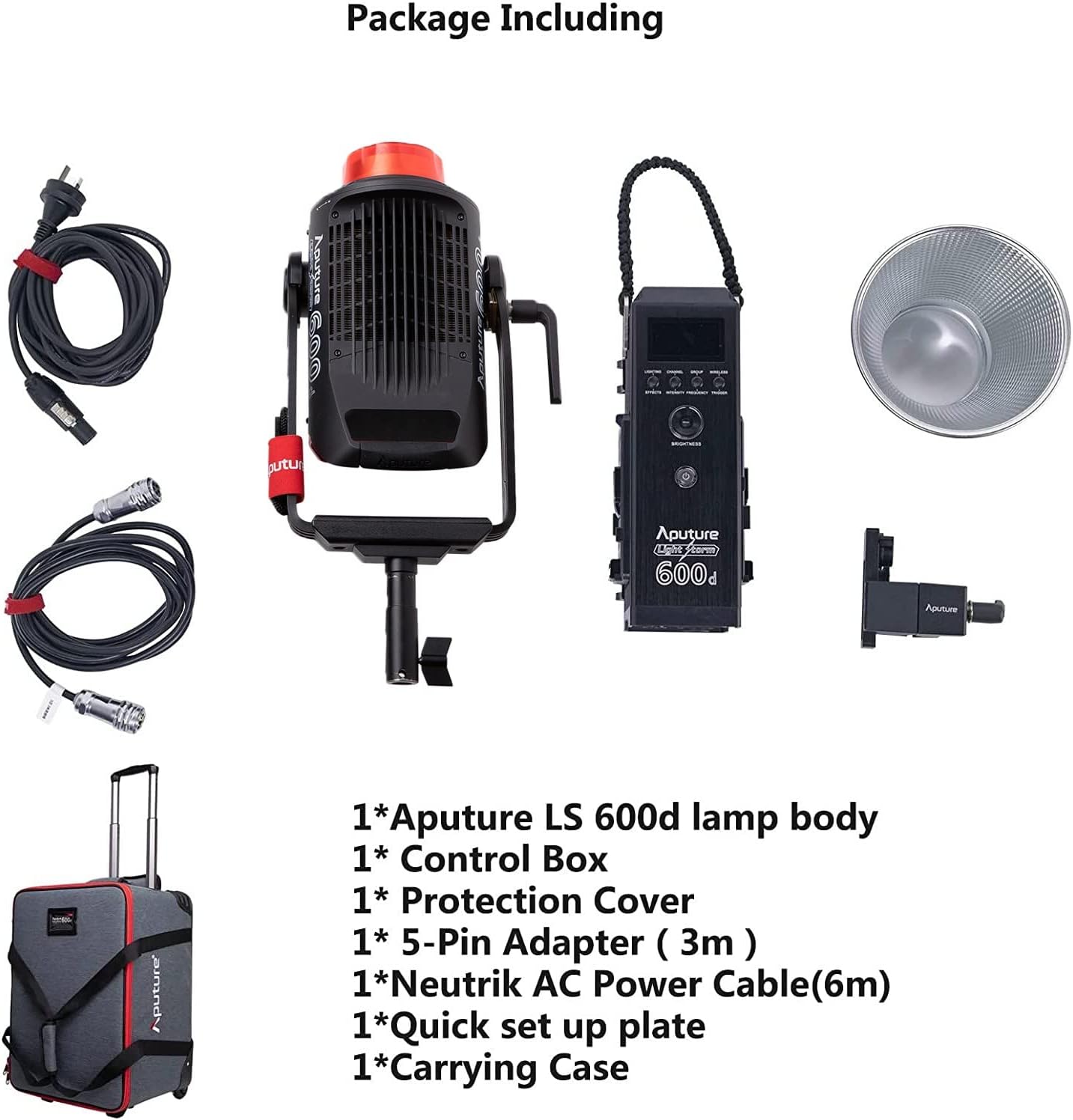
- 5-Pin Adapter (3m)
- Neutrik AC Power Cable (6m)
- Quick set up plate
- ກະເປົາຖື
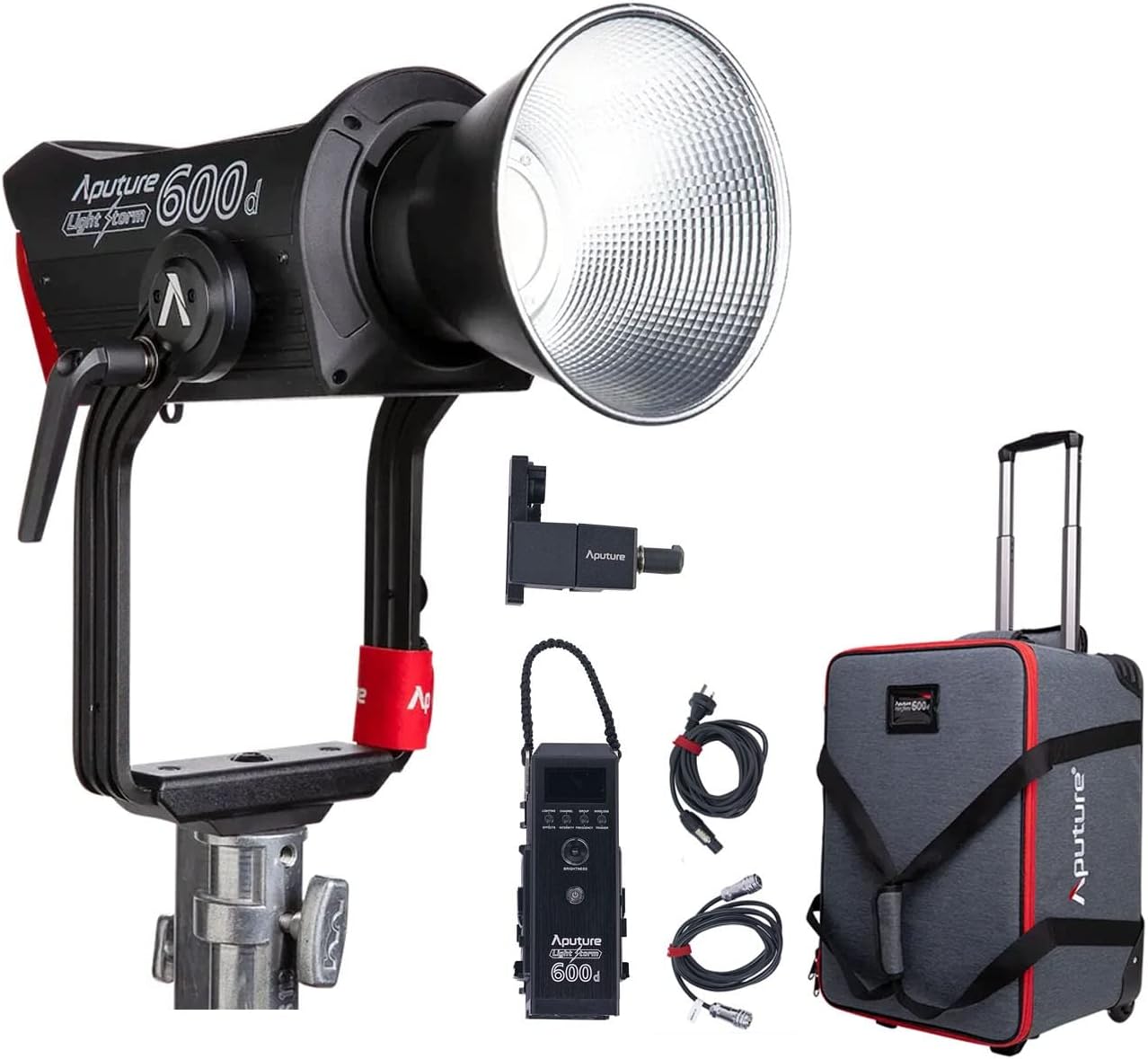
The image above displays the main light unit, control box, cables, reflector, and the wheeled carrying case.
4. ຜະລິດຕະພັນເກີນview
The Aputure LS 600D is a high-output 600W COB LED light designed for professional video and photography. It features a daylight-balanced 5600K color temperature, high CRI/TLCI ratings, and multiple control methods.

ຄຸນນະສົມບັດທີ່ສໍາຄັນປະກອບມີ:
- ຜົນຜະລິດພະລັງງານສູງສຸດ: ≤600W
- CCT: 5600K
- CRI: ≥96
- TLCI: ≥96
- ວິທີການເຮັດຄວາມເຢັນ: ການກະຈາຍຄວາມຮ້ອນທໍາມະຊາດ
- ວິທີການຄວບຄຸມ: Manual, Sidus Link APP, DMX512
- ຊ່ວງການເຮັດວຽກ Bluetooth: ≤ 80m / 262.5ft
- Built-in Lighting FX: Paparazzi, Fireworks, Faulty Bulb, TV, Pulsing, Strobe, Explosion

5. ຕັ້ງຄ່າ
5.1 Assembling the Light Unit
- ການຕິດຕັ້ງ Lamp ຮ່າງກາຍ: Attach the Aputure LS 600d lamp body to a sturdy light stand using its curved yoke and mounting bracket. Ensure it is securely tightened.
- Connecting the Control Box: Connect the control box to the lamp body using the provided 5-pin adapter cable.
- ການເຊື່ອມຕໍ່ພະລັງງານ: Connect the Neutrik AC Power Cable to the control box and then to a suitable power outlet.
- Attaching the Hyper-Reflector: Align the Hyper-Reflector with the Bowens Mount on the front of the lamp body. Twist clockwise until it locks into place.
5.2 Using the Universal Bowens Mount
The LS 600D features a universal Bowens Mount, allowing compatibility with a wide range of light modifiers such as the F10 Fresnel for intense brightness or the Light Dome 150 for softer light.

To attach a Bowens mount accessory, align the accessory's mount with the light's mount, insert, and twist until it clicks securely.
6. ຄໍາແນະນໍາການດໍາເນີນງານ
6.1 ການຄວບຄຸມດ້ວຍມື
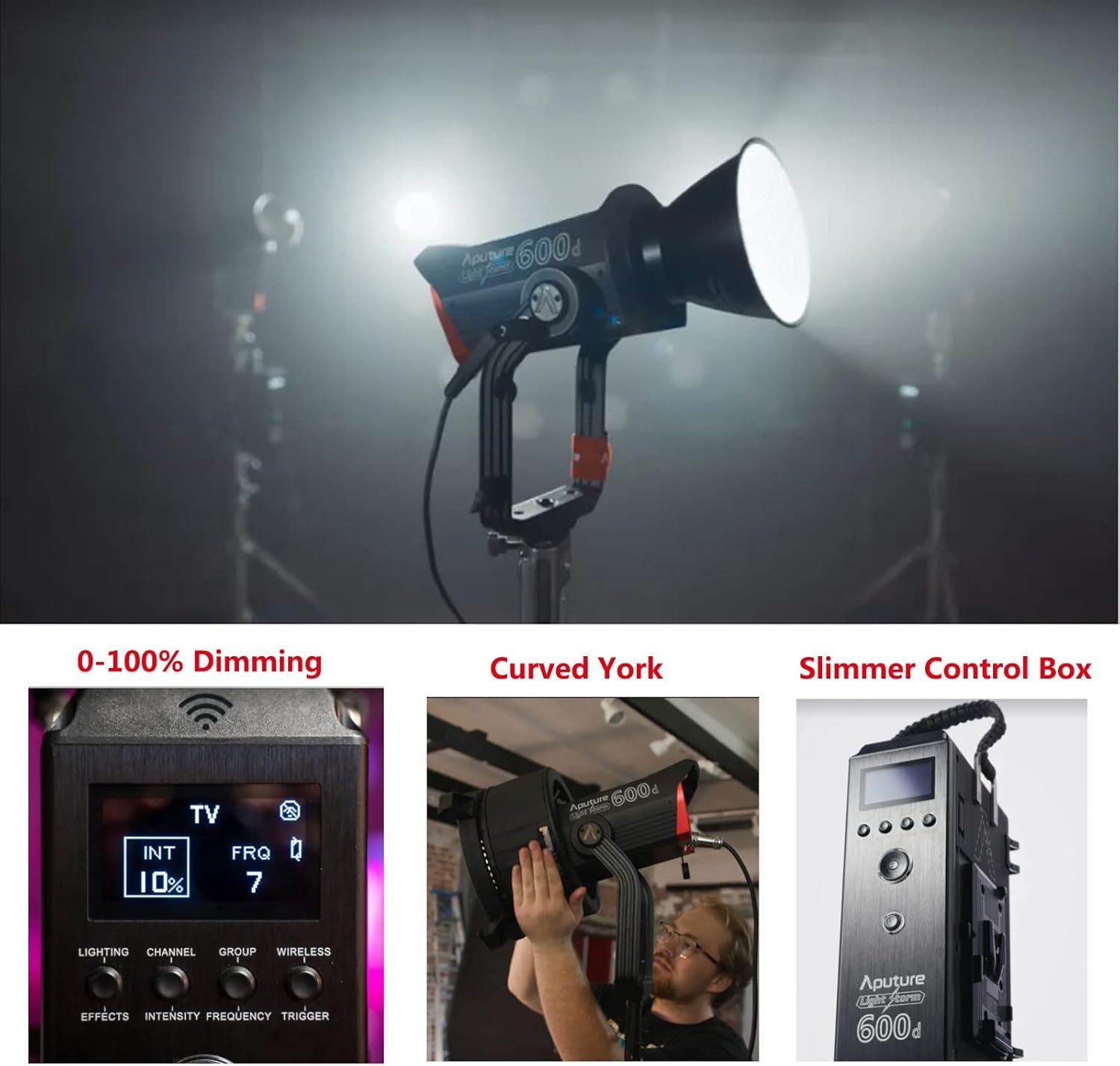
The control box allows for direct adjustment of light intensity, color temperature, and special effects.
- ປຸ່ມເປີດປິດ: ກົດເພື່ອເປີດ/ປິດເຄື່ອງ.
- ໜ້າປັດຄວາມສະຫວ່າງ: Rotate to adjust light intensity from 0-100%.
- CCT ໂທ: Adjusts the color temperature (fixed at 5600K for this model).
- Effects Button: Cycle through 8 built-in lighting effects (Paparazzi, Fireworks, Faulty Bulb, TV, Pulsing, Strobe, Explosion).
6.2 Sidus Link App Control
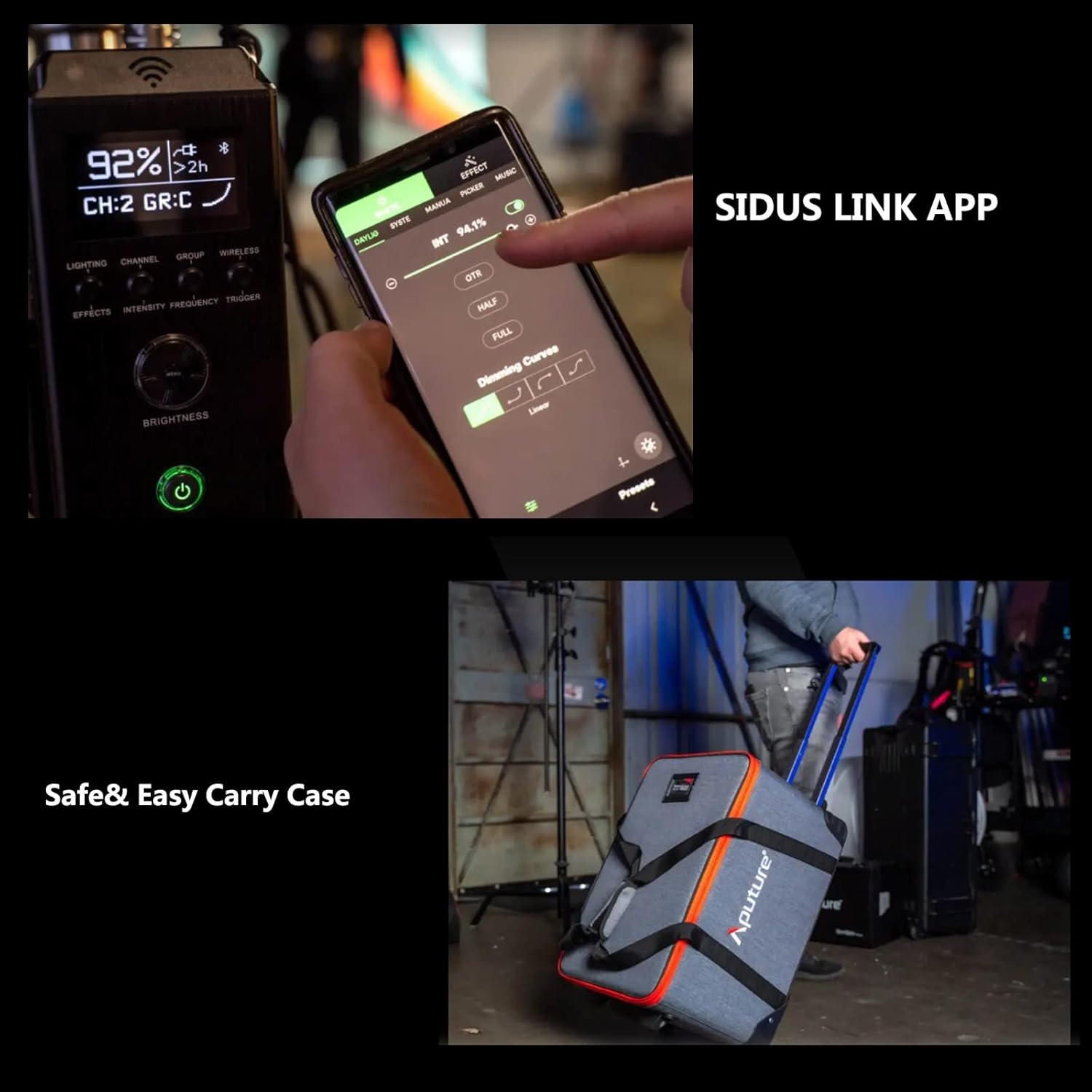
For advanced control and remote operation, download the Sidus Link App on your smartphone or tablet. The light supports Bluetooth control up to 80m (262.5ft).

The app allows for precise adjustments, custom effects, and multi-light control.
7. ບໍາລຸງຮັກສາ
- ທໍາຄວາມສະອາດ: Use a soft, dry cloth to clean the light body and accessories. Do not use abrasive cleaners or solvents.
- ການເກັບຮັກສາ: Store the light and its accessories in the provided carrying case in a cool, dry place when not in use.
- ການກວດກາ: Regularly inspect cables and connections for any signs of damage.
8. ການແກ້ໄຂບັນຫາ
| ບັນຫາ | ສາເຫດທີ່ເປັນໄປໄດ້ | ການແກ້ໄຂ |
|---|---|---|
| ແສງບໍ່ໄດ້ເປີດ. | ບໍ່ມີພະລັງງານ, ການເຊື່ອມຕໍ່ວ່າງ. | Check power cable, ensure secure connections. |
| App cannot connect to light. | Bluetooth off, out of range, app issue. | Ensure Bluetooth is enabled, move closer to the light, restart app/light. |
| ແສງສະຫວ່າງ flickers. | Unstable power, faulty cable. | Try a different power outlet, replace power cable. |
9. ຂໍ້ມູນຈໍາເພາະ
| ຄຸນສົມບັດ | ລາຍລະອຽດ |
|---|---|
| ຂະໜາດສິນຄ້າ | 16.25"L x 9.59"W x 16.25"H |
| ນ້ໍາຫນັກລາຍການ | 33 ປອນ |
| ໝາຍເລກຕົວແບບ | FP-AP-10056 |
| ເຕັກໂນໂລຊີການເຊື່ອມຕໍ່ | Bluetooth |
| ຜູ້ຜະລິດ | Aputure |
| ວັນທີທໍາອິດທີ່ມີ | ວັນທີ 11 ເມສາ 2022 |

10. ການຮັບປະກັນແລະການສະຫນັບສະຫນູນ
For warranty information and technical support, please refer to the official Aputure website or contact your local distributor. Protection plans are available for extended coverage.
ຢ້ຽມຢາມ Aputure Store ສໍາລັບຜະລິດຕະພັນເພີ່ມເຕີມແລະຊັບພະຍາກອນສະຫນັບສະຫນູນ.


