ແນະນຳ
This instruction manual provides detailed guidance on the setup, operation, and maintenance of your DANFI AUDIO DF Vintage Bluetooth Suitcase Record Player. This versatile unit combines classic vinyl playback with modern connectivity options, including Bluetooth streaming, USB recording, and various audio inputs/outputs. Please read this manual thoroughly before use to ensure proper function and longevity of your device.

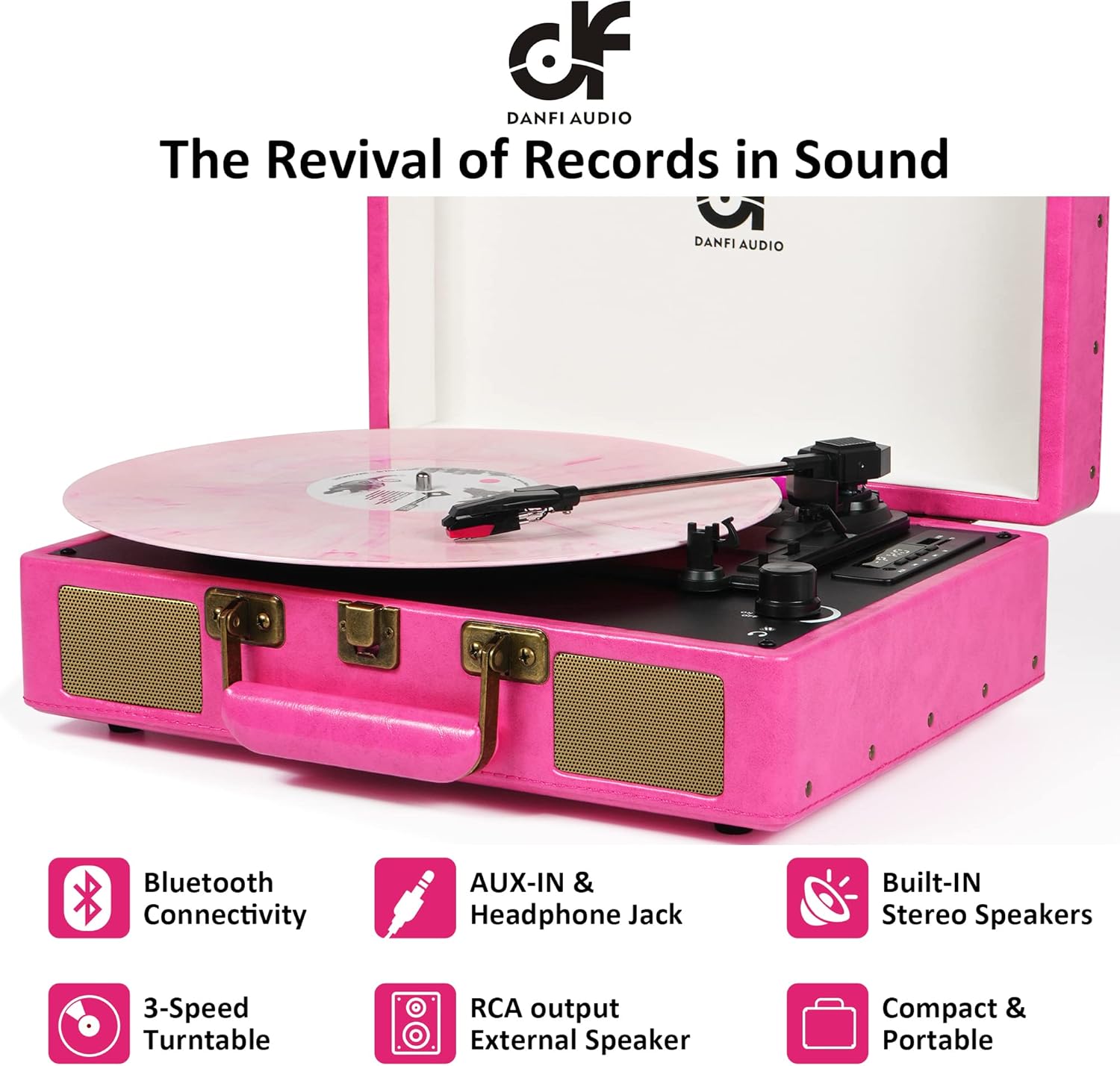
Image: The DANFI AUDIO DF Vintage Bluetooth Suitcase Record Player in pink, open with a pink vinyl record playing, set on a white bedspread.
ແມ່ນຫຍັງຢູ່ໃນກ່ອງ
- Pink record player
- Power cord & Adapter (100v-240V)
- Slipmat
- ເຂັມທົດແທນເພີ່ມເຕີມ
- ອະແດັບເຕີ 45 rpm
ຄຸນສົມບັດຜະລິດຕະພັນ
- Premium Sound & Built-in Stereo Speakers: Enjoy clear and loud audio directly from the unit.
- 3-Speed Turntable: Supports 7", 10", and 12" records with adjustable speeds (33 1/3, 45, 78 rpm).
- ຟັງຊັນຢຸດອັດຕະໂນມັດ: Automatically stops the turntable at the end of a record to prevent wear.
- ການເຊື່ອມຕໍ່ Bluetooth: Wirelessly stream music from your smartphone or other Bluetooth-enabled devices.
- USB Vinyl Audio Recorder: Convert your vinyl records into digital music files (MP3 format) via USB.
- ຜົນໄດ້ຮັບ RCA: Connect to external speakers for enhanced sound.
- AUX-in & Headphone Jack: Provides options for wired audio input and private listening.
- ການອອກແບບກະເປົາເດີນທາງແບບພົກພາ: Features an easy-carrying handle and compact size for transport.
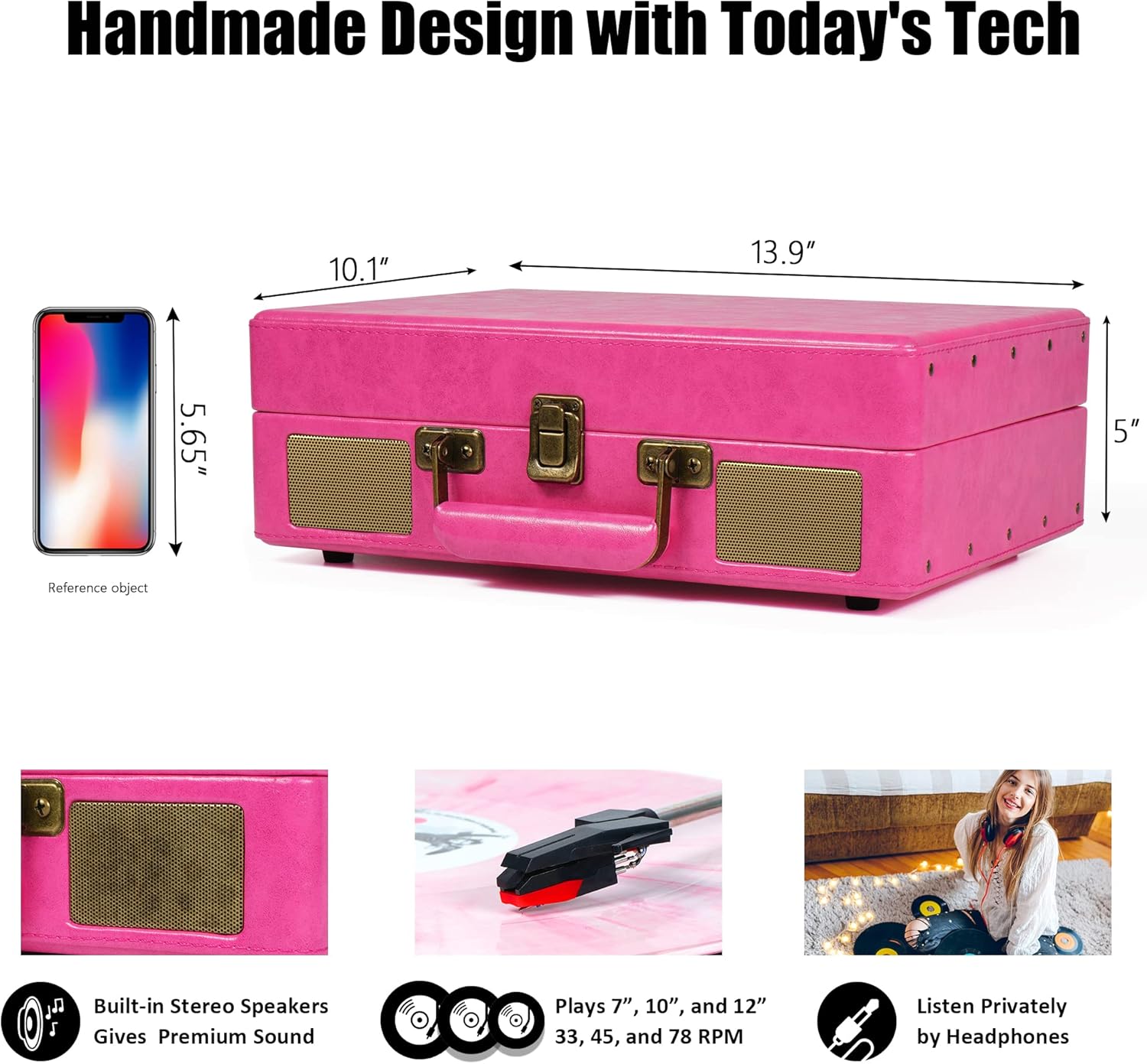
Image: A diagram illustrating the product dimensions (14 x 10 x 5 inches) and highlighting key features such as built-in stereo speakers, 3-speed playback (7", 10", 12" records), and a headphone jack.
ຄໍາແນະນໍາການຕິດຕັ້ງ
- Unpack ຫນ່ວຍງານ: Carefully remove all packaging materials. Ensure all components listed in 'What's in the Box' are present.
- ການເຊື່ອມຕໍ່ພະລັງງານ: Connect the power cord to the DC 5V/1A power jack on the back of the unit and plug it into a wall outlet.
- Remove Needle Protection: Before first use, gently remove the white plastic needle protector from the stylus.
- Tone Arm Setup: Unlock the tone arm clip to release the tone arm.
- ການເລືອກຄວາມໄວ: Adjust the speed selection switch (33, 45, or 78 RPM) to match the record you intend to play. Use the included 45rpm adapter for 7-inch records.
- Auto Stop Control: The auto-stop switch can be set to ON or OFF. When ON, the turntable will stop spinning automatically at the end of a record. When OFF, it will continue spinning.
ຮູບພາບ: A ລາຍລະອຽດ view of the record player's control panel and rear connections, including RCA output, power input, tone arm lifter, LED display, speed selector, auto-stop switch, volume/power knob, and headphone jack.
ຄໍາແນະນໍາການດໍາເນີນງານ
ຫຼີ້ນບັນທຶກ Vinyl
- Place a record on the turntable platter. If playing a 7-inch record, place the 45rpm adapter on the center spindle.
- Select the appropriate speed (33 1/3, 45, or 78 RPM) using the speed selection switch.
- Open the tone arm clip and push the lift lever backwards to raise the tone arm.
- Gently move the tone arm to the desired position over the record. The turntable will begin to spin.
- Push the lift lever forward to lower the tone arm onto the record.
- Adjust the volume using the ON/OFF/Volume control knob.
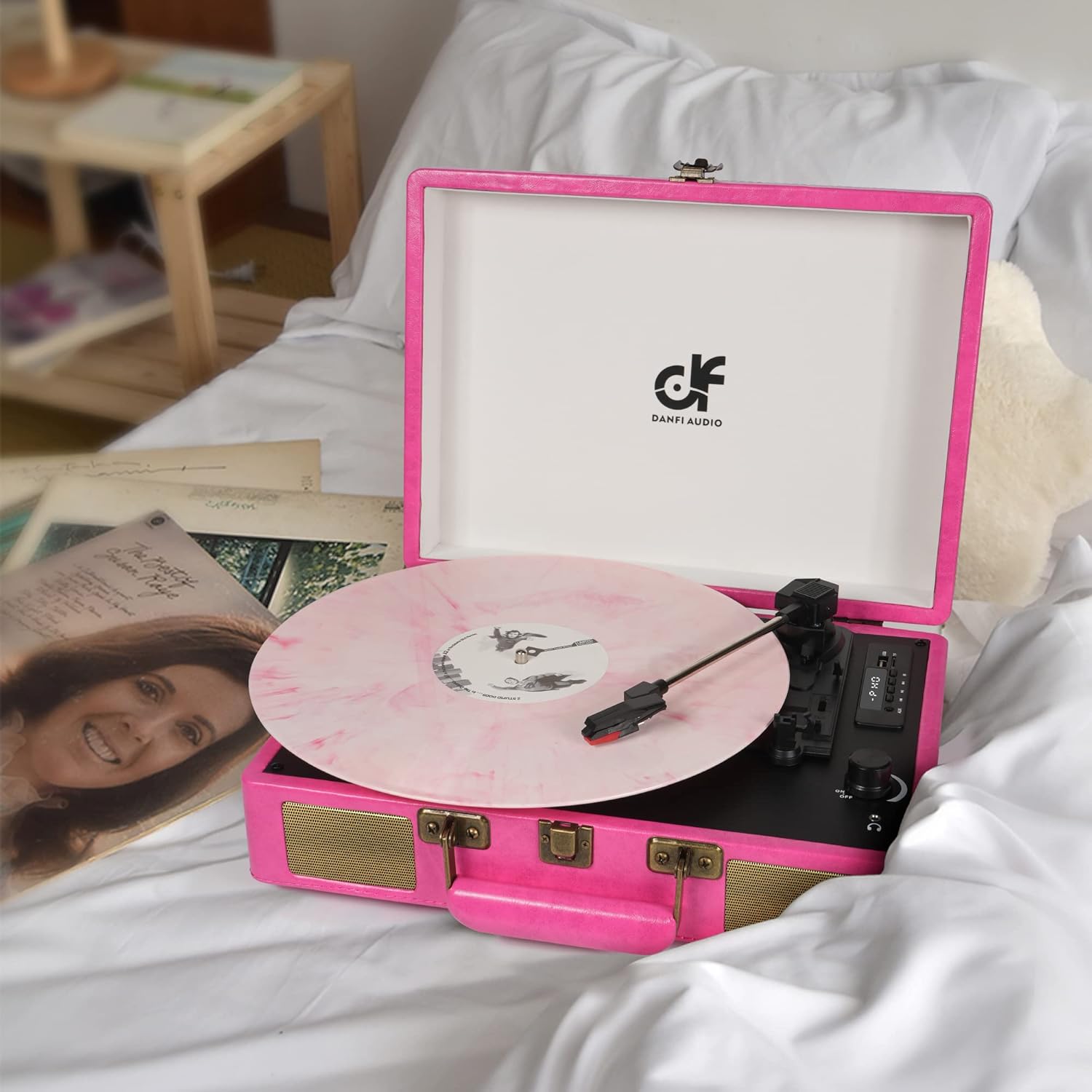
Image: The open pink record player with a pink vinyl record spinning on the platter, ready for playback.
ແບບ Bluetooth
- ເປີດເຄື່ອງຫຼິ້ນແຜ່ນສຽງ.
- Press the 'M' button to switch to BT (Bluetooth) mode. The LED display will show 'BT' and a blue indicator light will flash, indicating it's ready for pairing.
- Enable Bluetooth on your external device (e.g., smartphone, tablet) and select 'DANFI AUDIO DF' from the list of available devices.
- Once paired, the blue indicator light will stop flashing and remain solid. You can now stream music wirelessly to the record player.

Image: A pink record player with a smartphone next to it, showing the Bluetooth pairing screen with the record player successfully connected.
ການບັນທຶກ USB ແລະຫຼິ້ນຄືນ
- ການບັນທຶກ: Insert a USB flash drive (FAT32 format) into the USB port. Play a vinyl record. Press and hold the 'REC' button for approximately 1 second until it beeps. The unit will start recording the audio from the vinyl to the USB drive. Press 'REC' again to stop recording.
- ຫຼິ້ນຄືນ: ໃສ່ USB flash drive ກັບ MP3 files into the USB port. Press the 'M' button to switch to USB mode. Use the play/pause and skip buttons to navigate and play your recorded or stored music.

Image: A close-up of the record player's digital control panel, highlighting the USB port and recording functionality for converting vinyl to MP3.
AUX-in / Headphone Jack / RCA Output
- AUX-in: Connect an external audio device (e.g., MP3 player) to the AUX-in port using a 3.5mm audio cable. Switch the mode to AUX.
- ຫູຟັງ Jack: For private listening, plug your headphones into the headphone jack. The built-in speakers will be muted.
- ຜົນໄດ້ຮັບ RCA: Connect the RCA output ports (L/R) to an external amplifier or powered speakers using RCA cables for a louder audio experience.
ບໍາລຸງຮັກສາ
- ທໍາຄວາມສະອາດຫນ່ວຍບໍລິການ: ເຊັດດ້ານນອກດ້ວຍຜ້າອ່ອນ, ແຫ້ງ. ຢ່າໃຊ້ເຄື່ອງເຮັດຄວາມສະອາດຂັດຫຼືສານລະລາຍ.
- ການດູແລສະໄຕລັດ: The stylus (needle) is delicate. Avoid touching it with your fingers. Clean it periodically with a soft brush, brushing from back to front. Replace the stylus if you notice a decrease in sound quality or visible damage.
- ການດູແລບັນທຶກ: ຮັກສາແຜ່ນສຽງໄວນິລຂອງທ່ານໃຫ້ສະອາດ ແລະ ບໍ່ມີຝຸ່ນ. ເກັບຮັກສາໄວ້ໃນແນວຕັ້ງເພື່ອປ້ອງກັນການບິດເບືອນ.
ການແກ້ໄຂບັນຫາ
| ບັນຫາ | ສາເຫດທີ່ເປັນໄປໄດ້ | ການແກ້ໄຂ |
|---|---|---|
| ບໍ່ມີພະລັງງານ | ອະແດບເຕີໄຟບໍ່ໄດ້ເຊື່ອມຕໍ່ ຫຼືປລັກສຽບບໍ່ເຮັດວຽກ. | ໃຫ້ແນ່ໃຈວ່າອະແດບເຕີໄຟຟ້າໄດ້ເຊື່ອມຕໍ່ຢ່າງແໜ້ນໜາແລ້ວ ແລະ ລອງໃຊ້ປລັກໄຟອື່ນ. |
| ບໍ່ມີສຽງຈາກ ລຳ ໂພງ | ລະດັບສຽງຕໍ່າເກີນໄປ; ເລືອກໂໝດບໍ່ຖືກຕ້ອງ; ເຊື່ອມຕໍ່ຫູຟັງແລ້ວ. | Increase volume; ensure correct mode (PHONO, BT, AUX, USB) is selected; disconnect headphones. |
| ບັນທຶກການຂ້າມ | Dirty or damaged record; stylus worn out; unit not on a stable surface. | Clean record; replace stylus; place unit on a flat, stable surface. |
| Bluetooth ບໍ່ເຊື່ອມຕໍ່ | Not in BT mode; device too far; device already paired with another unit. | Ensure unit is in BT mode; move device closer; disconnect from other Bluetooth devices. |
ຂໍ້ມູນຈໍາເພາະ
- ຂະໜາດຜະລິດຕະພັນ: 14 x 10 x 5 ນິ້ວ
- ນ້ໍາຫນັກລາຍການ: 5.5 ປອນ
- ຊື່ຕົວແບບ: TE-2026
- ຍີ່ຫໍ້: DANFI AUDIO DF
- ຄວາມໄວການຫມຸນສູງສຸດ: 78 RPM
- ວັດສະດຸ: Engineered Wood, Vinyl
- ຄຸນນະສົມບັດພິເສດ: Adjustable Speed, Built-in Speaker, Digital Recorder, Headphone Jack Output, Portable
- ອຸປະກອນທີ່ເຂົ້າກັນໄດ້: Headphone, MP3 Player, Smartphone, Speaker, Tablet
ການຮັບປະກັນແລະການສະຫນັບສະຫນູນ
For warranty information or technical support, please refer to the documentation included with your purchase or contact DANFI AUDIO DF customer service. Keep your purchase receipt as proof of purchase for any warranty claims.
ສໍາລັບການຊ່ວຍເຫຼືອເພີ່ມເຕີມ, ກະລຸນາໄປຢ້ຽມຢາມ ຮ້ານ DANFI AUDIO DF ໃນ Amazon.


