1. ບົດແນະນຳ
ຂອບໃຈສໍາລັບການຊື້asing the EZVALO Multifunctional Digital Alarm Clock. This device combines an alarm clock, FM radio, Bluetooth speaker, wireless phone charger, night light, and USB-C PD fast charger into one compact unit. This manual provides detailed instructions for setup, operation, and maintenance to ensure optimal performance and longevity of your product.
2. ຂໍ້ມູນຄວາມປອດໄພ
- ອ່ານຄໍາແນະນໍາທັງຫມົດຢ່າງລະອຽດກ່ອນທີ່ຈະໃຊ້.
- ເກັບຮັກສາອຸປະກອນໃຫ້ຫ່າງຈາກນໍ້າ, ຄວາມຊຸ່ມ ແລະ ອຸນຫະພູມສູງ.
- ຢ່າຖອດ ຫຼືພະຍາຍາມສ້ອມແປງອຸປະກອນດ້ວຍຕົນເອງ. ຕິດຕໍ່ຝ່າຍຊ່ວຍເຫຼືອລູກຄ້າເພື່ອຂໍຄວາມຊ່ວຍເຫຼືອ.
- ໃຫ້ແນ່ໃຈວ່າອະແດັບເຕີໄຟຟ້າເຂົ້າກັນໄດ້ກັບການສະຫນອງພະລັງງານໃນທ້ອງຖິ່ນຂອງທ່ານ.
- Avoid placing metal objects, pop sockets, or credit cards on the wireless charging pad to prevent interference or damage.
- ໃຊ້ພຽງແຕ່ອະແດັບເຕີໄຟທີ່ໃຫ້ມາ.
3. ເນື້ອໃນຊຸດ
- EZVALO Digital Alarm Clock
- Power Adapter
- ຄູ່ມືຜູ້ໃຊ້
4. ຜະລິດຕະພັນເກີນview
The EZVALO Digital Alarm Clock features a sleek design with intuitive controls for its various functions. Below is an illustration of the device and its key components.

ຮູບທີ 1: ທາງເທິງ view of the EZVALO Digital Alarm Clock, highlighting the wireless charging pad and control buttons.
ກະດານຄວບຄຸມ:
- ລໍ້ເລື່ອນ: ປັບລະດັບສຽງ.
- Alarm Setting Button: ເຂົ້າສູ່ໂໝດການຕັ້ງຄ່າສັນຍານເຕືອນໄພ.
- ປຸ່ມການຕັ້ງຄ່າໂມງ: Press once to enter time setting mode. Press and hold to switch between 12-hour and 24-hour format.
- ປຸ່ມເລື່ອນ: Press to snooze; press and hold to turn off the alarm.
- ປຸ່ມປັບຄວາມສະຫວ່າງ: Cycles through the brightness settings of the display. Press and hold to turn on and off the halo light.
- ສະຫຼັບໂໝດ: Cycles through speaker modes: Bluetooth mode / FM Radio Mode / Speaker off.
- ສະຫຼັບ Thumbwheel: In Bluetooth mode, go to the previous or next song. Press for play/pause. In FM Radio mode, go to the previous or next channel. Hold down for channel auto-scan. In Time setting mode, set the clock.

ຮູບ 2: ດ້ານຫນ້າ view of the EZVALO Digital Alarm Clock showing the time display and fabric finish.

ຮູບ 3: ດ້ານຫລັງ view of the EZVALO Digital Alarm Clock, illustrating the USB-C and USB-A charging ports.
5. ຕັ້ງຄ່າ
5.1 ການເຊື່ອມຕໍ່ພະລັງງານ
Connect the provided power adapter to the DC IN port on the back of the alarm clock and plug it into a wall outlet. The display will light up.
5.2 ການ ກຳ ນົດເວລາ
- ກົດ ປຸ່ມການຕັ້ງຄ່າໂມງ once to enter time setting mode. The hour digits will flash.
- ໃຊ້ ສະຫຼັບ Thumbwheel ເພື່ອປັບຊົ່ວໂມງ.
- ກົດ ປຸ່ມການຕັ້ງຄ່າໂມງ ອີກຄັ້ງເພື່ອປ່ຽນໄປໃຊ້ການຕັ້ງຄ່ານາທີ. ຕົວເລກນາທີຈະກະພິບ.
- ໃຊ້ ສະຫຼັບ Thumbwheel ເພື່ອປັບນາທີ.
- ກົດ ປຸ່ມການຕັ້ງຄ່າໂມງ a third time to confirm and exit time setting mode.
- To switch between 12-hour and 24-hour format, press and hold the ປຸ່ມການຕັ້ງຄ່າໂມງ.
5.3 ການຕັ້ງໂມງປຸກ
ອຸປະກອນຮອງຮັບການຕັ້ງຄ່າເຕືອນໄພສອງຢ່າງທີ່ເປັນອິດສະຫຼະ.
- ກົດ ປຸ່ມຕັ້ງຄ່າປຸກ once to enter Alarm 1 setting mode. The alarm hour digits will flash.
- ໃຊ້ ສະຫຼັບ Thumbwheel ເພື່ອປັບໂມງປຸກ.
- ກົດ ປຸ່ມຕັ້ງຄ່າປຸກ ອີກເທື່ອໜຶ່ງເພື່ອປ່ຽນໄປໃຊ້ການຕັ້ງຄ່ານາທີປຸກ. ຕົວເລກນາທີຈະກະພິບ.
- ໃຊ້ ສະຫຼັບ Thumbwheel ເພື່ອປັບນາທີປຸກ.
- ກົດ ປຸ່ມຕັ້ງຄ່າປຸກ a third time to select the alarm sound (e.g., FM radio, buzzer).
- ກົດ ປຸ່ມຕັ້ງຄ່າປຸກ a fourth time to confirm and activate Alarm 1. An alarm icon will appear on the display.
- Repeat steps 1-6 for Alarm 2 by pressing the ປຸ່ມຕັ້ງຄ່າປຸກ twice initially.
5.4 ການຈັບຄູ່ Bluetooth
- ກົດ ໂມດໂມດ until 'BT' appears on the display, indicating Bluetooth mode. The 'BT' icon will flash, signifying pairing mode.
- On your mobile device, enable Bluetooth and search for 'EZVALO Clock'.
- Select 'EZVALO Clock' to pair. Once connected, the 'BT' icon will stop flashing.
5.5 ການປັບວິທະຍຸ FM
- ກົດ ໂມດໂມດ until 'FM' appears on the display, indicating FM Radio mode.
- ເພື່ອສະແກນອັດຕະໂນມັດ ແລະບັນທຶກສະຖານີທີ່ມີຢູ່, ໃຫ້ກົດຄ້າງໄວ້ ສະຫຼັບ Thumbwheel.
- To manually tune or switch between saved stations, rotate the ສະຫຼັບ Thumbwheel.
5.6 ການສາກໄຟໄຮ້ສາຍ
Place your Qi-compatible device (e.g., smartphone, earbuds) on the wireless charging pad located on top of the alarm clock. Ensure the device is centered on the charging symbol. The charging indicator on the clock display will illuminate to confirm charging. Note: Remove any metal objects, pop sockets, or thick cases that may interfere with charging.
5.7 ການສາກ USB
The device includes a USB-C PD fast charging port and a standard USB-A port on the back. Connect your devices using appropriate USB cables to these ports for charging.
Video 1: Demonstrates using the alarm clock as a Bluetooth speaker and charging multiple devices simultaneously.
ວິດີໂອ 2: A review of the LED Digital Alarm Clock, showcasing ຄຸນສົມບັດ ແລະ ໜ້າທີ່ຂອງມັນ.
6. ຄໍາແນະນໍາການດໍາເນີນງານ
6.1 ການປັບຄວາມສະຫວ່າງຂອງຈໍສະແດງຜົນ
ກົດ ປຸ່ມປັບຄວາມສະຫວ່າງ to cycle through 5 brightness levels for the LED display, including an OFF setting for undisturbed sleep.
6.2 Using the Night Light
ກົດຄ້າງໄວ້ ປຸ່ມປັບຄວາມສະຫວ່າງ to turn the warm halo night light on or off. This light is located at the bottom of the clock and can provide a soothing ambiance.
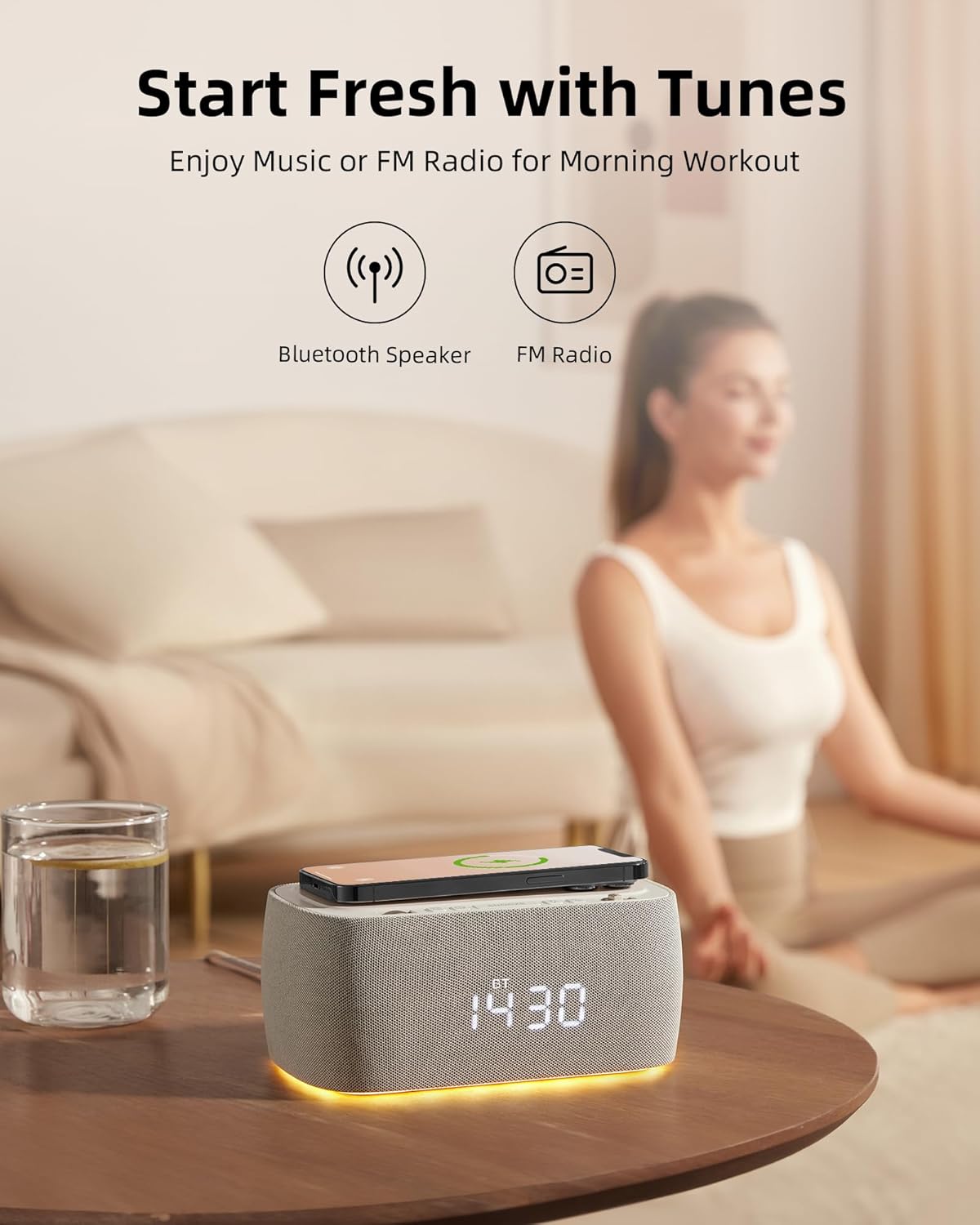
Figure 4: The EZVALO Digital Alarm Clock with its warm halo night light illuminated.
6.3 Playing Music via Bluetooth
Once paired (refer to section 5.4), you can play music from your connected device. Use the ສະຫຼັບ Thumbwheel to skip tracks (rotate) or play/pause (press).
6.4 Using FM Radio
In FM Radio mode (refer to section 5.5), use the ສະຫຼັບ Thumbwheel to navigate between saved stations or manually tune. Adjust the volume using the ລໍ້ເລື່ອນ.
6.5 Snooze ຟັງຊັນ
ເມື່ອມີສຽງປຸກ, ກົດປຸ່ມ ປຸ່ມ Snooze to temporarily silence the alarm for a set period (typically 9 minutes). To turn off the alarm completely, press and hold the ປຸ່ມ Snooze.
ວິດີໂອ 3: ເປັນທີ່ສົມບູນແບບview of the alarm clock's features and benefits for a bedroom setup.
7. ຄຸນສົມບັດ
The EZVALO Digital Alarm Clock is designed with multiple functionalities to enhance your daily routine:
- ຟັງຊັນ 6-in-1: Large clock display, Bluetooth speaker, FM radio, Wireless Phone Charger, Night light, USB-C PD Fast Charger.
- ວິທະຍຸ FM ດິຈິຕອນ: Features digital tuning from 87.5MHz to 108.0MHz with 30 levels of volume adjustment.
- ການຕັ້ງຄ່າໂມງປຸກຄູ່: Conveniently set two separate alarms for different schedules.
- Stereo Speaker with Bluetooth 5.0: Dual speaker design for rich stereo sound, offering faster speed and greater range (10m distance) for music and audiobooks.
- Dimmable LED Display: 5 brightness levels, including an OFF setting, to suit your preference and ensure undisturbed sleep.
- Halo Night Light: Emits a warm light from the bottom, ideal for a gentle sleep aid or low-light navigation.
- ແຜ່ນສາກໄຮ້ສາຍ: Provides up to 7.5W for iOS and 10W for Android devices.
- Additional USB-C Fast Charging Port: Boost charges PD-enabled phones from 0 to 50% in approximately 30 minutes.
- ພອດສາກໄຟ USB-A: Offers an additional charging option for other devices.

Figure 5: Visual representation of the 6-in-1 features of the EZVALO Digital Alarm Clock.
Video 4: Highlights how the 7-in-1 alarm clock can simplify your routine and reduce screen time.
8. ບໍາລຸງຮັກສາ
8.1 ການທໍາຄວາມສະອາດ
To clean the device, gently wipe the surfaces with a soft, dry cloth. Do not use abrasive cleaners, solvents, or harsh chemicals, as these may damage the finish or internal components.
8.2 ການເກັບຮັກສາ
When not in use for extended periods, unplug the device and store it in a cool, dry place away from direct sunlight and extreme temperatures.
9. ການແກ້ໄຂບັນຫາ
If you encounter any issues with your EZVALO Digital Alarm Clock, please refer to the following common problems and solutions:
- ອຸປະກອນບໍ່ເປີດ: ໃຫ້ແນ່ໃຈວ່າອະແດັບເຕີໄຟເຊື່ອມຕໍ່ຢ່າງປອດໄພກັບທັງອຸປະກອນ ແລະປລັກສຽບໄຟທີ່ເຮັດວຽກ.
- ການສາກໄຟໄຮ້ສາຍບໍ່ເຮັດວຽກ: Check that your device is Qi-compatible and properly centered on the charging pad. Remove any thick cases, metal objects, or magnetic attachments that may interfere with charging.
- ໂມງປຸກບໍ່ດັງ: Verify that the alarm is set correctly and activated (alarm icon visible on display). Check the alarm volume.
- ບັນຫາການຈັບຄູ່ Bluetooth: Ensure the clock is in Bluetooth pairing mode ('BT' flashing) and your device's Bluetooth is enabled and searching. Try unpairing and re-pairing if issues persist.
- ການຮັບສັນຍານວິທະຍຸ FM ບໍ່ດີ: Extend the FM antenna (if applicable) and try repositioning the device for better signal. Perform an auto-scan to find stronger stations.
- ຈໍສະແດງຜົນສະຫວ່າງ/ມືດເກີນໄປ: ໃຊ້ ປຸ່ມປັບຄວາມສະຫວ່າງ to cycle through the desired brightness levels.
ຖ້າບັນຫາຍັງຄົງຢູ່ຫຼັງຈາກພະຍາຍາມແກ້ໄຂເຫຼົ່ານີ້, ກະລຸນາຕິດຕໍ່ຝ່າຍຊ່ວຍເຫຼືອລູກຄ້າ.
10. ຂໍ້ມູນຈໍາເພາະ
| ຄຸນສົມບັດ | ຂໍ້ມູນຈໍາເພາະ |
|---|---|
| ຍີ່ຫໍ້ | EZVALO |
| ໝາຍເລກຕົວແບບ | PEG_WOMENMOBILEPURCHASE-609312726093-6 |
| ສີ | ສີເທົາ |
| ປະເພດການສະແດງ | LED ດິຈິຕອລ |
| ແຫຼ່ງພະລັງງານ | ໄຟຟ້າສາຍ |
| ຂະໜາດສິນຄ້າ | 7.08"W x 3.14"H |
| ນ້ໍາຫນັກລາຍການ | 2.16 ປອນ |
| ວັດສະດຸ | Acrylonitrile Butadiene Styrene (ABS) |
| ເຕັກໂນໂລຊີການເຊື່ອມຕໍ່ | USB-C, Bluetooth 5.0 |
| ຜົນຜະລິດສາກໄຟໄຮ້ສາຍ | Up to 10W (Android), 7.5W (iOS) |
| USB-C PD Fast Charging | ແມ່ນແລ້ວ |
| ຄວາມຖີ່ຂອງວິທະຍຸ FM | 87.5MHz ຫາ 108.0MHz |
11. ການຮັບປະກັນແລະການສະຫນັບສະຫນູນ
EZVALO products are designed and manufactured to the highest quality standards. For warranty information or technical support, please refer to the contact details provided with your purchase or visit the official EZVALO webເວັບໄຊ. ກະລຸນາມີຕົວເລກຕົວແບບແລະວັນທີການຊື້ຂອງທ່ານພ້ອມທີ່ຈະຕິດຕໍ່ຫາສະຫນັບສະຫນູນ.


