1. ບົດແນະນຳ
ຂອບໃຈສໍາລັບການຊື້asing the DOOMAY Digital Alarm Clock. This compact and versatile alarm clock is designed for convenience and readability, featuring an adjustable LCD display, snooze function, weekend mode, and temperature display. This manual will guide you through the setup, operation, and maintenance of your new alarm clock to ensure optimal performance.
2. ຂໍ້ມູນຄວາມປອດໄພ
- ຮັກສາອຸປະກອນໃຫ້ຫ່າງຈາກນໍ້າ ແລະສະພາບແວດລ້ອມທີ່ມີຄວາມຊຸ່ມຊື່ນສູງ.
- Avoid exposing the clock to direct sunlight or extreme temperatures.
- ຢ່າພະຍາຍາມຖອດປະກອບ ຫຼືສ້ອມແປງອຸປະກອນດ້ວຍຕົນເອງ. ອ້າງອີງເຖິງບຸກຄະລາກອນທີ່ມີຄຸນວຸດທິໃນການບໍລິການ.
- Use only the specified battery type (2 x AAA batteries).
- ຖອດແບດເຕີຣີອອກຖ້າອຸປະກອນຈະບໍ່ຖືກໃຊ້ເປັນໄລຍະເວລາເພີ່ມເຕີມເພື່ອປ້ອງກັນການຮົ່ວໄຫຼ.
- ຮັກສາຫມໍ້ໄຟໃຫ້ໄກຈາກເດັກນ້ອຍ.
3. ເນື້ອໃນຊຸດ
- DOOMAY Digital Alarm Clock (1 unit)
- ແບັດເຕີຣີ AAA (2 ໜ່ວຍ)
- ຄູ່ມືຜູ້ໃຊ້ (ເອກະສານນີ້)
4. ຜະລິດຕະພັນເກີນview
Familiarize yourself with the components and controls of your DOOMAY Digital Alarm Clock.
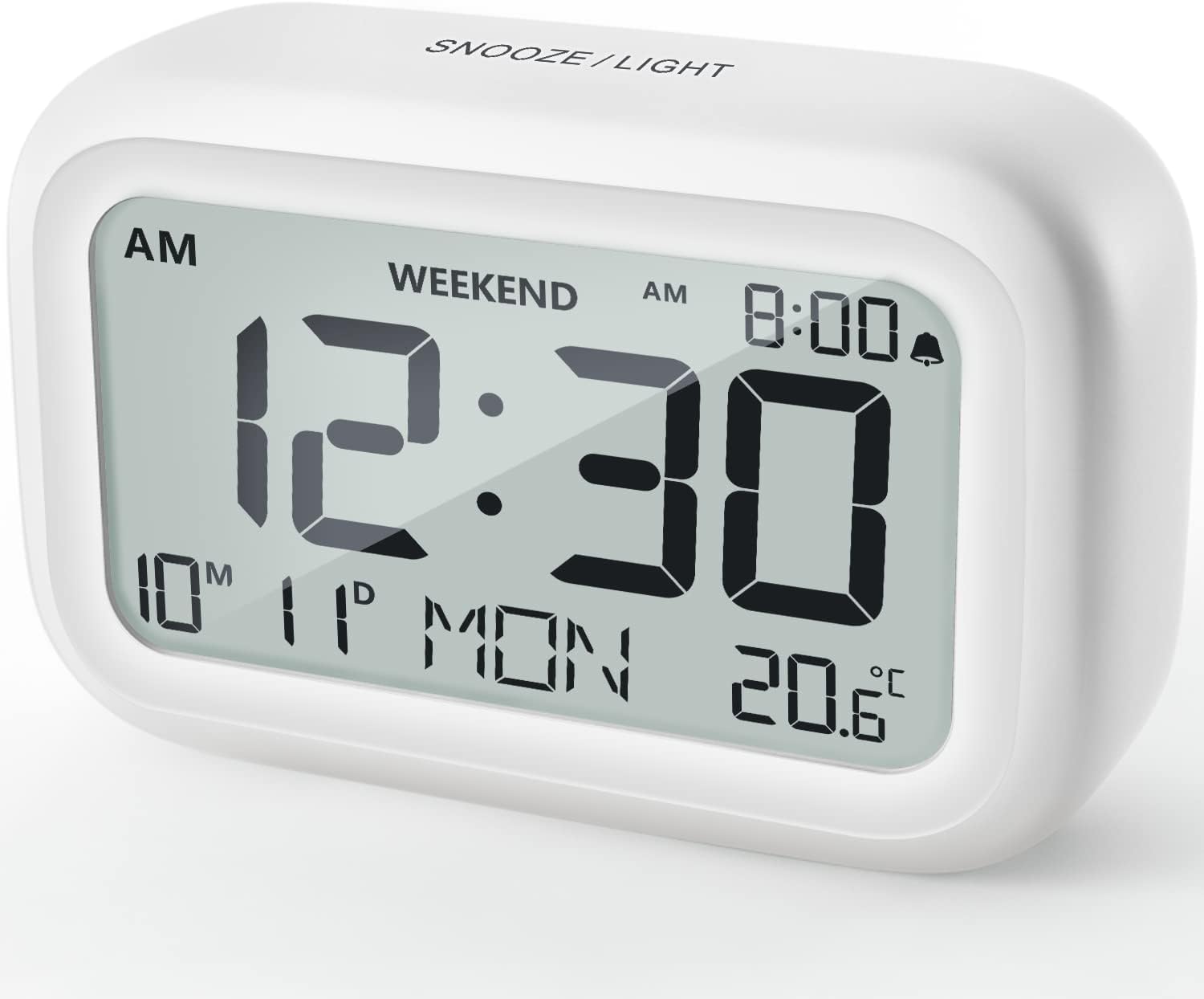
ຮູບ 4.1: ດ້ານຫນ້າ View of the Alarm Clock
This image displays the front of the DOOMAY Digital Alarm Clock, highlighting its large, clear LCD screen. The screen shows the current time (12:30), AM indicator, day of the week (MON), date (10th month, 11th day), and indoor temperature (20.6°C). The top of the clock has a "SNOOZE/LIGHT" button.

ຮູບທີ 4.2: ລັກສະນະທີ່ສໍາຄັນຫຼາຍກວ່າview
This diagram illustrates the main functionalities of the alarm clock: 12/24H time display, calendar, alarm setting, adjustable volume, snooze function, backlight, weekend mode, and temperature display. The clock itself is shown on a wooden table, displaying 7:00 AM, Friday, and 28.8 degrees.

Figure 4.3: Back Panel Controls
This image shows the rear of the alarm clock, detailing the various control buttons and the battery compartment. Buttons are clearly labeled for: 12/24H time format, Alarm setting, Weekend mode, Date setting, Minus (-) for decreasing values, Plus (+) for increasing values, and °C/°F for temperature unit selection. The battery compartment is visible, designed for two AAA batteries.
ການຄວບຄຸມ ແລະການສະແດງຜົນ:
- ຈໍ LCD: Shows time, date, day of week, AM/PM indicator, alarm status, and temperature.
- SNOOZE/LIGHT Button (Top): Activates snooze function during alarm; illuminates backlight for 5 seconds.
- 12/24H Button (Back): Toggles between 12-hour and 24-hour time formats.
- ALARM Button (Back): ເຂົ້າສູ່ໂໝດການຕັ້ງຄ່າສັນຍານເຕືອນໄພ.
- WEEKEND Button (Back): Activates/deactivates weekend mode.
- DATE Button (Back): Enters date setting mode.
- MINUS (-) Button (Back): Decreases values during setting; adjusts alarm volume.
- PLUS (+) Button (Back): Increases values during setting; adjusts alarm volume.
- °C/°F Button (Back): ສະລັບລະຫວ່າງຫົວໜ່ວຍອຸນຫະພູມເຊວຊຽດ ແລະ ຟາເຣນຮາຍ.
5. ຕັ້ງຄ່າ
5.1 ການຕິດຕັ້ງຫມໍ້ໄຟ
- ເປີດຝາປິດຊ່ອງໃສ່ຫມໍ້ໄຟທີ່ຕັ້ງຢູ່ດ້ານຫຼັງຂອງໂມງ.
- ໃສ່ໝໍ້ໄຟ AAA ສອງ (2) ໜ່ວຍ, ຮັບປະກັນການຂົ້ວທີ່ຖືກຕ້ອງ (+ ແລະ -).
- ປິດຝາປິດຊ່ອງໃສ່ຫມໍ້ໄຟຢ່າງປອດໄພ.
- The display will light up, and the clock will be ready for initial setup. A low battery symbol will appear when batteries need replacement. If the display shows "8888" flashing, it's also an indication to change batteries.
5.2 ການຕັ້ງເວລາ ແລະວັນທີເບື້ອງຕົ້ນ
- ຕັ້ງເວລາ:
- ກົດ 12/24ຊ button to switch between 12-hour (with AM/PM) and 24-hour formats.
- ກົດຄ້າງໄວ້ 12/24ຊ ກົດປຸ່ມເປັນເວລາ 3 ວິນາທີເພື່ອເຂົ້າສູ່ໂໝດຕັ້ງເວລາ. ຕົວເລກຊົ່ວໂມງຈະກະພິບ.
- ໃຊ້ + or - ປຸ່ມເພື່ອປັບຊົ່ວໂມງ.
- ກົດ 12/24ຊ button again to confirm the hour and move to minute setting. The minute digits will flash.
- ໃຊ້ + or - ປຸ່ມເພື່ອປັບນາທີ.
- ກົດ 12/24ຊ button one more time to exit time setting.
- ກໍານົດວັນທີ:
- ກົດຄ້າງໄວ້ DATE button for 3 seconds to enter date setting mode. The year digits will flash.
- ໃຊ້ + or - ປຸ່ມເພື່ອປັບປີ.
- ກົດ DATE button again to confirm the year and move to month setting.
- Adjust the month using + or -.
- ກົດ DATE again to move to day setting.
- Adjust the day using + or -.
- ກົດ DATE one more time to exit date setting. The day of the week will automatically adjust.
6. ຄໍາແນະນໍາການດໍາເນີນງານ
6.1 ການຕັ້ງໂມງປຸກ
- ກົດຄ້າງໄວ້ ປຸກ button for 3 seconds. The alarm hour digits will flash.
- ໃຊ້ + or - ປຸ່ມເພື່ອຕັ້ງໂມງປຸກທີ່ຕ້ອງການ.
- ກົດ ປຸກ button again to confirm the hour and move to minute setting. The alarm minute digits will flash.
- ໃຊ້ + or - buttons to set the desired alarm minute.
- ກົດ ປຸກ button one more time to exit alarm setting. The alarm icon (bell symbol) will appear on the display, indicating the alarm is active.
- To turn the alarm ON/OFF, simply press the ປຸກ button once. The bell icon will appear/disappear.
6.2 Snooze ຟັງຊັນ
When the alarm sounds, gently tap the large ແສງ SNOOZE / LIGHT button on the top of the clock. The alarm will pause for 9 minutes and then sound again. This can be repeated multiple times.

Figure 6.1: Activating Snooze
This image demonstrates how to activate the snooze function by touching the top of the alarm clock. The text highlights that this action provides an additional 9 minutes of sleep after the alarm sounds.
To completely turn off the alarm after it sounds (without snoozing), press any button on the back of the clock.
6.3 Weekend Mode
The weekend mode allows the alarm to sound only from Monday to Friday, preventing it from ringing on Saturday and Sunday.

Figure 6.2: Weekend Mode Activated
This image shows the alarm clock display with the "WEEKEND" indicator prominently displayed, signifying that the weekend mode is active. The accompanying text clarifies that in this mode, the alarm will only sound from Monday to Friday, ensuring undisturbed weekends.
- To activate Weekend Mode, press the ທ້າຍອາທິດ button once. The "WEEKEND" indicator will appear on the display.
- To deactivate Weekend Mode, press the ທ້າຍອາທິດ button again. The "WEEKEND" indicator will disappear.
6.4 Adjustable Alarm Volume
The alarm clock offers two volume levels: Low (70 dB) and High (85 dB).

Figure 6.3: Alarm Volume Levels
This image visually represents the two available alarm volume settings: L01 (85 dB) for a louder alarm and L02 (70 dB) for a softer alarm. The alarm clock is shown in a bedroom setting, emphasizing its use as a bedside device.
- ໃນຂະນະທີ່ຢູ່ໃນໂຫມດສະແດງເວລາປົກກະຕິ, ກົດປຸ່ມ + or - buttons to cycle between the two alarm volume levels. The current volume level will be briefly displayed.
6.5 ຟັງຊັນ Backlight
To illuminate the display in low light conditions, simply tap the ແສງ SNOOZE / LIGHT button on the top of the clock. The backlight will activate for approximately 5 seconds, providing clear visibility of the time and other information.
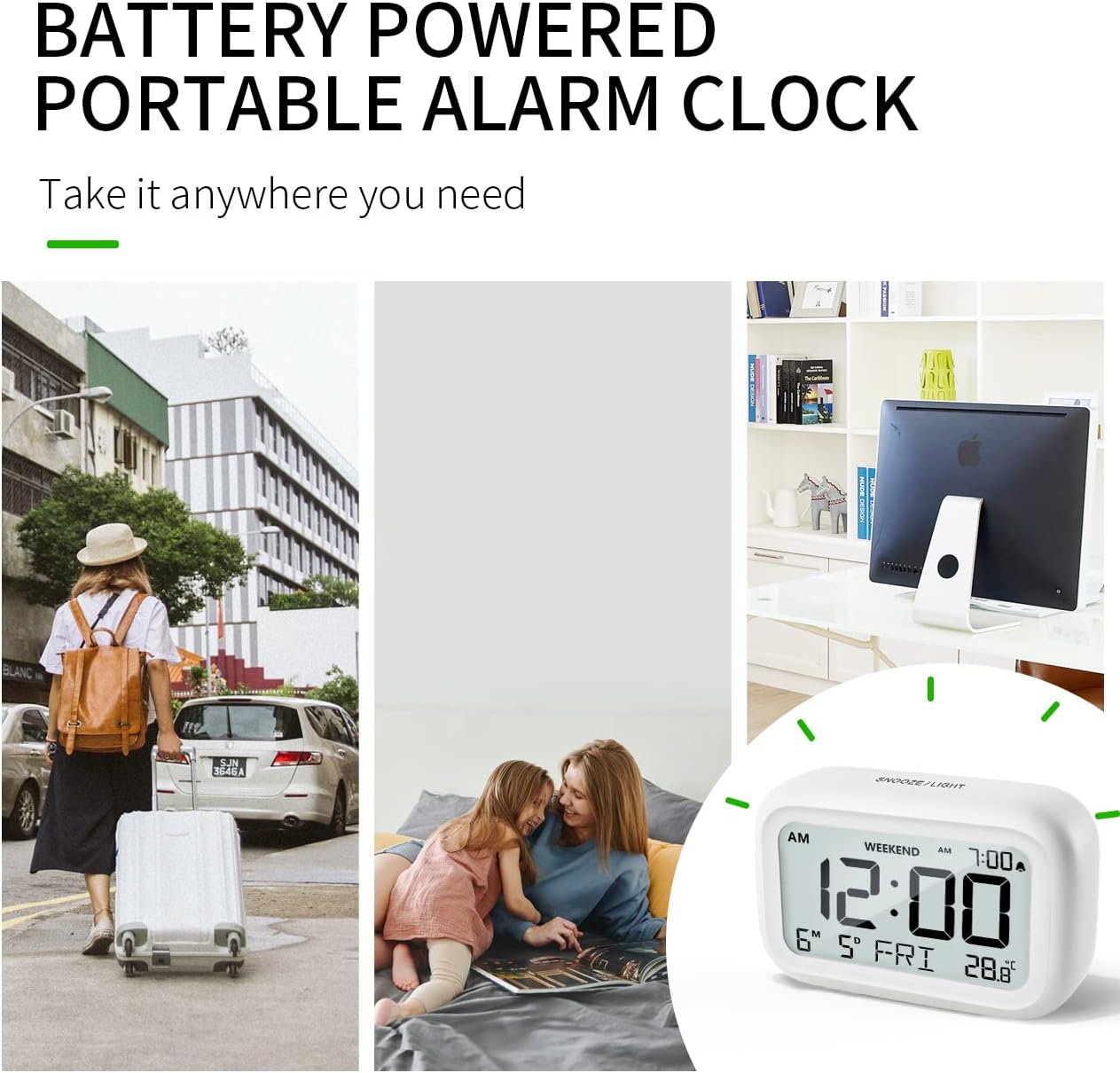
Figure 6.4: Backlight in Action
This image provides a side-by-side comparison of the alarm clock's display. On the left, the clock is shown in a well-lit environment. On the right, the same clock is shown in a dark setting with its 5-second backlight activated, demonstrating how the display becomes clearly visible at night.
6.6 ການສະແດງອຸນຫະພູມ
The clock displays the indoor temperature. You can switch between Celsius (°C) and Fahrenheit (°F) units.
- To change the temperature unit, press the ° C / ° F ປຸ່ມຢູ່ດ້ານຫຼັງຂອງໂມງ.
7. ບໍາລຸງຮັກສາ
7.1 ການທໍາຄວາມສະອາດ
ເຊັດໂມງດ້ວຍຜ້າອ່ອນໆ, ແຫ້ງ. ຫ້າມໃຊ້ເຄື່ອງຊັກຜ້າ ຫຼືສານລະລາຍ, ເພາະມັນອາດເຮັດໃຫ້ພື້ນຜິວເສຍຫາຍໄດ້.
7.2 ການທົດແທນຫມໍ້ໄຟ
When the low battery indicator appears on the display, or if the display shows "8888" flashing, it is time to replace the batteries. Follow the steps in Section 5.1 Battery Installation to replace the two AAA batteries.
8. ການແກ້ໄຂບັນຫາ
| ບັນຫາ | ສາເຫດທີ່ເປັນໄປໄດ້ | ການແກ້ໄຂ |
|---|---|---|
| ຈໍສະແດງຜົນຫວ່າງເປົ່າ ຫຼືມືດ. | ແບດເຕີຣີແມ່ນຕາຍຫຼືຕິດຕັ້ງບໍ່ຖືກຕ້ອງ. | ປ່ຽນແບດເຕີຣີດ້ວຍແບດເຕີຣີ້ AAA ໃໝ່, ຮັບປະກັນການຂົ້ວທີ່ຖືກຕ້ອງ. |
| ໂມງປຸກບໍ່ມີສຽງ. | Alarm is not activated, or Weekend Mode is ON. | Ensure the alarm icon is displayed. Check if Weekend Mode is active and deactivate if necessary. |
| Snooze function not working. | Not tapping the SNOOZE/LIGHT button correctly. | Ensure a firm, brief tap on the top SNOOZE/LIGHT button when the alarm is sounding. |
| ເວລາ/ວັນທີບໍ່ຖືກຕ້ອງ. | ບໍ່ໄດ້ຕັ້ງຢ່າງຖືກຕ້ອງ ຫຼືແບັດເຕີຣີຖືກຖອດອອກ. | Refer to Section 5.2 Initial Time and Date Setting to re-set. |
9. ຂໍ້ມູນຈໍາເພາະ
| ຄຸນສົມບັດ | ລາຍລະອຽດ |
|---|---|
| ໝາຍເລກຕົວແບບ | 5293UK |
| ຍີ່ຫໍ້ | ດູເມ |
| ຂະໜາດ (L x W x H) | 10.9 x 3.81 x 6.9 ຊມ (4.29 x 1.5 x 2.72 ນິ້ວ) |
| ນ້ຳໜັກ | 127.01 ກຣາມ (0.28 ປອນ) |
| ວັດສະດຸ | Acrylonitrile Butadiene Styrene (ABS) |
| ແຫຼ່ງພະລັງງານ | ແບດເຕີຣີ້ AAA 2 x (ລວມ) |
| ປະເພດການສະແດງ | Digital LCD |
| ລະດັບສຽງເຕືອນ | Low (70 dB), High (85 dB) |
| ເລື່ອນໄລຍະເວລາ | 9 ນາທີ |
| ໄລຍະເວລາ Backlight | 5 ວິນາທີ |
| ຫົວໜ່ວຍອຸນຫະພູມ | Celsius (°C) / Fahrenheit (°F) |
10. ການຮັບປະກັນແລະການສະຫນັບສະຫນູນ
DOOMAY products are designed for reliability and performance. For any questions, technical support, or warranty claims, please contact your retailer or visit the official DOOMAY website for assistance. Please retain your proof of purchase for warranty purposes.
For further information, you may visit the brand's Amazon store page: DOOMAY Store on Amazon


