ແນະນຳ
This manual provides essential information for the safe and efficient use of your Satechi 30W USB C Charger Block. Please read these instructions carefully before use and retain for future reference.
ມີຫຍັງແດ່
- Satechi 30W USB-C GaN Wall Charger
- ຄູ່ມືຜູ້ໃຊ້
ສິນຄ້າເກີນview

ຮູບ 1: ດ້ານຫນ້າ view of the Satechi 30W USB C Charger Block, highlighting the USB-C PD port and GaN technology.

ຮູບ 2: ຂ້າງ view of the Satechi 30W USB C Charger Block, illustrating its compact dimensions.
ການຕິດຕັ້ງແລະການເຊື່ອມຕໍ່
- ກະກຽມເຄື່ອງສາກໄຟ: The Satechi 30W USB C Charger Block features a foldable plug for portability. Gently extend the prongs from the charger body until they lock into place.
- ເຊື່ອມຕໍ່ຫາປລັກສຽບໄຟ: ໃສ່ເຄື່ອງສາກໄຟເຂົ້າໄປໃນປລັກສຽບໄຟຟ້າຝາຜະໜັງມາດຕະຖານ.
- ເຊື່ອມຕໍ່ອຸປະກອນຂອງທ່ານ: Using a compatible USB-C cable (sold separately), connect one end to the USB-C PD port on the charger and the other end to your device (e.g., MacBook Air, iPad, iPhone, AirPods, Apple Watch, Galaxy, Pixel, Android devices).
- ເລີ່ມສາກໄຟ: ອຸປະກອນຂອງທ່ານຄວນຈະເລີ່ມສາກໄຟອັດຕະໂນມັດ.
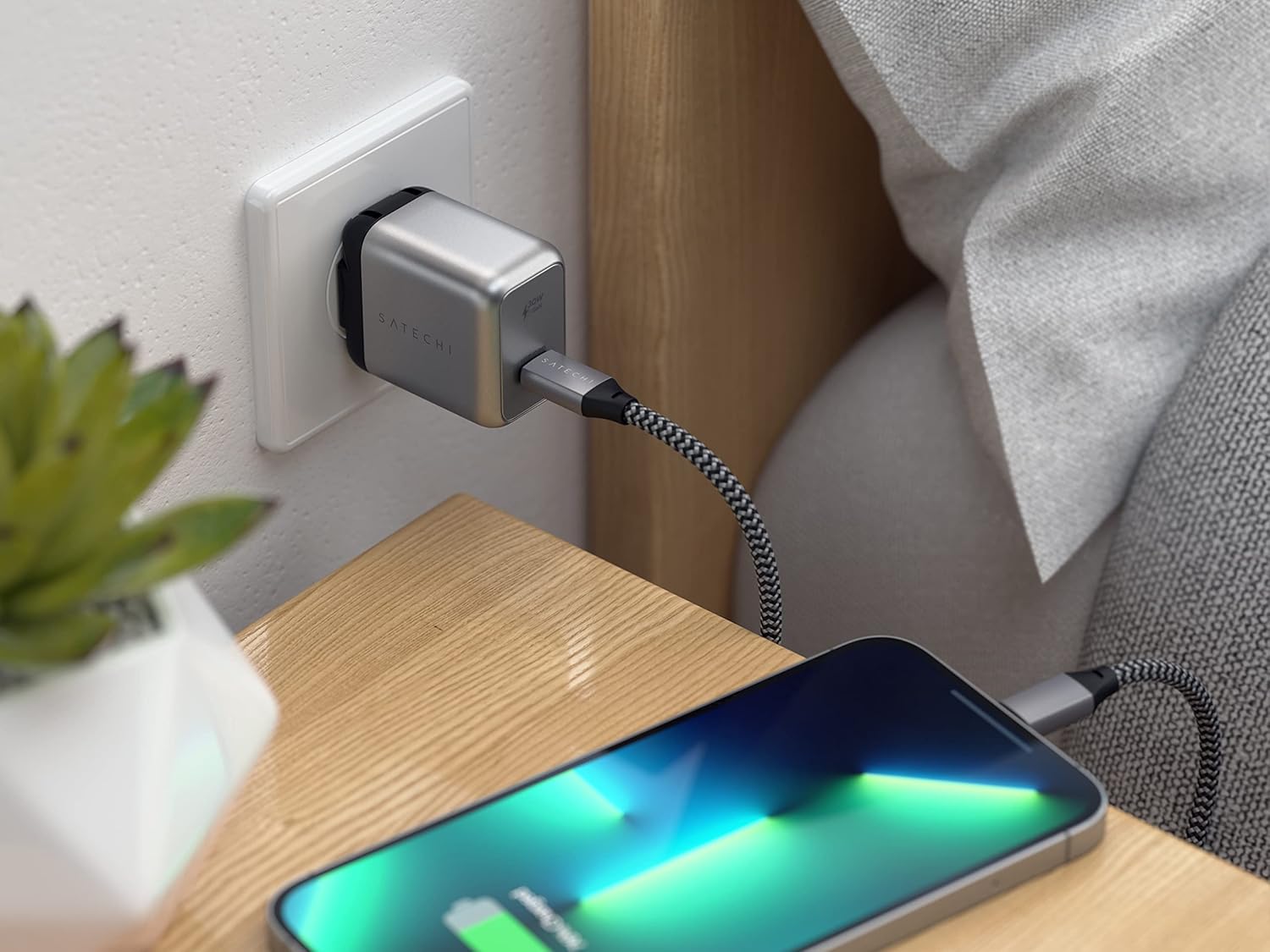
Figure 3: The Satechi 30W USB C Charger Block connected to a wall outlet, charging an iPhone.

Figure 4: The Satechi 30W USB C Charger Block connected to a wall outlet, charging an iPad.
ຄໍາແນະນໍາການດໍາເນີນງານ
The Satechi 30W USB C Charger Block is designed for efficient power delivery to a wide range of devices.
- ການຈັດສົ່ງພະລັງງານ USB-C: Optimized charging with USB-C Power Delivery, capable of powering devices up to 30W.
- ການສາກໄວ: Supports fast charging for compatible devices, such as the latest iPhone models (0% to 50% in approximately 30 minutes with an MFi-certified USB-C to Lightning cable, sold separately).
- ອຸປະກອນທີ່ເຂົ້າກັນໄດ້: This charger is compatible with various Apple devices including MacBook Pro 14/16-inch (2025 M5/M4/M3/M2/M1), MacBook Air 13/15-inch (2025 M5/M4/M3/M2/M1), iPad Pro 11/13-inch (2025 M5/M4/M3/M2/M1), iPad Air 11/13-inch (2024 M3/M2/M1), iPad Mini (A17 Pro/6), iPad (A16/10th Gen), iPhone 17, iPhone 17 Air, iPhone 17 Pro, iPhone 17 Pro Max, iPhone 16/15/14/13/12 series, Apple Watch SE (2025 3/2/1), Apple Watch Series Ultra (2025 3/2/1), Apple Watch Series (2025 11/10/9/8/7/6/5/4/3/2/1), AirPods Pro (2025 3/2/1), AirPods (2024 4/3), AirPods (2019 2/1), Galaxy series, Pixel series, and Windows laptops (Dell, Lenovo, Microsoft Surface, etc.). Requires USB-C cables (sold separately).

Figure 5: The Satechi 30W USB C Charger Block connected to a wall outlet, charging an Apple Watch.
ຂໍ້ມູນຄວາມປອດໄພ
This charger is built with safety features to protect your devices and ensure reliable operation:
- ການຢັ້ງຢືນ: ETL and CE certified for safety standards.
- ການປົກປ້ອງ: Designed to protect against overcharging, overheating, and overcurrent.
Always use the charger in a well-ventilated area and avoid covering it during operation. Do not expose the charger to moisture or extreme temperatures.
ການພົກພາ
The Satechi 30W USB C Charger Block is designed for maximum mobility:
- ການອອກແບບກະທັດຮັດ: Its small size (1.81 x 1.54 x 1.06 inches) makes it easy to carry.
- ປລັກສາມາດພັບໄດ້: The foldable prongs allow for easy storage and prevent damage when traveling.

Figure 6: The Satechi 30W USB C Charger Block with its foldable prongs extended, ready for use.
ຂໍ້ມູນຈໍາເພາະ
| ຄຸນສົມບັດ | ລາຍລະອຽດ |
|---|---|
| ຂະໜາດສິນຄ້າ | 1.81 x 1.54 x 1.06 ນິ້ວ |
| ນ້ໍາຫນັກລາຍການ | 1.47 ອອນ |
| ໝາຍເລກຕົວແບບ | ST-UC30WCM |
| ຍີ່ຫໍ້ | ຊາຕາຊິ |
| ປະເພດຕົວເຊື່ອມຕໍ່ | USB ປະເພດ C |
| ຄຸນນະສົມບັດພິເສດ | USB-C PD fast charging |
| ສີ | ເງິນ |
| ການປ້ອນຂໍ້ມູນ Voltage | 240 ໂວນ |
| Ampອາຍຸ | 6 Amps |
| ພອດ USB ທັງໝົດ | 1 |
ບໍາລຸງຮັກສາ
- ທໍາຄວາມສະອາດ: Disconnect the charger from the power outlet before cleaning. Use a soft, dry cloth to wipe the surface. Avoid liquid cleaners.
- ການເກັບຮັກສາ: When not in use, fold the prongs for compact storage. Store in a cool, dry place away from direct sunlight and moisture.
- ການດູແລສາຍໄຟ: ຫຼີກເວັ້ນການງໍຫຼືບິດສາຍສາກຫຼາຍເກີນໄປ, ເພາະວ່ານີ້ສາມາດທໍາລາຍສາຍໄຟພາຍໃນໄດ້.
ການແກ້ໄຂບັນຫາ
- ອຸປະກອນບໍ່ໄດ້ສາກໄຟ:
- ກວດໃຫ້ແນ່ໃຈວ່າໄດ້ສຽບສາຍສາກເຂົ້າຢ່າງປອດໄພກັບປລັກສຽບໄຟທີ່ເຮັດວຽກ.
- ກວດສອບວ່າສາຍ USB-C ໄດ້ເຊື່ອມຕໍ່ກັບທັງເຄື່ອງສາກ ແລະ ອຸປະກອນຂອງທ່ານຢ່າງຖືກຕ້ອງແລ້ວ.
- ລອງໃຊ້ສາຍ USB-C ອື່ນເພື່ອຄວບຄຸມສາຍເຄເບິນທີ່ຜິດພາດ.
- ທົດສອບເຄື່ອງສາກດ້ວຍອຸປະກອນທີ່ເຂົ້າກັນໄດ້ທີ່ແຕກຕ່າງກັນ.
- ການສາກໄຟຊ້າ:
- Ensure your device and cable support fast charging.
- ກວດສອບວ່າອຸປະກອນຂອງທ່ານກຳລັງເປີດໃຊ້ແອັບພລິເຄຊັນທີ່ໃຊ້ພະລັງງານຫຼາຍຢູ່ໃນພື້ນຫຼັງຫຼືບໍ່.
- ຄວາມຮ້ອນເກີນ:
- ຖ້າເຄື່ອງສາກຮູ້ສຶກຮ້ອນເກີນໄປ, ໃຫ້ຖອດມັນອອກທັນທີ.
- Ensure adequate ventilation around the charger. Avoid placing it under blankets or in enclosed spaces.
- ຖ້າອາການຮ້ອນເກີນໄປຍັງຄົງຢູ່, ໃຫ້ຢຸດໃຊ້ ແລະ ຕິດຕໍ່ຝ່າຍຊ່ວຍເຫຼືອລູກຄ້າ.
ການຮັບປະກັນແລະການສະຫນັບສະຫນູນ
ຜະລິດຕະພັນ Satechi ແມ່ນກວມເອົາໂດຍ a ຮັບປະກັນ 2 ປີຈໍາກັດ against defects in materials and workmanship under normal use.
For customer service or warranty claims, please refer to the contact information provided in your product packaging or visit the official Satechi webເວັບໄຊ.
ຊັບພະຍາກອນອອນໄລນ໌: ສໍາລັບການສະຫນັບສະຫນູນເພີ່ມເຕີມແລະຂໍ້ມູນຜະລິດຕະພັນ, ໄປຢ້ຽມຢາມ Satechi Store on Amazon.
ວິດີໂອຜະລິດຕະພັນຢ່າງເປັນທາງການ
The following videos provide additional information and demonstrations of Satechi products. Please note that some videos may feature related products and not specifically the 30W USB C Charger Block.
No official seller videos directly featuring the Satechi 30W USB C Charger Block were found in the provided data.


