1. ບົດແນະນຳ
The Fanvil PA2S is an advanced IP SIP Paging Gateway designed for robust media streaming using standard IP/RTP/RTSP protocols. This versatile device integrates multiple functionalities including broadcast, recording, intercom, and security features, making it suitable for various deployment scenarios. Its compact design facilitates integration into diverse solutions.
2. ຂໍ້ມູນຄວາມປອດໄພ
Please read these safety instructions carefully before using the Fanvil PA2S. Failure to follow these guidelines may result in electric shock, fire, or damage to the device.
- ການສະຫນອງພະລັງງານ: Use only the specified power adapter (12V-24V DC) or a compliant Power over Ethernet (PoE) source. Ensure the power source matches the device's requirements.
- ສະພາບແວດລ້ອມ: Operate the device in a dry, well-ventilated area, away from direct sunlight, heat sources, and moisture. Avoid extreme temperatures.
- ການຈັດການ: Do not drop, disassemble, or attempt to repair the device yourself. Refer all servicing to qualified personnel.
- ສາຍໄຟ: Ensure all cables are securely connected and not damaged. Do not route cables where they can be tripped over or damaged.
3. ເນື້ອໃນຊຸດ
ກວດສອບວ່າລາຍການທັງຫມົດແມ່ນມີຢູ່ໃນຊຸດຂອງທ່ານ:
- Fanvil PA2S Unit
- Power Adapter (may vary by region/bundle, if not using PoE)
- ອຸປະກອນເສີມ (ສະກູ, ວົງເລັບ)
- ຄູ່ມືການຕິດຕັ້ງດ່ວນ (ຄູ່ມືນີ້)
4. ຜະລິດຕະພັນເກີນview
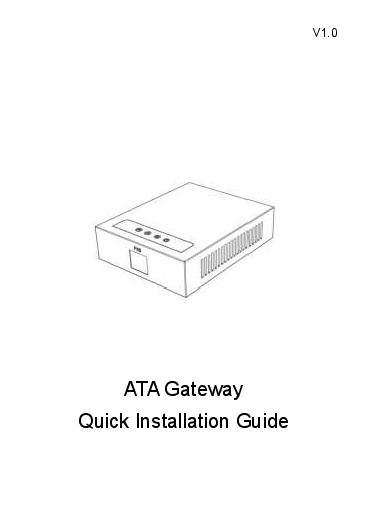
The Fanvil PA2S features a compact design with various interfaces for connectivity and control.
4.1 ຮູບແບບອຸປະກອນ

ຮູບທີ 1: ດ້ານໜ້າ view of the Fanvil PA2S, showing various input/output terminals and power input.

ຮູບທີ 2: ມຸມ view of the Fanvil PA2S, highlighting the network ports on the side.
4.2 ລັກສະນະທີ່ສໍາຄັນ
- Emergency button interface for active calls.
- Adaptive 10/100 Mbps network port with built-in Power over Ethernet (PoE).
- NVR video recording support via standard RJ45 interface.
- Recording output with a 3.5 mm standard audio interface.
- Audio output port for connecting an expandable external active speaker.
- One switching signal input and output (built-in relay).
- ພະລັງງານຊ່ອງ Mono Amplifier Output (10W~30W), adjustable based on input voltage.
5. ຕັ້ງຄ່າ
Follow these steps to set up your Fanvil PA2S:
- ການຕິດຕັ້ງ: Secure the PA2S unit in your desired location using the provided mounting accessories. Ensure adequate ventilation.
- ການເຊື່ອມຕໍ່ເຄືອຂ່າຍ: Connect an Ethernet cable from your network switch or router to the RJ45 network port on the PA2S. If using PoE, this single cable will also provide power.
- ການເຊື່ອມຕໍ່ພະລັງງານ (ຖ້າບໍ່ໃຊ້ PoE): If PoE is not available, connect a 12V-24V DC power adapter to the power input port on the PA2S.
- ສຽງອອກ: Connect external speakers to the "SPK LINE OUT" terminals or an active speaker to the 3.5mm audio output port.
- ການປ້ອນຂໍ້ມູນໄມໂຄຣໂຟນ: Connect a microphone to the "MIC" terminals if required for intercom or recording.
- Logic Input/Output: Connect external devices for security triggers or control via the "LOGIC IN/OUT" terminals as per your system design.
- ການຕັ້ງຄ່າ: ເຂົ້າເຖິງອຸປະກອນ web interface via its IP address (refer to your network's DHCP server or use a network scanner to find it) to configure SIP accounts, paging zones, and other settings.
6. ຄໍາແນະນໍາການດໍາເນີນງານ
The Fanvil PA2S operates as a SIP endpoint, integrating with your existing IP PBX or SIP server to provide various communication and security functions.
- Paging/Broadcast: Initiate a page or broadcast by dialing the configured extension of the PA2S from a SIP phone. The audio will be streamed to connected speakers.
- ອິນເຕີຄອມ: Utilize the microphone input and speaker output for two-way audio communication when configured as an intercom endpoint.
- ການບັນທຶກ: The device supports recording output via its 3.5mm interface, allowing integration with external recording systems.
- ຟັງຊັນຄວາມປອດໄພ: The logic input/output and emergency button interface enable integration with security systems for trigger events and active calls.
- ການຄວບຄຸມລະດັບສຽງ: Adjust output volume through the device's web interface or connected SIP phone controls, if supported.
7. ບໍາລຸງຮັກສາ
Regular maintenance ensures optimal performance and longevity of your Fanvil PA2S.
- ທໍາຄວາມສະອາດ: ໃຊ້ຜ້າປຽກແຫ້ງເພື່ອເຮັດຄວາມສະອາດດ້ານນອກຂອງອຸປະກອນ. ຢ່າໃຊ້ເຄື່ອງເຮັດຄວາມສະອາດຂອງແຫຼວຫຼື aerosols.
- ການອັບເດດເຟີມແວ: ກວດເບິ່ງຢ່າງເປັນທາງການຂອງ Fanvil ເປັນໄລຍະ webເວັບໄຊທ໌ສຳລັບການອັບເດດເຟີມແວ. ການອັບເດດເຟີມແວສາມາດປັບປຸງປະສິດທິພາບ, ເພີ່ມຄຸນສົມບັດໃໝ່ ແລະ ແກ້ໄຂຂໍ້ຜິດພາດຕ່າງໆ. ປະຕິບັດຕາມຄຳແນະນຳທີ່ມີໃຫ້ພ້ອມກັບການອັບເດດເຟີມແວຢ່າງລະມັດລະວັງ.
- ການກວດສອບສິ່ງແວດລ້ອມ: ໃຫ້ແນ່ໃຈວ່າສະພາບແວດລ້ອມການເຮັດວຽກຍັງຄົງຢູ່ໃນຂອບເຂດອຸນຫະພູມແລະຄວາມຊຸ່ມຊື່ນທີ່ແນະນໍາ.
8. ການແກ້ໄຂບັນຫາ
If you encounter issues with your Fanvil PA2S, refer to the following common problems and solutions:
| ບັນຫາ | ສາເຫດທີ່ເປັນໄປໄດ້ | ການແກ້ໄຂ |
|---|---|---|
| No Power/Device not turning on | Incorrect power adapter; PoE not active; faulty cable. | Verify power adapter (12V-24V DC) or PoE switch functionality. Check power and Ethernet cable connections. |
| ບໍ່ມີການເຊື່ອມຕໍ່ເຄືອຂ່າຍ | Faulty Ethernet cable; incorrect network settings; switch port issue. | Check Ethernet cable. Verify network settings (IP address, subnet mask, gateway) in the device's web interface. Ensure the network switch port is active. |
| ບໍ່ມີສຽງອອກ | Speakers not connected; incorrect volume settings; audio output disabled. | Ensure speakers are correctly wired to "SPK LINE OUT" or active speaker to 3.5mm port. Check volume settings in the web interface. Confirm audio output is enabled. |
| Cannot register to SIP server | Incorrect SIP account details; network firewall blocking SIP ports; server issues. | Verify SIP server address, port, username, and password. Check firewall rules. Contact your SIP service provider or IT administrator. |
9. ຂໍ້ມູນຈໍາເພາະ
| ຄຸນສົມບັດ | ລາຍລະອຽດ |
|---|---|
| ຍີ່ຫໍ້ | ແຟນວິນ |
| ໝາຍເລກຕົວແບບ | PA2S |
| ນ້ໍາຫນັກລາຍການ | 11.3 ອອນສ໌ (ປະມານ 320g) |
| ຂະໜາດສິນຄ້າ (LxWxH) | 5.91 x 78.74 x 5.91 inches (Note: The length of 78.74 inches appears to be a data error and is unusually long for this type of device.) |
| ການເຊື່ອມໂຍງເຄືອຂ່າຍ | 10/100 Mbps Ethernet, Adaptive, Built-in PoE |
| ການປ້ອນຂໍ້ມູນພະລັງງານ | 12V-24V DC or PoE |
| ພະລັງງານສຽງອອກ | 10W~30W Mono Channel (adjustable by input voltage) |
| ການໂຕ້ຕອບສຽງ | SPK Line Out, 3.5mm Recording Output, 3.5mm Audio Output Port, MIC Input |
| ອິນເຕີເຟດຄວບຄຸມ | LED, Key, Logic In/Out, Emergency Button |
10. ການຮັບປະກັນແລະການສະຫນັບສະຫນູນ
For warranty information, technical support, or service inquiries regarding your Fanvil PA2S, please contact Fanvil customer support directly or visit their official webເວັບໄຊ. ຮັກສາໃບຮັບເງິນການຊື້ຂອງທ່ານໄວ້ເປັນຫຼັກຖານການຊື້.
Fanvil ຢ່າງເປັນທາງການ Webເວັບໄຊ: www.fanvil.com