ແນະນຳ
This manual provides essential information for setting up, operating, maintaining, and troubleshooting your TomTom GO Expert Truck Sat Nav. Please read it carefully to ensure optimal performance and safe use of your device.
The TomTom GO Expert is designed for professional large vehicle navigation, offering custom routing and POIs for buses, trucks, and coaches, along with live alerts for various road restrictions.
ແມ່ນຫຍັງຢູ່ໃນກ່ອງ
ເມື່ອເປີດແພັກເກັດ, ໃຫ້ກວດເບິ່ງວ່າອົງປະກອບທັງໝົດມີຢູ່:
- TomTom GO Expert Device
- ເຄື່ອງສາກລົດ
- Click-and-Drive Mount
- ຄູ່ມືເລີ່ມຕົ້ນດ່ວນ

ຮູບພາບ: ທາງຫນ້າ view of the TomTom GO Expert Sat Nav device, showing its 5-inch capacitive screen and the TomTom logo at the bottom.
ຕັ້ງຄ່າ
1. ການຕິດຕັ້ງອຸປະກອນ
- ທໍາຄວາມສະອາດ Windshield: Ensure the area where you intend to mount the device is clean and dry.
- ຕິດພູ: Securely attach the Click-and-Drive mount to your windshield or dashboard. Press the suction cup firmly against the surface and flip the lever to lock it in place.
- ເຊື່ອມຕໍ່ອຸປະກອນ: Slide the TomTom GO Expert device onto the mount until it clicks securely.
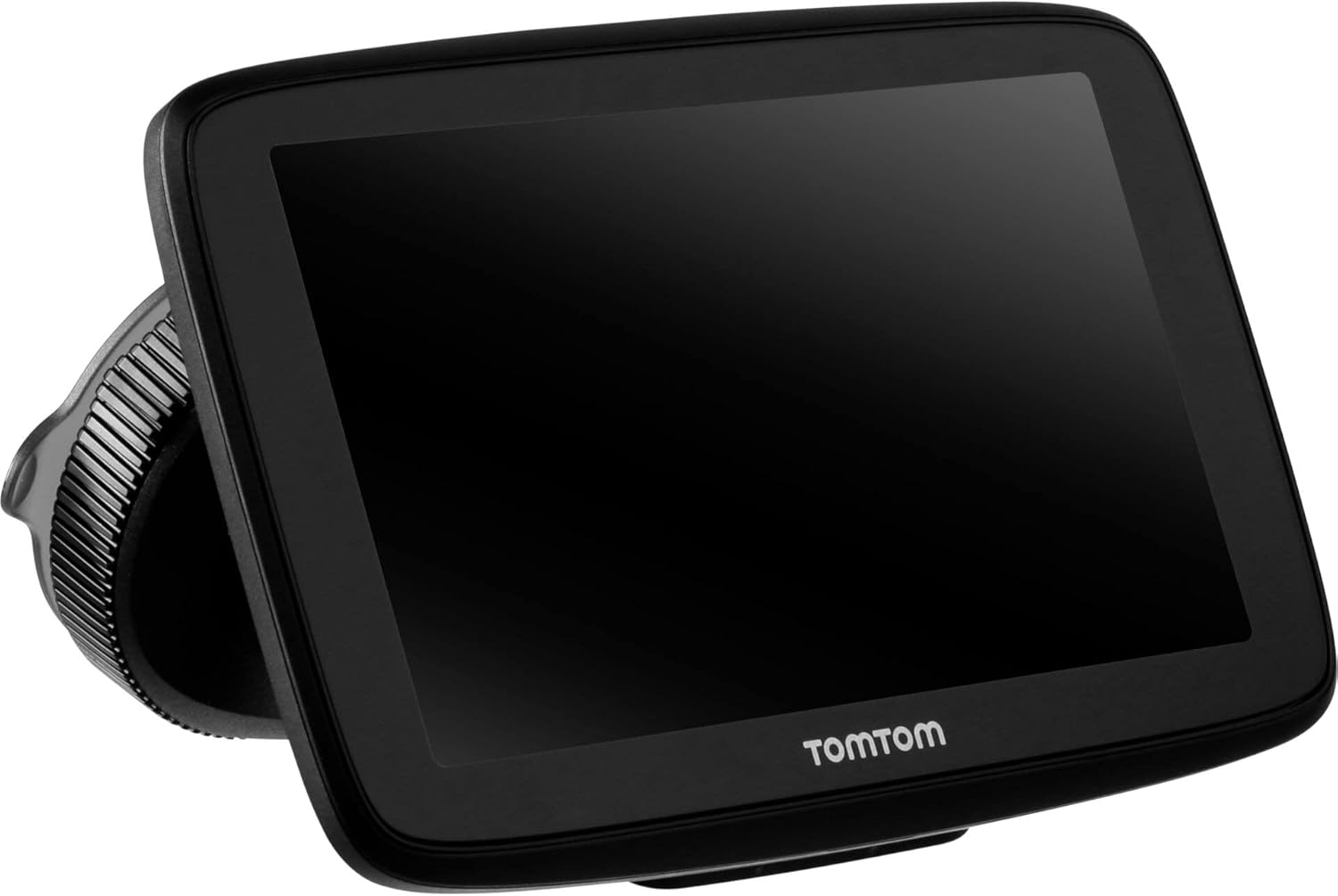
Image: The TomTom GO Expert Sat Nav device attached to its Click-and-Drive mount, viewed from an angle, showing the suction cup base.
2. ເປີດ ແລະ ສາກໄຟ
- Connect the Car Charger: ສຽບເຄື່ອງສາກໄຟລົດເຂົ້າກັບປລັກໄຟ 12V ຂອງລົດທ່ານ.
- ເຊື່ອມຕໍ່ຫາອຸປະກອນ: Connect the other end of the charger to the TomTom GO Expert device.
- ຄ່າ ທຳ ນຽມ: ອະນຸຍາດໃຫ້ອຸປະກອນສາກໄຟຢ່າງຫນ້ອຍ 30 ນາທີກ່ອນການນໍາໃຊ້ຄັ້ງທໍາອິດ, ຫຼືຈົນກ່ວາຕົວຊີ້ວັດການສາກໄຟທີ່ພຽງພໍ.

ຮູບພາບ: Side profile of the TomTom GO Expert Sat Nav device, showing its slim design and how it connects to the Click-and-Drive mount.
3. ການຕິດຕັ້ງເບື້ອງຕົ້ນ ແລະການເຊື່ອມຕໍ່ Wi-Fi
- ປະຕິບັດຕາມການເຕືອນໃນຫນ້າຈໍເພື່ອເລືອກພາສາແລະພາກພື້ນຂອງທ່ານ.
- Connect to a Wi-Fi network for quick map updates and traffic information. Navigate to ການຕັ້ງຄ່າ > Wi-Fi ແລະເລືອກເຄືອຂ່າຍຂອງທ່ານ.
- Configure your vehicle profile (truck, bus, coach) by entering dimensions, weight, and other relevant details. This is crucial for custom routing.
ການປະຕິບັດອຸປະກອນຂອງທ່ານ
ພື້ນຖານການນໍາທາງ
- Entering a Destination: Tap the search icon on the main menu and enter an address, POI, or coordinates.
- ກຳນົດເສັ້ນທາງແບບກຳນົດເອງ: The device will automatically calculate routes based on your configured vehicle profile, avoiding unsuitable roads for large vehicles.
- Live Traffic Updates: With an active Wi-Fi connection, the device provides real-time traffic information to help you avoid delays.
- Lane Guidance: The device displays clear lane guidance to help you prepare for exits and turns.
- ການຄວບຄຸມດ້ວຍສຽງ: Use voice commands for hands-free operation. Refer to the on-screen guide for available commands.
Map Updates and Services
Your TomTom GO Expert receives 3X faster updates via Wi-Fi. Ensure your device is connected to a stable Wi-Fi network to download the latest maps and software updates conveniently and at no extra cost.
- ອັບເດດແຜນທີ່: ທ່ອງໄປຫາ ການຕັ້ງຄ່າ > ອັບເດດ ແລະລາຍການໃໝ່ to check for and install map updates.
- ການແຈ້ງເຕືອນກ້ອງຖ່າຍຮູບຈັບຄວາມໄວ: The device includes 1 year of speed camera alerts. Ensure this service is active for safer driving.
ບໍາລຸງຮັກສາ
- ທໍາຄວາມສະອາດ: Use a soft, lint-free cloth to clean the screen and device casing. ຢ່າໃຊ້ເຄື່ອງເຮັດຄວາມສະອາດຂັດຫຼືສານລະລາຍ.
- ອັບເດດຊອບແວ: Regularly check for and install software updates via Wi-Fi to ensure optimal performance and access to new features.
- ການດູແລຫມໍ້ໄຟ: To prolong battery life, avoid exposing the device to extreme temperatures. If storing for an extended period, ensure the battery is partially charged.
- ການເກັບຮັກສາ: When not in use, store the device in a cool, dry place, away from direct sunlight.
ການແກ້ໄຂບັນຫາ
ບັນຫາທົ່ວໄປແລະການແກ້ໄຂ
- ອຸປະກອນບໍ່ເປີດ:
- Ensure the car charger is securely connected to both the device and the vehicle's power outlet.
- Check the vehicle's power outlet for functionality.
- Try resetting the device by holding the power button for 15-20 seconds.
- ບໍ່ມີສັນຍານ GPS:
- ໃຫ້ແນ່ໃຈວ່າອຸປະກອນມີຄວາມຊັດເຈນ view of the sky. Obstructions like tall buildings or tunnels can block the signal.
- Move to an open area and allow the device a few minutes to acquire satellites.
- Check for any pending software updates that might improve GPS performance.
- Map Not Updating:
- Verify that the device is connected to a stable Wi-Fi network.
- Ensure there is sufficient storage space on the device for the new map data.
- ໃຫ້ປິດເປີດອຸປະກອນຄືນໃໝ່ ແລະ ລອງອັບເດດອີກຄັ້ງ.
- ໜ້າຈໍສໍາຜັດບໍ່ຕອບສະໜອງ:
- ເຮັດການຣີເຊັດແບບອ່ອນໆໂດຍການກົດປຸ່ມເປີດປິດຄ້າງໄວ້ຈົນກວ່າອຸປະກອນຈະຣີສະຕາດ.
- ໃຫ້ແນ່ໃຈວ່າຫນ້າຈໍສະອາດແລະບໍ່ມີສິ່ງເສດເຫຼືອ.
ຂໍ້ມູນຈໍາເພາະ
| ຄຸນສົມບັດ | ລາຍລະອຽດ |
|---|---|
| ຂະໜາດສິນຄ້າ | 5.51 x 0.79 x 3.54 ນິ້ວ |
| ນ້ໍາຫນັກລາຍການ | 12.7 ອອນ |
| ໝາຍເລກຕົວແບບ | 1YB5.002.20 |
| ໝໍ້ໄຟ | 1 ຫມໍ້ໄຟ Lithium Ion ຕ້ອງການ (ລວມ) |
| ລະບົບປະຕິບັດການ | Windows (internal OS) |
| ເຕັກໂນໂລຊີການເຊື່ອມຕໍ່ | ບູທູດ, ໄຮ້ສາຍ (Wi-Fi) |
| ຄຸນນະສົມບັດພິເສດ | Bluetooth, Lane Assist, Touchscreen |
| ການໂຕ້ຕອບຂອງມະນຸດ | ໜ້າຈໍສຳຜັດ |
| ສີ | ດຳ |
| ປະເພດການບໍລິການພາຫະນະ | Bus, Truck |
| ຂະໜາດໜ້າຈໍ | 5 ນິ້ວ |
| ປະເພດແຜນທີ່ | ທົ່ວໂລກ |
| ຮູບແບບການອອກສຽງ | ລໍາໂພງ |
ການຮັບປະກັນແລະການສະຫນັບສະຫນູນ
For detailed warranty information and technical support, please visit the official TomTom support webເວັບໄຊ ຫຼືອ້າງອີງໃສ່ບັດຮັບປະກັນລວມຢູ່ໃນຜະລິດຕະພັນຂອງທ່ານ.
ສະຫນັບສະຫນູນອອນໄລນ໌: www.tomtom.com/support
Ensure you have your device's serial number and model number (1YB5.002.20) ready when contacting support.


