ແນະນຳ
Thank you for choosing UrbanX Street Buds Plus True Wireless Earbuds. This manual provides essential information for setting up, operating, maintaining, and troubleshooting your new earbuds. Please read it carefully to ensure optimal performance and longevity of your device.
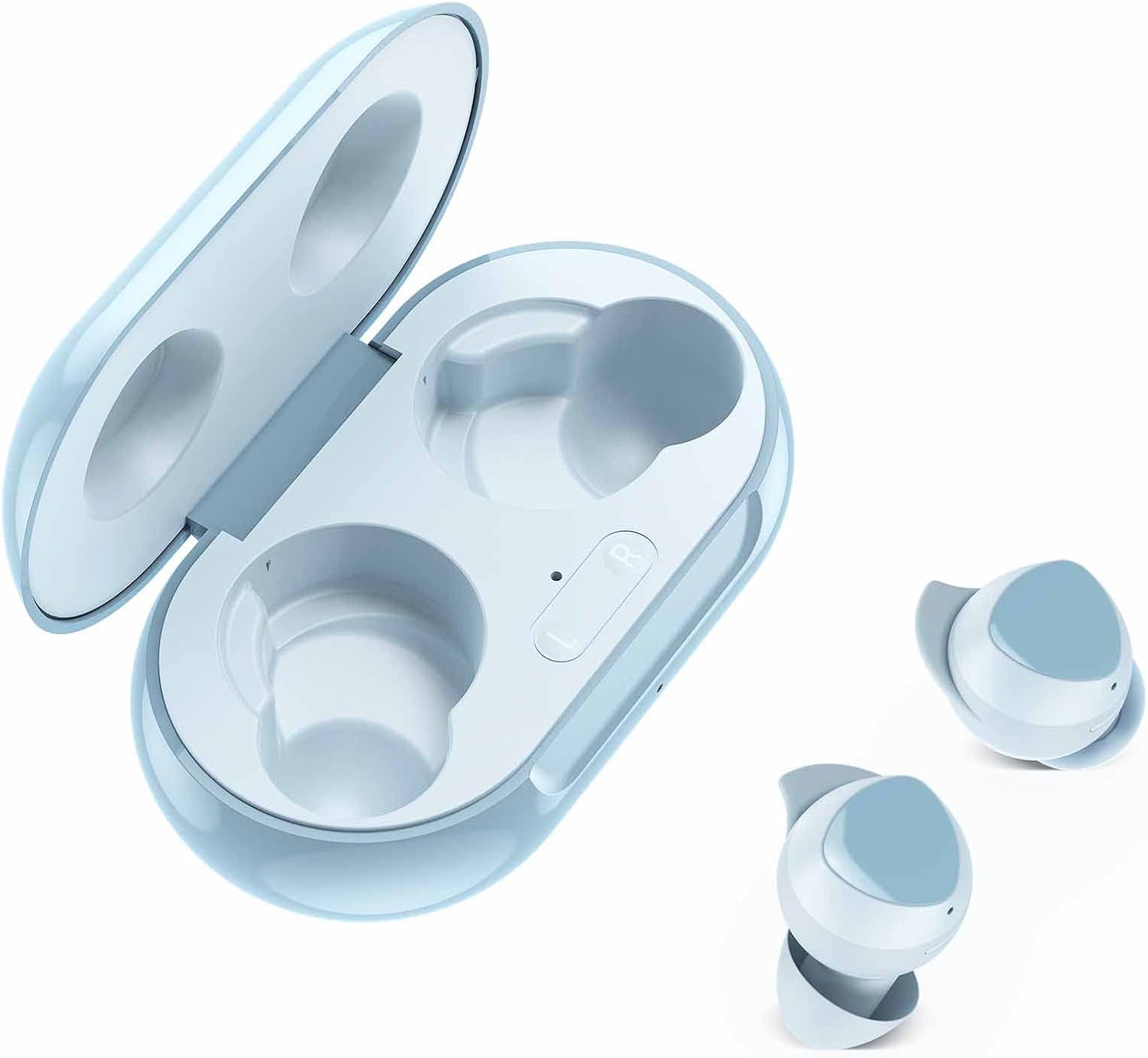
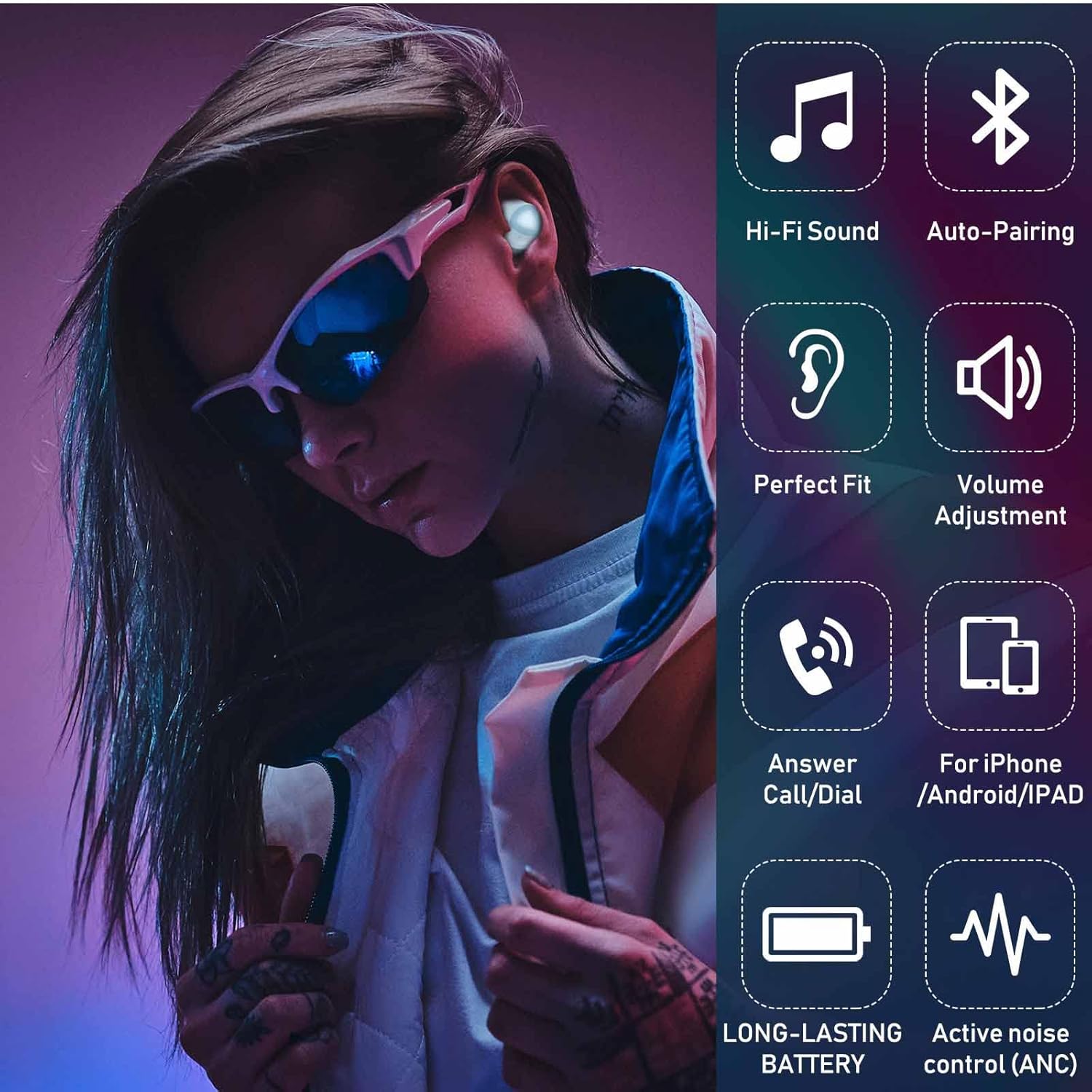
The UrbanX Street Buds Plus feature fine-tuned 12mm speakers for enhanced bass, hands-free controls, and a wireless charging case. They are designed for comfort and durability, including IP7 water and sweat resistance, making them suitable for various activities.
ເນື້ອໃນຊຸດ
- UrbanX Street Buds Plus Earbuds (Left and Right)
- ກໍລະນີສາກໄຟໄຮ້ສາຍ
- ສາຍສາກ USB (ບໍ່ໄດ້ລະບຸຢ່າງຊັດເຈນແຕ່ມາດຕະຖານ)
- ຄູ່ມືຜູ້ໃຊ້ (ເອກະສານນີ້)
ຂໍ້ມູນຄວາມປອດໄພ
- Do not expose the earbuds or charging case to extreme temperatures or direct sunlight for extended periods.
- ຫຼີກເວັ້ນການຫຼຸດລົງຫຼືໃຊ້ແຮງຫຼາຍເກີນໄປໃສ່ອຸປະກອນ.
- ຮັກສາໃຫ້ໄກຈາກເດັກນ້ອຍ ແລະສັດລ້ຽງ.
- ຢ່າພະຍາຍາມຖອດອອກ ຫຼື ດັດແປງຫູຟັງ ຫຼື ກ່ອງສາກໄຟ. ການເຮັດແບບນີ້ຈະເຮັດໃຫ້ການຮັບປະກັນເປັນໂມຄະ.
- ໃຊ້ສາຍສາກໄຟ ແລະ ອະແດບເຕີທີ່ໄດ້ຮັບການອະນຸມັດເທົ່ານັ້ນ.
- ການຟັງເປັນເວລາດົນໃນລະດັບສຽງສູງອາດເຮັດໃຫ້ເກີດຄວາມເສຍຫາຍຕໍ່ການໄດ້ຍິນ. ປັບລະດັບສຽງໃຫ້ຢູ່ໃນລະດັບທີ່ປອດໄພ.
ຕັ້ງຄ່າ
1. ການສາກຫູຟັງ ແລະ ເຄສ
Before first use, fully charge the earbuds and the charging case. The charging case supports both wired (USB-C) and wireless charging.
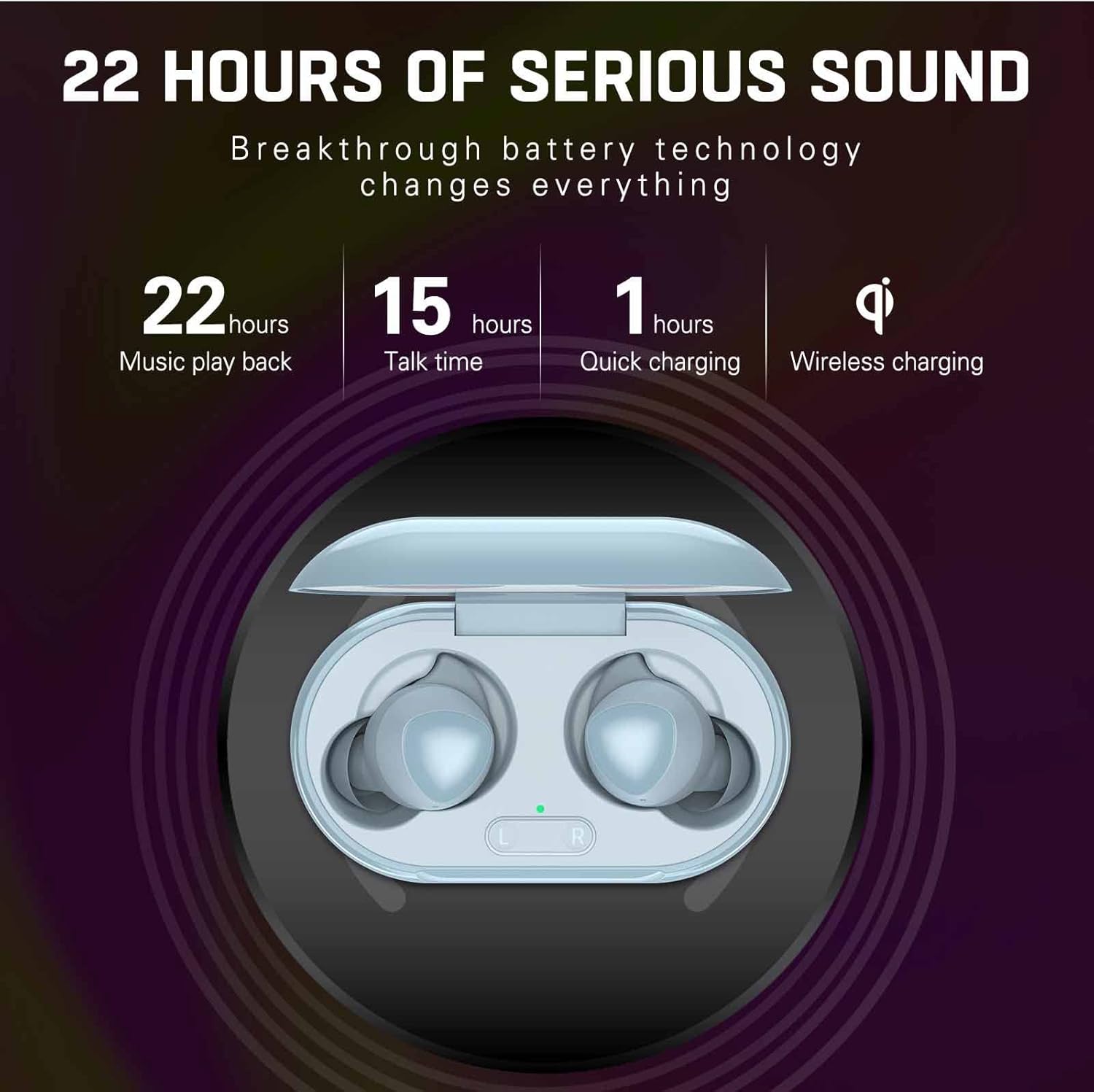
- ການສາກໄຟແບບມີສາຍ: ເຊື່ອມຕໍ່ສາຍສາກ USB ກັບຜອດສາກໄຟຢູ່ໃນກໍລະນີ ແລະກັບແຫຼ່ງພະລັງງານ. ແສງຊີ້ບອກກ່ຽວກັບກໍລະນີຈະສະແດງສະຖານະການສາກໄຟ.
- ການສາກໄຟໄຮ້ສາຍ: Place the charging case on a compatible wireless charging pad. The indicator light will confirm charging.
- ການສາກຫູຟັງ: ວາງຫູຟັງໃສ່ກະເປົ໋າສາກໄຟ. ພວກເຂົາຈະເລີ່ມສາກໄຟໂດຍອັດຕະໂນມັດ.
A full charge provides approximately 22 hours of music playback and 15 hours of talk time. Quick charging can provide significant power in about 1 hour.
2. ການຈັບຄູ່ກັບອຸປະກອນ
The UrbanX Street Buds Plus feature one-step auto-pairing for easy connection.
- ກວດໃຫ້ແນ່ໃຈວ່າໄດ້ສາກຫູຟັງແລ້ວ.
- ເປີດກ່ອງສາກໄຟ. ຫູຟັງເອຍບັດຈະເຂົ້າສູ່ໂໝດຈັບຄູ່ໂດຍອັດຕະໂນມັດ.
- ໃນອຸປະກອນຂອງທ່ານ (ໂທລະສັບສະຫຼາດ, ແທັບເລັດ, ແລັບທັອບ), ໄປທີ່ການຕັ້ງຄ່າ Bluetooth.
- ຊອກຫາ available devices and select "Buds Plus" from the list.
- ເມື່ອເຊື່ອມຕໍ່ແລ້ວ, ທ່ານຈະໄດ້ຍິນສຽງຢືນຢັນ, ແລະຫູຟັງເອຍບັດຈະພ້ອມໃຫ້ໃຊ້.
The earbuds are compatible with iOS, Android, and Windows devices.

ປະຕິບັດການ
ໃສ່ຫູຟັງ
For optimal sound quality and comfort, ensure the earbuds are properly seated in your ears. Gently insert each earbud and twist slightly until it feels secure and comfortable.
ແຕະການຄວບຄຸມ
The UrbanX Street Buds Plus feature hands-free controls for managing audio playback and phone calls. Specific touch gestures may vary slightly, but common functions include:
- ຫຼິ້ນ/ຢຸດ: ແຕະເທື່ອດຽວໃສ່ຫູຟັງຫູຟັງ.
- ເພງຕໍ່ໄປ: ແຕະສອງເທື່ອໃສ່ຫູຟັງເບື້ອງຂວາ.
- ຕິດຕາມກ່ອນ ໜ້າ ນີ້: ແຕະສອງເທື່ອໃສ່ຫູຟັງທາງຊ້າຍ.
- ຮັບ/ສາຍໂທ: ແຕະເທື່ອດຽວໃສ່ຫູຟັງຫູຟັງລະຫວ່າງສາຍໂທເຂົ້າ.
- ປະຕິເສດການໂທ: ກົດຫູຟັງເອຍບັດຂ້າງໃດກໍໄດ້ຄ້າງໄວ້ໃນຂະນະທີ່ມີສາຍໂທເຂົ້າ.
- ການປັບລະດັບສຽງ: (If supported by specific model) Swipe up/down on the earbud surface or use your connected device.
- ຜູ້ຊ່ວຍສຽງ: ແຕະສາມເທື່ອໃສ່ຫູຟັງຫູຟັງ (ເຊັ່ນ: Siri, Google Assistant).
ບໍາລຸງຮັກສາ
ທໍາຄວາມສະອາດ
ການທໍາຄວາມສະອາດເປັນປົກກະຕິຊ່ວຍຮັກສາຄຸນນະພາບສຽງແລະສຸຂະອະນາໄມ.
- ເຊັດຫູຟັງຫູຟັງ ແລະ ກະເປົ໋າສາກໄຟດ້ວຍຜ້າແພອ່ອນໆ, ແຫ້ງ, ບໍ່ມີເຈັ້ຍ.
- ຢ່າໃຊ້ເຄື່ອງເຮັດຄວາມສະອາດຂັດ, ເຫຼົ້າ, ຫຼືສານລະລາຍສານເຄມີ.
- Remove any earwax or debris from the earbud tips and speaker mesh using a small, clean brush or cotton swab.
ການຕໍ່ຕ້ານນ້ໍາ
The UrbanX Street Buds Plus are IP7 water and sweat resistant, making them suitable for workouts and light rain. However, they are not designed for swimming or submersion in water. Ensure the earbuds are dry before placing them back into the charging case to prevent damage.

ການເກັບຮັກສາ
ເມື່ອບໍ່ໄດ້ໃຊ້, ໃຫ້ເກັບຫູຟັງເອຍບັດໃສ່ໃນກະເປົ໋າສາກໄຟເພື່ອປົກປ້ອງພວກມັນ ແລະ ສືບຕໍ່ສາກໄຟ.
ການແກ້ໄຂບັນຫາ
| ບັນຫາ | ສາເຫດທີ່ເປັນໄປໄດ້ | ການແກ້ໄຂ |
|---|---|---|
| ຫູຟັງບໍ່ຈັບຄູ່ | Low battery, out of range, pairing mode not active, previous connection issue. | Charge earbuds and case. Ensure Bluetooth is on and within range. Place earbuds in case, close, then open to re-enter pairing mode. Forget "Buds Plus" from device's Bluetooth list and re-pair. |
| ບໍ່ມີສຽງຫລືປະລິມານຕ່ ຳ | Volume too low, earbud placement, debris in speaker, connection issue. | Increase volume on device and earbuds. Adjust earbud fit. Clean speaker mesh. Reconnect earbuds to device. |
| ບັນຫາການສາກໄຟ | Dirty charging contacts, faulty cable/charger, improper placement on wireless pad. | Clean charging contacts on earbuds and case. Try a different USB cable or power adapter. Ensure case is centered on wireless charging pad. |
| ຫູຟັງຫູຟັງໜ່ວຍໜຶ່ງບໍ່ເຮັດວຽກ | Individual earbud connection issue, low battery. | Place both earbuds in the case, close, then open. Ensure both earbuds are charged. Try re-pairing. |
ຂໍ້ມູນຈໍາເພາະ
- ຊື່ຕົວແບບ: R175
- ເຕັກໂນໂລຍີການເຊື່ອມຕໍ່: ໄຮ້ສາຍ (Bluetooth)
- ເຕັກໂນໂລຊີການສື່ສານໄຮ້ສາຍ: Bluetooth
- ອຸປະກອນທີ່ເຂົ້າກັນໄດ້: Fairphone 4, Samsung, Mobile Phone, Tablet, Laptop, Smartphone
- ປະເພດການຄວບຄຸມ: Call Control, Playback Control
- ຄຸນນະສົມບັດສາຍ: ໂດຍບໍ່ມີສາຍ
- ລະດັບຄວາມຕ້ານທານນ້ໍາ: ກັນນ້ຳ IP7
- ນ້ໍາຫນັກລາຍການ: ປະມານ 2 ອອນສ໌
- ຂະໜາດຜະລິດຕະພັນ: ປະມານ 2.75 x 1.04 x 1.52 ນິ້ວ
- ຄຸນນະສົມບັດພິເສດ: Carrying case included, Enhanced bass, Microphone Included, Sports-and-exercise ready, Wireless charging
- ເວລາຫຼິ້ນເພງ: ສູງສຸດເຖິງ 22 ຊົ່ວໂມງ (ພ້ອມກ່ອງໃສ່ສາກ)
- ເວລາສົນທະນາ: ສູງສຸດເຖິງ 15 ຊົ່ວໂມງ (ພ້ອມກ່ອງໃສ່ສາກ)
- ສາກດ່ວນ: 1 ຊົ່ວໂມງ
- ການວາງຫູ: ໃນຫູ
- ປັດໄຈແບບຟອມ: ໃນຫູ
- ການຄວບຄຸມສິ່ງລົບກວນ: ການແຍກສຽງ

ຮັບປະກັນ
UrbanX Street Buds Plus come with a ຮັບປະກັນການຄືນເງິນ 90 ວັນ. ນອກຈາກນັ້ນ, ກ ຮັບປະກັນການທົດແທນ 12 ເດືອນ is provided for defective earbuds. Please retain your proof of purchase for warranty claims.
ສະຫນັບສະຫນູນ
If you encounter any issues or have questions not covered in this manual, please refer to the UrbanX official website or contact customer support for assistance. For warranty claims, please provide your purchase details.


