ແນະນຳ
This manual provides instructions for the safe and proper assembly, operation, and maintenance of your StarTech Heavy Duty Dual Screen Rolling TV Stand (STNDMTVDUO). This mobile TV stand is designed to support two 37-60 inch VESA displays, with a maximum weight capacity of 110 lbs (50 kg) per display. It features heavy-duty aluminum construction, a sturdy steel base, lockable casters, and integrated cable management.
ກະລຸນາອ່ານຄູ່ມືນີ້ຢ່າງລະອຽດກ່ອນການຕິດຕັ້ງ ແລະ ນຳໃຊ້ເພື່ອຮັບປະກັນປະສິດທິພາບ ແລະ ຄວາມປອດໄພທີ່ດີທີ່ສຸດ.
ຂໍ້ມູນຄວາມປອດໄພ
- ຄວາມອາດສາມາດນ້ໍາຫນັກ: Do not exceed the maximum weight capacity of 110 lbs (50 kg) per display. Exceeding this limit may result in instability and potential injury.
- ຂະຫນາດຈໍສະແດງຜົນ: This stand is designed for 37-60 inch displays. Ensure your displays fit within this range and have compatible VESA mounting patterns.
- ສະພາແຫ່ງ: Follow all assembly instructions carefully. Improper assembly can lead to product failure and injury. It is recommended to have at least two people for assembly and mounting displays.
- ຄວາມໝັ້ນຄົງ: Ensure the stand is placed on a stable, level surface. Always lock the casters when the stand is stationary to prevent accidental movement.
- ການເຄື່ອນໄຫວ: When moving the stand, unlock the casters and push slowly and carefully, especially over uneven surfaces. Avoid sudden stops or turns.
- ການຄຸ້ມຄອງສາຍໄຟ: Properly route all cables through the integrated cable management system to prevent tripping hazards and cable damage.
- ເດັກນ້ອຍ: Keep children away from the TV stand during assembly and operation. Do not allow children to climb on or play with the stand or attached displays.
ແມ່ນຫຍັງຢູ່ໃນກ່ອງ
Verify that all components listed below are present before beginning assembly. If any parts are missing or damaged, contact StarTech support.
- 1 ຖານ
- 4 ນັກສະແດງ
- 2 Universal plates
- 2 ມືຈັບ
- 1 Column, left
- 1 Column, right
- 2 Adapter brackets, left
- 2 Adapter brackets, right
- 2 Top covers
- 2 ຕົວເຊື່ອມຕໍ່
- 1 DVD shelf
- 1 Connector plate
- 1 Camera shelf
- 2 Fixing plates
- 1 ແຖບສະຫນັບສະຫນູນ
- 2 ຫົວບິດ
- ສະກູ 4 M6x15mm
- 2 M6x25mm screws (button head)
- ສະກູ 2 M6x25mm
- 3 M4x6mm screws (flat head)
- ສະກູ 2 M4x6mm
- 2 M6x25mm screws (hex head)
- ສະກູ 10 M6x14mm
- ສະກູ 8 M8x25mm
- 2 M6x25mm screws (carriage)
- 2 Spacers
- 2 Washers (round)
- 1 ປຸ່ມ Hex
- 1 wrench
- ສະກູ 8 M5x14mm
- ສະກູ 8 M6x14mm
- ສະກູ 8 M6x30mm
- ສະກູ 8 M8x30mm
- ສະກູ 8 M8x50mm
- 8 Washers (rectangular)
- 16 Spacers, small
- 16 Spacers, big
- 1 ຄູ່ມື

Image: All components of the StarTech Dual Screen Rolling TV Stand laid out for assembly.
ການຕິດຕັ້ງແລະການປະກອບ
Follow these steps to assemble your dual screen rolling TV stand. It is recommended to perform assembly with at least two people due to the size and weight of the components.
- ຄັດຕິດ Casters ກັບຖານ: Secure the four lockable casters to the sturdy steel base using the provided hardware. Ensure they are tightened securely.
- ປະກອບຖັນ: Connect the left and right columns to the base. These columns provide the vertical support for the displays and allow for height adjustment.
- Install Display Mounting Bar: Attach the horizontal display mounting bar to the top of the columns. This bar will hold the universal display plates.
- Mount Universal Plates: Secure the universal plates to the display mounting bar. These plates are compatible with various VESA patterns (200x200 to 600x400).
- Attach Media Shelves: Install the DVD shelf and camera shelf at your desired heights. The DVD shelf can be raised up to 28.3 inches (0.7m) from the floor, and the webcam shelf up to 93.5 inches (2.4m).
- ສາຍທາງ: Utilize the built-in cable management system within the columns to keep cables organized and hidden from view.
- Mount Displays: Carefully attach your 37-60 inch VESA compatible displays to the universal plates using the appropriate screws and spacers. Ensure the displays are securely fastened.
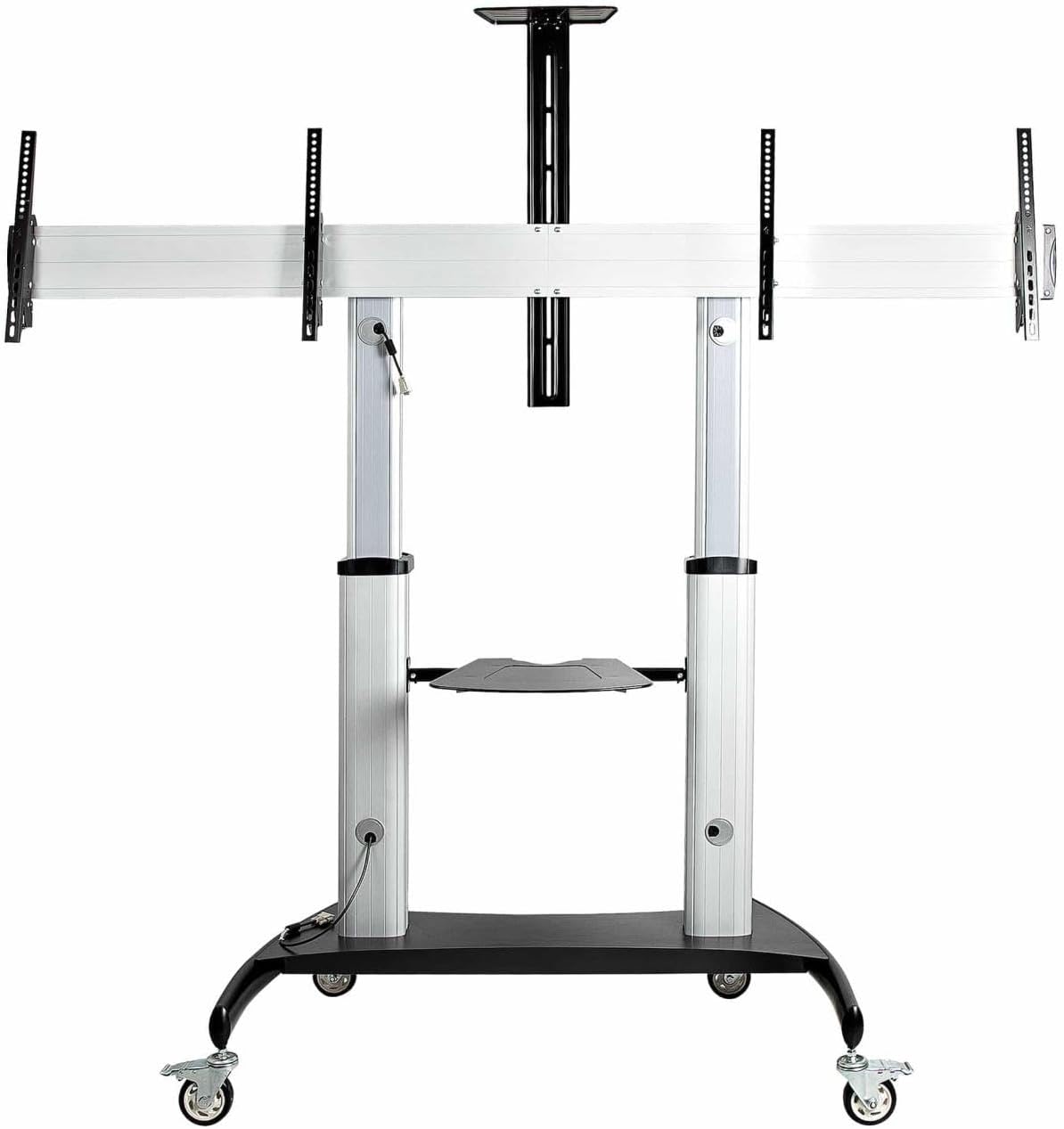
Image: Fully assembled StarTech Dual Screen Rolling TV Stand with two displays mounted.

Image: Detail of a lockable caster wheel, essential for securing the stand in place.

ຮູບພາບ: View of the built-in cable management opening, designed to keep cables organized and out of sight.
ວິດີໂອ: ຫຼາຍກວ່າview of the StarTech Dual Screen Rolling TV Stand (STNDMTVDUO) features and assembly process.
ຄໍາແນະນໍາການດໍາເນີນງານ
- ປັບຄວາມສູງຂອງຈໍສະແດງຜົນ: The stand allows for a synchronized display height adjustment range of 19 inches (0.5m). The center of the TV can be adjusted from 47.2 inches (1.2m) to 66.4 inches (1.7m) from the floor. Use the height indicators on the columns for precise adjustment.
- Tilting Displays: Each display can be tilted +5 to -10 degrees to achieve the optimal viewing angle. Adjust the tilt mechanisms located on the universal plates.
- ການເຄື່ອນຍ້າຍສະຖານທີ່: To move the stand, ensure all four casters are unlocked. Use the attached handles to guide the stand. Always move the stand slowly and carefully.
- ການຮັບປະກັນສະຖານທີ່: Once the stand is in the desired position, engage the locks on all four casters to prevent unintended movement.
- ປັບຊັ້ນວາງ: ໄດ້ webcam shelf and equipment shelf can be adjusted independently of each other and the displays. Loosen the securing knobs, adjust to the desired height, and re-tighten.

Image: Detail showing the height indicator for precise adjustment and an attached handle for easy movement.
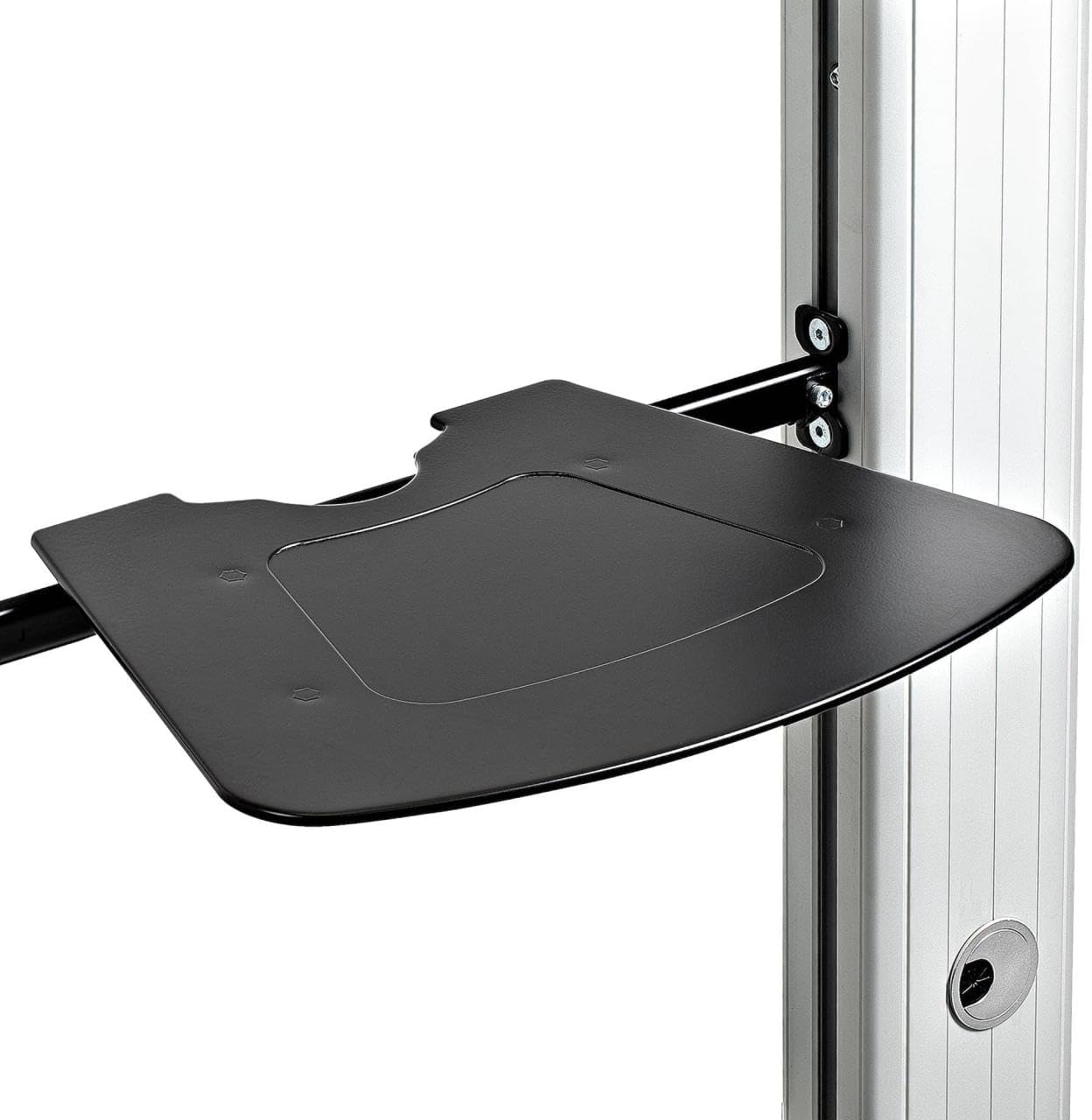
Image: Close-up of the adjustable media shelf, capable of holding various equipment.
ບໍາລຸງຮັກສາ
- ທໍາຄວາມສະອາດ: ເຮັດຄວາມສະອາດຂາຕັ້ງດ້ວຍຜ້າອ່ອນ, ງamp ຜ້າ. ຫຼີກລ້ຽງການເຮັດຄວາມສະອາດຂັດຫຼືສານລະລາຍທີ່ອາດຈະທໍາລາຍການສໍາເລັດຮູບ.
- ການກວດສອບຮາດແວ: ກວດເບິ່ງທຸກໆສະກູແລະສະລັອດເປັນໄລຍະເພື່ອຮັບປະກັນວ່າພວກມັນແຫນ້ນແຫນ້ນ. ເຄັ່ງຄັດຄືນໃໝ່ຖ້າຈຳເປັນ.
- ໜ້າທີ່ຂອງຕົວກຳນົດ: Inspect casters for smooth operation and ensure the locking mechanism functions correctly. Clean any debris from the wheels.
- ການຄຸ້ມຄອງສາຍໄຟ: Regularly check cables routed through the management system for any signs of wear or pinching.
ການແກ້ໄຂບັນຫາ
- Problem: Stand is difficult to move.
- ການແກ້ໄຂ: Ensure all four casters are unlocked. Check for any obstructions around the wheels. Clean any debris from the caster wheels.
- Problem: Displays are not level or stable.
- ການແກ້ໄຂ: Verify that all mounting screws securing the displays to the universal plates are tightened. Ensure the stand is on a level surface. Check that the height adjustment mechanisms are securely locked after adjustment.
- Problem: Cables are messy or getting caught.
- ການແກ້ໄຂ: Reroute cables through the integrated cable management channels in the columns. Use cable ties if necessary to bundle excess cable length.
ຂໍ້ມູນຈໍາເພາະ
| ຍີ່ຫໍ້ | StarTech |
| ໝາຍເລກຕົວແບບ | STNDMTVDUO |
| ນ້ໍາຫນັກລາຍການ | 94.8 ປອນ (43 ກິໂລ) |
| ຂະໜາດສິນຄ້າ | 28 x 87.4 x 93.5 ນິ້ວ (71.1 x 222 x 237.5 cm) |
| ປະເພດການຕິດຕັ້ງ | ຊັ້ນເທິງ |
| ປະເພດການເຄື່ອນໄຫວ | Tilt, Rolling |
| ວັດສະດຸ | ເຫຼັກໂລຫະປະສົມ, ອະລູມິນຽມ |
| ອຸປະກອນທີ່ເຂົ້າກັນໄດ້ | Television (37-60 inch) |
| ມຸມອຽງສູງສຸດ | 10 Degrees (+5/-10) |
| ຄວາມເຂົ້າກັນໄດ້ຂອງ VESA | 200x200, 200x300, 200x400, 300x200, 300x300, 400x200, 400x300, 400x400, 600x200, 600x300, 600x400 |
| Max Load Capacity (per display) | 110 lbs (50 ກິໂລ) |
| Adjustable Height Range (TV center to floor) | 47.2" - 66.4" (1.2m - 1.7m) |
| Webcam Shelf Max Height | 93.5" (2.4m) from floor |
| Equipment Shelf Max Height | 28.3" (0.7m) from floor |
ຂໍ້ມູນການຮັບປະກັນ
StarTech.com provides a comprehensive warranty for this product. For detailed information regarding the warranty period and terms, please refer to the warranty card included with your product or visit the official StarTech.com webເວັບໄຊ.
ສະຫນັບສະຫນູນດ້ານວິຊາການ
If you encounter any issues or have questions regarding the installation, operation, or maintenance of your StarTech Heavy Duty Dual Screen Rolling TV Stand, please contact StarTech.com technical support. Support contact information can be found on the official StarTech.com webເວັບໄຊທ໌ຫຼືໃນເອກະສານທີ່ສະຫນອງໃຫ້ກັບຜະລິດຕະພັນຂອງທ່ານ.


