1. ຜະລິດຕະພັນເກີນview
The WEWATCH IPF1 Security Wireless Camera is designed for comprehensive home security, offering 1080P HD video recording and a 120-degree viewing angle. It features advanced PIR detection for accurate motion alerts, ensuring your property is monitored effectively day and night with its infrared night vision capabilities up to 16.4 feet. The camera is equipped with a 5200mAh rechargeable battery, providing extended standby time, and supports two-way audio for real-time communication. Its IP66 waterproof rating ensures reliable performance in various weather conditions, making it suitable for both indoor and outdoor use. Cloud storage is included for convenient access to recorded events.

ຮູບພາບ 1.1: ດ້ານຫນ້າ view of the WEWATCH IPF1 Security Wireless Camera, showcasing ການອອກແບບແລະທັດສະນະທີ່ຫນາແຫນ້ນຂອງມັນ.
2. ເນື້ອໃນຊຸດ
Please verify that all items listed below are present and in good condition upon opening the package.
- 1 x WEWATCH IPF1 Security Camera
- ວົງແຫວນຂະ ໜາດ 1 x
- 1 x ສາຍສາກ USB
- 1 x ຄູ່ມືຜູ້ໃຊ້ (ເອກະສານນີ້)
3. ຄຸນລັກສະນະຂອງຜະລິດຕະພັນ
3.1 1080P HD Video & Night Vision
The camera captures clear 1080P HD video with a wide 120-degree viewing angle, allowing for extensive coverage. Its infrared night vision function provides visibility up to 16.4 feet in low-light conditions, ensuring continuous monitoring.

Image 3.1: Illustration of the camera's 120-degree wide viewing angle, capturing a broad area.
3.2 PIR Detection Alarm
Equipped with PIR (Passive Infrared) detection, the camera accurately identifies human shapes and faces, minimizing false alarms. When motion is detected within 26.3 feet, an alarm is triggered, and events are recorded and stored in the cloud for 7 days, accessible for playback.
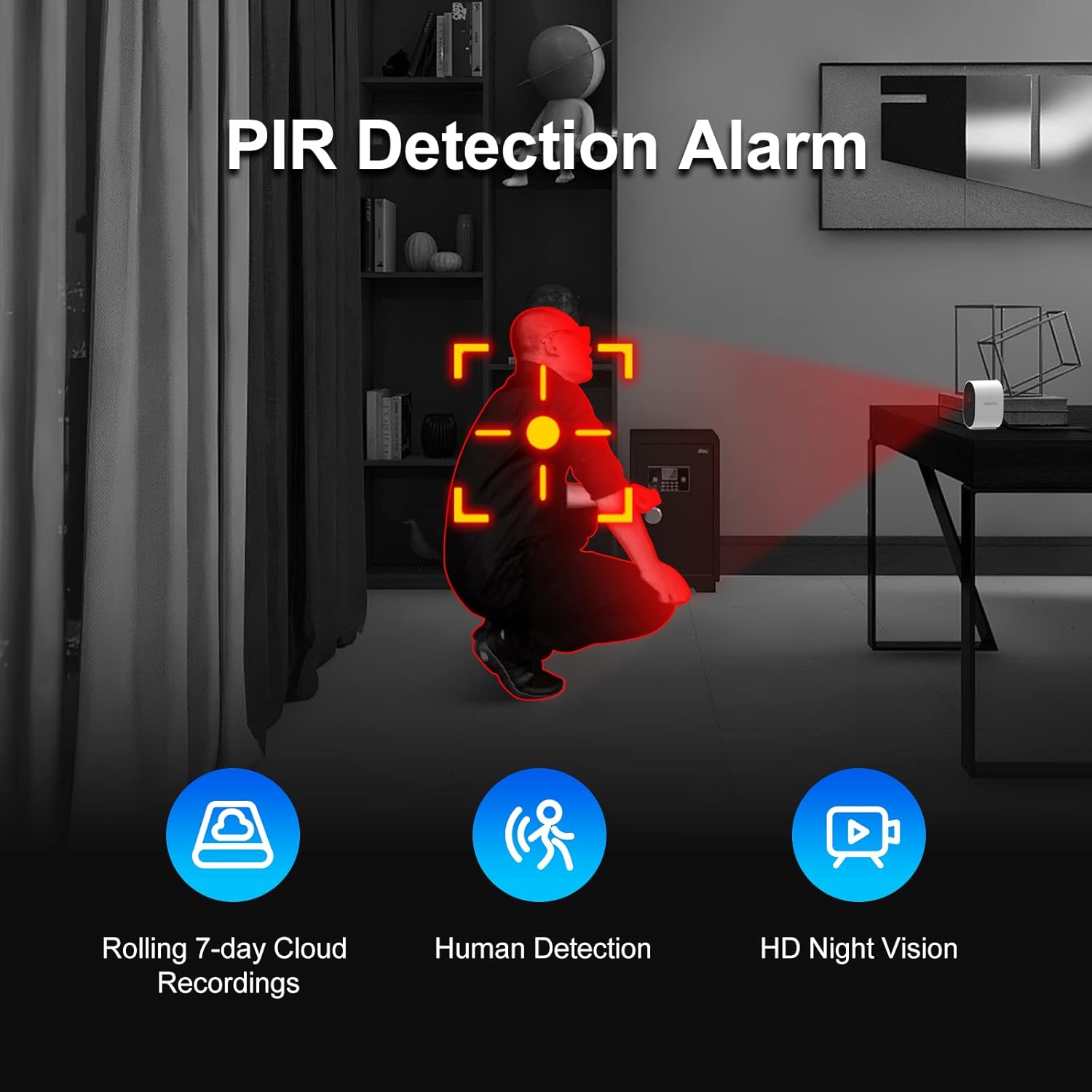
Image 3.2: Visual representation of the PIR detection system, highlighting human detection and alarm capabilities.
3.3 Long Standby Time & 2.4G WiFi Connectivity
The built-in 5200 mAh rechargeable battery provides up to 6 months of standby time, reducing the need for frequent recharging. The camera connects wirelessly to your 2.4GHz WiFi network via its integrated antenna.

Image 3.3: The camera on a desk, illustrating its long-lasting 5200mAh battery and 6-month standby capability.
3.4 ການສື່ສານທາງສຽງສອງທາງ
With an integrated speaker and microphone, the camera supports two-way audio communication. This allows you to listen to your surroundings and speak through the camera's speaker, facilitating interaction with family, pets, or visitors.

Image 3.4: A child interacting with the camera, demonstrating the two-way audio function.
3.5 Weather-Resistant Design
The WEWATCH IPF1 camera boasts an IP66 waterproof rating, making it resistant to dust and water. It operates reliably in temperatures ranging from -4°F to 158°F, ensuring consistent performance regardless of rain, sun, snow, or sandstorms.
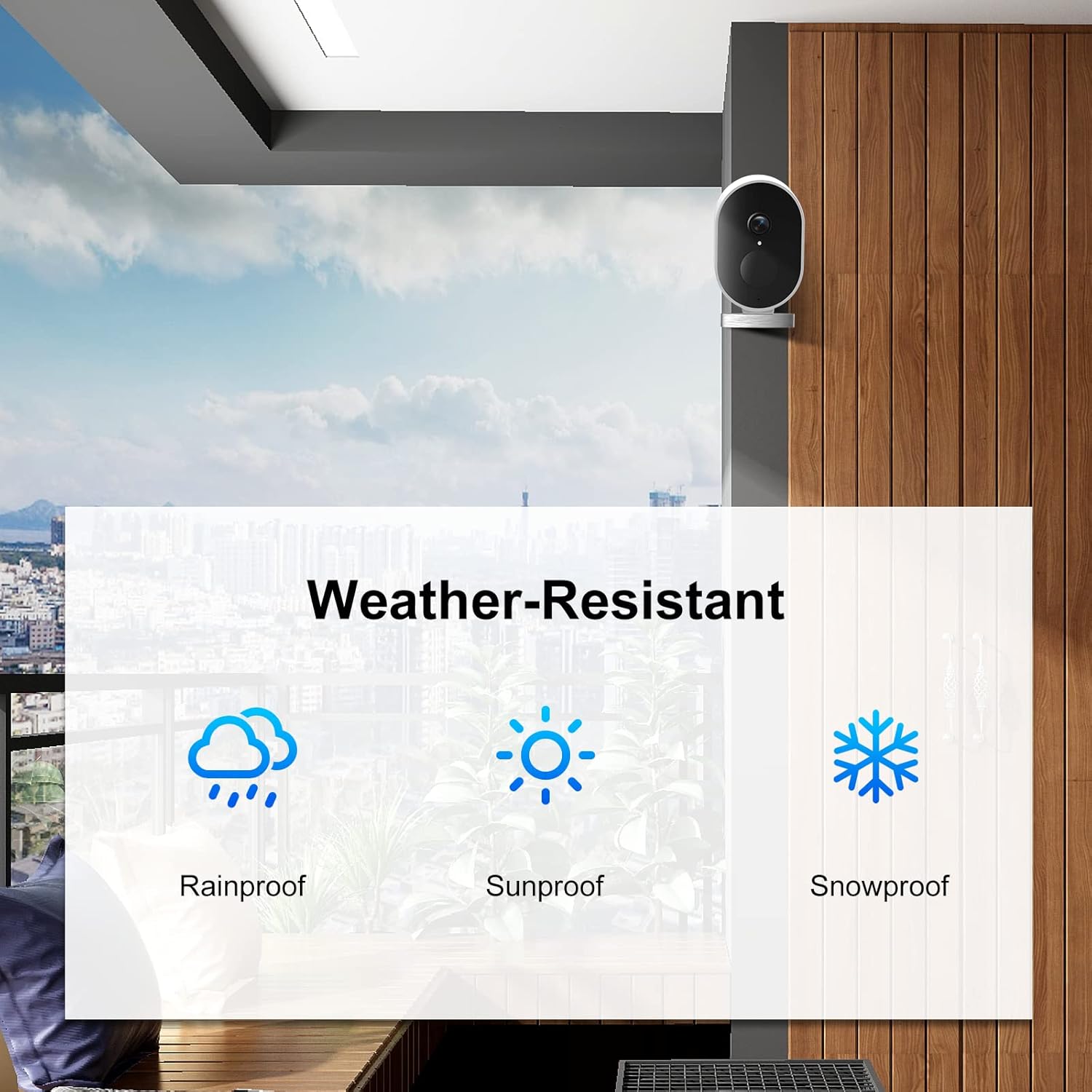
Image 3.5: Icons representing rainproof, sunproof, and snowproof, indicating the camera's weather-resistant capabilities.
3.6 ການຕິດຕັ້ງທີ່ຫຼາກຫຼາຍ
The camera can be installed in various locations, including backyards, porches, ceilings, and living rooms, providing flexible surveillance options for different environments.
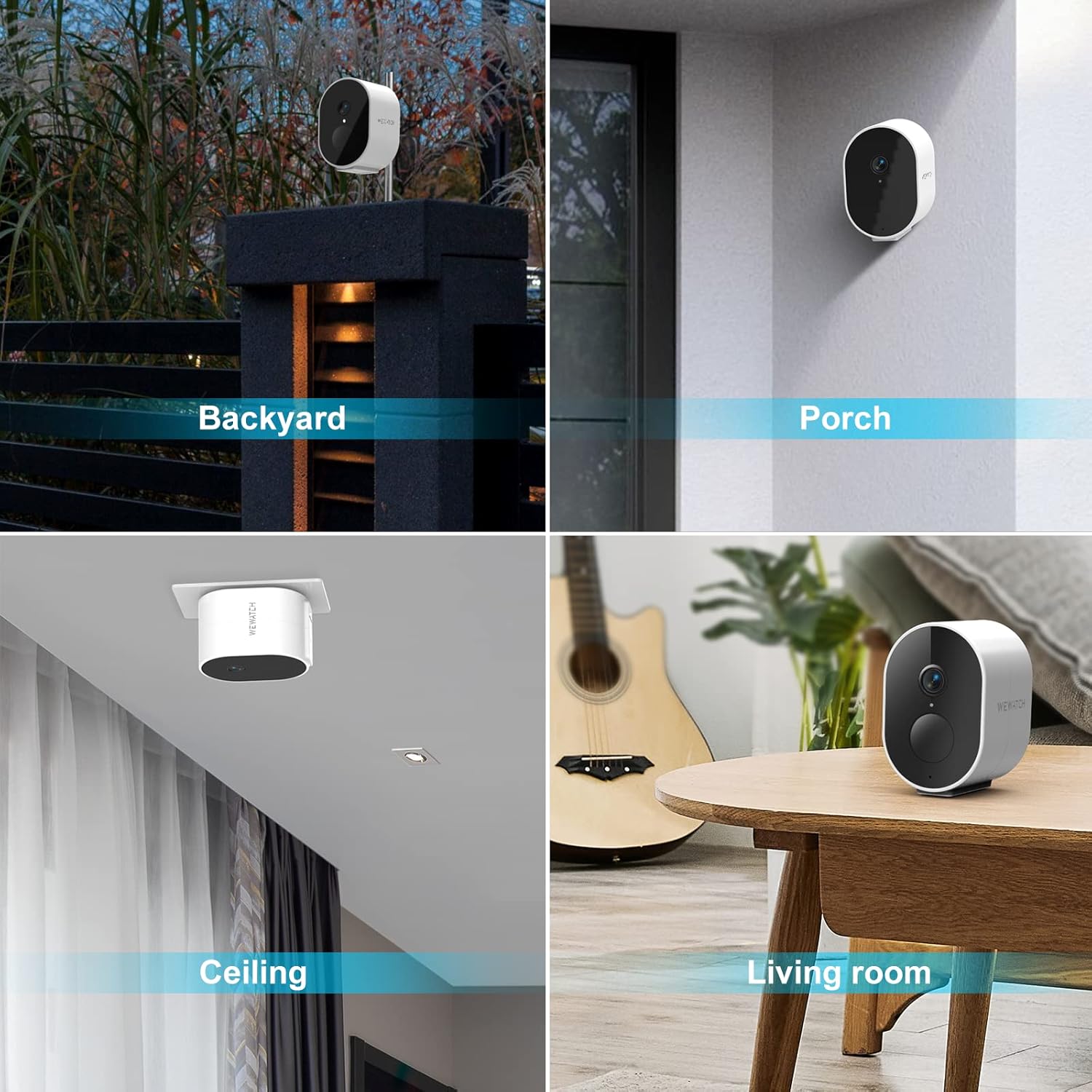
ຮູບພາບ 3.6: ຕົວຢ່າງamples of camera placement in a backyard, on a porch, mounted on a ceiling, and on a table in a living room.
4. ຄູ່ມືການຕິດຕັ້ງ
4.1 ການສາກກ້ອງ
Before initial use, fully charge the camera using the provided USB cable. Connect the USB cable to the camera's charging port and a standard USB power adapter (not included). The charging indicator light will show the charging status.
4.2 ດາວໂຫຼດ ແລະ ຕິດຕັ້ງແອັບ
Download the official WEWATCH security camera application from your smartphone's app store (available for iOS and Android). ຊອກຫາ "WEWATCH Security" or scan the QR code provided in the quick start guide (if applicable).
4.3 ການຈັບຄູ່ກ້ອງຖ່າຍຮູບ
- ໃຫ້ແນ່ໃຈວ່າໂທລະສັບສະຫຼາດຂອງທ່ານເຊື່ອມຕໍ່ກັບເຄືອຂ່າຍ Wi-Fi 2.4GHz.
- Open the WEWATCH Security app and create an account or log in.
- Follow the in-app instructions to add a new device. This typically involves powering on the camera and scanning a QR code displayed on your phone with the camera's lens, or listening for an audio prompt.
- Once connected, you can name your camera and configure initial settings.
4.4 ຕິດຕັ້ງກ້ອງ
Select a suitable location for mounting, considering the desired viewing area and Wi-Fi signal strength. Use the provided mounting bracket and screws to securely attach the camera to a wall or ceiling. Ensure the camera is positioned to capture the intended surveillance area effectively.
5. ຄໍາແນະນໍາການດໍາເນີນງານ
5.1 ດໍາລົງຊີວິດ View
Open the WEWATCH Security app and select your camera from the device list to access the live video feed. You can view ເວລາຈິງtage ຈາກກ້ອງຖ່າຍຮູບຂອງທ່ານໄດ້ທຸກເວລາ, ທຸກບ່ອນ.
5.2 ການບັນທຶກແລະການຫຼິ້ນ
The camera automatically records events triggered by PIR detection. These recordings are stored in the cloud for 7 days. To view past events, navigate to the "Cloud Events" or "Playback" section within the app and select the desired date and time.
5.3 ການສື່ສານທາງສຽງສອງທາງ
ໃນຂະນະທີ່ຢູ່ໃນຊີວິດ view mode, tap the microphone icon in the app to enable two-way audio. You can then speak through your phone, and your voice will be projected through the camera's speaker. Tap the icon again to end communication.
5.4 ການຕັ້ງຄ່າການກວດຈັບການເຄື່ອນໄຫວ
Adjust the PIR motion detection sensitivity and set up alert notifications through the camera settings in the app. You can customize detection zones and notification schedules to suit your needs.
5.5 ໂໝດວິໄສທັດກາງຄືນ
The camera automatically switches to infrared night vision mode in low-light conditions. No manual intervention is required for this feature.
6. ບໍາລຸງຮັກສາ
6.1 ການທໍາຄວາມສະອາດກ້ອງຖ່າຍຮູບ
Regularly clean the camera lens and body with a soft, dry cloth to ensure optimal image clarity. Avoid using harsh chemicals or abrasive materials that could damage the camera's surface or lens.
6.2 ການຄຸ້ມຄອງຫມໍ້ໄຟ
To maximize battery life, ensure the camera is fully charged before deployment. If the camera is installed in a high-traffic area, more frequent charging may be required. Monitor battery levels through the app.
6.3 ການອັບເດດເຟີມແວ
Periodically check the WEWATCH Security app for available firmware updates. Keeping your camera's firmware up-to-date ensures optimal performance, security, and access to new features.
7. ການແກ້ໄຂບັນຫາ
| ບັນຫາ | ສາເຫດທີ່ເປັນໄປໄດ້ | ການແກ້ໄຂ |
|---|---|---|
| ກ້ອງຖ່າຍຮູບບໍ່ໄດ້ເຊື່ອມຕໍ່ກັບ Wi-Fi | ລະຫັດຜ່ານ Wi-Fi ບໍ່ຖືກຕ້ອງ; ກ້ອງຖ່າຍຮູບຢູ່ໄກຈາກເຣົາເຕີເກີນໄປ; ມີພຽງແຕ່ Wi-Fi 5GHz ເທົ່ານັ້ນທີ່ສາມາດໃຊ້ໄດ້. | Verify Wi-Fi password. Move camera closer to router. Ensure your router supports 2.4GHz Wi-Fi and connect to that band. |
| ອາຍຸແບັດເຕີຣີສັ້ນ | Frequent motion detection; High-traffic area; Cold weather. | Adjust PIR sensitivity settings. Consider placing the camera in a less active area or charging more frequently. Battery performance can be reduced in cold temperatures. |
| ບໍ່ມີການແຈ້ງເຕືອນການເຄື່ອນໄຫວ | PIR sensitivity too low; Detection zone not set correctly; Notifications disabled. | Increase PIR sensitivity in app settings. Review and adjust detection zones. Ensure app notifications are enabled on your phone. |
| ຄຸນນະພາບວິດີໂອບໍ່ດີ | ເລນເປື້ອນ; ສັນຍານ Wi-Fi ອ່ອນແອ; ແສງບໍ່ພຽງພໍ. | Clean the camera lens. Improve Wi-Fi signal strength. Ensure adequate lighting for optimal daytime video; night vision will activate in low light. |
8. ຂໍ້ມູນຈໍາເພາະ
| ຄຸນສົມບັດ | ລາຍລະອຽດ |
|---|---|
| ຊື່ຕົວແບບ | IPF1 |
| ຄວາມລະອຽດວິດີໂອ | 1080P HD (1920x1080) |
| ພາກສະຫນາມຂອງ View | ເສັ້ນຂວາງ 120° |
| PIR ກວດຫາໄລຍະທາງ | ສູງເຖິງ 8 ມ (26.4 ຟຸດ) |
| ມຸມກວດຈັບ PIR | 100 ນອນ |
| ໄລຍະການເບິ່ງເຫັນກາງຄືນ | ສູງເຖິງ 5 ມ (16.4 ຟຸດ) |
| ມາດຕະຖານ WiFi | IEEE 802.11 g/n (2.4GHz Only) |
| ແບັດເຕີຣີ | ແບັດເຕີຣີ 5200mAh ສາມາດສາກໄດ້ |
| ອຸນຫະພູມປະຕິບັດການ | -20°C ຫາ 70°C (-4°F ຫາ 158°F) |
| ທົນທານຕໍ່ສະພາບອາກາດ | IP66 ກັນນ້ ຳ ແລະ Dustproof |
| ສຽງ | Built-in Speaker/Microphone (2-Way Audio) |
| Cloud Storage | 7 days of free cloud recordings |
| ລະບົບທີ່ຮອງຮັບ | iOS / Android |
9. ການຮັບປະກັນແລະການສະຫນັບສະຫນູນ
9.1 ຂໍ້ມູນການຮັບປະກັນ
For detailed warranty information regarding your WEWATCH IPF1 Security Wireless Camera, please refer to the warranty card included in your product packaging or visit the official WEWATCH webເວັບໄຊ. ຂໍ້ກໍານົດແລະເງື່ອນໄຂການຮັບປະກັນອາດຈະແຕກຕ່າງກັນໄປຕາມພາກພື້ນແລະສະຖານທີ່ຊື້.
9.2 ສະຫນັບສະຫນູນລູກຄ້າ
If you encounter any issues or have questions about your WEWATCH IPF1 camera, please contact WEWATCH customer support. Contact information can typically be found on the official WEWATCH website or within the product packaging. Please have your model number (IPF1) and purchase details ready when contacting support.

