ສິນຄ້າເກີນview
The ANSMANN AES4 Timer Switch is a digital weekly timer designed to automate the switching of electrical devices. It features a clear LCD display, 10 programmable switching times, a random function for simulating presence, and a summer time adjustment feature. This device helps in managing energy consumption and enhancing home security.

ຮູບທີ 1: ດ້ານໜ້າ view of the ANSMANN AES4 Timer Switch, showing the LCD display and control buttons.
ການຕິດຕັ້ງແລະການຕັ້ງຄ່າເບື້ອງຕົ້ນ
Before first use, ensure the timer switch is fully charged by plugging it into a live socket for at least 30 minutes. This will activate the internal battery for memory retention.
1. ຣີເຊັດອຸປະກອນ
To clear all previous settings and ensure a fresh start, locate the small ຣີເຊັດ button (usually recessed) and press it with a pointed object (e.g., a pen tip). The display will show all segments, then reset to 00:00.
2. ການກຳນົດເວລາ ແລະ ມື້ປັດຈຸບັນ
- ກົດ ໂມງ button once. The display will show the current time.
- ກົດ ອາທິດ button repeatedly to set the current day (MO, TU, WE, TH, FR, SA, SU).
- ກົດ ຊົ່ວໂມງ button repeatedly to set the current hour (0-23).
- ກົດ ນາທີ button repeatedly to set the current minute (0-59).
- To exit time setting mode, press any other button or wait approximately 30 seconds for the device to return to normal display.

ຮູບທີ 2: Close-up of the LCD display, illustrating the day and time setting interface. Note the "SUMMER" indicator for summer time function.
3. 12/24 Hour Display Selection
While in normal clock mode, press the ໂມງ ປຸ່ມແລະຫຼັງຈາກນັ້ນໄດ້ ເວລາ button simultaneously to toggle between 12-hour (with AM/PM indicator) and 24-hour display formats.
4. Summer Time Function
To activate or deactivate the summer time (Daylight Saving Time) function, press the ໂມງ ປຸ່ມແລະຫຼັງຈາກນັ້ນໄດ້ ເປີດ/ອັດຕະໂນມັດ/ປິດ button simultaneously. The display will show "SUMMER" when activated, and the time will advance by one hour.
ຄໍາແນະນໍາການດໍາເນີນງານ
The AES4 Timer Switch allows for up to 10 ON/OFF programs per day or week, along with manual control and a random function.
1. ເວລາເປີດ/ປິດການຂຽນໂປຣແກຣມ
- ກົດ ເວລາ ປຸ່ມ. ໜ້າຈໍຈະສະແດງ "1 ເປີດ". ນີ້ແມ່ນໂປຣແກຣມເປີດທຳອິດ.
- ໃຊ້ ອາທິດ, ຊົ່ວໂມງ, ແລະ ນາທີ buttons to set the desired ON time and day(s) for this program. You can select specific days, weekdays, weekends, or all days.
- ກົດ ເວລາ ກົດປຸ່ມອີກຄັ້ງ. ໜ້າຈໍຈະສະແດງ "1 OFF". ນີ້ແມ່ນໂປຣແກຣມ OFF ທຳອິດ.
- ໃຊ້ ອາທິດ, ຊົ່ວໂມງ, ແລະ ນາທີ buttons to set the desired OFF time and day(s) for this program.
- Repeat steps 1-4 for up to 10 ON/OFF programs. Pressing ເວລາ will cycle through P1 ON, P1 OFF, P2 ON, P2 OFF, ..., P10 ON, P10 OFF.
- ເພື່ອອອກຈາກໂຫມດການຂຽນໂປລແກລມ, ກົດປຸ່ມ ໂມງ ກົດປຸ່ມຫຼືລໍຖ້າ 30 ວິນາທີ.

ຮູບທີ 3: Example of the timer switch being used to automate Christmas lighting, turning lights on from 17:00 to 08:00.
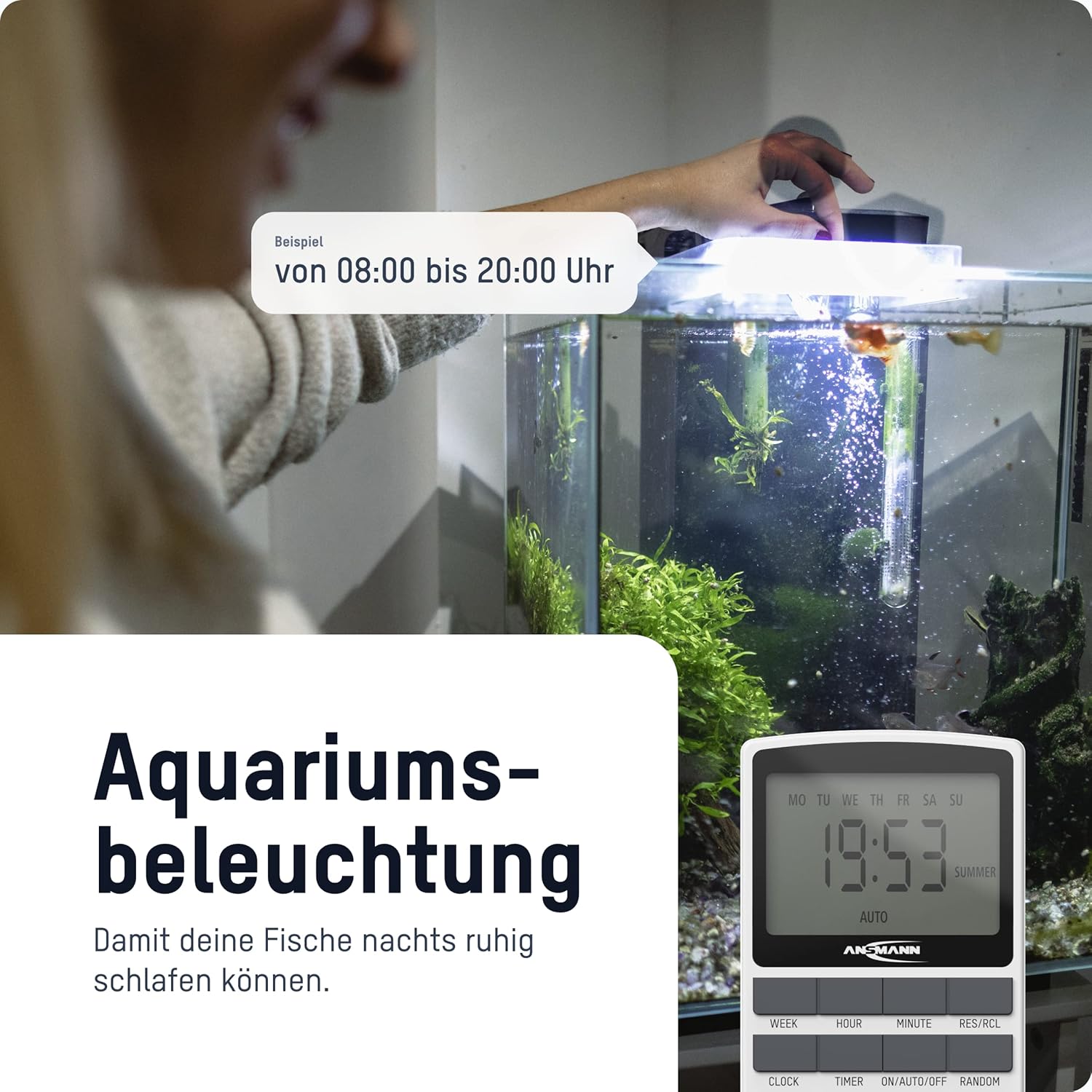
ຮູບທີ 4: The timer switch automating aquarium lighting, ensuring fish have a regular light cycle, for example, ຈາກ 08:00 ເປັນ 20:00.
2. Manual ON/AUTO/OFF Mode
ກົດ ເປີດ/ອັດຕະໂນມັດ/ປິດ ປຸ່ມເພື່ອໝຸນວຽນຜ່ານໂໝດການເຮັດວຽກ:
- ເປີດ: ອຸປະກອນທີ່ເຊື່ອມຕໍ່ຈະເປີດຢູ່ຕະຫຼອດເວລາ, ໂດຍຈະລົບລ້າງໂປຣແກຣມທັງໝົດ.
- ອັດຕະໂນມັດ: The connected device operates according to the programmed ON/OFF times. This is the standard operating mode for automated control.
- ປິດ: ອຸປະກອນທີ່ເຊື່ອມຕໍ່ຈະປິດຢູ່ຕະຫຼອດເວລາ, ໂດຍຈະລົບລ້າງໂປຣແກຣມທັງໝົດ.
3. ຟັງຊັນແບບສຸ່ມ
The random function is designed to simulate presence in your home by randomly switching the connected device ON and OFF within a specific time window (e.g., 18:00 to 06:00). This can deter potential intruders.
To activate the random function, press the Random button. "RANDOM" will appear on the display. Press it again to deactivate.
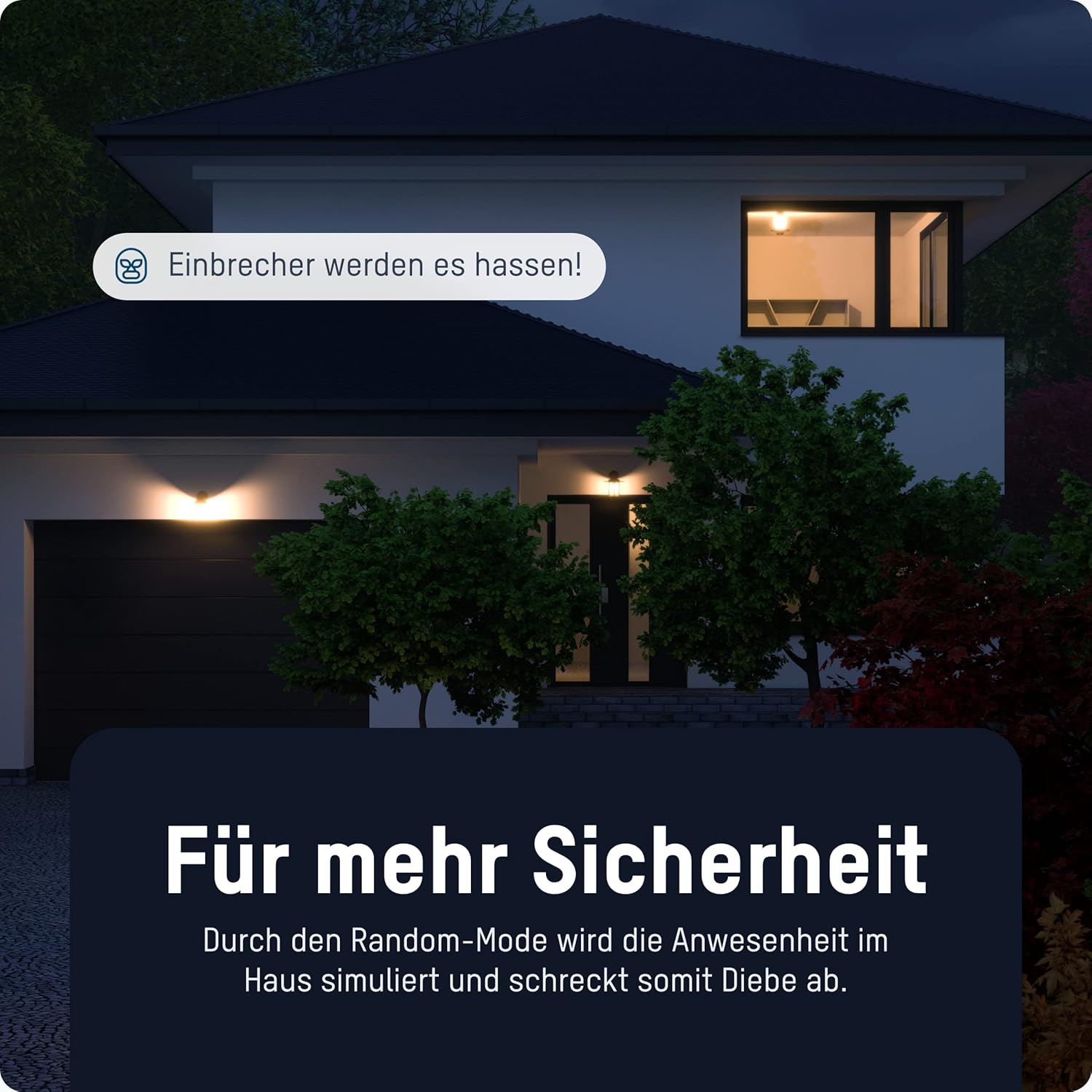
ຮູບທີ 5: The timer switch utilizing its random mode to simulate occupancy, enhancing home security by randomly turning lights on and off.
ບໍາລຸງຮັກສາ
The ANSMANN AES4 Timer Switch requires minimal maintenance.
- ທໍາຄວາມສະອາດ: Wipe the device with a soft, dry cloth. Do not use abrasive cleaners or solvents. Ensure the device is unplugged before cleaning.
- ການເກັບຮັກສາ: If storing the device for an extended period, ensure it is unplugged and kept in a dry, cool place.
- ແບັດເຕີຣີ: The internal battery is designed for memory retention during power outages. It is not user-replaceable.
ການແກ້ໄຂບັນຫາ
If you encounter issues with your ANSMANN AES4 Timer Switch, try the following steps:
- Display is blank or unresponsive: Ensure the timer is plugged into a live power outlet. If it has been unplugged for a long time, the internal battery might be depleted. Plug it in for at least 30 minutes to charge.
- ໂປຣແກຣມຕ່າງໆບໍ່ໄດ້ເຮັດວຽກ:
- Check if the timer is in "AUTO" mode. If it's in "ON" or "OFF" mode, programs will be overridden.
- ກວດສອບວ່າເວລາແລະມື້ປະຈຸບັນໄດ້ຖືກຕັ້ງໄວ້ຖືກຕ້ອງ.
- Review your programmed ON/OFF times to ensure they are set as intended and do not conflict.
- Device connected to timer is not turning ON/OFF:
- Ensure the connected device is properly plugged into the timer switch.
- Check if the connected device itself is working by plugging it directly into a wall socket.
- Ensure the timer switch is receiving power.
- Random function not working: Ensure the "RANDOM" indicator is visible on the display.
- ຄວາມຜິດປົກກະຕິທົ່ວໄປ: Perform a full reset of the device by pressing the recessed ຣີເຊັດ button. Note that this will erase all programmed settings.
ຂໍ້ມູນຈໍາເພາະ
| ຄຸນສົມບັດ | ລາຍລະອຽດ |
|---|---|
| ໝາຍເລກຕົວແບບ | 1260-0006 |
| ຂະໜາດສິນຄ້າ | 2.36 x 2.35 x 5.31 ນິ້ວ |
| ນ້ໍາຫນັກລາຍການ | 5.4 ອອນສ໌ (153 ກຣາມ) |
| ຂະໜາດໜ້າຈໍ | 2.1 ນິ້ວ |
| ສູງສຸດທີ່ເຄຍ. ການໃຫ້ຄະແນນພະລັງງານ | 3680 W (as per product title/description) |
| ເວລາປ່ຽນ | Up to 10 ON/OFF programs per day/week |
| ຟັງຊັນ | Digital Timer, Random Function, Summer Time, 12/24-hour display |
ການຮັບປະກັນແລະການສະຫນັບສະຫນູນ
For detailed warranty information and technical support, please refer to the official Ansmann webເວັບໄຊ ຫຼືຕິດຕໍ່ບໍລິການລູກຄ້າຂອງເຂົາເຈົ້າໂດຍກົງ. ຮັກສາໃບຮັບເງິນການຊື້ຂອງທ່ານໄວ້ເປັນຫຼັກຖານການຊື້.
Official Ansmann Webເວັບໄຊ: www.ansmann.de


