1. ບົດແນະນຳ
Thank you for choosing the FlexSolar 100W Portable Solar Panel. This manual provides essential information for the safe and efficient operation of your solar panel. Please read it thoroughly before use and retain it for future reference.
This portable solar panel is designed to provide clean, renewable energy for charging various electronic devices and power stations, making it ideal for outdoor activities, camping, and emergency backup power.
2. ຂໍ້ມູນຄວາມປອດໄພ
- ຢ່າພະຍາຍາມຖອດປະກອບ, ສ້ອມແປງ ຫຼື ດັດແປງແຜງໂຊລາເຊວ.
- Avoid exposing the solar panel to fire, heat sources, or corrosive substances.
- ຮັບປະກັນວ່າການເຊື່ອມຕໍ່ທັງ ໝົດ ຈະປອດໄພກ່ອນການ ນຳ ໃຊ້.
- Do not immerse the junction box in water, as it is not waterproof. The solar panel itself is IP65 rated for water and dust resistance.
- Handle the panel with care to prevent physical damage.
- ຮັກສາໃຫ້ໄກຈາກເດັກນ້ອຍ.
3. ເນື້ອໃນຊຸດ
ກວດສອບວ່າລາຍການທັງຫມົດແມ່ນມີຢູ່ໃນຊຸດຂອງທ່ານ:
- 1 x FlexSolar 100W Portable Solar Panel
- 1 x 118" (3M) DC Cable
- 1 x 10-in-1 Interchangeable DC Connectors
- 1 x 11.8" (0.3M) DC5521 Cable for Alligator Clip
- 1 x ຄູ່ມືຜູ້ໃຊ້ (ເອກະສານນີ້)

Image: FlexSolar 100W Portable Solar Panel with its accessories, including the DC cable, 10-in-1 DC connectors, and alligator clip cable.
4. ຜະລິດຕະພັນເກີນview
The FlexSolar 100W Portable Solar Panel features a foldable design for easy transport and storage. It includes multiple output ports for versatile charging.

Image: The FlexSolar 100W Portable Solar Panel connected to a portable power station, demonstrating its primary use case.
ຄຸນນະສົມບັດທີ່ສໍາຄັນ:
- ປະສິດທິພາບການແປງສູງ: Converts up to 24% of solar energy into free power.
- Multi-functional Outputs: Includes USB-A, QC3.0 USB-A, PD 60W USB-C, and DC ports.
- ຄວາມເຂົ້າກັນໄດ້ຢ່າງກວ້າງຂວາງ: Compatible with various power stations (e.g., Jackery, Bluetti, Anker) and devices (laptops, iPads, phones).
- ການອອກແບບແບບພົກພາ ແລະພັບໄດ້: Equipped with adjustable kickstands and a TPE rubber handle for easy setup and transport.
- ທົນທານ ແລະທົນທານຕໍ່ສະພາບອາກາດ: IP65 waterproof and dustproof (panel only, junction box is not waterproof).
- Smart IC Chip Technology: Automatically detects connected devices for optimized charging.

ຮູບພາບ: A ລາຍລະອຽດ view of the solar panel's output ports, including USB-C, QC3.0 USB-A, and standard USB-A, shown charging a tablet and smartphone.
5. ຕັ້ງຄ່າ
- ກາງແຜງໂຊລາເຊວອອກ: Carefully unfold the FlexSolar 100W panel completely.
- Position the Panel: Deploy the adjustable kickstands on the back of the panel. Angle the panel directly towards the sun to maximize solar exposure. For optimal performance, ensure no shadows fall on the panel surface.
- ເຊື່ອມຕໍ່ອຸປະກອນ:
- For power stations: Use the provided DC cable and the appropriate 10-in-1 DC connector to connect the solar panel to your power station's DC input port.
- For USB devices (phones, tablets, power banks): Connect your device's USB cable directly to the USB-A, QC3.0 USB-A, or USB-C (PD 60W) ports on the solar panel's junction box.
- For 12V batteries: Use the provided DC5521 cable with alligator clips to connect to your battery terminals. Ensure correct polarity (red to positive, black to negative).
- ຢືນຢັນການສາກໄຟ: Once connected, the LED indicator on the junction box will illuminate, indicating that charging is active. Monitor your device's charging status.
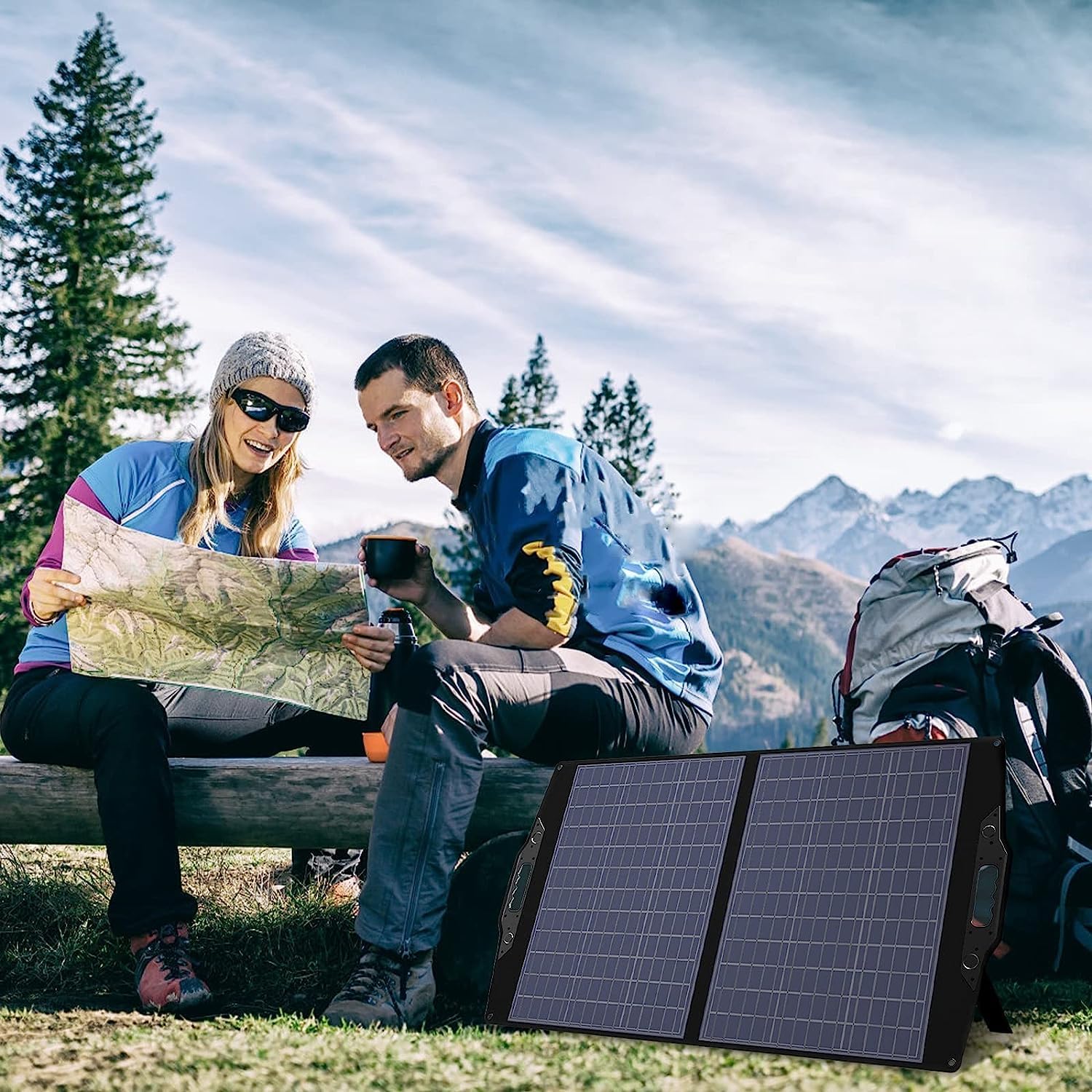
Image: The FlexSolar 100W Portable Solar Panel unfolded and supported by its integrated kickstands, ready for solar charging.

Image: A person carrying the folded FlexSolar 100W Portable Solar Panel by its handle, demonstrating its portability.
6. ຄໍາແນະນໍາການດໍາເນີນງານ
For optimal charging performance, ensure the solar panel receives direct sunlight. The charging efficiency will vary depending on weather conditions, sunlight intensity, and the angle of the panel.
ເຄັດລັບການສາກໄຟ:
- ແສງແດດໂດຍກົງ: Position the panel to face the sun directly. Adjust its angle periodically throughout the day as the sun moves.
- ຫຼີກເວັ້ນເງົາ: Even partial shading can significantly reduce the panel's output. Ensure no trees, buildings, or other objects cast shadows on the panel.
- ພື້ນຜິວສະອາດ: Keep the solar panel surface clean from dust, dirt, and debris. A clean panel ensures maximum light absorption.
- ອຸນຫະພູມ: While the panel is designed to operate in various temperatures, extreme heat can slightly reduce efficiency. Ensure adequate ventilation around the panel.

Image: The FlexSolar 100W Portable Solar Panel deployed outdoors, capturing sunlight for charging.
ວິດີໂອສາທິດ:
Video: A demonstration of the FlexSolar panel charging a portable DVD player and a power bank. This video illustrates the panel's functionality in real-world conditions, including charging under partially cloudy skies.
7. ບໍາລຸງຮັກສາ
- ທໍາຄວາມສະອາດ: ເຊັດໜ້າຜິວຂອງແຜງໂຊລາເຊວເປັນປະຈຳດ້ວຍຜ້າອ່ອນໆ, ຜ້າເຊັດໂຕທີ່ອ່ອນນຸ້ມamp cloth to remove dust, dirt, or debris. Do not use harsh chemicals or abrasive materials.
- ການເກັບຮັກສາ: ເມື່ອບໍ່ໄດ້ໃຊ້ງານ, ໃຫ້ພັບແຜງໂຊລາເຊວ ແລະ ເກັບຮັກສາໄວ້ໃນບ່ອນທີ່ເຢັນ, ແຫ້ງ ແລະ ຫ່າງຈາກແສງແດດໂດຍກົງ ແລະ ອຸນຫະພູມທີ່ຮຸນແຮງ.
- ການກວດກາ: Periodically inspect the cables and connectors for any signs of wear or damage. Replace any damaged components immediately.
- ການເປີດເຜີຍນ້ໍາ: While the panel is IP65 rated, avoid prolonged exposure to heavy rain or submersion. Ensure the junction box remains dry.
8. ການແກ້ໄຂບັນຫາ
| ບັນຫາ | ສາເຫດທີ່ເປັນໄປໄດ້ | ການແກ້ໄຂ |
|---|---|---|
| No charging output / Low charging speed |
|
|
| ຕົວຊີ້ວັດ LED ບໍ່ສະຫວ່າງ |
|
|
9. ຂໍ້ມູນຈໍາເພາະ
| ຄຸນສົມບັດ | ລາຍລະອຽດ |
|---|---|
| ໝາຍເລກຕົວແບບ | LXX-C100CA |
| ຜົນຜະລິດພະລັງງານ | 100W (ສູງສຸດ) |
| ປະສິດທິພາບການແປງ | ສູງເຖິງ 24% |
| ພອດຂາອອກ |
|
| ວັດສະດຸ | Monocrystalline, PET Lamination |
| ການປະເມີນກັນນ້ໍາ | IP65 (Panel only, junction box not waterproof) |
| ຂະໜາດພັບ | 27.1 x 24.1 x 1.4 ນິ້ວ (68.8 x 61.2 x 3.5 cm) |
| ຂະໜາດທີ່ເປີດເຜີຍ | 48.7 x 24.1 x 0.2 ນິ້ວ (123.7 x 61.2 x 0.5 cm) |
| ນ້ຳໜັກ | 11.2 lbs (5.1 ກິໂລ) |
| ອຸປະກອນທີ່ເຂົ້າກັນໄດ້ | Power stations, laptops, iPads, smartphones, power banks, 12V batteries |

Image: Diagram showing the unfolded and folded dimensions of the FlexSolar 100W Portable Solar Panel.
10. ການຮັບປະກັນແລະການສະຫນັບສະຫນູນ
FlexSolar products come with a standard warranty. Please refer to the warranty card included in your package or visit the official FlexSolar webເວັບໄຊສໍາລັບເງື່ອນໄຂການຮັບປະກັນລາຍລະອຽດ.
ບໍລິການລູກຄ້າ:
If you encounter any issues or have questions regarding your FlexSolar 100W Portable Solar Panel, please contact our customer support team. We are committed to providing prompt and helpful assistance.
Contact information can typically be found on the product packaging, the included user manual, or the official FlexSolar website. Please have your model number (LXX-C100CA) and purchase details ready when contacting support.
For general inquiries or to explore other FlexSolar products, visit: FlexSolar Brand Store on Amazon


