Crosscall CORE-M5 User Manual
ແບບ: 1001011101114
ແນະນຳ
This manual provides comprehensive instructions for the setup, operation, maintenance, and troubleshooting of your Crosscall CORE-M5 rugged smartphone. Designed for durability and performance in challenging environments, the CORE-M5 is built to withstand various conditions while providing essential communication and smart device functionalities.
ກະລຸນາອ່ານຄູ່ມືນີ້ຢ່າງລະອຽດກ່ອນທີ່ຈະໃຊ້ອຸປະກອນຂອງທ່ານເພື່ອຮັບປະກັນການເຮັດວຽກທີ່ຖືກຕ້ອງ ແລະ ເພື່ອເພີ່ມປະສິດທິພາບອາຍຸການໃຊ້ງານຂອງມັນ.
ເນື້ອໃນຊຸດ
ເມື່ອເປີດແພັກເກັດ, ກວດເບິ່ງວ່າສິນຄ້າທັງໝົດມີຢູ່:
- Crosscall CORE-M5 Device
- ສາຍສາກ USB
- ຄູ່ມືເລີ່ມຕົ້ນດ່ວນ
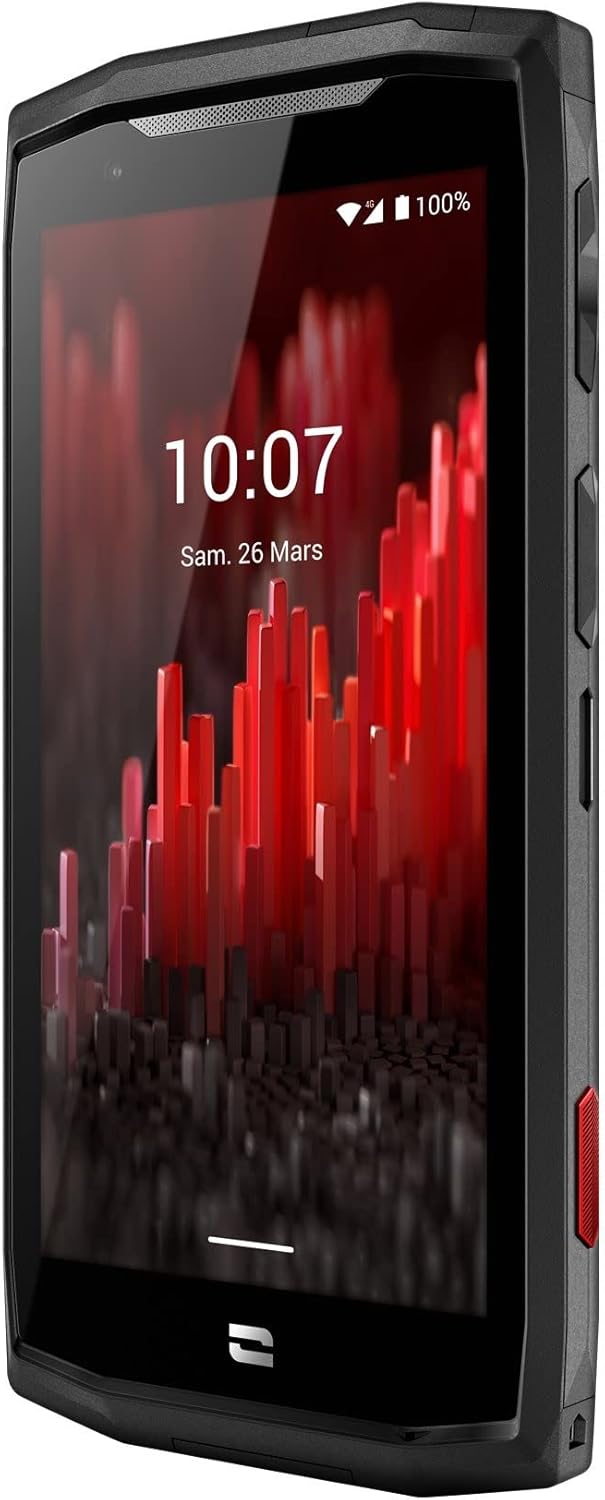
ຮູບພາບ: ດ້ານຫນ້າເປັນມຸມ view of the Crosscall CORE-M5 device, highlighting its robust design and display.
ຕັ້ງຄ່າ
1. Inserting the SIM Card and Memory Card
The CORE-M5 supports SIM cards for cellular connectivity and an optional memory card for expanded storage. Locate the SIM/memory card tray on the side of the device.
- ປິດອຸປະກອນຢ່າງສົມບູນ.
- Use the provided SIM ejector tool (or a small paperclip) to open the SIM/memory card tray.
- Carefully place your SIM card(s) and/or memory card into the designated slots on the tray, ensuring correct orientation as indicated on the tray.
- ຄ່ອຍໆຍູ້ຖາດກັບເຂົ້າໄປໃນອຸປະກອນຈົນກ່ວາມັນກົດເຂົ້າໄປໃນສະຖານທີ່.

Image: A user demonstrating the insertion of a SIM card into the device's slot.
2. ການສາກໄຟເບື້ອງຕົ້ນ
Before first use, it is recommended to fully charge your CORE-M5.
- ເຊື່ອມຕໍ່ສາຍສາກໄຟ USB ເຂົ້າກັບພອດສາກໄຟຂອງອຸປະກອນ.
- Connect the other end of the cable to a compatible USB power adapter or a computer's USB port.
- The charging indicator on the screen will show the charging status. Allow the device to charge until the battery icon indicates a full charge.
3. ການເປີດເຄື່ອງ ແລະການຕັ້ງຄ່າເບື້ອງຕົ້ນ
- Press and hold the Power button (usually located on the side) until the Crosscall logo appears.
- ປະຕິບັດຕາມການເຕືອນໃນຫນ້າຈໍເພື່ອເຮັດສໍາເລັດການຕັ້ງຄ່າເບື້ອງຕົ້ນ, ລວມທັງການເລືອກພາສາ, ການເຊື່ອມຕໍ່ Wi-Fi, ການຕັ້ງຄ່າບັນຊີ Google, ແລະການຕັ້ງຄ່າຄວາມປອດໄພ.
Operating the CORE-M5
ການນໍາທາງພື້ນຖານ
- ໜ້າຈໍສຳຜັດ: Navigate the device using taps, swipes, and pinch gestures on the 4.95-inch touchscreen display.
- ປຸ່ມເປີດປິດ: Press to turn the screen on/off, or press and hold to power off/restart the device.
- ປຸ່ມລະດັບສຽງ: ປັບລະດັບສຽງມີເດຍ, ປະລິມານການໂທ, ຫຼືລະດັບສຽງລິງໂທນ.
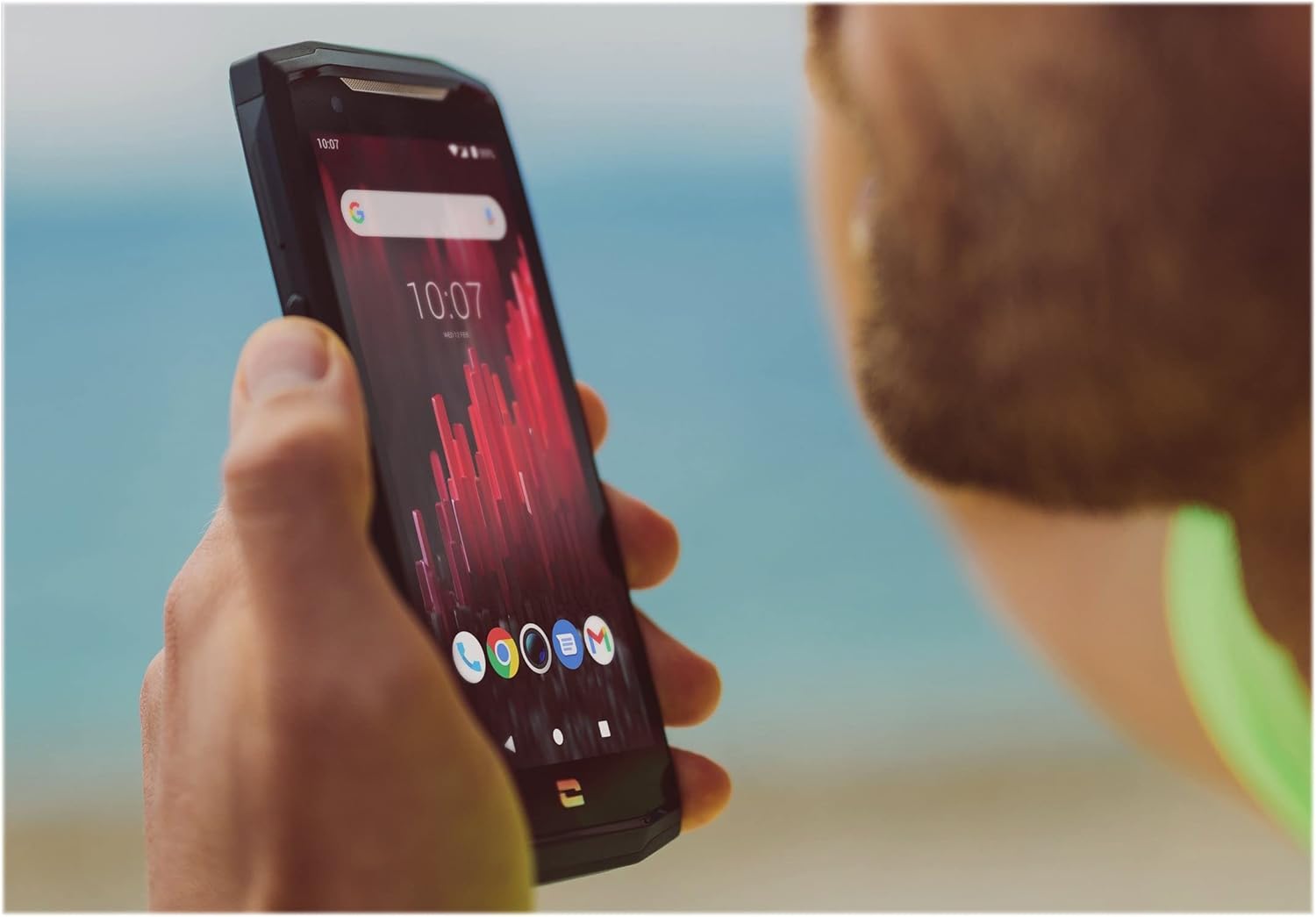
Image: The CORE-M5 in use, demonstrating its compact size and clear display for outdoor visibility.
ການເຊື່ອມຕໍ່
- Wi-Fi: ເຂົ້າເຖິງການຕັ້ງຄ່າ Wi-Fi ຈາກແຜງການຕັ້ງຄ່າດ່ວນ ຫຼືແອັບການຕັ້ງຄ່າເພື່ອເຊື່ອມຕໍ່ກັບເຄືອຂ່າຍໄຮ້ສາຍ.
- Bluetooth: Pair with Bluetooth devices such as headphones, speakers, or other smartphones via the Bluetooth settings.
- USB: Connect the device to a computer using the USB cable for data transfer or charging.
- ຂໍ້ມູນມືຖື: Enable or disable mobile data from the Quick Settings or Network & Internet settings. Supports 2G and 3G cellular technologies.
ການທໍາງານຂອງກ້ອງຖ່າຍຮູບ
The CORE-M5 features both front and rear cameras for capturing photos and videos.
- ເປີດແອັບພລິເຄຊັນກ້ອງຖ່າຍຮູບຈາກໜ້າຈໍຫຼັກ ຫຼືລິ້ນຊັກແອັບ.
- ແຕະປຸ່ມຊັດເຕີເພື່ອຖ່າຍຮູບ ຫຼື ປ່ຽນໄປໃຊ້ໂໝດວິດີໂອເພື່ອບັນທຶກ.
- ໃຊ້ການຄວບຄຸມໃນໜ້າຈໍເພື່ອສະຫຼັບລະຫວ່າງກ້ອງໜ້າ ແລະ ກ້ອງຫຼັງ, ປັບການຊູມ ຫຼື ນຳໃຊ້ຕົວກອງ.
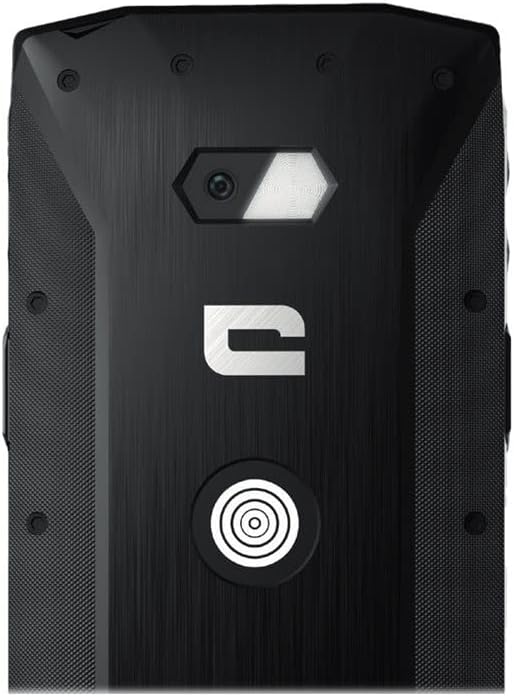
ຮູບພາບ: ລາຍລະອຽດ view of the CORE-M5's rear, highlighting the camera module and the X-Link magnetic connection system.
X-Link System
The CORE-M5 is equipped with Crosscall's X-Link magnetic connection system on the back, allowing for easy attachment of compatible accessories such as chargers, mounts, and external batteries.
- Align the X-Link accessory with the magnetic connector on the back of your CORE-M5.
- The magnets will guide the accessory into place, ensuring a secure connection.

Image: The CORE-M5 securely mounted in a vehicle, demonstrating the utility of the X-Link system for hands-free use.
ບໍາລຸງຮັກສາ
- ທໍາຄວາມສະອາດ: ໃຊ້ອ່ອນ, ງamp cloth to clean the device. Avoid harsh chemicals or abrasive materials. Ensure all ports are closed before cleaning if exposed to water.
- ການຕໍ່ຕ້ານນ້ໍາແລະຝຸ່ນ: The CORE-M5 is designed to be rugged. However, ensure all port covers are securely closed to maintain water and dust resistance. Avoid prolonged submersion beyond specified limits.
- ການດູແລຫມໍ້ໄຟ: To prolong battery life, avoid extreme temperatures. Do not allow the battery to fully discharge frequently.
- ອັບເດດຊອບແວ: ກວດສອບ ແລະຕິດຕັ້ງການອັບເດດລະບົບເປັນປະຈຳເພື່ອຮັບປະກັນປະສິດທິພາບ ແລະຄວາມປອດໄພທີ່ດີທີ່ສຸດ.
ການແກ້ໄຂບັນຫາ
| ບັນຫາ | ສາເຫດທີ່ເປັນໄປໄດ້ | ການແກ້ໄຂ |
|---|---|---|
| ອຸປະກອນຈະບໍ່ເປີດ | ຫມໍ້ໄຟຕ່ໍາ; ຊອບແວຂັດຂ້ອງ | ສາກອຸປະກອນຢ່າງໜ້ອຍ 30 ນາທີ. ດໍາເນີນການບັງຄັບໃຫ້ປິດເປີດຄືນໃໝ່ໂດຍການກົດປຸ່ມເປີດປິດເປັນເວລາ 10-15 ວິນາທີ. |
| ໜ້າຈໍບໍ່ຕອບສະໜອງ | ຄວາມຜິດພາດຂອງຊອບແວຊົ່ວຄາວ | ປິດເປີດອຸປະກອນຄືນໃໝ່. ຖ້າບໍ່ມີການຕອບສະໜອງ, ໃຫ້ປະຕິບັດການປິດເປີດຄືນໃໝ່ແບບບັງຄັບ. |
| Poor call quality / No network | Weak signal; incorrect SIM insertion; network issue | Move to an area with better signal. Reinsert the SIM card. Contact your network provider. |
| ແອັບຂັດຂ້ອງ ຫຼືຄ້າງ | Insufficient memory; app conflict; outdated software | Close background apps. Clear app cache/data. Update apps and system software. Free up storage space. |
ຂໍ້ມູນຈໍາເພາະ
| ຄຸນສົມບັດ | ລາຍລະອຽດ |
|---|---|
| ຊື່ຕົວແບບ | 1001011101114 |
| ຍີ່ຫໍ້ | Crosscall |
| ລະບົບປະຕິບັດການ | Android |
| ຕົວແບບ CPU | Cortex |
| ຂະໜາດໜ້າຈໍ | 4.95 ນິ້ວ |
| ຄວາມລະອຽດ | 1026 x 513 |
| RAM | 3 GB |
| ຄວາມອາດສາມາດເກັບຮັກສາຫນ່ວຍຄວາມຈໍາ | 32 GB |
| ຄວາມອາດສາມາດຫມໍ້ໄຟ | 4000 mAh |
| ເວລາລົມໂທລະສັບ | 24 ຊົ່ວໂມງ |
| ການເຊື່ອມຕໍ່ | Bluetooth, Wi-Fi, USB |
| ເຕັກໂນໂລຊີໂທລະສັບມືຖື | 2G, 3G |
| ຜູ້ໃຫ້ບໍລິການໄຮ້ສາຍ | ປົດລັອກແລ້ວ |
| ກ້ອງຖ່າຍຮູບ | ດ້ານຫລັງ, ດ້ານ ໜ້າ |
| ສີ | ດຳ |
| ຂະໜາດສິນຄ້າ | 4.25 x 0.79 x 4.25 ນິ້ວ |
| ນ້ໍາຫນັກລາຍການ | 8 ອອນສ໌ (226.6 ກຣາມ) |
| ທໍາອິດທີ່ມີຢູ່ | ວັນທີ 21 ກັນຍາ 2021 |
ການຮັບປະກັນແລະການສະຫນັບສະຫນູນ
Crosscall products are known for their durability and come with a manufacturer's warranty. For specific warranty terms and conditions, please refer to the warranty card included with your product or visit the official Crosscall webເວັບໄຊ.
For technical support, troubleshooting assistance, or service requests, please contact Crosscall Customer Service through their official channels. Have your product model number (1001011101114) and purchase information ready when contacting support.
Official Crosscall Webເວັບໄຊ: www.crosscall.com


