ແນະນຳ
ຂອບໃຈສໍາລັບການຊື້asing the Groov-e Ultra Wireless Bluetooth Headphones. These headphones are designed to provide a superior audio experience with features such as wireless connectivity, extended battery life, and comfortable design. This manual will guide you through the setup, operation, and maintenance of your new headphones.
ເນື້ອໃນຊຸດ
Please ensure all items are present in your Groov-e Ultra headphone package:
- Groov-e Ultra Wireless Bluetooth Headphones
- ສາຍສາກ USB
- ສາຍສຽງ 3.5 ມມ
- ຄູ່ມືຜູ້ໃຊ້ (ເອກະສານນີ້)
ສິນຄ້າເກີນview
Familiarize yourself with the various components of your Groov-e Ultra headphones.
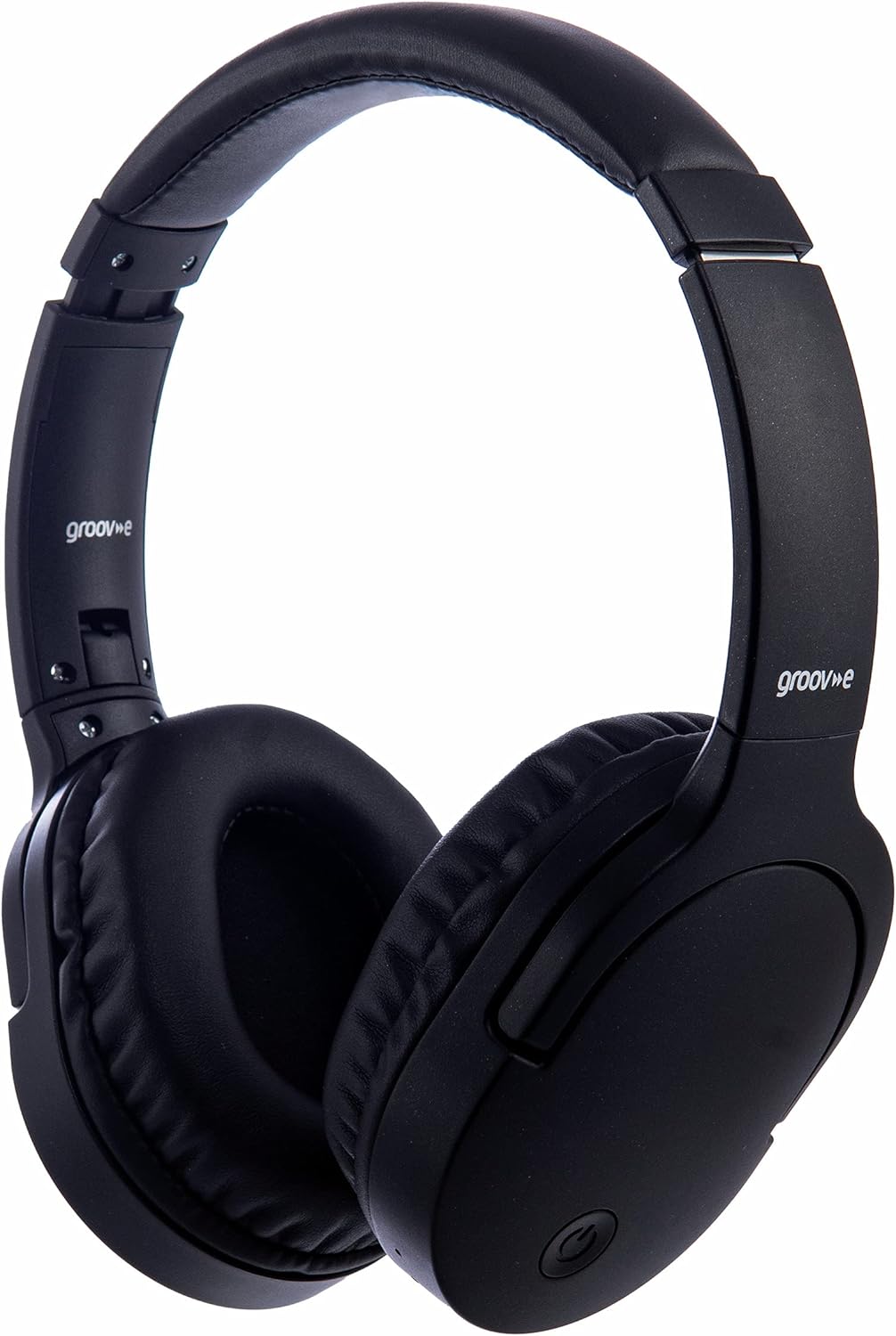
ຮູບພາບ: ທາງຫນ້າ view of the Groov-e Ultra Wireless Bluetooth Headphones in black.
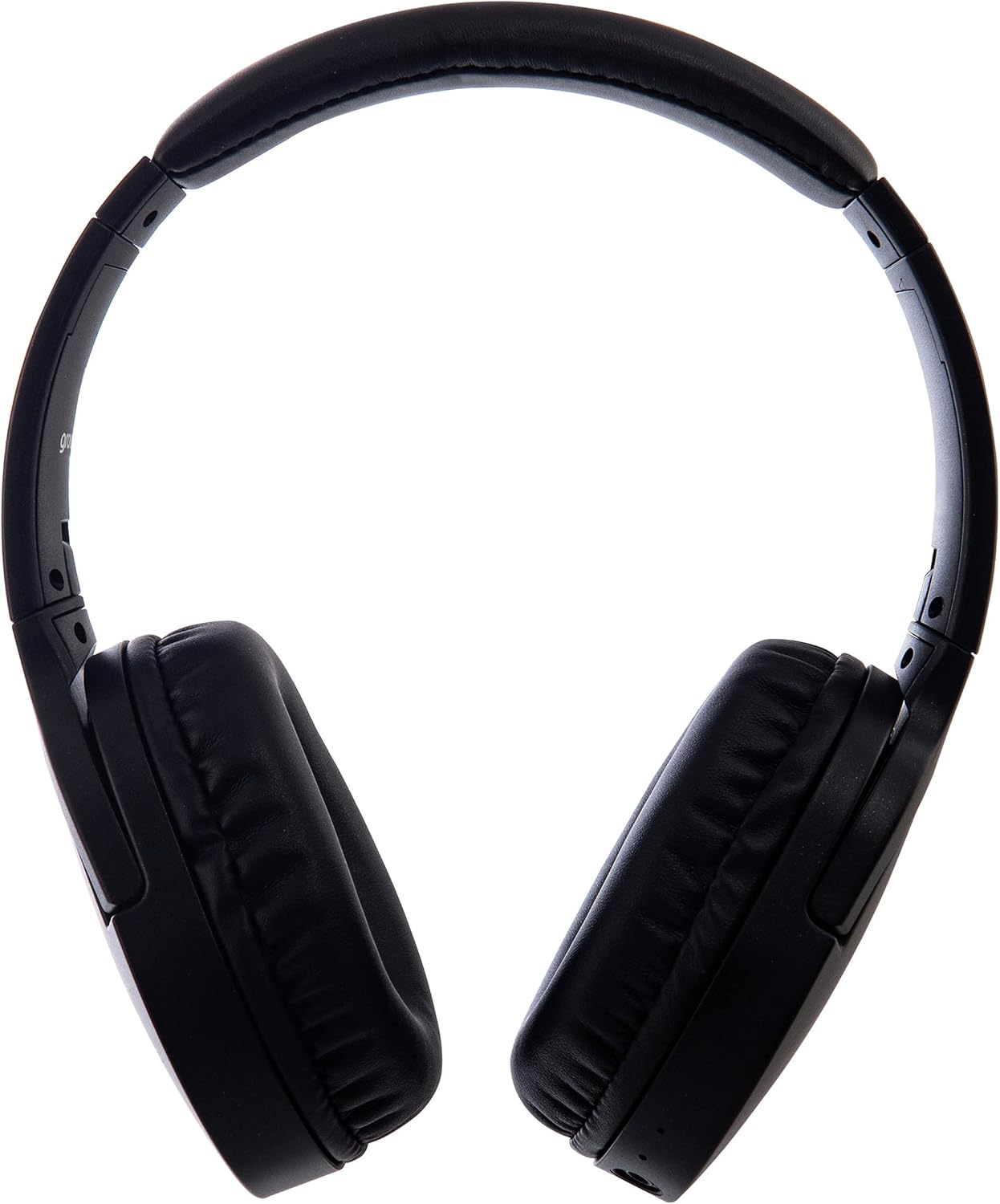
ຮູບພາບ: ຂ້າງ view of the Groov-e Ultra Wireless Bluetooth Headphones, showing the earcups and headband.
Key features and controls include:
- ປຸ່ມເປີດປິດ: Located on the earcup, used for powering on/off and initiating pairing mode.
- ການຄວບຄຸມລະດັບສຽງ: Buttons for adjusting audio volume.
- ປຸ່ມຫຼາຍຟັງຊັນ: For play/pause, answer/end calls, and activating voice assistant.
- ໄມໂຄຣໂຟນ: ປະສົມປະສານສໍາລັບການໂທແບບແຮນຟຣີ.
- Jack ສຽງ 3.5mm: For wired connection to audio sources.
- ພອດສາກໄຟ USB: For charging via the included USB cable.
- Wireless Charging Area: Located on the right earcup for compatible wireless charging pads.
- ຕົວຊີ້ວັດ LED: Displays power, charging, and Bluetooth pairing status.
ຕັ້ງຄ່າ
1. ການສາກໄຟເບື້ອງຕົ້ນ
Before first use, fully charge your headphones. The Groov-e Ultra headphones support both wired and wireless charging.
ການສາກໄຟແບບມີສາຍ:
- Connect the supplied USB charging cable to the headphone's charging port.
- ເຊື່ອມຕໍ່ປາຍອີກດ້ານໜຶ່ງຂອງສາຍ USB ກັບແຫຼ່ງພະລັງງານ USB ທີ່ເຂົ້າກັນໄດ້ (ເຊັ່ນ: ພອດ USB ຂອງຄອມພິວເຕີ, ອະແດບເຕີຕິດຝາ USB).
- ຕົວຊີ້ວັດ LED ຈະສະຫວ່າງໃນລະຫວ່າງການສາກໄຟ ແລະປິດ ຫຼືປ່ຽນສີເມື່ອສາກເຕັມ.
ການສາກໄຟໄຮ້ສາຍ:
- Place the right earcup of the headphones onto a compatible Qi-certified wireless charging pad.
- Ensure the headphones are correctly positioned on the charging pad for optimal contact.
- ຕົວຊີ້ວັດ LED ຈະສະຫວ່າງໃນລະຫວ່າງການສາກໄຟ ແລະປິດ ຫຼືປ່ຽນສີເມື່ອສາກເຕັມ.
ການສາກໄຟເຕັມໂດຍປົກກະຕິໃຊ້ເວລາປະມານ 2 ຊົ່ວໂມງ.
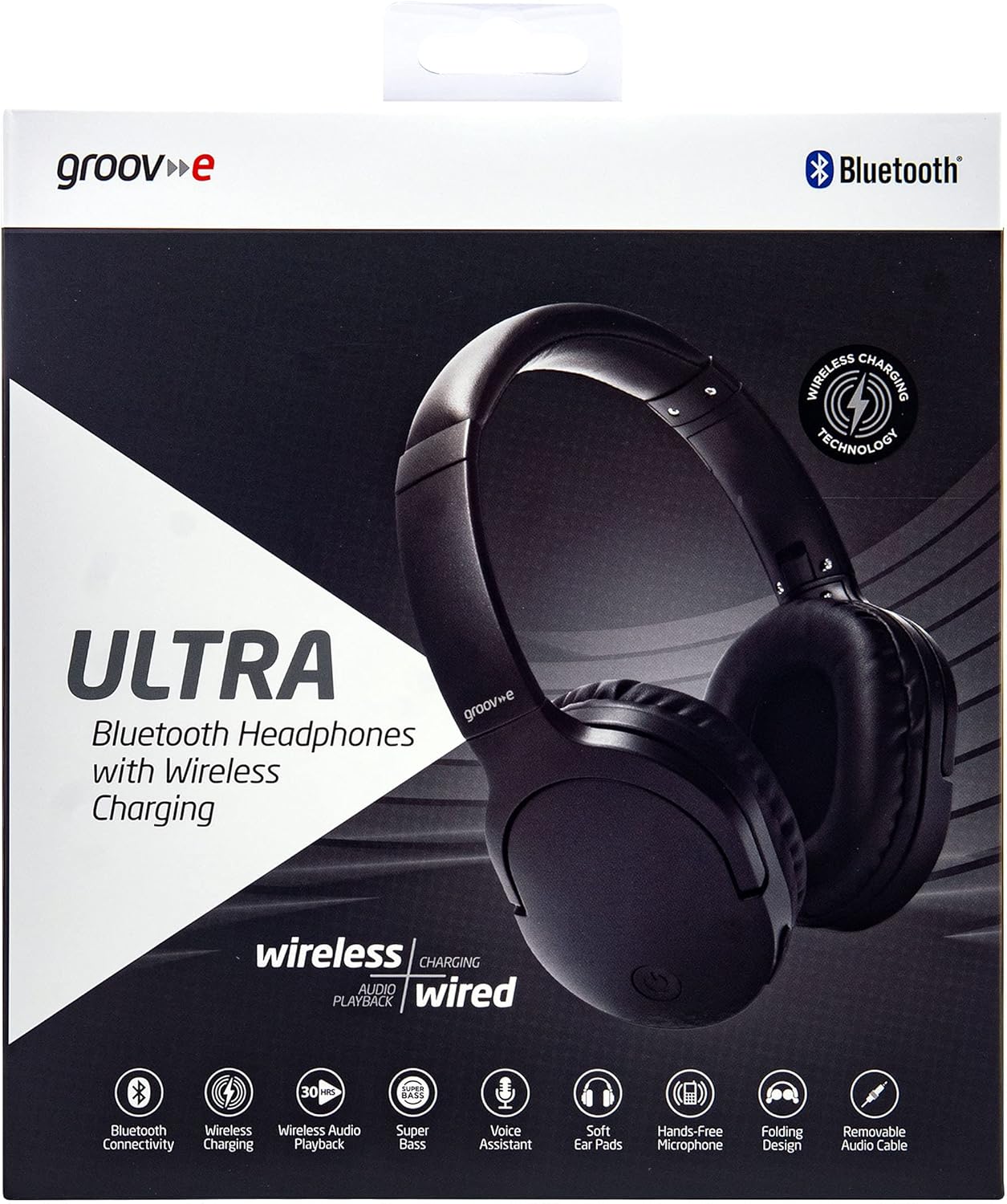
Image: Groov-e Ultra headphones charging wirelessly on a pad, with a laptop in the background.
ຄໍາແນະນໍາການດໍາເນີນງານ
1. ເປີດ/ປິດ
- ເປີດ: ກົດປຸ່ມເປີດປິດຄ້າງໄວ້ປະມານ 3 ວິນາທີ ຈົນກວ່າໄຟ LED ຈະກະພິບ.
- ປິດພະລັງງານ: ກົດປຸ່ມເປີດປິດຄ້າງໄວ້ປະມານ 3-5 ວິນາທີຈົນກວ່າໄຟ LED ຈະປິດ.
2. ການຈັບຄູ່ Bluetooth
- ກວດໃຫ້ແນ່ໃຈວ່າປິດຫູຟັງແລ້ວ.
- ກົດປຸ່ມເປີດປິດຄ້າງໄວ້ປະມານ 5-7 ວິນາທີ ຈົນກວ່າໄຟ LED ຈະກະພິບເປັນສີແດງ ແລະ ສີຟ້າສະຫຼັບກັນ, ເຊິ່ງເປັນຕົວຊີ້ບອກເຖິງໂໝດການຈັບຄູ່.
- ໃນອຸປະກອນຂອງທ່ານ (ໂທລະສັບສະຫຼາດ, ແທັບເລັດ, ແລັບທັອບ), ເປີດໃຊ້ Bluetooth ແລະຊອກຫາອຸປະກອນທີ່ມີຢູ່.
- Select "Groov-e Ultra" from the list of found devices.
- Once paired, the LED indicator will flash blue slowly, and you may hear an audible confirmation.
- ຖ້າຖືກຖາມຫາລະຫັດຜ່ານ, ໃສ່ "0000".
ຫູຟັງຈະພະຍາຍາມເຊື່ອມຕໍ່ໃໝ່ກັບອຸປະກອນທີ່ຈັບຄູ່ສຸດທ້າຍໂດຍອັດຕະໂນມັດເມື່ອເປີດເຄື່ອງ.
3. ສາຍເຊື່ອມຕໍ່ (ສາຍສຽງ 3.5 ມມ)
For devices without Bluetooth or to conserve battery, you can use the supplied 3.5mm audio cable.
- ເຊື່ອມຕໍ່ປາຍໜຶ່ງຂອງສາຍສຽງ 3.5 ມມ ກັບຊ່ອງສຽບສຽງຢູ່ຫູຟັງ.
- ເຊື່ອມຕໍ່ສົ້ນອີກດ້ານໜຶ່ງກັບຮູອອກສຽງ 3.5 ມມ ຂອງອຸປະກອນຂອງທ່ານ.
- The headphones will operate in passive mode, and Bluetooth functionality will be disabled.
4. ການຫຼິ້ນເພງ
- ຫຼິ້ນ/ຢຸດ: ກົດປຸ່ມ Multi-function ຄັ້ງດຽວ.
- ເພງຕໍ່ໄປ: ກົດປຸ່ມເພີ່ມສຽງຄ້າງໄວ້.
- ຕິດຕາມກ່ອນ ໜ້າ ນີ້: ກົດປຸ່ມປະລິມານລົງຄ້າງໄວ້.
- ປະລິມານຂຶ້ນ: ກົດປຸ່ມ Volume Up ສັ້ນໆ.
- ປະລິມານລົງ: ກົດປຸ່ມ Volume Down ສັ້ນໆ.
5. ການຄຸ້ມຄອງການໂທ
- ຮັບ/ສາຍໂທ: ກົດປຸ່ມ Multi-function ຄັ້ງດຽວ.
- ປະຕິເສດການໂທ: ກົດປຸ່ມຫຼາຍຟັງຊັນຄ້າງໄວ້ 2 ວິນາທີ.
- ຜູ້ຊ່ວຍສຽງ: Double-press the Multi-function button to activate your device's voice assistant (e.g., Siri, Google Assistant).
ບໍາລຸງຮັກສາ
To ensure the longevity and optimal performance of your Groov-e Ultra headphones, follow these maintenance guidelines:
- ທໍາຄວາມສະອາດ: ໃຊ້ຜ້າອ່ອນໆແຫ້ງເພື່ອທຳຄວາມສະອາດຫູຟັງ ແລະ ຜ້າພັນຫົວ. ຢ່າໃຊ້ນໍ້າຢາທຳຄວາມສະອາດທີ່ມີສານຂັດ ຫຼື ສານລະລາຍ.
- ການເກັບຮັກສາ: ເມື່ອບໍ່ໃຊ້, ໃຫ້ເກັບຮັກສາຫູຟັງໄວ້ໃນບ່ອນເຢັນ, ແຫ້ງ, ຫ່າງຈາກແສງແດດໂດຍກົງ ແລະ ອຸນຫະພູມທີ່ຮ້າຍກາດ. ການອອກແບບທີ່ສາມາດພັບໄດ້ຊ່ວຍໃຫ້ມີການເກັບຮັກສາທີ່ຫນາແຫນ້ນ.
- ການດູແລຫມໍ້ໄຟ: ເພື່ອຮັກສາອາຍຸແບັດເຕີຣີ, ຫຼີກເວັ້ນການຖອດຫູຟັງອອກເຕັມທີ່ເລື້ອຍໆ. ໄລ່ໃຫ້ເຂົາເຈົ້າເປັນປົກກະຕິ, ເຖິງແມ່ນວ່າບໍ່ໄດ້ຢູ່ໃນການນໍາໃຊ້ຢ່າງຕໍ່ເນື່ອງ.
- ຄວາມຕ້ານທານນ້ໍາ: The headphones are rated as "waterproof" (as per specifications), but this typically refers to resistance against splashes or light rain. Avoid submerging them in water.
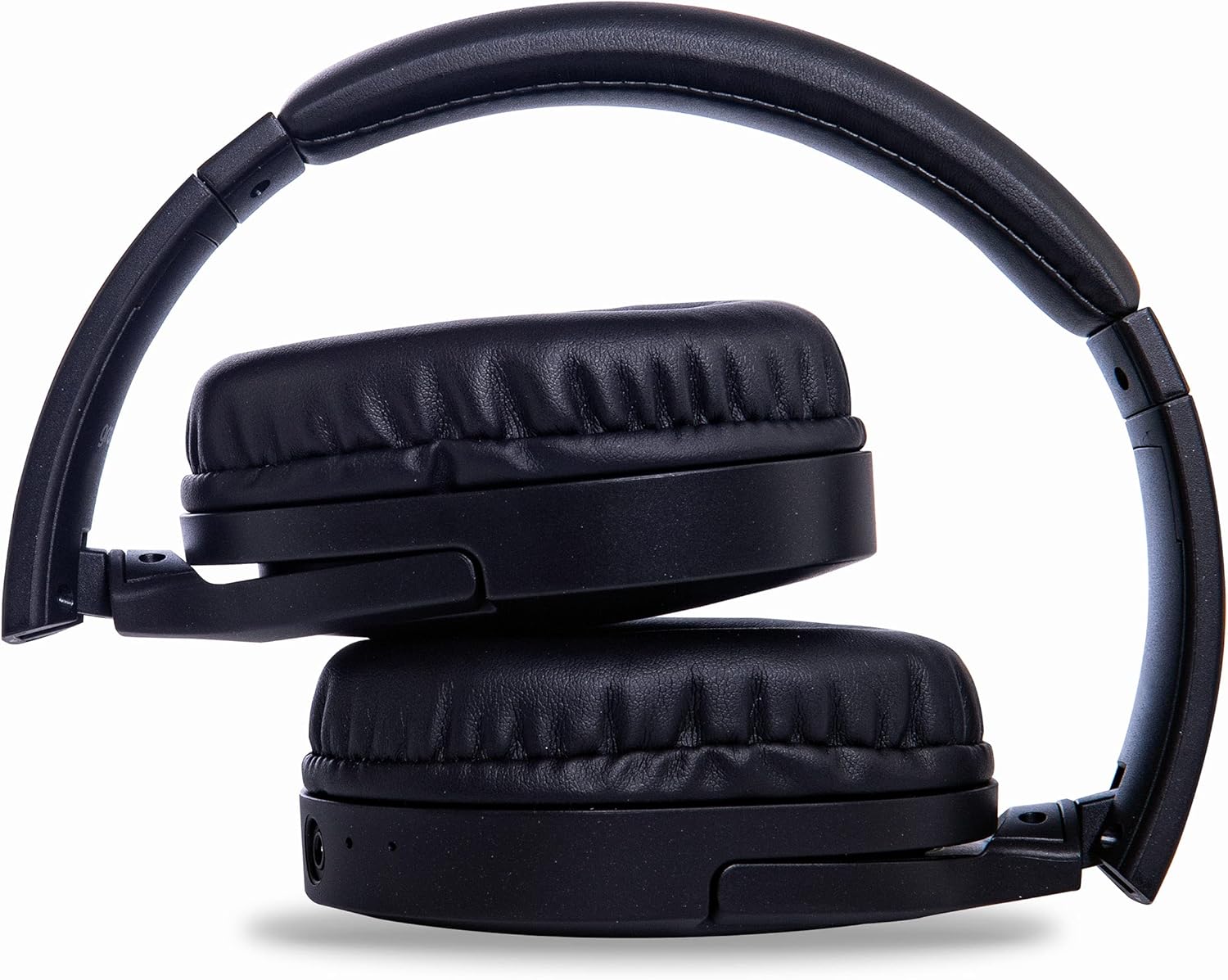
Image: Groov-e Ultra headphones folded, demonstrating their compact storage design.
ການແກ້ໄຂບັນຫາ
ຖ້າທ່ານພົບບັນຫາກັບຫູຟັງຂອງທ່ານ, ໃຫ້ອ້າງອີງເຖິງວິທີແກ້ໄຂທົ່ວໄປຕໍ່ໄປນີ້:
| ບັນຫາ | ສາເຫດທີ່ເປັນໄປໄດ້ | ການແກ້ໄຂ |
|---|---|---|
| ຫູຟັງບໍ່ເປີດ. | ແບັດເຕີຣີຕໍ່າ. | Charge the headphones fully using either wired or wireless charging. |
| ບໍ່ສາມາດຈັບຄູ່ຜ່ານ Bluetooth ໄດ້. | ຫູຟັງບໍ່ຢູ່ໃນໂໝດຈັບຄູ່; ອຸປະກອນ Bluetooth ປິດ; ແຊກແຊງ. | Ensure headphones are in pairing mode (flashing red/blue). Turn Bluetooth off and on on your device. Move closer to the device. |
| ບໍ່ມີສຽງຫຼືຄຸນນະພາບສຽງທີ່ບໍ່ດີ. | Volume too low; incorrect source; loose wired connection; Bluetooth interference. | Increase volume on headphones and device. Check if the correct audio output is selected. Ensure 3.5mm cable is fully inserted. Re-pair Bluetooth. |
| ການສາກໄຟໄຮ້ສາຍບໍ່ເຮັດວຽກ. | Headphones not positioned correctly; incompatible charging pad. | Adjust headphone position on the charging pad. Ensure the charging pad is Qi-certified and functioning. |
| Buzzing or too loud on Bluetooth. | Bluetooth signal issue; volume settings. | Try moving closer to the source device. Adjust volume levels on both the headphones and the connected device. |
| Cannot connect to Apple Mac Book Pro. | Compatibility issue or specific Bluetooth driver problem. | Ensure your Mac's Bluetooth drivers are up to date. Try resetting Bluetooth on your Mac. Consult Apple support or Groov-e support for specific compatibility advice. |
ຂໍ້ມູນຈໍາເພາະ
| ຄຸນສົມບັດ | ລາຍລະອຽດ |
|---|---|
| ຊື່ຕົວແບບ | ສຸດຍອດ |
| ໝາຍເລກຕົວແບບ | GVBT750BK |
| ຍີ່ຫໍ້ | Groov-e |
| ເຕັກໂນໂລຊີການເຊື່ອມຕໍ່ | ໄຮ້ສາຍ (Bluetooth) |
| ເຕັກໂນໂລຊີການສື່ສານໄຮ້ສາຍ | Bluetooth |
| ປັດໄຈແບບຟອມ | Supra-Aural (Over-ear) |
| ການຈັດວາງຫູ | Supra-auriculaire |
| ການລົບກວນທີ່ບໍ່ມີສຽງ | Active Noise Suppression |
| Jack ຫູຟັງ | Jack ຂະ ໜາດ 3.5 ມມ |
| ຄຸນນະສົມບັດພິເສດ | ມີໄມໂຄຣໂຟນ, ທົນທານຕໍ່ເຫື່ອ |
| ຊີວິດຫມໍ້ໄຟ | Up to 30 hours (wireless audio playback) |
| ເວລາສາກໄຟ | ປະມານ 2 ຊົ່ວໂມງ |
| ວິທີການຄວບຄຸມ | Tactile (ສໍາຜັດ) |
| ຊ່ວງຄວາມຖີ່ | 20 Hz - 20,000 Hz (Possible) |
| ລະດັບຄວາມຕ້ານທານນ້ໍາ | ກັນນ້ຳ |
| ອຸປະກອນທີ່ເຂົ້າກັນໄດ້ | Smartphones, laptops, tablets, car audio systems, music production equipment, televisions |
| ວັດສະດຸ | ຫນັງ |
ຂໍ້ມູນຄວາມປອດໄພ
Please read and follow these safety guidelines to prevent damage to your headphones or personal injury:
- Do not expose headphones to extreme temperatures, humidity, or corrosive environments.
- ຫຼີກເວັ້ນການລຸດລົງ ຫຼື ວາງຫູຟັງໃຫ້ຖືກຜົນກະທົບຢ່າງແຮງ.
- ຢ່າພະຍາຍາມຖອດ ຫຼືດັດແປງຫູຟັງ. ນີ້ຈະເປັນການຍົກເລີກການຮັບປະກັນ.
- ຮັກສາຫ່າງຈາກເດັກນ້ອຍ ແລະສັດລ້ຽງ.
- ການຟັງດົນໆໃນປະລິມານທີ່ສູງສາມາດເຮັດໃຫ້ເກີດຄວາມເສຍຫາຍຕໍ່ການໄດ້ຍິນ. ປັບລະດັບສຽງໃຫ້ຢູ່ໃນລະດັບທີ່ປອດໄພ.
- Exercise caution when using headphones in situations requiring awareness of your surroundings (e.g., driving, cycling, walking in traffic).
- ໃຊ້ແຕ່ສາຍສາກ ແລະອະແດັບເຕີໄຟທີ່ໄດ້ຮັບການອະນຸມັດ.
ການຮັບປະກັນແລະການສະຫນັບສະຫນູນ
Groov-e products are designed and manufactured to the highest standards. For warranty information, please refer to the warranty card included with your purchase or visit the official Groov-e webເວັບໄຊ.
For technical support, troubleshooting assistance, or general inquiries, please contact Groov-e customer service through their official channels. Contact details can typically be found on the product packaging or the Groov-e webເວັບໄຊ.
ສະຫນັບສະຫນູນອອນໄລນ໌: www.groov-e.co.uk/support


