ແນະນຳ
This manual provides essential information for the safe and efficient operation, installation, and maintenance of your IRIS USA 3-in-1 WOOZOO Portable Air Conditioner and Dehumidifier. Please read this manual thoroughly before using the appliance and retain it for future reference.
ຂໍ້ມູນຄວາມປອດໄພ
ປະຕິບັດຕາມຄວາມລະມັດລະວັງດ້ານຄວາມປອດໄພຂັ້ນພື້ນຖານສະເໝີ ເມື່ອນຳໃຊ້ເຄື່ອງໃຊ້ໄຟຟ້າເພື່ອຫຼຸດຜ່ອນຄວາມສ່ຽງຕໍ່ການເກີດອັກຄີໄພ, ໄຟຟ້າຊອດ ແລະ ການບາດເຈັບຕໍ່ຄົນ.
- ໃຫ້ແນ່ໃຈວ່າການສະຫນອງພະລັງງານກົງກັບ voltage ລະບຸໄວ້ໃນປ້າຍການຈັດອັນດັບຂອງຫົວໜ່ວຍ.
- ຫ້າມໃຊ້ອຸປະກອນດ້ວຍສາຍໄຟ ຫຼືປລັກສຽບທີ່ເສຍຫາຍ.
- ຫ້າມປິດທາງເຂົ້າຫຼືຊ່ອງອອກອາກາດ.
- Keep children away from the appliance. Activate the child lock function for added safety.
- Do not insert fingers or foreign objects into the air outlet.
- ຖອດປລັກໜ່ວຍອອກກ່ອນທຳຄວາມສະອາດ ຫຼືເຮັດການບຳລຸງຮັກສາ.
- This unit is UL listed to meet U.S. safety standards.
ສິນຄ້າເກີນview
Familiarize yourself with the components and features of your portable air conditioner.

ຮູບທີ 1: The IRIS USA WOOZOO Portable Air Conditioner shown with its accompanying remote control. The unit is white with a black top panel and front grille, featuring wheels for easy mobility.

ຮູບທີ 2: An illustration highlighting the powerful cooling capabilities of the unit, including 10,000 BTU AC cooling power, 3 adjustable fan speeds, and a dehumidifying capacity of 74 pints per day.

ຮູບທີ 3: A diagram illustrating the detailed dimensions of the portable air conditioner, showing its height (30 inches), depth (16 inches), and width (12 inches). Key specifications like weight (55 lbs), wattage (1010W), cable length (71 inches), and temperature range (61°F - 86°F) are also displayed.

ຮູບທີ 4: This image shows the full-function remote control with a digital display, allowing easy operation of the unit. Below, a close-up of the built-in casters demonstrates the unit's easy maneuverability.
ການຕິດຕັ້ງແລະການຕິດຕັ້ງ
Proper installation is crucial for optimal performance. This unit includes a window kit for exhaust ventilation.
- ການຫຸ້ມຫໍ່: ເອົາຕົວເຄື່ອງ ແລະ ອຸປະກອນເສີມທັງໝົດອອກຈາກການຫຸ້ມຫໍ່ຢ່າງລະມັດລະວັງ. ກວດສອບຄວາມເສຍຫາຍ.
- ຕຳແໜ່ງ: Place the unit on a flat, stable surface. Ensure there is at least 20 cm (8 inches) of space around the unit for proper airflow. The unit is equipped with wheels for easy movement.
- ການຕິດຕັ້ງຊຸດປ່ອງຢ້ຽມ:
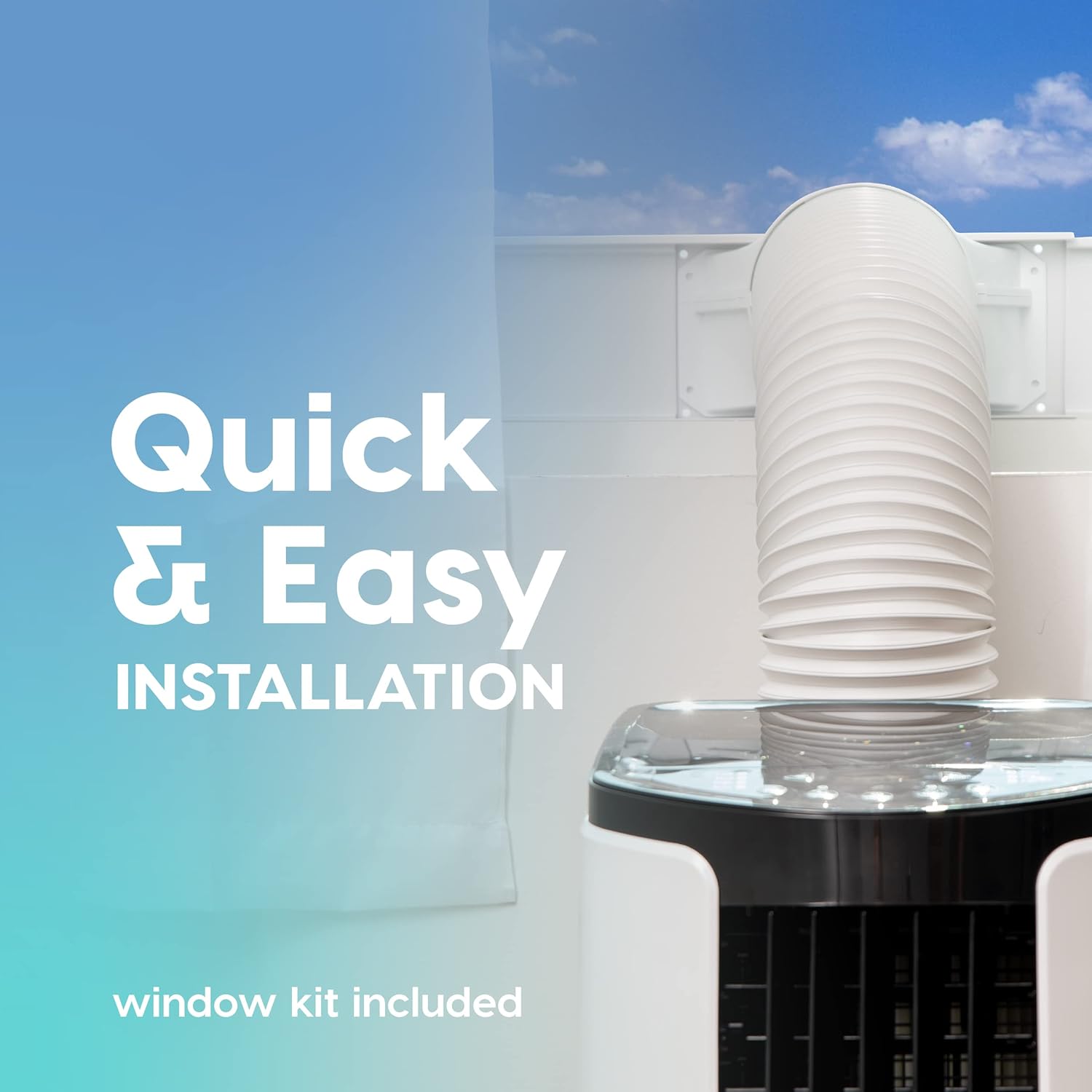
ຮູບທີ 5: This image illustrates the quick and easy installation process, showing the exhaust hose connected to the unit and extended through a window using the included window kit.
- Assemble the window sealing plate kit according to the instructions provided in the separate window kit manual.
- Connect the exhaust hose to the unit's exhaust outlet and extend it to the window kit.
- ໃຫ້ແນ່ໃຈວ່າສາຍທໍ່ບໍ່ຖືກບິດ ຫຼືງໍຢ່າງແຮງ, ເພາະວ່ານີ້ສາມາດຈຳກັດການໄຫຼຂອງລົມ ແລະຫຼຸດປະສິດທິພາບ.
- ການເຊື່ອມຕໍ່ພະລັງງານ: ສຽບສາຍໄຟໃສ່ບ່ອນສຽບໄຟຟ້າທີ່ມີດິນ.
ຄໍາແນະນໍາການດໍາເນີນງານ
Your portable air conditioner offers multiple modes for customized comfort. All functions can be easily operated with the included remote control.
ກະດານຄວບຄຸມແລະການຄວບຄຸມໄລຍະໄກ
The unit can be controlled via the top-mounted control panel or the remote control. The remote control features a digital display for easy viewing.
ຮູບແບບການເຮັດວຽກ
- ໂໝດເຮັດຄວາມເຢັນ: Provides powerful cooling for rooms up to 450 square feet.
- ກົດ ໂໝດ button until the cooling indicator light is on.
- Adjust the desired temperature using the + or - buttons (range: 61°F / 16°C to 86°F / 30°C).
- ປັບຄວາມໄວພັດລົມໂດຍໃຊ້ ແຟນAN button (3 speeds available).
- ແບບພັດລົມ: ໄຫຼວຽນຂອງອາກາດໂດຍບໍ່ມີການເຢັນ.
- ກົດ ໂໝດ button until the fan indicator light is on.
- ປັບຄວາມໄວພັດລົມໂດຍໃຊ້ ແຟນAN ປຸ່ມ.
- ໂໝດເຄື່ອງດູດຄວາມຊຸ່ມ: ເອົາຄວາມຊຸ່ມຊື່ນເກີນອອກຈາກອາກາດ.
- ກົດ ໂໝດ button until the dehumidifier indicator light is on.
- The unit will automatically exhaust condensate in most environments.
ຟັງຊັນເພີ່ມເຕີມ
- ຮູບແບບການນອນ: Activates quiet operation and gradually adjusts temperature for comfortable sleep. Press the ນອນ ປຸ່ມ.
- ຟັງຊັນຈັບເວລາ: Set the unit to turn on or off automatically within a 24-hour period. Press the ເວລາ ປຸ່ມແລະການນໍາໃຊ້ + or - ເພື່ອກໍານົດເວລາທີ່ຕ້ອງການ.
- ລັອກເດັກ: Prevents accidental changes to settings. Refer to the remote control instructions for activation.
- ການສັ່ນ: Both vertical and horizontal oscillation can be adjusted manually to direct airflow.
ບໍາລຸງຮັກສາ
ການບໍາລຸງຮັກສາເປັນປົກກະຕິຮັບປະກັນອາຍຸຍືນແລະປະສິດທິພາບຂອງເຄື່ອງປັບອາກາດແບບພົກພາຂອງທ່ານ.
ການເຮັດຄວາມສະອາດການກັ່ນຕອງ

ຮູບທີ 6: This image shows the reusable air filter being cleaned under running water, emphasizing the ease of maintenance with simple soap and water.
The unit is equipped with a washable air filter that can be cleaned with simple soap and water. Clean the filter every two weeks or more frequently depending on usage and air quality.
- ຖອດປລັກໜ່ວຍອອກຈາກປລັກສຽບໄຟ.
- ຊອກຫາແລະເອົາການກັ່ນຕອງອາກາດອອກຈາກດ້ານຫລັງຫຼືດ້ານຂ້າງຂອງຫນ່ວຍງານ.
- Wash the filter under running water with a mild detergent.
- ລ້າງໃຫ້ສະອາດ ແລະປ່ອຍໃຫ້ການກັ່ນຕອງອາກາດແຫ້ງຫມົດກ່ອນທີ່ຈະໃສ່ມັນເຂົ້າໄປໃນຫນ່ວຍບໍລິການ.
ການດູແລທົ່ວໄປ
- ເຊັດດ້ານນອກຂອງຫນ່ວຍງານດ້ວຍຄວາມອ່ອນໂຍນ, ງamp ຜ້າ. ຢ່າໃຊ້ສານເຄມີທີ່ຮຸນແຮງຫຼືເຄື່ອງເຮັດຄວາມສະອາດຂັດ.
- For long-term storage, drain any accumulated water, clean the filter, and store the unit in a dry place.
ການແກ້ໄຂບັນຫາ
ອ້າງອີງໃສ່ພາກນີ້ສໍາລັບບັນຫາທົ່ວໄປແລະການແກ້ໄຂຂອງພວກເຂົາ.
| ບັນຫາ | ສາເຫດທີ່ເປັນໄປໄດ້ | ການແກ້ໄຂ |
|---|---|---|
| ຫນ່ວຍບໍລິການບໍ່ເປີດ. | ບໍ່ມີສາຍໄຟ, ຖອດສາຍໄຟອອກ, ເຄື່ອງຕັດວົງຈອນປິດ. | ກວດເບິ່ງການເຊື່ອມຕໍ່ພະລັງງານ, ປັບຕົວຕັດວົງຈອນ. |
| ໜ່ວຍຄວາມເຢັນບໍ່ມີປະສິດທິພາບ. | Air filter dirty, exhaust hose blocked/kinked, room too large, windows/doors open. | Clean air filter, check exhaust hose, ensure proper room size, close windows/doors. |
| ໜ່ວຍມີສຽງດັງ. | ໜ່ວຍງານບໍ່ຢູ່ໃນລະດັບໃດໜຶ່ງ, ພັດລົມກີດຂວາງ. | Place on a level surface, check for obstructions in fan area. |
| ນໍ້າຮົ່ວ. | ປລັກລະບາຍນ້ຳບໍ່ໄດ້ປິດສະໜິດຢ່າງຖືກຕ້ອງ, ຕົວເຄື່ອງອຽງ. | ຮັບປະກັນວ່າປລັກທໍ່ລະບາຍນ້ຳແໜ້ນດີ, ວາງເຄື່ອງໄວ້ເທິງໜ້າດິນທີ່ຮາບພຽງ. |
ຂໍ້ມູນຈໍາເພາະ
| ຄຸນສົມບັດ | ລາຍລະອຽດ |
|---|---|
| ຕົວແບບ | WOOZOO Portable Air Conditioner |
| ASIN | B096SHCS8J |
| ຄວາມອາດສາມາດເຮັດຄວາມເຢັນ | 10,000 ບີທີຢູ (ASHRAE) |
| ພື້ນທີ່ຄອບຄຸມ | ເຖິງ 450 ຕາແມັດ |
| ຄວາມອາດສາມາດ Dehumidifying | 74 pint/ມື້ |
| ຊ່ວງອຸນຫະພູມ | 61°F (16°C) ຫາ 86°F (30°C) |
| ຄວາມໄວພັດລົມ | 3 |
| ການບໍລິໂພກພະລັງງານ | 1010 ວ |
| ສະບັບtage | 115 ໂວນ |
| ລະດັບສຽງ | 30 dB |
| ຂະ ໜາດ (D x W x H) | 31.5D x 39.5W x 77H ຊັງຕີແມັດ (ປະມານ 12.4D x 15.6W x 30.3H ນິ້ວ) |
| ນ້ຳໜັກ | 55 ປອນ (ປະມານ 24.9 ກິໂລ) |
| ຄຸນນະສົມບັດພິເສດ | LED Temperature Display, Remote Controlled, Sleep Mode, Timer, Child Lock, Auto Drain Function |
ການຮັບປະກັນແລະການສະຫນັບສະຫນູນ
For warranty information or technical support, please refer to the warranty card included with your product or contact IRIS USA customer service. Keep your purchase receipt as proof of purchase.
For further assistance, visit the official IRIS USA webເວັບໄຊ ຫຼືຕິດຕໍ່ສາຍການຊ່ວຍເຫຼືອລູກຄ້າຂອງເຂົາເຈົ້າ.


